1. Introduzione
Thank you for choosing the LAMAX HighComfort ANC Wireless Headphones. This manual provides essential information for the proper use, setup, and maintenance of your headphones. Please read it carefully before use.
The LAMAX HighComfort headphones offer a premium audio experience with advanced features:
- aptX HD Bluetooth Codec: Delivers high-quality wireless audio with enhanced detail.
- Cancellazione attiva del rumore (ANC): Reduces ambient noise by up to 30 dB using hybrid technology with two microphones.
- Batteria a lunga durata: Up to 50 hours of playback on a single charge (25 hours with ANC activated).
- Connettività versatile: Bluetooth 5.1 for wireless connection up to 10 meters, or wired via a standard 3.5 mm audio jack.
- Design confortevole: Features soft ear pads and an ergonomic design for extended wear.
- Costruzione durevole: Luxurious finish with titanium elements and high-quality workmanship.
2. Contenuto della confezione
Si prega di verificare che tutti gli articoli siano presenti nel pacco:
- LAMAX HighComfort ANC Wireless Headphones
- Cavo di ricarica USB-C
- Cavo audio da 3.5 mm
- Custodia da viaggio
- Manuale di istruzioni
3. Prodotto finitoview
Familiarize yourself with the various parts and controls of your LAMAX HighComfort headphones.

Immagine: Oltreview di controlli e porte per le cuffie.
Headphone Components and Controls:
- Active Noise Cancellation (ANC) On/Off Switch: Activates or deactivates the ANC function.
- ANC LED Indicator: Shows the status of the ANC function.
- 3.5mm Audio Cable Port: Per il collegamento cablato a sorgenti audio.
- Headphone Power LED Indicator: Visualizza lo stato di alimentazione e di associazione.
- Microfono: Per chiamate e comandi vocali.
- Porta di ricarica USB-C: Per caricare le cuffie.
- Track and Call Control Buttons: Used for volume adjustment, track skipping, and managing phone calls.

Immagine: Esploso view highlighting key features like 40mm drivers, soft leather earpads, and titanium finish.
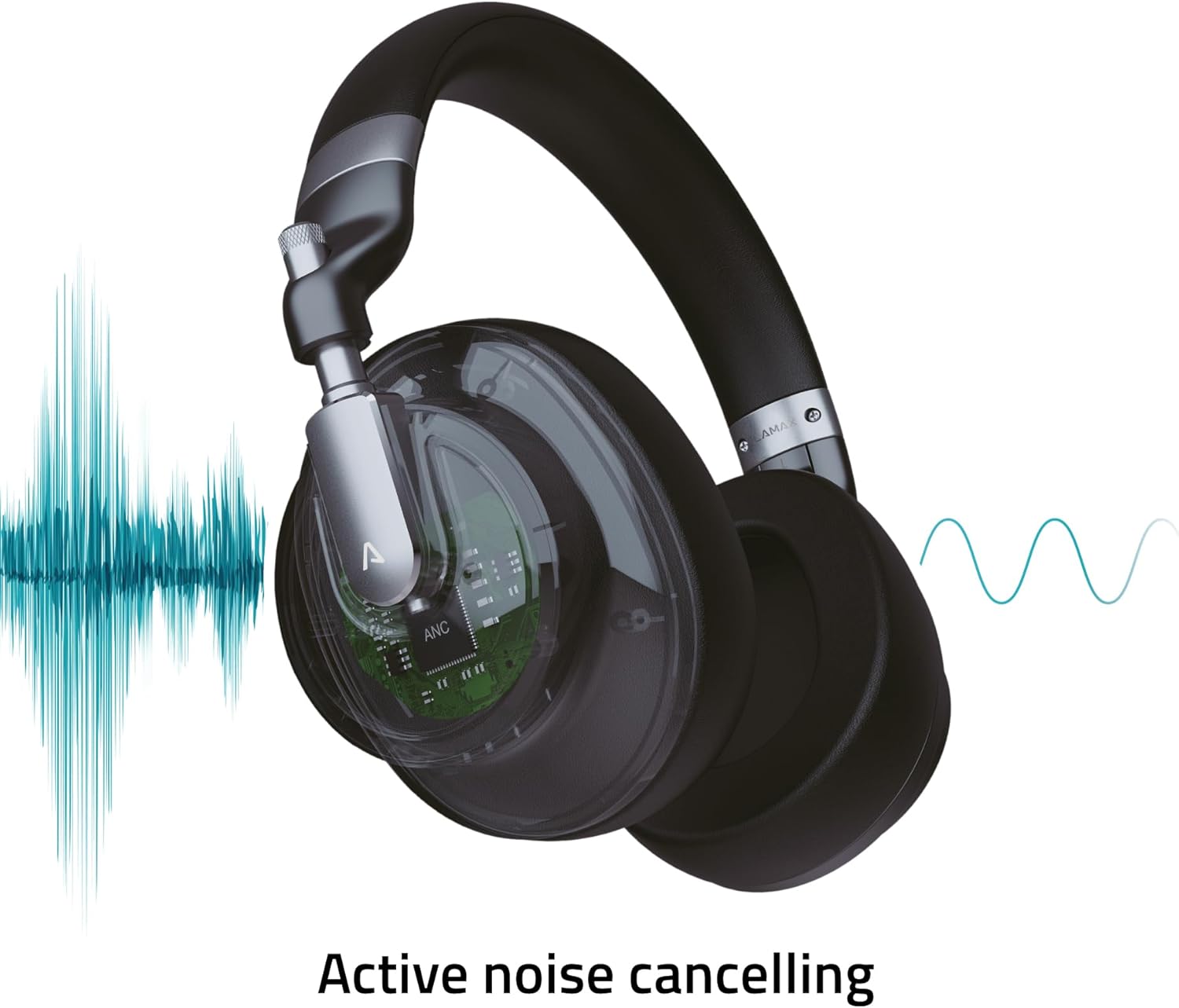
Image: Visual representation of the Active Noise Cancellation (ANC) process.
4. Impostazione
4.1 Ricarica delle cuffie
Before first use, fully charge your headphones. Use the provided USB-C cable to connect the headphones to a USB power source (e.g., computer USB port, wall adapter).
- L'indicatore LED mostrerà lo stato di carica (ad esempio, rosso per la carica, spento o blu per la carica completa).
- A full charge provides up to 50 hours of playback, or 25 hours with ANC enabled.
4.2 Associazione Bluetooth
Per connettere le cuffie in modalità wireless a un dispositivo:
- Assicurarsi che le cuffie siano cariche e spente.
- Tenere premuto il pulsante di accensione finché l'indicatore LED non lampeggia in blu e rosso, indicando la modalità di associazione.
- Sul tuo dispositivo (smartphone, tablet, laptop), attiva il Bluetooth e cerca i dispositivi disponibili.
- Select "LAMAX HighComfort" from the list of devices.
- Una volta connesso, l'indicatore LED in genere emetterà una luce blu fissa o lampeggerà lentamente.
4.3 Connessione cablata
You can also use the headphones with a 3.5mm audio cable:
- Connect one end of the 3.5mm audio cable to the headphone's audio port.
- Collegare l'altra estremità all'uscita audio da 3.5 mm del dispositivo.
- Le cuffie funzioneranno come cuffie cablate passive, anche se la batteria è scarica.
5. Utilizzo delle cuffie
5.1 Accensione/spegnimento
- Accensione: Tenere premuto il pulsante di accensione per circa 3 secondi. L'indicatore LED si accenderà.
- Spegni: Tenere premuto il pulsante di accensione per circa 3 secondi. L'indicatore LED si spegnerà.
5.2 Cancellazione attiva del rumore (ANC)
The ANC feature helps to reduce ambient noise, providing a more immersive listening experience.
- Attiva ANC: Slide the ANC switch to the 'On' position. The ANC LED indicator will illuminate.
- Disattiva ANC: Slide the ANC switch to the 'Off' position. The ANC LED indicator will turn off.
5.3 Riproduzione di musica
Use the control buttons to manage your music:
- Riproduci/Pausa: Press the Multi-function button (often the center button on the control cluster).
- Aumenta volume: Premere il pulsante '+'.
- Volume basso: Premere il pulsante '-'.
- Traccia successiva: Premere e tenere premuto il pulsante '+'.
- Traccia precedente: Premere e tenere premuto il pulsante '-'.
5.4 Gestione delle chiamate
Se connesso tramite Bluetooth, puoi gestire le chiamate telefoniche:
- Rispondi/Termina chiamata: Premi il pulsante Multifunzione.
- Rifiuta chiamata: Tieni premuto il pulsante multifunzione.
- Attiva l'assistente vocale: Premere due volte il pulsante Multifunzione (se supportato dal dispositivo).
6. Cura e manutenzione
Una cura adeguata garantisce la longevità e le prestazioni delle cuffie.
6.1 Pulizia
- Pulisci le cuffie con un panno morbido, asciutto e privo di lanugine.
- Non utilizzare detergenti abrasivi, solventi o spray chimici.
- Keep moisture out of openings.
6.2 Conservazione
- When not in use, store the headphones in the provided travel case to protect them from scratches and damage.
- Conservare in un luogo fresco e asciutto, lontano da temperature estreme e dalla luce solare diretta.

Image: Headphones folded, demonstrating their portable design for storage in the travel case.
7. Risoluzione Dei Problemi
Se riscontri problemi con le cuffie, fai riferimento alle seguenti soluzioni comuni:
| Problema | Possibile causa | Soluzione |
|---|---|---|
| Le cuffie non si accendono | Batteria scarica | Caricare completamente le cuffie utilizzando il cavo USB-C. |
| Impossibile effettuare l'associazione tramite Bluetooth | Cuffie non in modalità di associazione; Bluetooth del dispositivo disattivato; troppo lontano dal dispositivo | Ensure headphones are in pairing mode (flashing blue/red LED). Turn Bluetooth on your device. Move headphones closer to the device (within 10 meters). |
| Nessun suono o volume basso | Volume troppo basso; sorgente audio errata; cuffie non collegate | Increase volume on both headphones and connected device. Check if headphones are properly paired or if the 3.5mm cable is securely connected. Ensure the correct audio output is selected on your device. |
| L'ANC non funziona in modo efficace | ANC not activated; environmental noise too high | Ensure the ANC switch is in the 'On' position. ANC is most effective against consistent low-frequency noise. |
| Scarsa qualità delle chiamate | Connessione Bluetooth debole; microfono ostruito | Move closer to your device. Ensure the microphone is not covered. |
8. Specifiche
Technical details of the LAMAX HighComfort ANC Wireless Headphones:
| Caratteristica | Dettaglio |
|---|---|
| Nome del modello | HighComfort |
| Tecnologia di connettività | Bluetooth 5.1, jack da 3.5 mm |
| Comunicazione senza fili | Bluetooth |
| Controllo del rumore | Active Noise Cancellation (ANC) up to 30 dB |
| Posizionamento dell'orecchio | Sopra l'orecchio |
| Fattore di forma | Sopra l'orecchio |
| Materiale | Titanium and Fabric |
| Durata della batteria (media) | 50 ore (25 ore con ANC) |
| Porta di ricarica | USB di tipo C |
| Caratteristiche speciali | Microphone Included, Noise Cancellation, aptX HD |
| Dimensioni del prodotto | Dimensioni: 25.4 x 5.08 x 6.86 cm |
| Peso dell'articolo | 750 grammi |
| Dispositivi compatibili | Laptops, Telephones, Tablets, Smart Speakers, Car Audio Systems, Gaming Consoles, Televisions, Desktops, Cellphones |
9. Supporto e garanzia
For further assistance, troubleshooting not covered in this manual, or warranty information, please contact LAMAX customer support through their official websito o il tuo rivenditore.
Conservare la prova d'acquisto per eventuali richieste di garanzia.


