1. Introduzione
Thank you for choosing the Xtreme Wireless Super Slim Keyboard. This manual provides essential information for setting up, operating, maintaining, and troubleshooting your new keyboard. Designed for universal use with Windows and Mac desktop computers, this keyboard offers a reliable wireless connection up to 33 feet away using its included USB Nano Receiver.
Cosa c'è nella scatola:
- Xtreme Wireless Super Slim Keyboard
- Ricevitore nano USB
Note: 2 AAA batteries are required and not included with this unit.
2. Impostazione
2.1 Installazione della batteria
The keyboard requires two (2) AAA batteries (not included) for operation.
- Individuare il coperchio del vano batteria sul lato inferiore della tastiera.
- Far scorrere il coperchio per aprirlo.
- Inserire due batterie AAA, assicurandosi che i terminali positivo (+) e negativo (-) siano allineati correttamente con gli indicatori all'interno del vano.
- Chiudere saldamente il coperchio del vano batterie.
2.2 Collegamento del ricevitore USB Nano
The Xtreme Wireless Super Slim Keyboard uses a plug-and-play USB Nano Receiver for wireless connectivity.
- Locate an available USB port on your desktop computer (Windows or Mac).
- Insert the USB Nano Receiver firmly into the USB port.
- Il computer dovrebbe rilevare e installare automaticamente i driver necessari. Questo processo potrebbe richiedere alcuni istanti.
- Once the drivers are installed, the keyboard is ready for use.
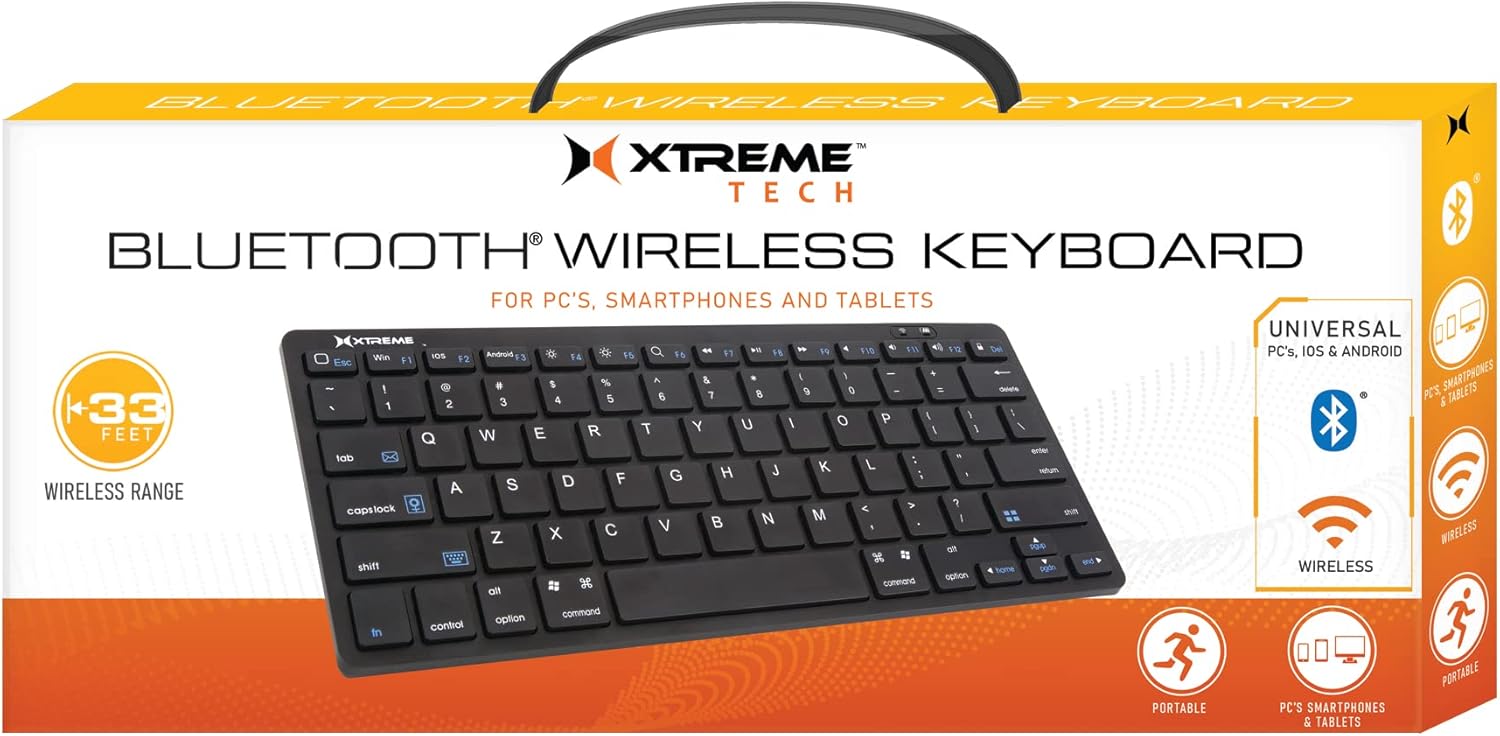
Image: The Xtreme Wireless Super Slim Keyboard shown with its compact design and the small USB Nano Receiver, ready for connection to a computer.
3. Utilizzo della tastiera
3.1 Funzionamento di base
Once connected, the keyboard functions like a standard computer keyboard. Simply begin typing. The wireless connection allows you to operate the keyboard from a distance of up to 33 feet (approximately 10 meters) from your computer, providing flexibility in your workspace.
3.2 Compatibilità
This keyboard is universally compatible with both Windows and Mac operating systems. No special software or complex setup is required beyond inserting the USB Nano Receiver.
4. Manutenzione
4.1 Pulizia
Per mantenere l'aspetto e la funzionalità della tastiera:
- Per pulire la superficie della tastiera, utilizzare un panno morbido, asciutto e privo di lanugine.
- Per sporco ostinato, leggermente dampLavare il panno con acqua o con una soluzione detergente delicata e non abrasiva. Evitare l'eccessiva umidità.
- Non spruzzare detergenti direttamente sulla tastiera.
- Utilizzare aria compressa per rimuovere polvere e detriti dagli spazi tra i tasti.
4.2 Sostituzione della batteria
When the keyboard's performance degrades or it stops responding, it may be time to replace the batteries. Follow the battery installation steps in Section 2.1.
4.3 Conservazione
When not in use for extended periods, it is recommended to remove the batteries to prevent leakage and damage to the keyboard. Store the keyboard in a cool, dry place.
5. Risoluzione Dei Problemi
5.1 La tastiera non risponde
- Controllare le batterie: Assicurarsi che le batterie AAA nuove siano installate correttamente.
- Controllare la connessione del ricevitore: Make sure the USB Nano Receiver is securely plugged into a working USB port on your computer. Try a different USB port.
- Allineare: Ensure the keyboard is within the 33-foot operating range of the receiver.
- Interferenza: Move the keyboard and receiver away from other wireless devices or large metal objects that might cause interference.
- Riavvia il computer: A volte, un semplice riavvio del computer può risolvere i problemi di connettività.
5.2 I tasti non funzionano correttamente
- Chiavi pulite: Check for any debris or obstructions under the keys. Refer to Section 4.1 for cleaning instructions.
- Livello della batteria: Low battery power can sometimes cause erratic key behavior. Replace batteries if necessary.
6. Specifiche
| Caratteristica | Dettaglio |
|---|---|
| Nome del modello | XCA2-1004-BLK |
| Marca | ACCESSORI DIGITALI XTREME PER LO STILE DI VITA |
| Tecnologia di connettività | USB Wireless (via Nano Receiver) |
| wireless Range | Fino a 33 piedi (10 metri) |
| Dispositivi compatibili | PC (Windows), Mac |
| Fonte di alimentazione | 2 x batterie AAA (non incluse) |
| Colore | Nero |
| Componenti inclusi | Ricevitore nano |
| Produttore | Accessori Jem |
7. Garanzia e supporto
For information regarding warranty coverage and technical support for your Xtreme Wireless Super Slim Keyboard, please refer to the documentation included with your product packaging or visit the official XTREME DIGITAL LIFESTYLE ACCESSORIES website. You may also contact the seller, AllTech 365, for purchase-specific support.
Risorse online:


