1. Introduzione
The mophie Powerstation 2023 is a high-capacity portable power bank designed to provide reliable and fast charging for your mobile devices on the go. With its 10,000 mAh internal battery, it offers multiple charges for smartphones and other USB-powered devices. Featuring both USB-C Power Delivery (PD) and USB-A ports, it ensures versatile and efficient charging.
Caratteristiche principali:
- 10,000 mAh high-capacity internal battery for multiple device charges.
- 20W USB-C Power Delivery (PD) port for ultra-fast charging (up to 50% in 30 minutes).
- Two additional USB-A ports for charging up to three devices simultaneously.
- Integrated 4-light LED power indicator to display charging status and battery life.
- Durable fabric finish that resists scuffs and scratches.
- Design compatto e adatto ai viaggi.
- Manufactured using 50% post-consumer recycled plastic.
2. Cosa c'è nella scatola
- mophie Powerstation 2023 10,000 mAh Power Bank
- Cavo di ricarica da USB-A a USB-C
- Guida rapida (non inclusa in questo manuale)
3. Prodotto finitoview

Figure 1: mophie Powerstation 2023 10,000 mAh Power Bank

Figure 2: Versatile Input/Output USB-C PD Port and USB-A Ports. The USB-C port can be used for both charging the power bank and charging devices, while the two USB-A ports are for output only.

Figure 3: LED Power Indicator. The integrated four-light LED power indicator displays the charging status and current battery life of the power bank.
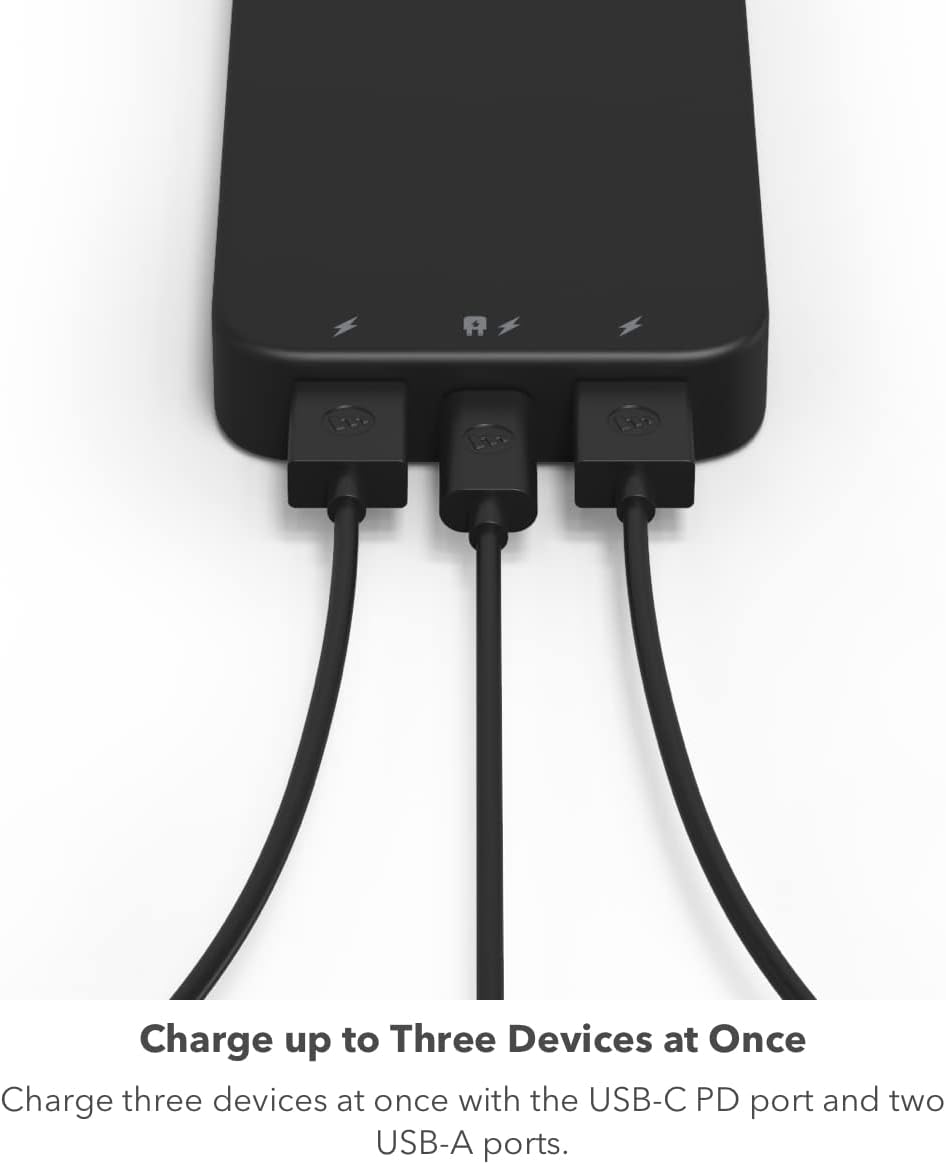
Figure 4: Charge up to Three Devices at Once. The power bank allows simultaneous charging of up to three devices using its USB-C PD and two USB-A ports.
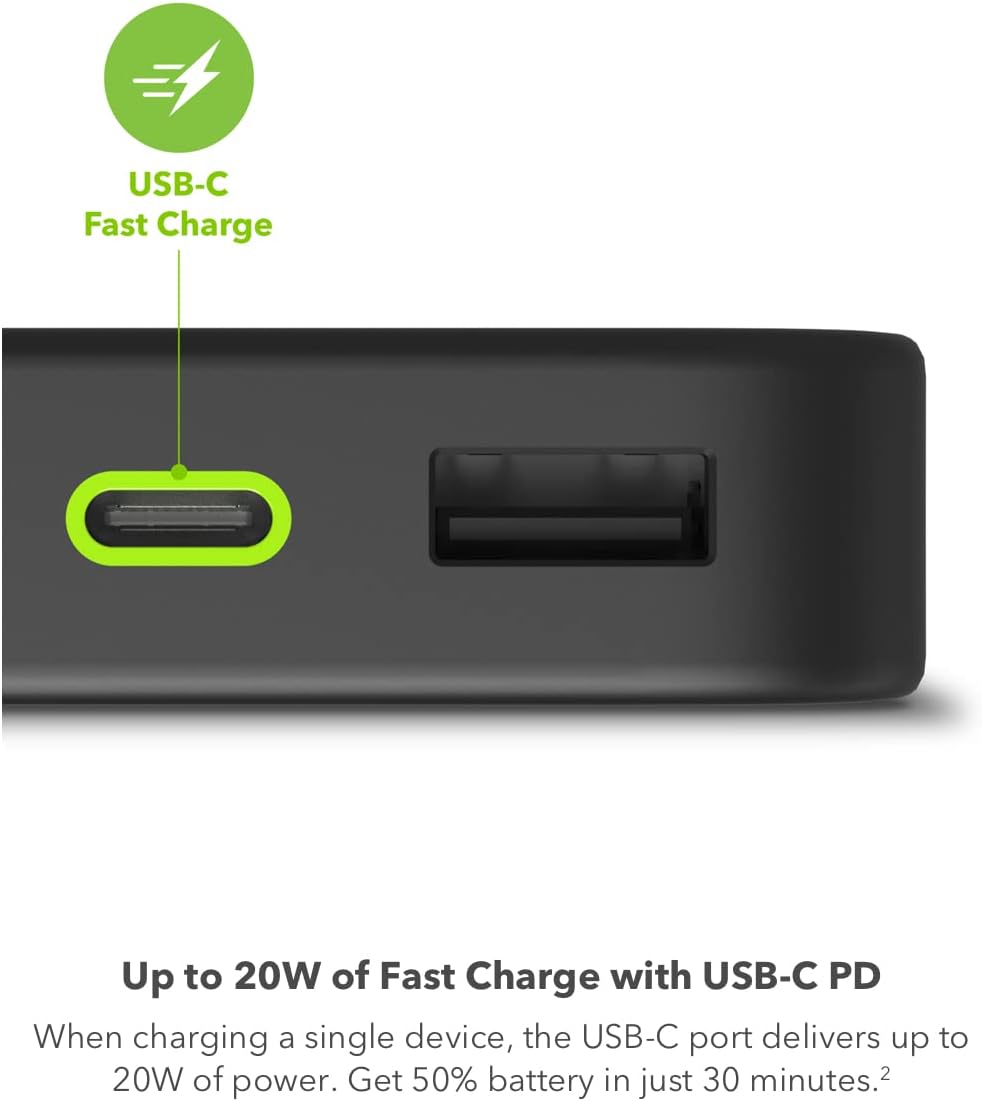
Figure 5: Up to 20W of Fast Charge with USB-C PD. When charging a single device, the USB-C port delivers up to 20W of power, providing up to 50% battery in just 30 minutes for compatible devices.

Figure 6: Up to Two Full Phone Charges. The 10,000 mAh capacity can provide a smartphone with up to two full charges.

Figure 7: Compact and Convenient. The lightweight, portable powerstation fits easily in your bag, making it ideal for travel.

Figure 8: Sustainable Design. The powerstation is manufactured using 50% post-consumer recycled plastic.
4. Impostazione
4.1 Initial Charging of the Powerstation
Before first use, it is recommended to fully charge your mophie Powerstation. Use the included USB-A to USB-C cable to connect the power bank's USB-C port to a compatible USB wall adapter (not included). For optimal charging speed, a 20W or higher USB-C PD wall adapter is recommended. The LED indicator lights will illuminate to show the charging progress. All four lights will be solid when fully charged.
- Connect the small end of the USB-A to USB-C cable to the USB-C port on the Powerstation.
- Connect the USB-A end of the cable to a USB wall adapter.
- Collega l'adattatore a muro a una presa di corrente.
- The LED indicator lights will blink during charging and remain solid when fully charged.
5. Istruzioni per l'uso
5.1 Ricarica dei dispositivi
The mophie Powerstation can charge up to three devices simultaneously using its USB-C PD port and two USB-A ports.
- Per dispositivi USB-C: Connect your device to the Powerstation's USB-C port using a compatible USB-C to USB-C cable (not included) or the included USB-A to USB-C cable if your device supports USB-A input.
- Per dispositivi USB-A: Connect your device to one of the Powerstation's USB-A ports using a compatible USB-A cable (not included).
- The Powerstation will automatically begin charging your device. The LED indicator lights will show the remaining battery life.
- For fastest charging, use the USB-C PD port with a single compatible device.
5.2 Controllo del livello della batteria
Press the power button on the side of the Powerstation to check its current battery level. The LED indicator lights will illuminate:
- 4 luci: carica al 75-100%
- 3 luci: carica al 50-75%
- 2 luci: carica al 25-50%
- 1 light: 0-25% charged (recharge soon)
6. Manutenzione
- Tenere la Powerstation asciutta e lontana dall'umidità.
- Evitare temperature estreme.
- Pulire la superficie con un panno morbido e asciutto. Non utilizzare prodotti chimici aggressivi o materiali abrasivi.
- Conservare in luogo fresco e asciutto quando non in uso.
- Non tentare di smontare o riparare il dispositivo da soli.
7. Risoluzione Dei Problemi
7.1 Powerstation Not Charging
- Ensure the charging cable is securely connected to both the Powerstation and the wall adapter.
- Verificare che l'adattatore a muro funzioni correttamente e che la presa di corrente sia attiva.
- Prova a utilizzare un cavo USB-C o un adattatore da parete diverso.
- For initial charging, especially if the power bank is completely depleted, it may take some time for the LED indicators to respond. Ensure you are using a sufficiently powerful wall adapter (e.g., 20W) for efficient initial charging.
7.2 Device Not Charging from Powerstation
- Ensure the Powerstation has sufficient charge (check LED indicators).
- Verify that the charging cable connecting your device to the Powerstation is not damaged and is securely connected.
- Try using a different port on the Powerstation.
- Ensure your device is compatible with the Powerstation's output (USB-A or USB-C).
- If charging multiple devices, ensure the combined power draw does not exceed the Powerstation's output capabilities.
7.3 Ricarica lenta
- Assicurati di utilizzare un cavo di ricarica compatibile e di alta qualità.
- For fast charging, use the USB-C PD port with a single compatible device. Charging multiple devices simultaneously may reduce individual charging speeds.
- Ensure your device supports fast charging protocols (e.g., USB-C PD) to utilize the Powerstation's full speed capabilities.
8. Specifiche
| Caratteristica | Dettaglio |
|---|---|
| Numero di modello | PS-2023-10K |
| Capacità della batteria | 10,000 mAh |
| Dimensioni del prodotto | 5.5 x 2.8 x 0.7 pollici |
| Peso dell'articolo | 13.7 once |
| Uscita USB-C PD | Fino a 20W |
| Uscita USB-A | 18W (shared with other ports) |
| Total Combined Output | Up to 15W (when all ports are used simultaneously) |
| Tipo di connettore | USB tipo A, USB tipo C |
| Produttore | Mofie |
| Colore | Nero |
9. Garanzia e supporto
Per informazioni sulla garanzia e sull'assistenza clienti, fare riferimento al sito ufficiale mophie webo contattare direttamente il servizio clienti. Conservare la prova d'acquisto per eventuali reclami in garanzia.
mophie Support: www.mophie.com/support


