Introduzione
The mophie powerstation Go is a versatile portable device designed to provide power in various emergency situations. It functions as a car jump starter, a portable power bank for mobile devices, and a bright LED work light. This manual provides essential instructions for safe and effective use, maintenance, and troubleshooting of your powerstation Go.
Informazioni sulla sicurezza
Leggere tutte le avvertenze e le istruzioni di sicurezza prima di utilizzare questo prodotto. Il mancato rispetto di queste istruzioni può causare scosse elettriche, incendi o lesioni gravi.
- Do not expose the powerstation Go to moisture or extreme temperatures.
- Non tentare di smontare o modificare il dispositivo.
- Tenere fuori dalla portata dei bambini.
- Ensure proper polarity when connecting jumper cables to a vehicle battery. Incorrect connection can cause damage or injury.
- Use only the provided jumper cables and charging accessories.
- Evitare l'esposizione prolungata alla luce solare diretta.
- Se il dispositivo diventa eccessivamente caldo, interromperne immediatamente l'uso.
Contenuto della confezione
- mophie powerstation Go
- Mini Jumper Cables
- Cavo di ricarica (da USB-C a USB-A)
- Manuale d'uso
Prodotto finitoview
Familiarize yourself with the components of your mophie powerstation Go.


- Torcia a LED: Located at one end, provides bright illumination.
- Lavoro leggero: Integrated into the body, offers broad area lighting.
- Pulsante di accensione: Attiva il dispositivo e controlla lo stato della batteria.
- Indicatore LED della batteria: Visualizza il livello di carica rimanente.
- Porta di uscita USB-A: Per caricare dispositivi mobili.
- Porta del cavo jumper: Dedicated port for connecting the mini jumper cables.
- Porta di ingresso USB-C: For recharging the powerstation Go.
Impostazione: carica iniziale
Before first use, fully charge your mophie powerstation Go.
- Connect the provided USB-C charging cable to the USB-C input port on the powerstation Go.
- Connect the other end of the charging cable to a compatible USB wall adapter (not included) or a powered USB port.
- The LED battery indicator lights will illuminate and flash, indicating the charging status. All four lights will be solid when fully charged.
- Il tempo di ricarica può variare a seconda della fonte di alimentazione.
Istruzioni per l'uso
1. Avviamento di emergenza di un veicolo
Ensure the powerstation Go is at least 50% charged before attempting to jump start a vehicle.
- Connect the mini jumper cables to the jumper cable port on the powerstation Go. Ensure a secure connection.
- Collegare il rosso clamp al terminale positivo (+) della batteria scarica del veicolo.
- Collegare il nero clamp to a metal part of the vehicle's chassis (unpainted, non-moving part) or the negative (-) terminal of the battery, if accessible and safe.
- Once connected, the powerstation Go will automatically perform safety checks. Wait for the indicator light on the jumper cable connector to turn solid green.
- Start your vehicle. If it doesn't start immediately, wait 30 seconds and try again. Do not attempt more than three consecutive jump starts.
- Una volta avviato il veicolo, scollegare immediatamente il cavo neroamp, poi il rosso clamp, and finally disconnect the jumper cables from the powerstation Go.
2. Ricarica dei dispositivi mobili
Use the USB-A output port to charge your smartphone, tablet, or other USB-powered devices.

- Connect your device's USB charging cable to the USB-A output port on the powerstation Go.
- The powerstation Go will automatically begin charging your device. The LED battery indicator lights will show the remaining charge.
- Una volta completata la ricarica, scollegare il dispositivo.
3. Using the LED Flashlight and Work Light
The powerstation Go features both a focused LED flashlight and a broad work light.
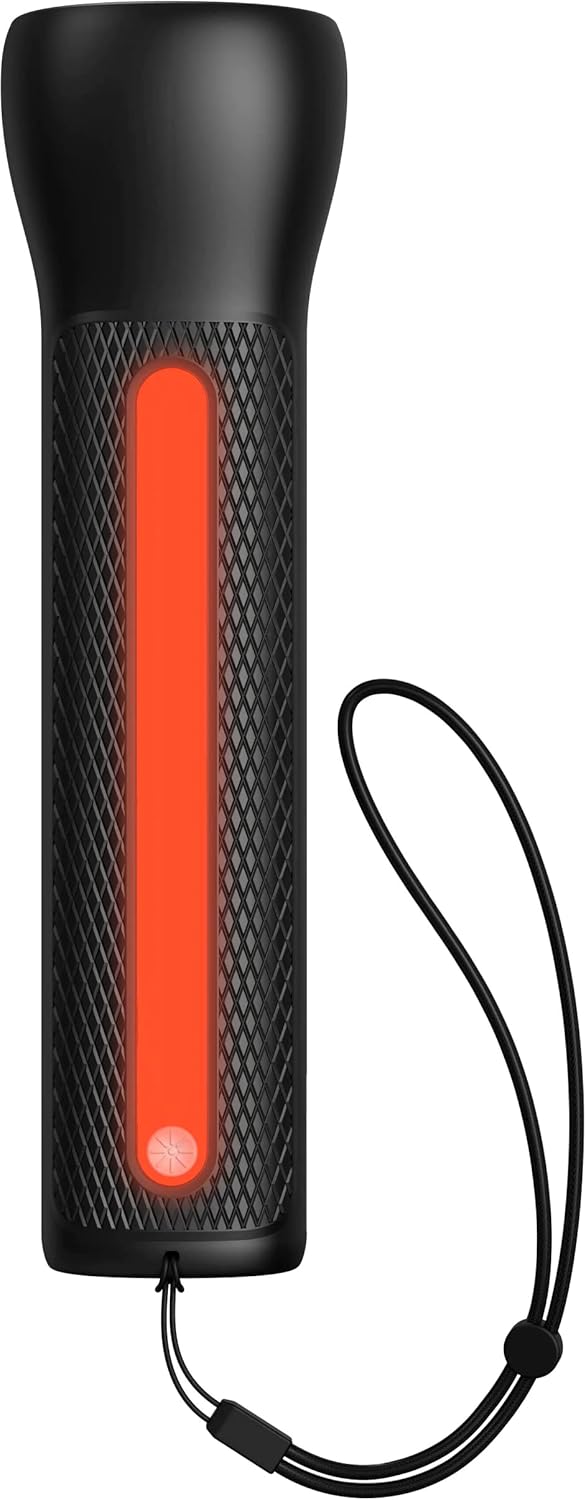

- To activate the LED Flashlight: Press and hold the power button for 2 seconds. Press again to cycle through modes (high, low, strobe, off).
- To activate the Work Light: Double-press the power button. Double-press again to cycle through modes (white, red, flashing red, off).
Manutenzione
- Pulizia: Pulisci il dispositivo con un panno morbido e asciutto. Non utilizzare prodotti chimici aggressivi o materiali abrasivi.
- Magazzinaggio: Store the powerstation Go in a cool, dry place away from direct sunlight. For optimal battery life, recharge the device every 3 months if not in regular use.
- Cura della batteria: The internal battery is not user-replaceable. Do not attempt to open the device.
Risoluzione dei problemi
| Problema | Possibile causa | Soluzione |
|---|---|---|
| Dispositivo non in carica | Charging cable or adapter faulty; port obstruction. | Try a different USB-C cable and wall adapter. Ensure ports are clean and free of debris. |
| Il veicolo non si avvia con i cavi | Low powerstation Go charge; incorrect cable connection; severely dead battery. | Ensure powerstation Go is fully charged. Verify correct clamp polarity. Check vehicle battery for severe damage. Consult vehicle manual. |
| Mobile device not charging | Powerstation Go battery low; faulty USB cable; device incompatibility. | Recharge powerstation Go. Try a different USB cable. Ensure your device is compatible with standard USB charging. |
| Le luci non funzionano | Powerstation Go battery low; incorrect button press. | Recharge powerstation Go. Refer to "Using the LED Flashlight and Work Light" section for correct operation. |
Specifiche
- Marca: Mofie
- Numero modello: mpsgrgd-FL36630
- Numero di parte del produttore: 401107454
- Capacità della batteria: 9900 mAh (36.6 Wh)
- Voltage: 12 Volts (for jump starting)
- Peso del prodotto: 1.07 chilogrammi
- Dimensioni: 30.3 x 24.69 x 10.79 cm (Confezione)
- Caratteristiche speciali: LED Indicator Lights, 450-lumen LED Flashlight, Spark-proof Jumper Cables
- Automotive Service Type: Truck, Car
Garanzia e supporto
For warranty information and customer support, please visit the official mophie webo contattare il servizio clienti. Conservare la prova d'acquisto per eventuali reclami in garanzia.
Supporto online: www.mophie.com/support


