1. Introduzione
This manual provides detailed instructions for the setup, operation, and maintenance of your Logitech MK670 Comfort Wave Wireless Keyboard and Mouse Combo, along with the included Mini Bluetooth Speaker, Gel Wrist Pad, and Gel Mouse Pad. Please read this manual thoroughly before using the products to ensure optimal performance and longevity.

Image 1.1: Complete bundle including the Logitech MK670 keyboard, mouse, mini Bluetooth speaker, and gel pads.
2. Componenti del prodotto
Il tuo pacco dovrebbe contenere i seguenti articoli:
- Logitech MK670 Comfort Wave Wireless Keyboard
- Logitech Wireless Mouse
- Logitech Unifying USB Receiver
- Mini altoparlante Bluetooth wireless portatile
- Gel Wrist Pad
- Gel Mouse Pad
- Micro USB Charging Cable (for speaker)
- Documentazione utente (questo manuale)
3. Istruzioni per l'installazione
3.1. Logitech Keyboard and Mouse Setup
- Disimballare: Estrarre con cautela la tastiera e il mouse dalla confezione.
- Inserire le batterie: The keyboard and mouse typically come with pre-installed batteries or require standard AA/AAA batteries. Open the battery compartments (usually on the underside of each device) and ensure batteries are correctly inserted.
- Locate Unifying Receiver: The small USB Unifying receiver is often stored inside the mouse's battery compartment for safekeeping. Remove it.
- Collegare il ricevitore: Collega il ricevitore USB Logitech Unifying a una porta USB disponibile sul tuo computer.
- Accensione: Turn on the keyboard and mouse using their respective power switches (usually located on the underside or side). The devices should automatically connect to your computer.

Image 3.1: The Logitech MK670 wireless keyboard and mouse, ready for connection via the Unifying receiver.
3.2. Mini Bluetooth Speaker Setup
- Carica altoparlante: Before first use, fully charge the mini Bluetooth speaker using the provided Micro USB charging cable. Connect the Micro USB end to the speaker and the USB-A end to a power source (e.g., computer USB port, USB wall adapter). The charging indicator light will typically turn off or change color when fully charged.
- Accensione: Press and hold the power button on the speaker until you hear an audible prompt or see an indicator light flash, indicating it is in pairing mode.
- Accoppia tramite Bluetooth:
- Sul tuo dispositivo (smartphone, tablet, laptop), vai alle impostazioni Bluetooth.
- Assicurati che il Bluetooth sia abilitato.
- Cercare available devices. The speaker will typically appear as a name like "Mini Speaker" or similar.
- Select the speaker to pair. Once paired, you will hear a confirmation sound.
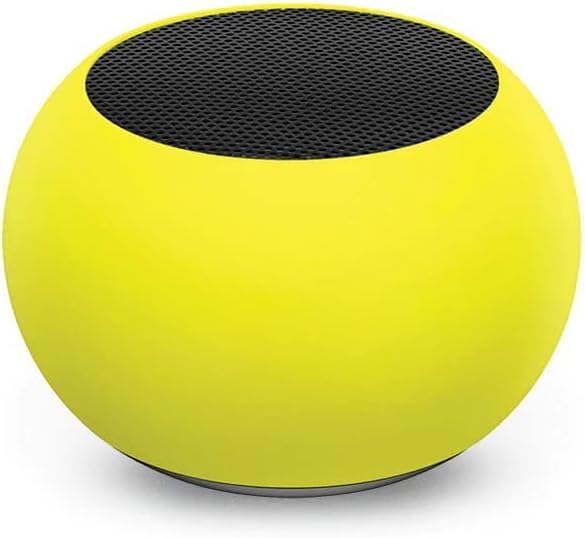
Immagine 3.2: Un primo piano view of the compact mini Bluetooth speaker, highlighting its design.
3.3. Gel Pads Placement
- Keyboard Wrist Rest: Place the longer gel wrist pad directly in front of your Logitech MK670 keyboard, aligning it to support your wrists while typing.
- Mouse Pad with Wrist Rest: Position the gel mouse pad on your desk where you typically use your mouse. Ensure the integrated wrist rest provides comfortable support for your mousing hand.

Image 3.3: The ergonomic gel wrist pad and gel mouse pad, designed for comfort and support.
4. Istruzioni per l'uso
4.1. Utilizzo della tastiera
- Digitando: The Comfort Wave design provides an ergonomic layout for natural hand and wrist positioning.
- Tastiera numerica: Utilize the full-size numeric keypad for efficient data entry.
- Tasti di scelta rapida: Access common functions quickly using the dedicated shortcut keys (e.g., media controls, volume, application launch). Refer to the key legends for specific functions.
- Gambe inclinabili regolabili: Flip out the tilt legs on the underside of the keyboard to adjust the typing angle for personalized comfort.

Immagine 4.1: Lato view of the Logitech MK670 keyboard, illustrating the adjustable tilt legs for ergonomic customization.
4.2. Utilizzo del mouse
- Puntare e cliccare: Use the mouse for precise cursor control, left-clicks, and right-clicks.
- Scorrimento: La rotellina di scorrimento consente una navigazione fluida tra i documenti e web pagine.
- Design ambidestro: Il mouse è progettato per essere utilizzato comodamente sia dagli utenti mancini che da quelli destrorsi.
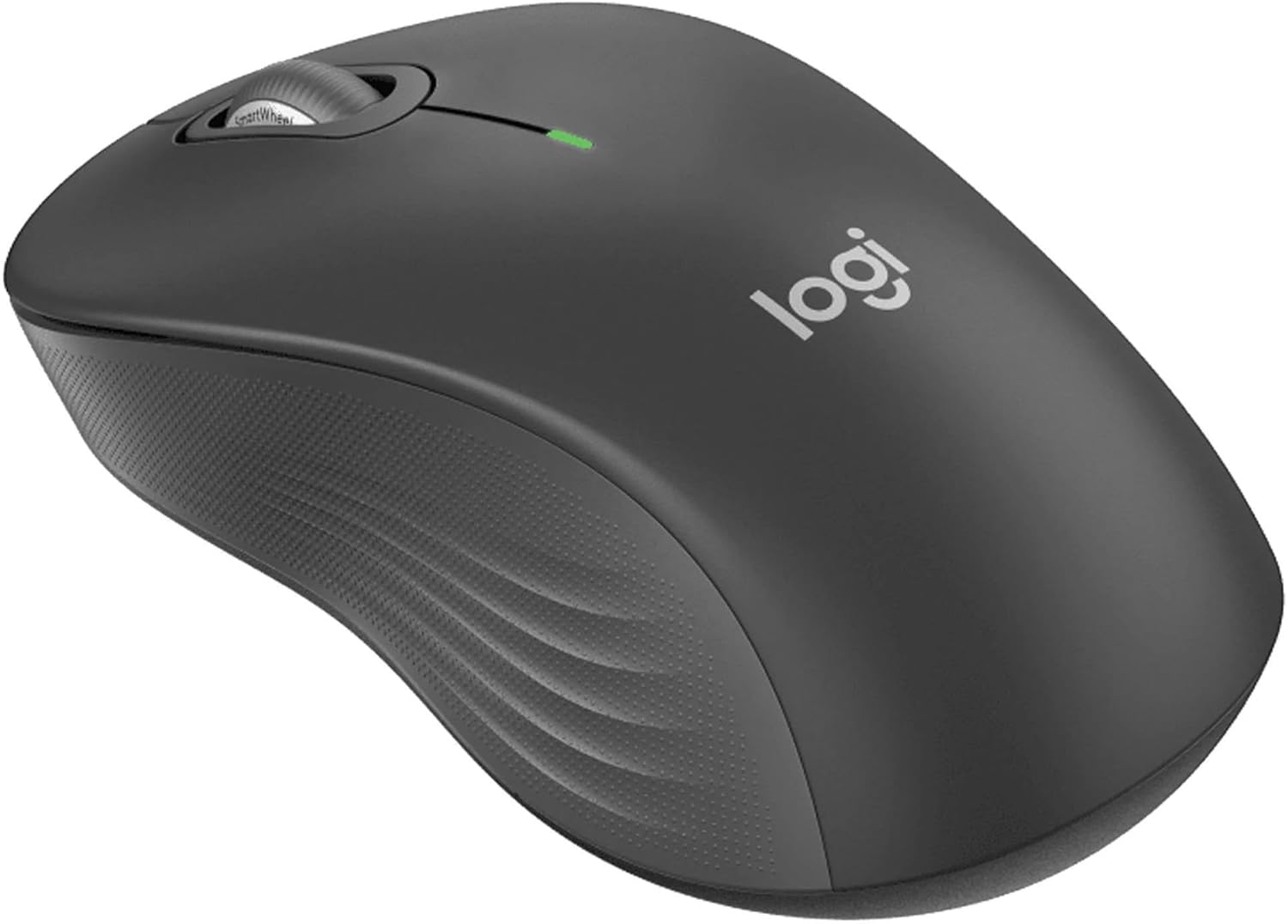
Immagine 4.2: Un dettaglio view of the Logitech wireless mouse, showcasing la sua forma ergonomica.
4.3. Mini Bluetooth Speaker Usage
- Accensione/spegnimento: Tieni premuto il pulsante di accensione per accendere o spegnere l'altoparlante.
- Accoppiamento Bluetooth: Once powered on, the speaker will automatically attempt to connect to the last paired device. If not, it will enter pairing mode for new connections (refer to Section 3.2).
- Controllo del volume: Volume is typically controlled via the connected device. Some speakers may have integrated volume buttons.
- Selfie Remote: The speaker may feature a remote selfie button. Consult the speaker's specific instructions for activation and use with your device's camera.
- Chiamate in vivavoce: With its built-in microphone, the speaker can be used for hands-free calls when connected to a smartphone.
5. Manutenzione
5.1. Pulizia
- Tastiera e mouse: Utilizzare un panno morbido e privo di lanugine leggermente dampened with water or a mild cleaning solution. Avoid harsh chemicals or abrasive materials. For dust between keys, use compressed air.
- Mini Bluetooth Speaker: Wipe the exterior with a soft, dry cloth. Do not immerse in water.
- Cuscinetti in gel: Cancella con pubblicitàamp cloth and mild soap if necessary. Allow to air dry completely before reuse.
5.2. Battery Replacement (Keyboard and Mouse)
When the battery indicator light on your keyboard or mouse signals low power, replace the batteries with new ones of the same type (e.g., AA or AAA). Ensure correct polarity when inserting new batteries.
6. Risoluzione Dei Problemi
6.1. Tastiera/mouse non rispondono
- Controllare le batterie: Assicurarsi che le batterie siano inserite correttamente e siano sufficientemente cariche. Sostituirle se necessario.
- Interruttori di alimentazione: Verify that both the keyboard and mouse power switches are in the 'ON' position.
- Ricevitore USB: Ensure the Logitech Unifying USB receiver is securely plugged into a working USB port on your computer. Try a different USB port.
- Prossimità: Ensure the keyboard and mouse are within the operational range (up to 33 feet) of the USB receiver.
- Riparazione: If issues persist, you may need to re-pair the devices using Logitech's Unifying software (downloadable from the Logitech support webposto).
6.2. Mini Bluetooth Speaker Connection Issues
- Potenza altoparlante: Assicurarsi che l'altoparlante sia carico e acceso.
- Bluetooth attivato: Verify Bluetooth is enabled on your source device.
- Dimentica dispositivo: On your source device, 'forget' or 'unpair' the speaker from your Bluetooth device list, then attempt to pair again.
- Prossimità: Keep the speaker and source device within close range (typically 10 meters or 33 feet) for stable connection.
- Interferenza: Allontanarsi da altri dispositivi wireless che potrebbero causare interferenze.
6.3. No Sound from Speaker
- Livelli del volume: Check the volume on both the speaker and the connected device.
- Uscita del dispositivo sorgente: Ensure your device's audio output is set to the Bluetooth speaker.
- Riproduzione multimediale: Verify that media is playing on your source device.
7. Specifiche
| Caratteristica | Dettaglio |
|---|---|
| Marca | Logitech |
| Modello | MK670 (Keyboard & Mouse Combo) |
| Tecnologia di connettività | 2.4GHz Wireless (Keyboard & Mouse), Bluetooth 5.0 (Speaker) |
| wireless Range | Fino a 33 piedi (10 metri) |
| Caratteristiche della tastiera | Ergonomic Comfort Wave design, Full-size with numeric keypad, Shortcut keys, Cushioned palm rest, Adjustable tilt legs |
| Caratteristiche del mouse | Ambidextrous design, Precise tracking |
| Dimensioni degli altoparlanti | 45.45 mm x 33 mm (1.75" x 1.3") |
| Peso dell'altoparlante | 2.46 oncia |
| Capacità della batteria dell'altoparlante | 400mAh |
| Tempo di riproduzione dell'altoparlante | Fino a 4 ore |
| Speaker Special Features | Magnetic base, Built-in mic, Remote selfie button, Glow in the Dark (Yellow variant) |
| Dispositivi compatibili | Laptops, Gaming Consoles (for keyboard/mouse functionality), Bluetooth-enabled devices (for speaker) |
| Peso dell'articolo (pacchetto) | 4 libbre |
| Dimensioni del pacco | 23 x 10 x 10 pollici |
8. Informazioni sulla garanzia
Logitech products are typically covered by a limited hardware warranty. For specific warranty terms and conditions, including duration and coverage details, please refer to the warranty card included with your product or visit the official Logitech websito. Conservare la prova d'acquisto per eventuali reclami in garanzia.
9. Supporto
For further assistance, technical support, or to download the latest drivers and software for your Logitech products, please visit the official Logitech support websito. Lì puoi trovare anche FAQ e forum della community.
Supporto Logitech Websito: https://support.logi.com/


