Introduzione
The MEDca Mini Digital Hearing Amplifiers are designed to provide enhanced sound clarity and comfort for adults and seniors. These lightweight, rechargeable devices feature automatic in-ear detection, noise cancellation, and a convenient volume control dial, making them ready to use right out of the box without the need for extensive testing or fitting. This manual will guide you through the proper use and care of your new hearing amplificatori.
Contenuto della confezione
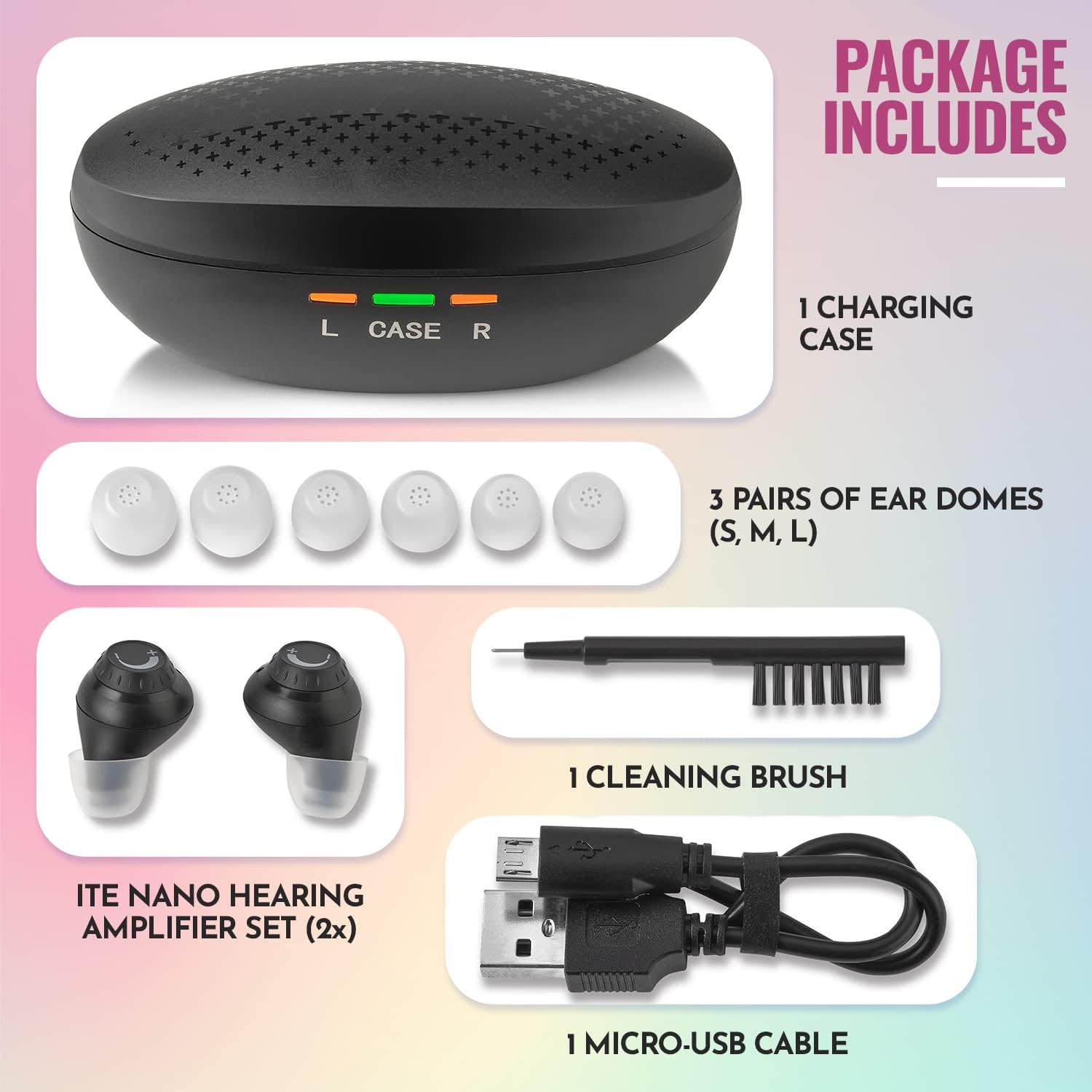
This image displays all items included in the MEDca Mini Digital Hearing Amplifiers package. It shows the compact charging case, the two black in-ear amplifiers, three pairs of ear domes in various sizes (S, M, L), a micro-USB charging cable, and a small cleaning brush. These components are essential for the proper setup and maintenance of your device.
- ITE Nano Hearing Amplifier Set (2 Pieces)
- 1 Custodia di ricarica
- 1 Micro-USB Cable
- 3 Pairs of Ear Domes (Sizes: Small, Medium, Large)
- 1 Spazzola per la pulizia
- Manuale dell'utente (questo documento)
Prodotto finitoview
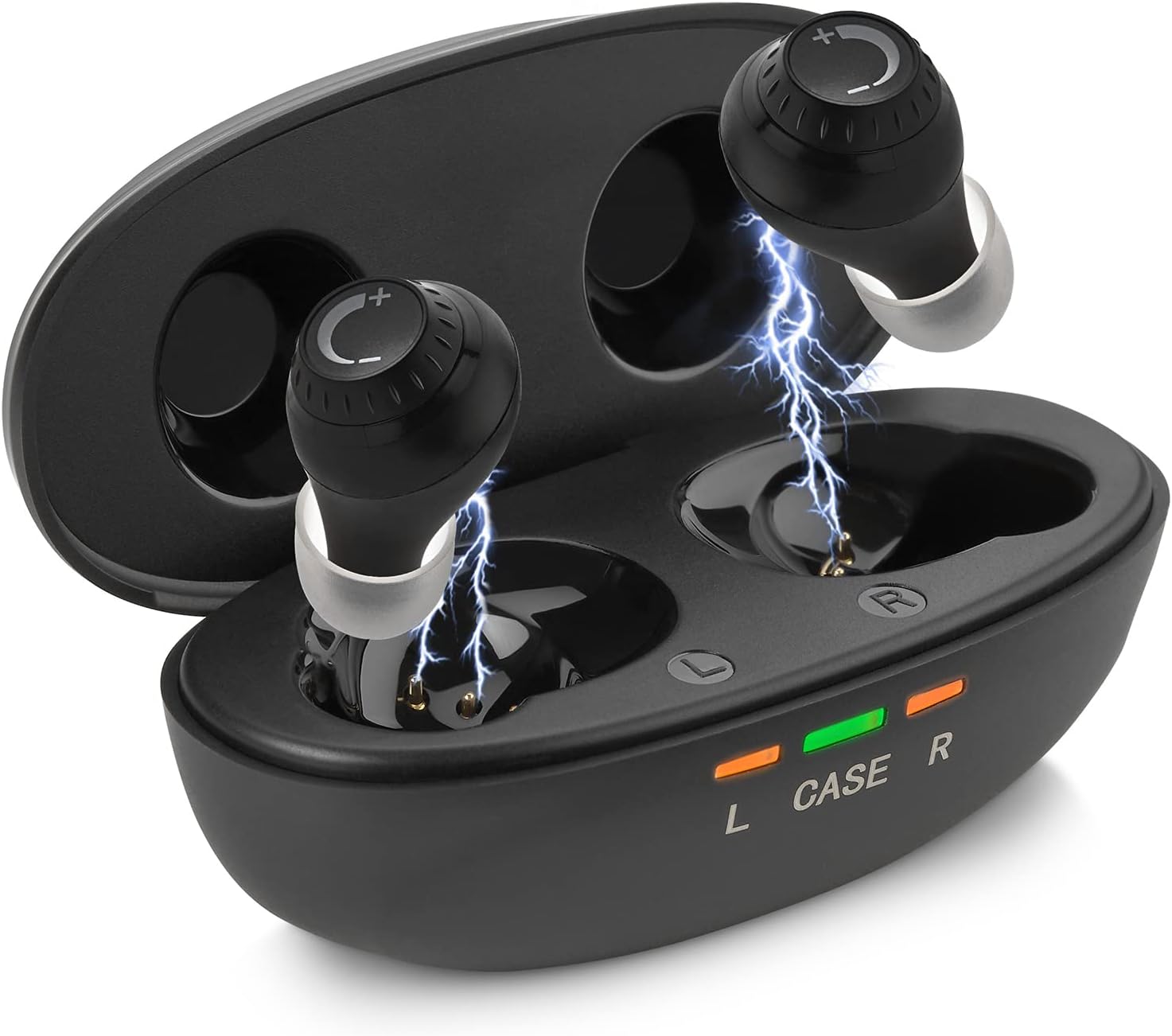
This image shows the MEDca Mini Digital Hearing Amplifiers, highlighting their compact, in-ear design and the portable charging case. The amplifiers are black with a subtle volume control dial. The charging case features indicator lights for left (L), case, and right (R) amplifier charging status. The design emphasizes ease of use and portability.
The MEDca Mini Digital Hearing Amplifiers are designed for discreet and comfortable wear. Each amplifier is equipped with a volume control dial for easy adjustments. The included charging case not only protects the amplifiers but also provides multiple charges on the go. The devices feature built-in sensors for automatic power on/off when inserted or removed from the ear.
Impostare
- Carica iniziale: Before first use, place both hearing amplifiers into the charging case. Connect the charging case to a power source using the provided Micro-USB cable. Charge for at least 2 hours to ensure a full charge. The indicator lights on the case will show charging status.
- Select Ear Domes: Choose the ear dome size (S, M, L) that provides the most comfortable and secure fit in your ear canal. A proper fit is crucial for optimal sound quality and to prevent whistling.
- Inserire Amplificatore: Inserire delicatamente il amplifier into your ear. The device has built-in sensors and will automatically turn on once properly seated in your ear.
Istruzioni per l'uso

Questa immagine fornisce una descrizione dettagliata view of the MEDca hearing amplifier, focusing on the top-mounted volume control dial. The dial features clear '+' and '-' markings, indicating the direction to turn for increasing o decreasing the sound level. This design allows for easy and precise adjustments by the user.
- Accensione/spegnimento automatico: IL amplifiers feature in-ear detection. They will automatically turn on when inserted into your ears and switch to standby mode when removed.
- Controllo del volume: Adjust the sound level using the small dial knob located on the amplifier. Rotate the dial towards '+' to increase volume and towards '-' to decrease volume. Adjust to a comfortable listening level based on your environment.
- Adattamento ambientale: The MEDca hearing amplifier automatically adjusts to various environments, whether you are in a crowded restaurant, exercising, or outdoors.
Ricarica
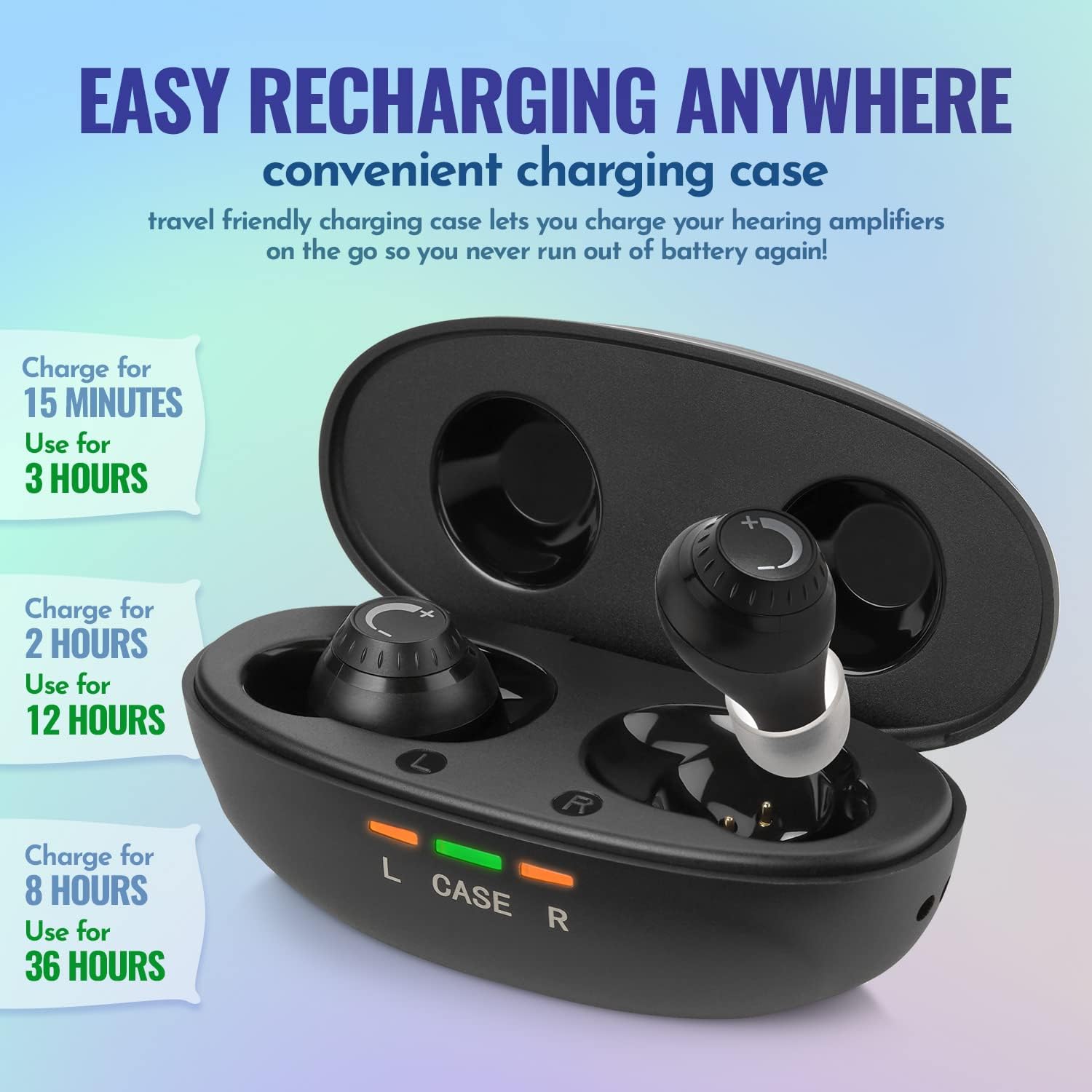
This image illustrates the charging capabilities of the MEDca hearing amplifiers and their portable charging case. It highlights that a 15-minute charge provides 3 hours of use, a 2-hour charge provides 12 hours of use, and an 8-hour charge provides up to 36 hours of continuous hearing. The image shows the amplifiers nestled in their charging slots within the case, with indicator lights for charging status.
- Ricarica del Amplificatori: Posizionare il amplifiers into their respective slots in the charging case. They will automatically turn off and begin charging.
- Ricarica della custodia: Connect the Micro-USB cable to the charging case and a power source (e.g., USB wall adapter, computer USB port). The charging case itself holds multiple charges for on-the-go convenience.
- Durata della batteria: A full charge provides up to 36 hours of use. The charging case can recharge the devices up to 3 times on a single full charge of the case.
- Ricarica rapida: A short 15-minute charge can provide approximately 3 hours of use.
Manutenzione e cura
- Pulizia: Use the provided cleaning brush to gently remove any earwax or debris from the ear domes and the amplifier's sound outlet. Do not use liquids or harsh chemicals.
- Resistenza all'acqua: The MEDca hearing amplifiers are IP53 rated, meaning they are protected from dust and spraying water. You can confidently use them during physical activities or in light rain. However, they are not designed for submersion in water.
- Magazzinaggio: Quando non è in uso, conservare il amplifiers in their charging case to protect them and keep them charged. Store in a cool, dry place away from direct sunlight.
Specifiche

This image presents a clear table detailing the key technical specifications of the MEDca hearing amplifier. It includes metrics such as Max OSPL90, High Frequency Average, Maximum Gain, EQ Input Noise, Total Harmonic Distortion, Frequency Range, Battery Life, and the physical dimensions of the amplifier. This provides a quick reference for the device's performance characteristics.
| Caratteristica | Specificazione |
|---|---|
| Massimo OSPL90 | ≤120dB + 3dB |
| High Frequency Avg | 108 dB±4 dB |
| Guadagno massimo | 27 dB±5 dB |
| Rumore di ingresso EQ | ≤29dB + 3dB |
| Distorsione armonica totale | ≤7%+3% |
| Gamma di frequenza | Da 450 Hz a 4000 Hz |
| Durata della batteria | Fino a 36 ore (con custodia di ricarica) |
| AmpDimensioni lifier | Dimensioni: 18 mm x 17.1 mm x 21.8 mm |
| Fonte di alimentazione | Alimentato a batteria (polimero di litio) |
| Valutazione della resistenza all'acqua | Grado di protezione IP53 |
Risoluzione dei problemi
- Whistling/Squeaking Sound: If you experience a whistling or squeaking sound, especially as a first-time user, this often indicates an improper fit. Try adjusting the amplifier's position in your ear or switch to a different size ear dome to ensure a snug seal.
- Nessun suono/Suono basso:
- Assicurare il amplifiers are fully charged.
- Controllare se il amplifier is properly inserted into your ear to activate the automatic turn-on feature.
- Increase the volume using the dial knob.
- Clean the ear dome and sound outlet to remove any blockages.
- Dispositivo non in carica:
- Assicurarsi che il cavo di ricarica sia collegato saldamente sia alla custodia sia alla fonte di alimentazione.
- Verificare che il amplifiers are correctly seated in their charging slots within the case.
- Prova una porta USB o un alimentatore diverso.
Garanzia e supporto
For any questions, concerns, or support regarding your MEDca Mini Digital Hearing Amplifiers, please contact MEDca customer service. Refer to the product packaging or the official MEDca websito per le informazioni di contatto e i dettagli sulla garanzia più aggiornati.


