1. Introduzione
Welcome to the EIGHTREE Smart Plug user manual. This guide provides comprehensive instructions for setting up, operating, maintaining, and troubleshooting your smart plug. The EIGHTREE Smart Plug allows you to control your home appliances remotely, set schedules, and integrate with popular voice assistants like Amazon Alexa and Google Home, making your daily life more convenient and efficient.
2. Prodotto finitoview
The EIGHTREE Smart Plug is a compact and versatile device designed to transform your traditional appliances into smart devices. It connects to your home's 2.4GHz Wi-Fi network, enabling remote control and automation.

Figure 2.1: EIGHTREE Smart Plug
Caratteristiche principali:
- Controllo remoto tramite APP: Easily control your home appliances at any time and any place through the Smart Life APP. No more worrying about forgetting to turn off appliances when you are out.
- Controllo vocale: Works with Google Assistant and Amazon Alexa, allowing for hands-free control of home electrical devices.
- Configurazione semplice: Configuration takes less than two minutes. An upgraded chip ensures stable network connection and reduces offline incidents.
- Diverse Timer Scheduling: Set schedules and timers to automate when devices turn on or off.
- Creazione della scena: Crea scene personalizzate per controllare più dispositivi con un unico comando.
- Controllo di gruppo: Group multiple smart plugs together for simultaneous control.
- Condivisione dispositivi: Condividi il controllo delle tue prese intelligenti con i membri della famiglia.
- Dimensioni compatte: Designed to not block adjacent outlets.
- Caratteristiche di sicurezza: Includes overload protection, short-circuit protection, and made from flame-retardant material with an upgraded PCBA.

Figure 2.2: Smart Plug Features

Figure 2.3: Voice Control Capability

Figura 2.4: Controllo remoto APP

Figure 2.5: Schedule & Timers Functionality

Figure 2.6: Safe and Secure Design

Figure 2.7: Compact Size & Hub Free Design
3. Istruzioni per l'installazione
Follow these steps to set up your EIGHTREE Smart Plug and connect it to your Wi-Fi network and smart home ecosystem.
3.1 Connessione iniziale
- Scarica l'app Smart Life: Cercare "Smart Life" in your mobile app store (App Store for iOS or Google Play Store for Android) and download the app.
- Registrati/Accedi: Open the Smart Life App and register for a new account or log in if you already have one.
- Preparare la presa intelligente: Plug the EIGHTREE Smart Plug into a power outlet. Ensure the indicator light on the plug is blinking rapidly (pairing mode). If not, press and hold the power button on the plug for 5-10 seconds until it blinks rapidly.
- Connessione Wi-Fi a 2.4 GHz: Ensure your mobile phone is connected to a 2.4GHz Wi-Fi network. The smart plug only supports 2.4GHz Wi-Fi.
- Aggiungi dispositivo nell'app: Open the Smart Life App. The app may automatically discover the new device. If not, tap the "+" icon in the top right corner, then select "Electrical Outlet" or "Smart Plug" from the device list.
- Conferma indicatore lampeggiante: Confirm that the indicator light on the smart plug is blinking rapidly in the app.
- Inserisci la password Wi-Fi: Enter your 2.4GHz Wi-Fi network password in the app and confirm.
- Abbinamento: The app will begin connecting to the smart plug. Once connected, the indicator light on the plug will stop blinking and turn solid. You can then rename your smart plug for easy identification.

Figura 3.1: Passaggi iniziali di connessione
3.2 Integrazione con gli assistenti vocali
After successfully connecting your smart plug to the Smart Life App, you can link it with Amazon Alexa or Google Home for voice control.
Per Amazon Alexa:
- Open the Smart Life App, go to the "Me" tab, and tap "Third-Party Services".
- Select "Alexa" and follow the on-screen instructions to link your Smart Life account with Alexa. This typically involves enabling the Smart Life skill in the Alexa app and logging in with your Smart Life credentials.
- Once linked, discover devices in the Alexa app (or say "Alexa, discover devices"). Your smart plug will appear and can be controlled by voice.
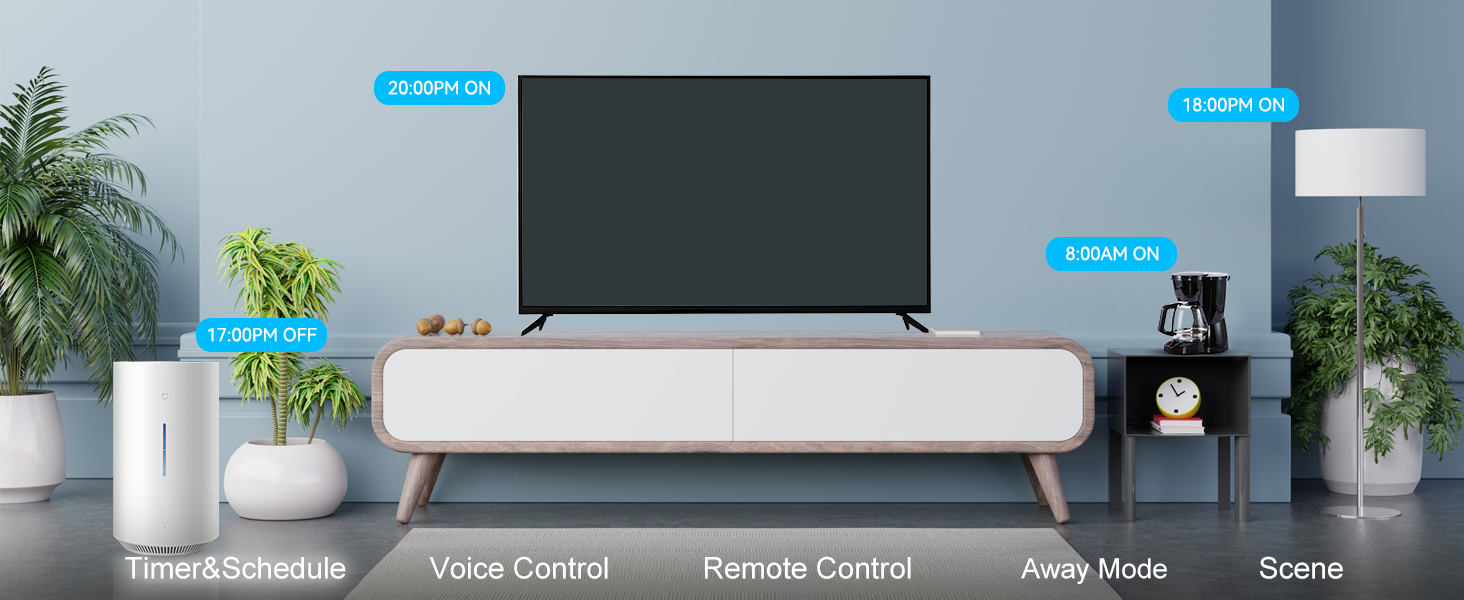
Figure 3.2: Linking with Amazon Alexa
Per Google Casa:
- Open the Smart Life App, go to the "Me" tab, and tap "Third-Party Services".
- Select "Google Assistant" and follow the on-screen instructions to link your Smart Life account. This involves authorizing Smart Life to connect with Google Assistant.
- Once linked, your smart plug will be available for voice control through Google Assistant.
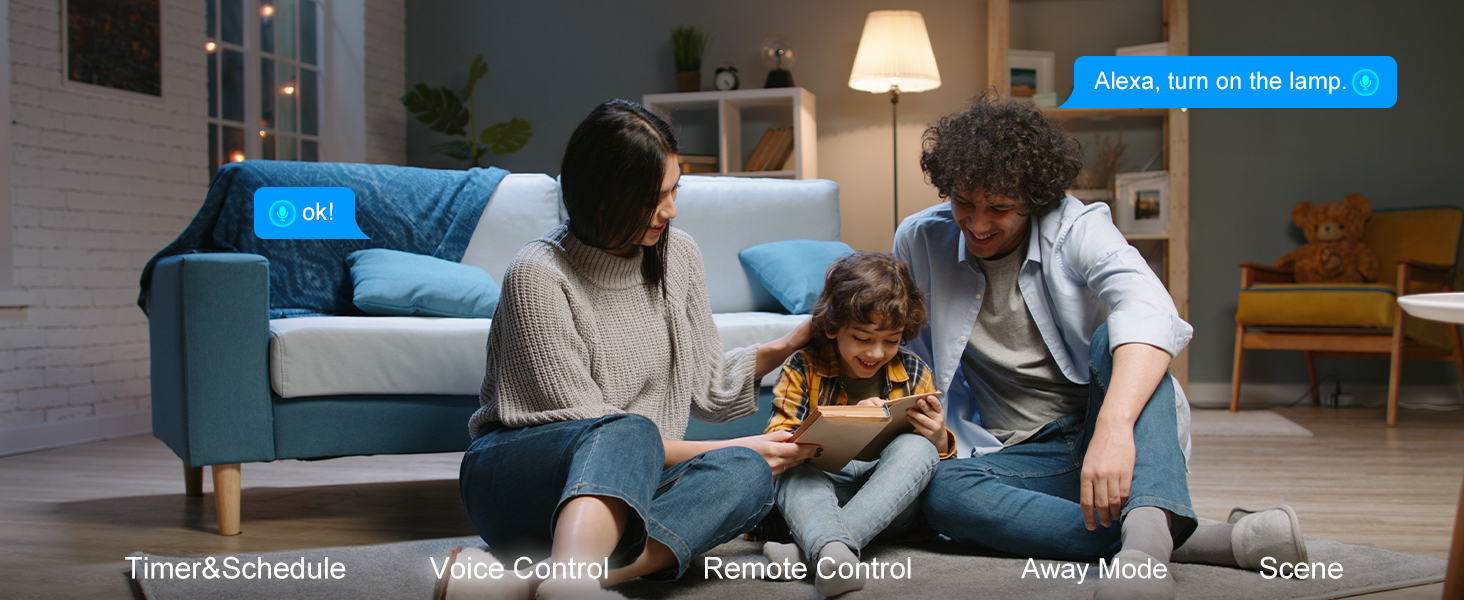
Figure 3.3: Linking with Google Home
Per SmartThings:
- Open the SmartThings App and tap "Add device".
- Cercare "Smart Life" or browse for partner devices.
- Follow the instructions to link your Smart Life account with SmartThings.
- Once linked, your smart plug will appear in SmartThings for control and automation.
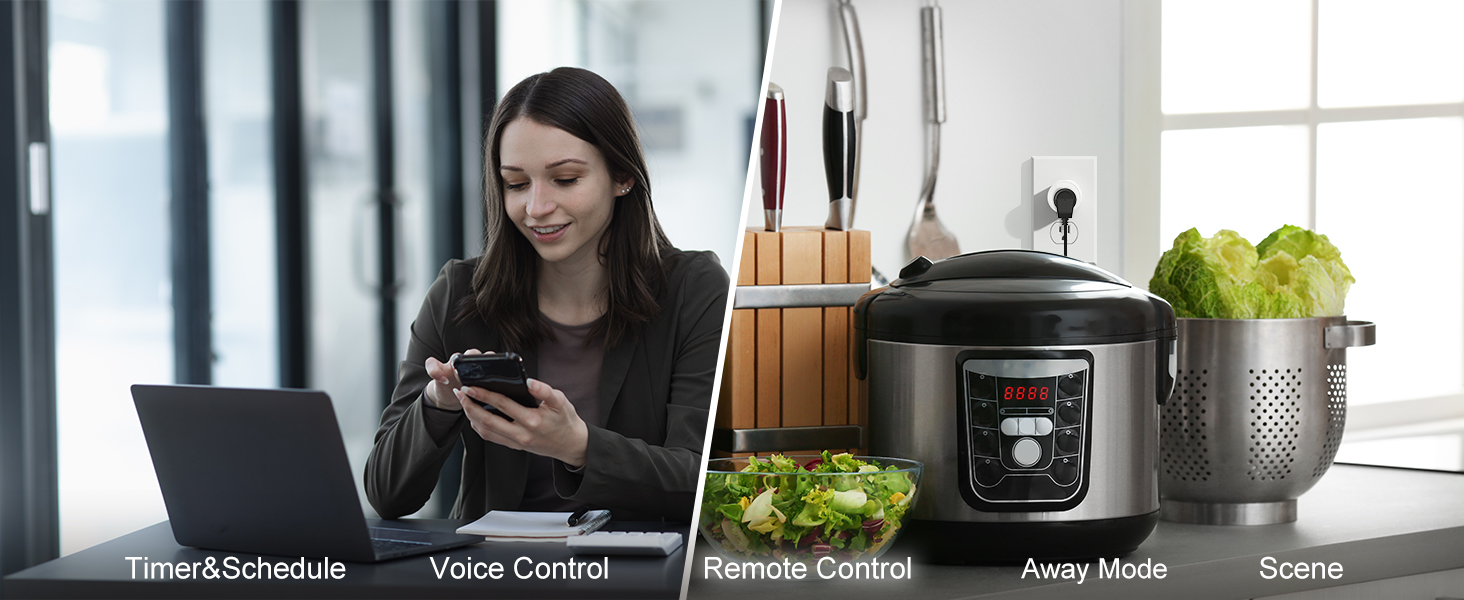
Figure 3.4: Linking with SmartThings
4. Istruzioni per l'uso
Once your EIGHTREE Smart Plug is set up, you can begin to enjoy its smart functionalities.
4.1 Controllo manuale
- Pulsante On/Off: Each smart plug has a physical button. Press it once to turn the connected appliance on or off.
4.2 Controllo remoto tramite APP
Use the Smart Life App to control your smart plug from anywhere with an internet connection.
- Open the Smart Life App.
- Tap on the smart plug's icon on the main screen.
- Toggle the power button within the app to turn the connected appliance on or off.
4.3 Controllo vocale
Control your smart plug using voice commands through Amazon Alexa or Google Home.
- Ensure your smart plug is linked to your voice assistant (refer to Section 3.2).
- Utilizzare comandi come:
- "Alexa, accendi [nome del dispositivo]"
- "Ehi Google, disattiva [nome del dispositivo]"
- "Alexa, set [device name] to 50%" (if applicable for dimmable devices, though not a feature of this plug)
4.4 Pianificazione e timer
Automate your appliances by setting schedules and timers in the Smart Life App.
- Open the Smart Life App and select your smart plug.
- Tocca l'opzione "Pianificazione" o "Timer".
- Imposta orari specifici per l'accensione e lo spegnimento della spina, quotidianamente, settimanalmente o in giorni personalizzati.
- You can also set countdown timers for temporary automation.
4.5 Scene Creation and Group Control
Enhance your smart home experience by creating scenes and grouping devices.
- Scene: In the Smart Life App, navigate to "Smart" or "Scenes". Create a new scene and add actions for your smart plugs (e.g., "Good Morning" scene to turn on coffee maker and lights).
- Gruppi: In the Smart Life App, select one of your smart plugs, then look for an option to "Create Group" or "Group Control". Add other smart plugs to this group to control them simultaneously (e.g., "Living Room Lights" group).
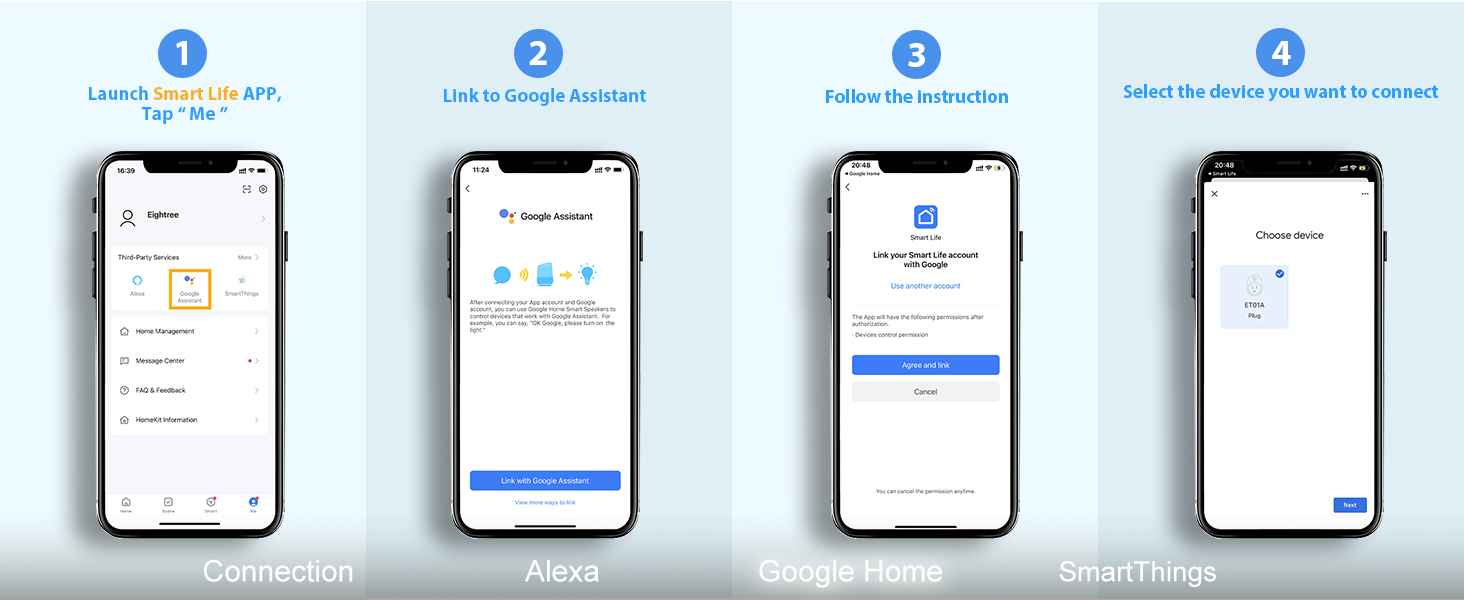
Figura 4.1: Scene Automation Examples
5. Manutenzione
To ensure the longevity and optimal performance of your EIGHTREE Smart Plug, follow these simple maintenance guidelines:
- Pulizia: Wipe the smart plug with a soft, dry cloth. Do not use liquid cleaners or abrasive materials.
- Ambiente: Keep the smart plug in a dry environment, away from excessive heat, humidity, and direct sunlight. Avoid using it outdoors unless specifically rated for outdoor use.
- Potenza nominale: Do not exceed the maximum load rating of the smart plug. Refer to the specifications section for details.
- Aggiornamenti del firmware: Periodically check the Smart Life App for any available firmware updates for your smart plug. Updates can improve performance and add new features.
6. Risoluzione Dei Problemi
If you encounter issues with your EIGHTREE Smart Plug, refer to the following common problems and solutions:
| Problema | Possibile causa | Soluzione |
|---|---|---|
| La Smart Plug non riesce a connettersi al Wi-Fi. | Incorrect Wi-Fi password; Not 2.4GHz Wi-Fi; Too far from router; Plug not in pairing mode. | Double-check Wi-Fi password. Ensure your phone and plug are on a 2.4GHz network. Move plug closer to router. Reset plug to pairing mode (rapid blinking). |
| Il controllo vocale non funziona. | Not linked to Alexa/Google Home; Incorrect device name; Voice assistant offline. | Verify Smart Life account is linked in Alexa/Google Home app. Ensure device name is recognized. Check internet connection of voice assistant device. |
| Plug frequently goes offline. | Weak Wi-Fi signal; Network interference. | Move plug closer to Wi-Fi router. Reduce interference from other 2.4GHz devices. Consider a Wi-Fi extender. |
| L'apparecchio non si accende/spegne. | Appliance not plugged in correctly; Appliance power switch is off; Smart plug is faulty. | Ensure appliance is fully plugged into the smart plug. Make sure the appliance's own power switch is in the ON position. Test the smart plug with another appliance. |
| Physical button not responding. | Temporary glitch; Hardware issue. | Unplug the smart plug for 10 seconds, then plug it back in. If issue persists, contact customer service. |
If the problem persists after trying these solutions, please contact EIGHTREE customer service for further assistance.
7. Specifiche
| Attributo | Dettaglio |
|---|---|
| Dimensioni del prodotto | 1 x 1 x 1 pollici; 2.08 once |
| Numero modello articolo | ET01 |
| Produttore | OTTOTRE |
| Modalità di funzionamento | Spento |
| Volume di eserciziotage | 240 Volt |
| Tipo di contatto | Normalmente aperto |
| Tipo di connettore | Collegare |
| terminale | Connessione rapida |
| Tipo di circuito | 1 vie |
| Tipo di attuatore | Interruttore tattile |
| Materiale di contatto | Ottone |
8. Garanzia e supporto
EIGHTREE is committed to providing high-quality products and excellent customer service.
8.1 Informazioni sulla garanzia
Your EIGHTREE Smart Plug comes with a 24 mesi di garanzia senza preoccupazioni from the date of purchase. This warranty covers manufacturing defects and ensures the product's performance under normal use. Please retain your proof of purchase for warranty claims.
8.2 Servizio Clienti
If you encounter any issues, have questions, or need further support, our dedicated customer service team is available 7 giorni su 24, XNUMX ore su XNUMX.
- Metodo di contatto: Please get in touch with us directly via Amazon or email us. Refer to your product packaging or Amazon order details for specific contact information.
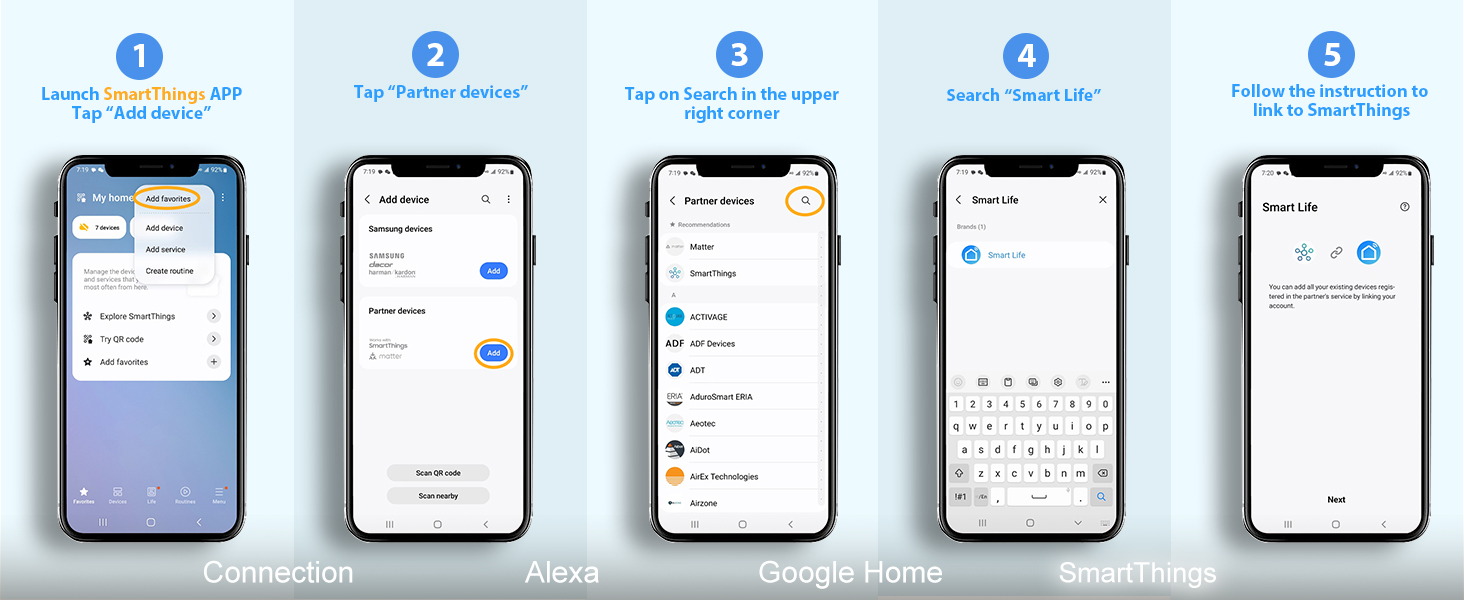
Figure 8.1: EIGHTREE Customer Support


