1. Introduzione
The Kala Red Light Elite Panel ¾ Body Device is designed to deliver therapeutic red and near-infrared (NIR) light. This device utilizes advanced LED technology to provide specific wavelengths of light intended for various applications. This manual provides essential information for the safe and effective use of your device, including setup, operation, maintenance, and troubleshooting.
2. Informazioni importanti sulla sicurezza
Leggere attentamente tutte le istruzioni di sicurezza prima di utilizzare il dispositivo. Il mancato rispetto di queste istruzioni può causare lesioni personali o danni al dispositivo.
- Consultare un professionista sanitario: If you have any medical conditions, are pregnant, or are taking medications, consult your doctor before using this device.
- Protezione degli occhi: Always wear the provided eye protection during operation to shield your eyes from intense light. Do not look directly into the LEDs.
- Distanza: Maintain the recommended distance from the device during use. Refer to the 'Usage Guidelines' section for details.
- Sensibilità della pelle: If you experience any discomfort, redness, or irritation, discontinue use immediately.
- Ventilazione: Ensure adequate ventilation around the device during operation to prevent overheating.
- Esposizione all'acqua: Non utilizzare il dispositivo vicino all'acqua o in damp environments. This device is not waterproof.
- Bambini e animali domestici: Tenere il dispositivo fuori dalla portata dei bambini e degli animali domestici.
- Alimentazione elettrica: Utilizzare solo l'alimentatore fornito con il dispositivo.
3. Contenuto della confezione
Verificare che tutti gli articoli siano presenti nel pacco:
- Kala Red Light Elite Panel ¾ Body Device
- Cavo di alimentazione
- Occhiali di protezione per gli occhi
- Mounting Hardware (e.g., door hook, stand attachments)
- Manuale d'uso
4. Istruzioni per l'installazione
4.1 Disimballaggio
Carefully remove all components from the packaging. Inspect the device for any signs of damage. If any damage is found, do not use the device and contact customer support.
4.2 Opzioni di montaggio
The Kala Elite Panel offers versatile mounting options. Choose the method that best suits your space and needs.
- Supporto per porta: Attach the provided door hook to the top of the device. Hang the device securely over a sturdy door.
- Supporto in piedi: If using a compatible stand (sold separately), attach the device to the stand using the designated mounting points and hardware. Ensure the stand is stable before use.

Figura 1: Fronte view of the Kala Red Light Elite Panel ¾ Body Device. This image shows the full panel with its array of red and near-infrared LEDs.
4.3 Collegamento di alimentazione
- Locate the power input port on the device, typically on the side or back.
- Connect the power cable securely to the device.
- Collegare l'altra estremità del cavo di alimentazione a una presa elettrica dotata di messa a terra.
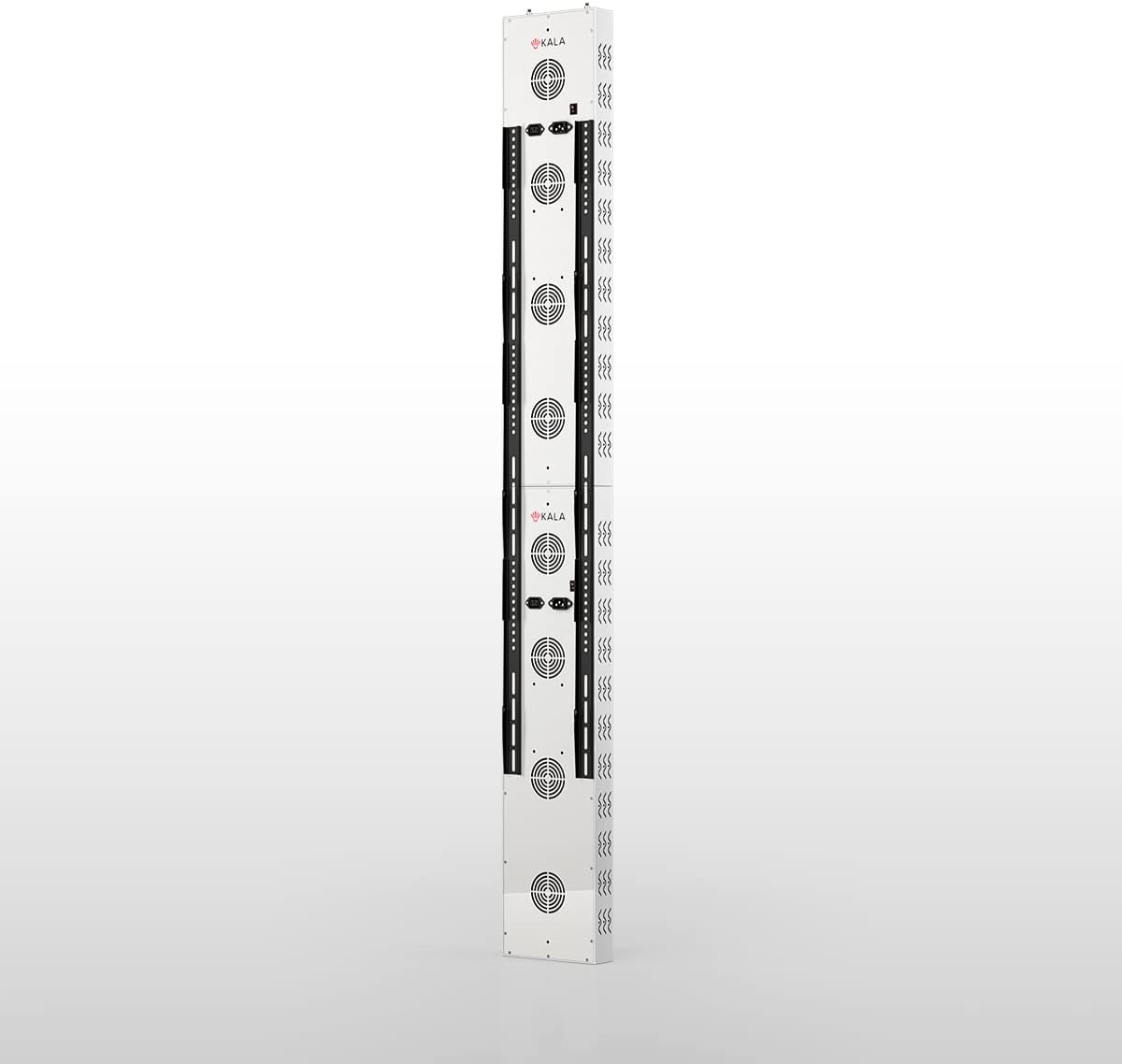
Figura 2: lato view of the Kala Red Light Elite Panel, highlighting the control panel and power input area. This image helps identify where to connect the power cable and access controls.
5. Operating Your Kala Elite Panel
5.1 Accensione/Spegnimento
Press the main power button on the control panel to turn the device on. The display will illuminate. Press the button again to turn the device off.
5.2 Selecting Wavelengths
The Kala Elite Panel offers distinct red and near-infrared (NIR) light options. Use the dedicated buttons on the control panel to select your desired mode:
- Red Light (RED): Activates the red light LEDs.
- Near-Infrared Light (NIR): Activates the near-infrared light LEDs (these are not visible to the naked eye).
- Both (RED+NIR): Activates both red and near-infrared LEDs simultaneously.
5.3 Setting Session Time
Use the timer buttons (e.g., '+' and '-') on the control panel to set your desired session duration. The recommended session time is typically 10-20 minutes. The device will automatically shut off once the timer expires.
5.4 Pulse+ Feature
The Kala Elite features Pulse+ technology, allowing for customizable light frequencies. Refer to the on-screen menu or specific Pulse+ button to cycle through available frequency settings. Consult advanced usage guides for optimal Pulse+ settings for specific applications.
6. Recommended Usage Guidelines
For optimal results and safety, adhere to the following guidelines:
- Durata della sessione: Start with 5-10 minute sessions and gradually increase to 10-20 minutes as tolerated.
- Frequenza: Use the device 3-5 times per week. Daily use is generally safe but not always necessary for desired effects.
- Distanza: Position yourself approximately 6-12 inches (15-30 cm) from the device. Closer distances increase intensity, while further distances cover a larger area with less intensity.
- Preparazione: Ensure your skin is clean and free of lotions or oils that may block light penetration.
- Protezione degli occhi: Always wear the provided eye protection during your session.

Figura 3: Angolato view of the Kala Red Light Elite Panel, illustrating its depth and design. This perspective can help users understand the device's physical presence and how it might fit into a space.
7. Cura e manutenzione
7.1 Pulizia
To clean the device, ensure it is powered off and unplugged. Use a soft, dry, or slightly damp cloth to wipe the exterior surfaces. Do not use abrasive cleaners, solvents, or excessive moisture, as these can damage the device.
7.2 Conservazione
Store the device in a cool, dry place away from direct sunlight and extreme temperatures. If storing for an extended period, consider returning it to its original packaging to protect it from dust and damage.
8. Risoluzione Dei Problemi
If you encounter issues with your Kala Elite Panel, refer to the table below for common problems and solutions.
| Problema | Possibile causa | Soluzione |
|---|---|---|
| Il dispositivo non si accende. | Power cable not connected; outlet not working; device fault. | Ensure power cable is securely plugged into device and outlet. Test outlet with another appliance. If problem persists, contact customer support. |
| I LED non si illuminano. | Device not powered on; specific wavelength not selected; NIR LEDs are not visible. | Check power. Ensure RED or RED+NIR mode is selected. Remember NIR LEDs are not visible. |
| Il dispositivo si surriscalda. | Poor ventilation; prolonged use. | Ensure device has adequate space for airflow. Reduce session duration. Allow device to cool down between uses. |
| Il pannello di controllo non risponde. | Problema software temporaneo; problema di alimentazione. | Unplug the device, wait 30 seconds, then plug it back in and try again. |
If you cannot resolve an issue using the troubleshooting guide, please contact customer support.
9. Specifiche tecniche
| Caratteristica | Specificazione |
|---|---|
| Modello | Kala Elite Panel ¾ Body Device |
| Lunghezze d'onda | Red Light (e.g., 660nm), Near-Infrared Light (e.g., 850nm) |
| Tipo di LED | LED da 5 W. |
| Controllare | Smart Screen Control with Pulse+ Frequencies |
| Potenza in ingresso | CA 100-240 V, 50/60 Hz |
| Produttore | Balkowitsch |
| ASIN | B0BTR8N7HC |
10. Garanzia e assistenza clienti
The Kala Red Light Elite Panel ¾ Body Device comes with a manufacturer's warranty. Please refer to the warranty card included in your package or visit the official Kala websito per termini e condizioni di garanzia dettagliati.
For technical assistance, troubleshooting not covered in this manual, or warranty claims, please contact Kala customer support through their official websito o le informazioni di contatto fornite con l'acquisto.


