1. Prodotto finitoview
The WALI FTM-2 Full Motion TV Wall Mount is designed to securely hold most flat and curved screen televisions ranging from 32 to 70 inches. This mount offers extensive adjustability, including tilt, swivel, and extension, allowing for optimal viewing angles from various positions in a room. Constructed from reinforced cold-rolled steel, it ensures durability and stability for your television.
2. Informazioni importanti sulla sicurezza
AVVERTIMENTO: Read all instructions carefully before installation. If you do not understand these instructions or have doubts about the safety of the installation, consult a qualified installer. Improper installation may cause serious injury or damage.
- Capacità di peso: Non superare la capacità di peso massima di 40 kg (88 libbre). Questo supporto è progettato per essere utilizzato solo con i pesi massimi indicati. L'uso con prodotti più pesanti dei pesi massimi indicati può causare instabilità e possibili lesioni.
- Tipo di parete: This mount is designed for installation on vertical wood studs, solid concrete walls, or brick walls. NON installare solo su cartongesso. Assicurarsi che la superficie di montaggio possa sostenere in modo sicuro il peso combinato dell'apparecchiatura e di tutto l'hardware collegato.
- Compatibilità VESA: Assicurati che lo schema di montaggio VESA del tuo televisore rientri nell'intervallo supportato (da 100x100 mm a 400x400 mm).
- Utensili: Use appropriate tools for installation. Always wear safety gear, including eye protection.
- Bambini: Tenere i bambini lontani dall'area di installazione. Le piccole parti potrebbero rappresentare un rischio di soffocamento.
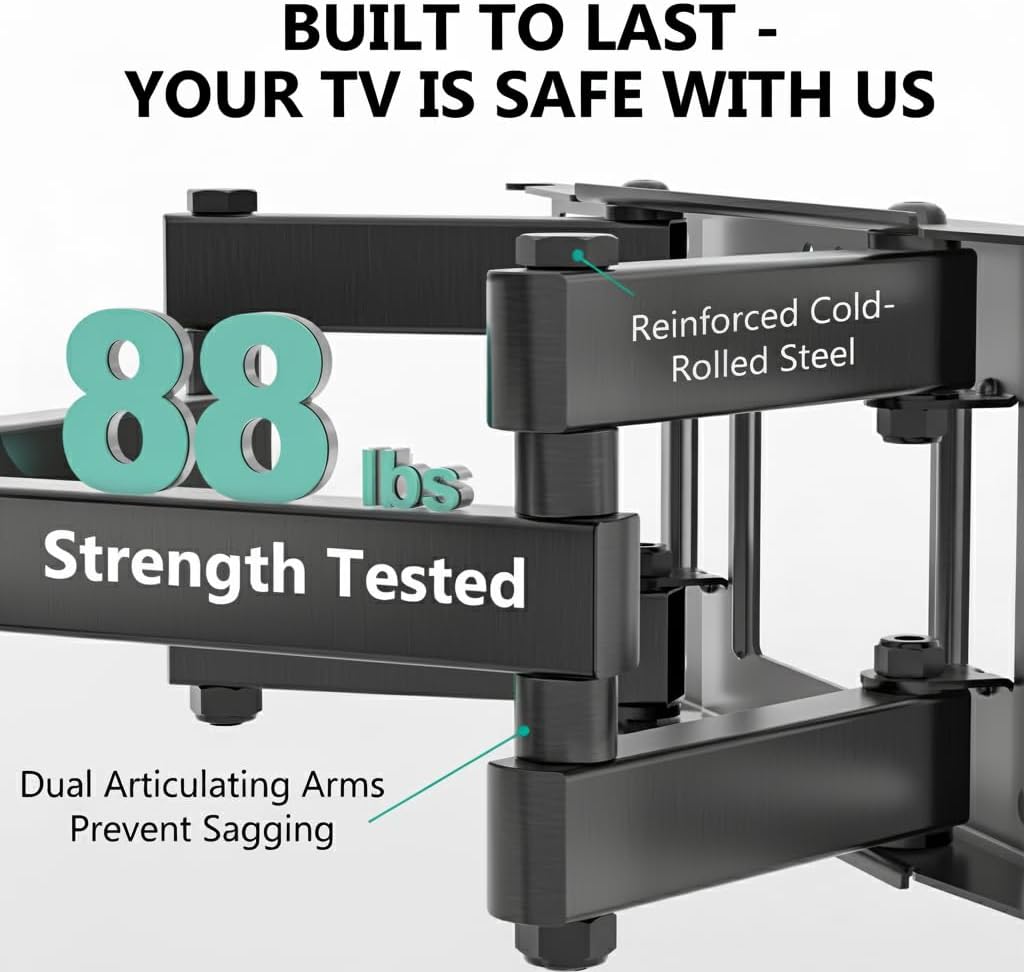
Image: The mount is constructed from reinforced cold-rolled steel, tested to support up to 88 lbs, ensuring structural integrity and safety for your television.
3. Contenuto della confezione
Verify that all components are present and undamaged before beginning installation. If any parts are missing or defective, contact WALI customer support.
- WALI FTM-2 TV Wall Mount (1 unit)
- Kit di montaggio (viti varie, rondelle, distanziali, tasselli)
- Manuale dell'utente (questo documento)

Image: All necessary hardware for installation is included, such as various bolts, washers, spacers, and wall anchors. A spirit level is also provided to assist with accurate mounting.
4. Controllo di compatibilità
Before installation, confirm your television and wall meet the following requirements:
- Dimensioni TV: Compatible with most 32 to 70 inch flat or curved screen TVs.
- Peso del televisore: Il televisore non deve pesare più di 40 kg (88 libbre).
- Modello VESA: The mounting holes on the back of your TV must match VESA patterns from 100x100mm to 400x400mm.
- Tipo di parete: Suitable for 12" or 16" wood studs, concrete walls, and brick walls. Not for drywall-only installation.
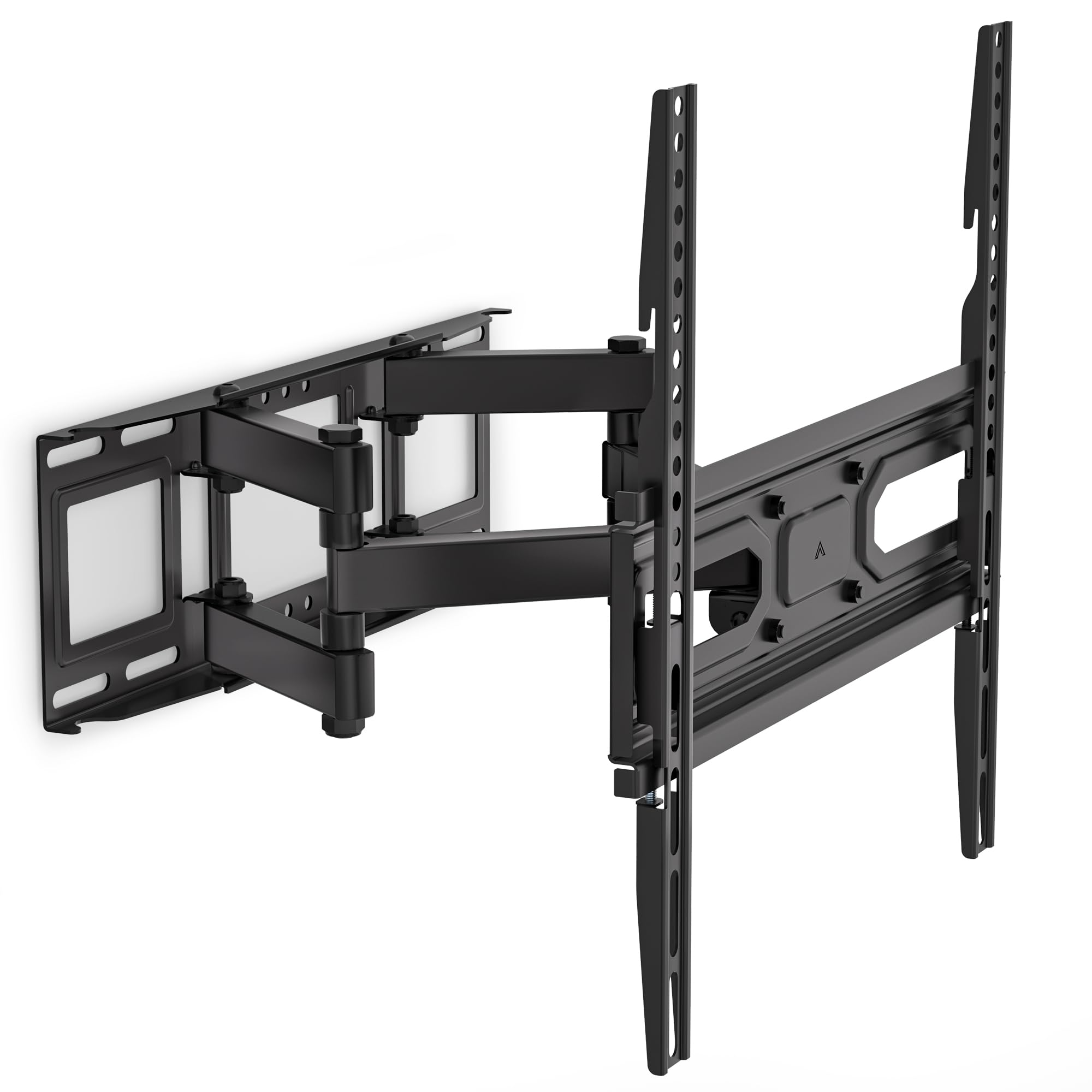
Image: This diagram outlines the four key compatibility checks: TV weight (up to 88 lbs), VESA pattern (100x100mm to 400x400mm), TV size (32-70 inches), and suitable wall types (wood studs, concrete, brick). Installation on drywall alone is not supported.
5. Istruzioni per l'installazione
Follow these steps carefully for a secure installation. It is recommended to have two people for installation.
Fase 1: Fissare la staffa alla parete
- Locate the desired mounting position on your wall. Use a stud finder to locate wood studs if applicable.
- Mark the drill holes for the wall plate. Ensure the marks are level using a spirit level.
- Drill pilot holes at the marked locations. For wood studs, use a 5/32 inch (4mm) drill bit. For concrete/brick walls, use a 3/8 inch (10mm) drill bit and insert wall anchors.
- Attach the wall plate to the wall using the appropriate lag bolts and washers. Tighten securely.
Step 2: Attach Plate to TV
- Appoggia il televisore a faccia in giù su una superficie morbida e pulita per evitare graffi.
- Identifica i fori di montaggio VESA sul retro del televisore.
- Seleziona dal kit di ferramenta le viti, le rondelle e i distanziali adatti ai fori di montaggio del tuo televisore.
- Attach the TV brackets to the back of your TV. Ensure they are securely fastened but do not overtighten.
Step 3: Hang TV on Bracket
- Con l'aiuto di qualcuno, sollevare con cautela il televisore e agganciare le staffe alla piastra a muro.
- Assicurarsi che la TV sia centrata e in piano.
- Secure the TV to the wall plate using the safety screws or locking mechanisms provided.
6. Adjustments (Operating)
The WALI FTM-2 mount offers flexible adjustments to achieve your desired viewangolo di ing.
- Inclinazione: The TV can be tilted +3° upwards and -15° downwards. Loosen the tilt adjustment knobs on the TV brackets, adjust to the desired angle, and then re-tighten the knobs.
- Girevole: The mount allows for a ±60° swivel (left and right) depending on TV size and wall distance. Gently push or pull the TV to the desired swivel angle.
- Livellamento: After installation, if the TV is slightly unlevel, you can adjust it by ±3°. Loosen the leveling screws, adjust the TV, and re-tighten.
- Estensione/Retrazione: The mount extends from 2.6 inches (6.6 cm) to 14 inches (35.6 cm) from the wall. Gently pull the TV forward or push it back to adjust the distance.

Image: This diagram shows the full range of motion: 15 degrees of tilt, 60 degrees of swivel, extension up to 14 inches from the wall, and 4 degrees of leveling adjustment for a perfect viewesperienza di acquisizione.
7. Manutenzione
Una manutenzione regolare garantisce la longevità e il funzionamento sicuro del supporto da parete per TV.
- Controlli periodici: Periodically check that all screws and connections are tight and secure. Re-tighten if necessary.
- Pulizia: Pulisci la montatura con un panno morbido e asciutto. Evita detergenti abrasivi o solventi che potrebbero danneggiare la finitura.
- Parti mobili: The articulating arms are designed for smooth movement. No lubrication is typically required. If movement becomes stiff, check for obstructions or loose components.
8. Risoluzione Dei Problemi
Se riscontri problemi durante o dopo l'installazione, fai riferimento ai seguenti problemi comuni e alle relative soluzioni:
- La TV non è in piano: Use the leveling adjustment feature (refer to Section 6) to correct the angle. Ensure the wall plate was installed level initially.
- Il monte sembra instabile: Double-check all wall and TV attachment screws to ensure they are securely tightened. Verify that the wall type is appropriate and that the TV weight does not exceed the mount's capacity.
- La TV non è compatibile con il supporto: Re-check your TV's VESA pattern against the mount's specifications (refer to Section 4). Ensure you are using the correct screws and spacers for your TV model.
- Difficulty moving the arms: Ensure no cables are snagged or obstructing movement. Check for any overtightened bolts that might restrict articulation.
If problems persist, contact WALI customer support for assistance.
9. Specifiche
| Numero di modello | FTM-2 |
| Compatibilità con le dimensioni della TV | 32 - 70 pollici |
| Capacità di peso | 88 libbre (40 kg) |
| Compatibilità VESA | da 100x100mm a 400x400mm |
| Angolo di inclinazione | +3° / -15° |
| Angolo di rotazione | ±60° |
| Regolazione del livellamento | ±3° |
| Estensione da parete | Da 2.6 pollici (6.6 cm) a 14 pollici (35.6 cm) |
| Materiale | Reinforced Cold-Rolled Steel |
| Colore | Nero |
10. Garanzia e assistenza clienti
WALI products are designed for quality and reliability. For warranty information or technical assistance, please contact WALI customer support.
WALI is committed to providing dedicated product support and aims to respond to inquiries within 12 hours.
- Contatto: Refer to the WALI official websito o sulla confezione del prodotto per le informazioni di contatto più aggiornate.
- Prova di acquisto: Conservare la prova d'acquisto per eventuali richieste di garanzia.


