1. Introduzione
Thank you for choosing the Ambrane Wireless Gaming Controller OP-WLGC01. This controller is designed to provide an immersive gaming experience across multiple platforms, including PC (Windows), PS3 Console, and Android TV. Featuring 2.4GHz wireless technology, dual vibration motors, and dynamic RGB lighting, this manual will guide you through its setup, operation, and maintenance.

Image 1.1: The Ambrane Wireless Gaming Controller OP-WLGC01, showcasing its transparent design and illuminated elements.
2. Prodotto finitoview
The Ambrane OP-WLGC01 controller combines advanced features with a unique aesthetic. Key components and features include:
- Design trasparente: A visually distinct transparent casing.
- Tecnologia wireless a 2.4 GHz: Ensures stable and responsive connectivity.
- Integrated Dual Intensity Motor: Provides haptic feedback for an immersive gaming experience.
- Illuminated Pad (RGB Lighting): Features 16.8 million colors with breathing RGB effects.
- Design ergonomico: Easy-to-hold body for comfortable extended gaming sessions.
- Pulsanti con funzioni speciali: Dedicated Turbo and Clear buttons for enhanced gameplay.

Image 2.1: Illustration of the dual vibrating motors providing haptic feedback.

Image 2.2: The controller displaying its dynamic 16.8 million color breathing RGB lighting effect.
3. Impostazione
3.1 Ricarica del controller
Before initial use, fully charge the controller. The integrated 800mAh battery provides up to 12 hours of gameplay on a full charge.
- Connect the provided Type-C charging cable to the charging port on the controller.
- Collegare l'altra estremità del cavo a una fonte di alimentazione USB (ad esempio, una porta USB del computer, un adattatore USB da parete).
- Le spie luminose sul controller mostrano lo stato di carica e si spengono o cambiano colore quando la carica è completa.

Image 3.1: The controller highlighting its Type-C charging port and other features.
3.2 Connessione ai dispositivi
The controller utilizes 2.4GHz wireless technology for connection. It is compatible with PC (Windows systems, supporting X-Input & D-Input modes), PS3 consoles, and Android TV devices.
- Insert the 2.4GHz USB receiver (dongle) into an available USB port on your PC, PS3 console, or Android TV.
- Turn on the controller by pressing the MODE button.
- The controller will automatically pair with the receiver. The indicator lights will stabilize once connected.
- For PC, ensure the correct input mode (X-Input or D-Input) is selected if prompted by your game or system.

Image 3.2: The controller demonstrating its compatibility with PS3 Console, Windows System, Android TV, and PC.
4. Istruzioni per l'uso
4.1 Disposizione e funzioni dei pulsanti
Familiarize yourself with the controller's button layout for optimal gameplay.

Image 4.1: Detailed diagram of the controller's buttons, including joysticks, directional pad, action buttons (A, B, X, Y), shoulder buttons (L1, L2, R1, R2), SELECT, START, TURBO, CLEAR, MODE, and RGB Control.
- Joystick sinistro/destro: Per il movimento analogico e il controllo della telecamera.
- Directional Button (D-Pad): Per un input direzionale preciso.
- Pulsanti di azione (A, B, X, Y): Azioni di gioco standard.
- Pulsanti dorsali (L1, L2, R1, R2): Per varie funzioni di gioco.
- SELEZIONA/AVVIA: Menu and pause functions.
- Pulsante MODE: Power on/off and mode switching.
- Controllo RGB: Button or combination for adjusting RGB lighting effects.
4.2 Modalità Turbo
The Turbo mode allows for rapid and continuous actions by repeatedly pressing a single button. This can be useful for certain in-game scenarios.
- Press and hold the desired action button (e.g., A, B, X, Y, L1, R1).
- Tenendo premuto il pulsante di azione, premere il Turbosoffiante pulsante una volta.
- Release both buttons. The selected action button will now perform rapid presses when held down.
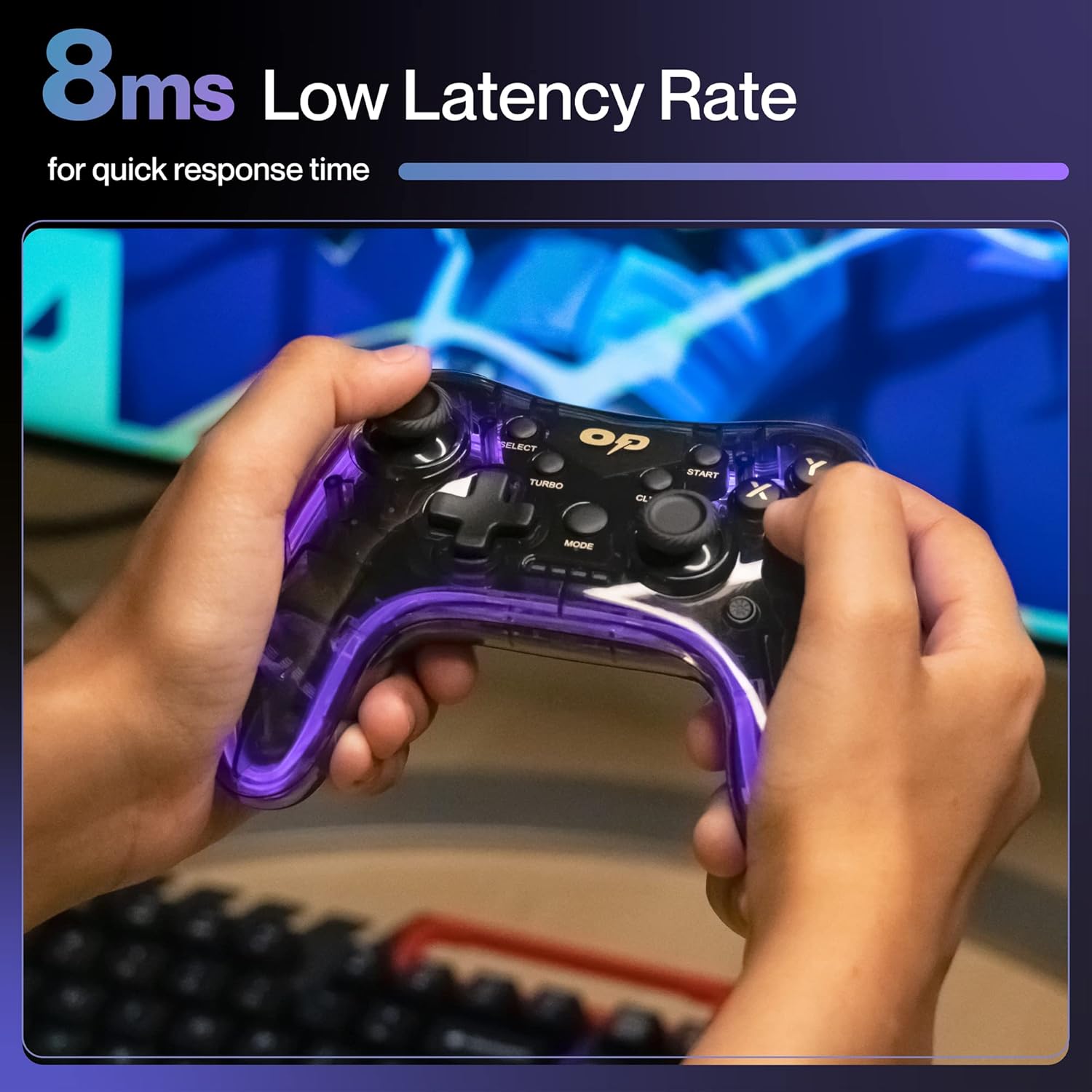
Immagine 4.2: Primo piano view of the TURBO and CLEAR special function buttons.
4.3 Clearing Turbo Mode
To deactivate Turbo mode for a specific button:
- Press and hold the action button for which Turbo mode is active.
- Tenendo premuto il pulsante di azione, premere il CHIARO pulsante una volta.
- Release both buttons. Turbo mode for that button is now deactivated.
Per cancellare tutte le impostazioni Turbo, tenere premuto il tasto CHIARO pulsante per circa 3 secondi.
5. Manutenzione
Una corretta manutenzione garantisce la longevità e le prestazioni ottimali del controller.
- Pulizia: Utilizzare un panno morbido e asciutto per pulire il controller. Per lo sporco ostinato, leggermente dampLavare il panno con acqua. Evitare prodotti chimici aggressivi o materiali abrasivi.
- Magazzinaggio: Conservare il controller in un luogo fresco e asciutto, lontano dalla luce solare diretta e da temperature estreme.
- Cura della batteria: Avoid fully discharging the battery frequently. If storing for an extended period, charge the controller to about 50% to prolong battery life.
- Evitare gocce: Proteggere il controller da urti fisici che potrebbero danneggiare i componenti interni.
6. Risoluzione Dei Problemi
| Problema | Possibile causa | Soluzione |
|---|---|---|
| Il controller non si accende. | Batteria scarica. | Charge the controller using the provided Type-C cable. |
| Il controller non si connette al dispositivo. | USB receiver not properly inserted or out of range. | Ensure the USB receiver is securely plugged in. Move closer to the receiver (within 10 meters). Re-pair by turning the controller off and on. |
| I pulsanti o i joystick non rispondono. | Problema software o ostruzione fisica. | Restart the controller and the connected device. Check for any physical debris around buttons/joysticks. |
| La funzione vibrazione non funziona. | Il gioco non supporta la vibrazione o la funzionalità è disabilitata. | Check in-game settings for vibration options. Ensure the game supports haptic feedback. |
7. Specifiche
| Caratteristica | Dettaglio |
|---|---|
| Numero di modello | OP-WLGC01 |
| Connettività | 2.4GHz wireless |
| Compatibilità | PC (Windows X-Input/D-Input), PS3 Console, Android TV |
| Capacità della batteria | Batteria al litio da 800 mAh |
| Batteria di backup | Fino a 12 ore |
| Porta di ricarica | Tipo C |
| Vibrazione | Dual Intensity Motor |
| Illuminazione | 16.8M Colours Breathing RGB |
| Campo di funzionamento | Fino a 10 metri |
| Dimensioni (LxWxH) | Dimensioni: 16.9 x 15.9 x 9 cm |
| Peso dell'articolo | 195 grammi |
8. Garanzia e supporto
This Ambrane product comes with a 365-day (1 Year) brand warranty against any manufacturing-related issues.
For warranty claims, technical support, or any inquiries, please contact Ambrane customer service:
- E-mail: Care@ambraneindia.com
Conservare la ricevuta d'acquisto per la convalida della garanzia.


