1. Introduzione
Thank you for choosing the BYINTEK U70 Pro Portable 4K 3D DLP Projector. This manual provides essential information for the safe and efficient operation of your device. Please read it thoroughly before use and retain it for future reference.

Image 1.1: The BYINTEK U70 Pro Portable Projector and its remote control.
2. Informazioni sulla sicurezza
- Non guardare direttamente nell'obiettivo del proiettore quando lamp è acceso.
- Assicurare una ventilazione adeguata per evitare il surriscaldamento. Non bloccare le aperture di ventilazione.
- Utilizzare esclusivamente l'adattatore di alimentazione fornito.
- Tenere il dispositivo lontano da acqua, umidità e temperature estreme.
- Non tentare di smontare o riparare il proiettore da soli. Contattare personale di assistenza qualificato.
- Tenere fuori dalla portata dei bambini.
3. Contenuto della confezione
Verifica che tutti gli articoli siano presenti nel tuo pacco:
- 1 x BYINTEK U70 Pro Projector
- 1 x telecomando
- 1 x Cavo HD
- 1 x Manuale utente (questo documento)
- 1 adattatore di alimentazione CC 19V 3.42A
4. Prodotto finitoview
Familiarizzare con i componenti e le interfacce del proiettore.
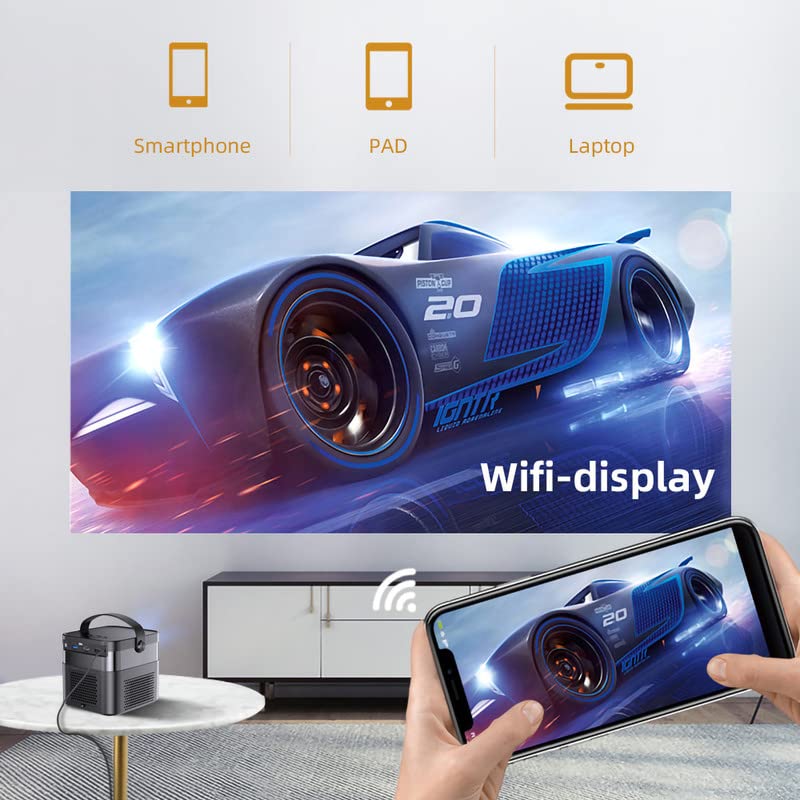
Immagine 4.1: Anteriore e posteriore views of the BYINTEK U70 Pro Projector, highlighting its various ports and controls.
Componenti chiave:
- Lente: Projection output.
- tastiera: Manual control buttons on top.
- Ricevitore IR: Per segnali di controllo remoto.
- DC 12V-in: Porta di ingresso alimentazione.
- USB 3.0 / USB 2.0: For connecting USB storage devices, mouse, or keyboard.
- Interruttore di alimentazione: Per accendere/spegnere il proiettore.
- Audio-out (3.5mm Jack): Per altoparlanti esterni o cuffie.
- Ingresso HD (HDMI): Per collegare sorgenti video esterne.
- 5W Speakers: Altoparlanti stereo integrati.
- Detachable Dust Filter: Per una facile pulizia e manutenzione.
- Universal Bracket Hole (d=1/4inch, 6mm): For mounting on tripods or ceiling mounts.
5. Impostazione
5.1 Accensione/Spegnimento
- Connect the DC 19V 3.42A Power Adapter to the projector's DC 12V-in port.
- Press the Power Switch to turn the projector on. The indicator light will illuminate.
- To power off, press the Power Switch again.
5.2 Posizionamento e proiezione
The BYINTEK U70 Pro supports a projection size of 30-300 inches with a projection distance of 1-8 meters. The optimal aspect ratio is 16:9, but 16:10 and 4:3 are also supported.
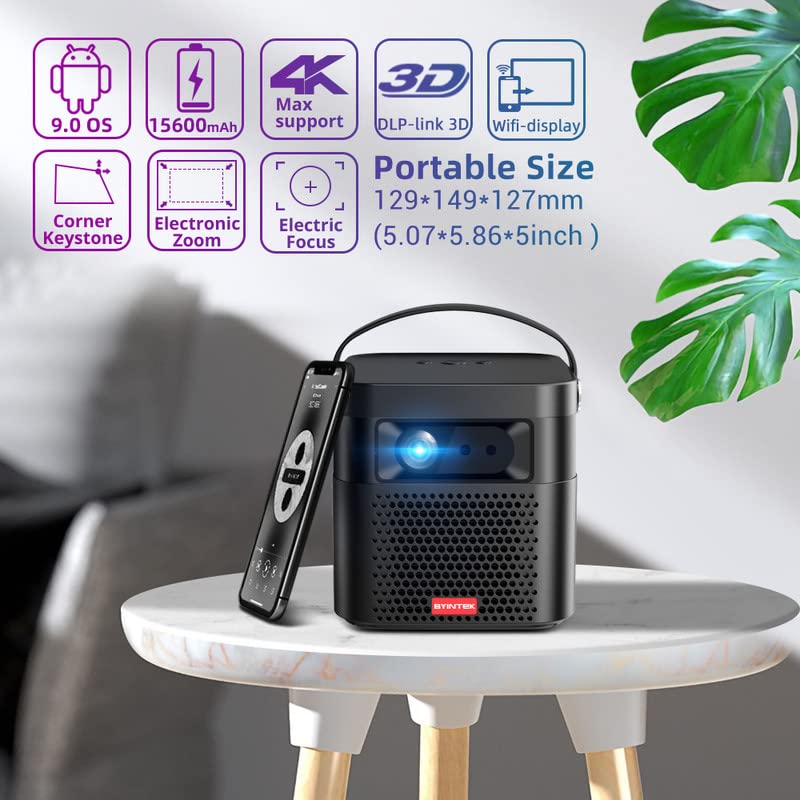
Image 5.1: The BYINTEK U70 Pro Projector highlighting its portable size and advanced features.
5.3 Correzione della messa a fuoco e della distorsione trapezoidale
- Le caratteristiche del proiettore Messa a fuoco automatica for quick image clarity.
- For fine-tuning, use the Messa a fuoco elettrica function via the remote control or on-device keypad.
- Auto Manual Vertical Keystone Correction is available to adjust image distortion when the projector is not perfectly perpendicular to the screen.
- Corner Keystone correction allows for individual corner adjustments.
5.4 Connettività
Il proiettore offre diverse possibilità di collegamento:
- HDMI: Connect external devices like TV sticks, X-BOX, PS4, PCs, or laptops using the provided HD Cable.
- USB: Insert USB sticks or SSD hard drives for media playback. Supports USB 2.0 and USB 3.0.
- Wifi: Connect to your wireless network for online content and wireless projection.
- Bluetooth: For connecting external Bluetooth speakers or headphones (if supported by the Android OS).
6. Istruzioni per l'uso
Sistema operativo Android 9.0 Smart 6.1
The BYINTEK U70 Pro runs on Android 9.0, providing a smart interface with 32GB internal storage. Navigate the interface using the remote control or by connecting a USB mouse/keyboard.

Image 6.1: The Android 9.0 operating system interface, allowing access to various applications.
6.2 Proiezione senza fili
Wirelessly connect your Android or iOS devices for screen mirroring.

Image 6.2: Wireless display functionality, enabling screen mirroring from smartphones, tablets, and laptops.
- Assicurati che sia il proiettore sia il tuo dispositivo mobile siano connessi alla stessa rete Wi-Fi.
- Select the appropriate wireless projection app (e.g., Airplay, Miracast, DLNA, Eshare) on the projector's home screen.
- Follow the on-screen instructions to connect your smartphone, tablet, or laptop.
6.3 Funzionalità 3D
Il proiettore supporta Real 3D content for an immersive viewesperienza di acquisizione.
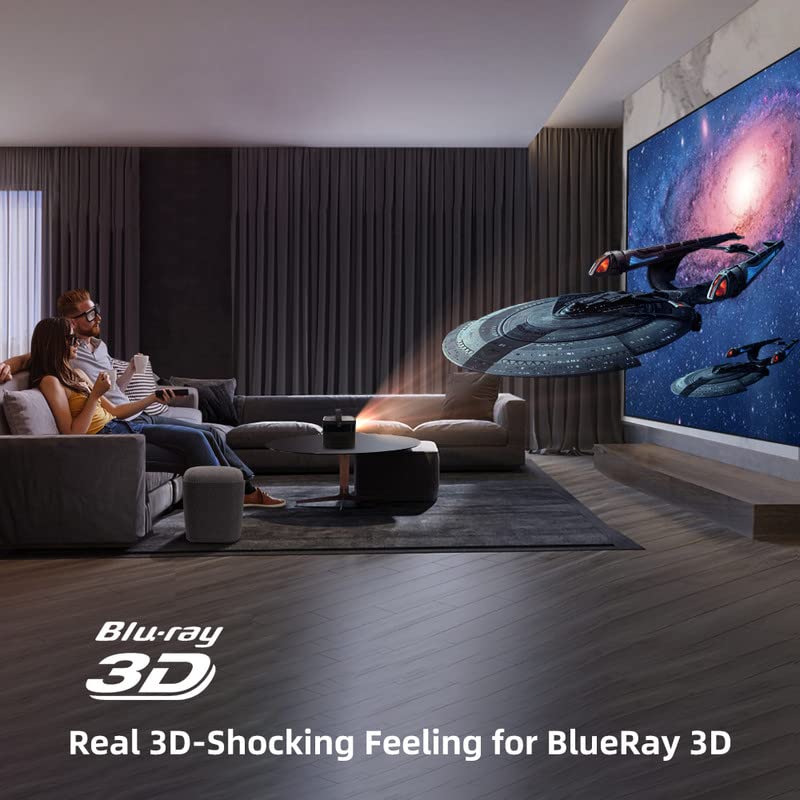
Image 6.3: The projector displaying 3D content for an immersive home theater experience.
- To enjoy 3D content, you will need compatible 3D glasses (sold separately).
- Play 3D-enabled media (e.g., Blu-ray 3D) through a connected device.
- Activate the 3D mode on the projector via the settings menu.
6.4 Uscita audio
The projector has built-in 2 x 5W speakers. For enhanced audio, connect external speakers or headphones via the 3.5mm Audio Jack or Bluetooth.
7. Manutenzione
7.1 Pulizia della lente
Utilizzare un panno morbido e privo di lanugine, specificamente progettato per lenti ottiche. Non utilizzare detergenti abrasivi o esercitare una pressione eccessiva.
7.2 Pulizia del filtro antipolvere
The projector features a detachable dust filter. Regularly remove and clean it to maintain optimal performance and prevent overheating. Refer to Image 4.1 for the location of the detachable dust filter.
7.3 Cura della batteria
The projector includes a rechargeable battery. To prolong battery life:
- Evitare di scaricare completamente la batteria frequentemente.
- Store the projector in a cool, dry place if not used for extended periods.
- Charge the battery periodically if stored for a long time.
8. Risoluzione Dei Problemi
In caso di problemi, fare riferimento ai seguenti problemi comuni e alle relative soluzioni:
| Problema | Possibile causa | Soluzione |
|---|---|---|
| Nessuna immagine visualizzata | Power cable loose, input source incorrect, lens cap on | Check power connection, select correct input source, remove lens cap |
| Immagine sfocata | Focus not adjusted, keystone incorrect | Adjust focus using remote/keypad, correct keystone settings |
| Nessun suono | Volume too low, external audio device not connected, source audio issue | Increase volume, check external audio connections, verify source audio output |
| Il telecomando non funziona | Batteries dead, IR receiver blocked | Replace batteries, ensure clear line of sight to IR receiver |
| Avviso di surriscaldamento | Blocked ventilation, dusty filter | Ensure clear ventilation, clean dust filter |
9. Specifiche
Detailed technical specifications for the BYINTEK U70 Pro Projector:
| Caratteristica | Specificazione |
|---|---|
| Marca | DAINTEK |
| Modello | BYINTEK-UFO-U70-PRO |
| Tecnologia di visualizzazione | DLP (LED) |
| Luminosità dell'immagine | 500 ANSI Lumen |
| Risoluzione nativa | 1280 x 800 (supports 1080p Full HD Pixels, Max supports 4K signal input) |
| Rapporto di contrasto dell'immagine | 15000:1 |
| Proporzioni | 16:9 (also 16:10, 4:3) |
| Dimensioni della proiezione | 30-300 pollici |
| Distanza di proiezione | 1-8 metri |
| Sistema operativo | Androide 9.0 |
| Memoria interna | 32 GB |
| Caratteristiche speciali | Built-In 3D, Auto Focus, Short Throw, Built-in Speakers, Rechargeable Battery, Wireless Projection |
| Interfaccia Hardware | HDMI, USB 2.0, USB 3.0 |
| Tecnologia di connettività | Wifi |
| Uscita audio | 3.5mm Audio Jack, Built-in 2 x 5W Speakers |
| Fonte di alimentazione | DC 19V 3.42A, Rechargeable Battery |
| Cosatage | 65 Watt |
| Dimensioni del prodotto | Dimensioni: 12.9 x 14.9 x 12.7 cm |
| Peso dell'articolo | 1.36 kg |
| Anno del modello | 2023 |
10. Garanzia e supporto
10.1 Informazioni sulla garanzia
The BYINTEK U70 Pro Projector comes with a Garanzia di 1 anni dalla data di acquisto. Si prega di conservare la prova d'acquisto per eventuali reclami in garanzia. La garanzia copre i difetti di fabbricazione in normali condizioni d'uso.
10.2 Assistenza clienti
For technical assistance, warranty claims, or any other inquiries, please contact BYINTEK customer support:
- Numero di telefono: +91 8885241706
- E-mail: care@justshop24x7.com


