Introduzione
Thank you for choosing the ZENS 4-in-1 MagSafe + Watch Wireless Charging Station. This device is designed to provide a convenient and efficient charging solution for your Apple iPhone (MagSafe compatible), Apple Watch, AirPods (with wireless charging case), and an additional device via its integrated USB-C port. Please read this manual carefully to ensure proper setup and operation.

Image: The ZENS 4-in-1 charging station in use, simultaneously charging an iPhone via MagSafe, an Apple Watch, and AirPods on the Qi pad.
Cosa c'è nella scatola
Si prega di verificare che tutti i seguenti articoli siano inclusi nel pacchetto:
- 1x ZENS 4-in-1 MagSafe + Watch Wireless Charging Station
- 1x 45W Power Adapter (including power cord)
- 3x Adapter Plugs (Types A (US), C (EU), G (UK))
- 1x Braided USB-C to USB-C Cable (1 meter)
- 1x Manuale utente (questo documento)
Impostare
Per configurare la tua stazione di ricarica, segui questi passaggi:
- Disimballare la stazione di ricarica: Rimuovere con attenzione tutti i componenti dalla confezione.
- Collegare l'adattatore di alimentazione:
- Select the appropriate adapter plug (US, EU, or UK) for your region and attach it to the 45W power adapter.
- Connect one end of the braided USB-C to USB-C cable to the 45W power adapter.
- Connect the other end of the USB-C cable to the USB-C input port located on the back of the charging station.
- Collegare all'alimentazione: Insert the power adapter into a wall outlet. The charging station is now ready for use.
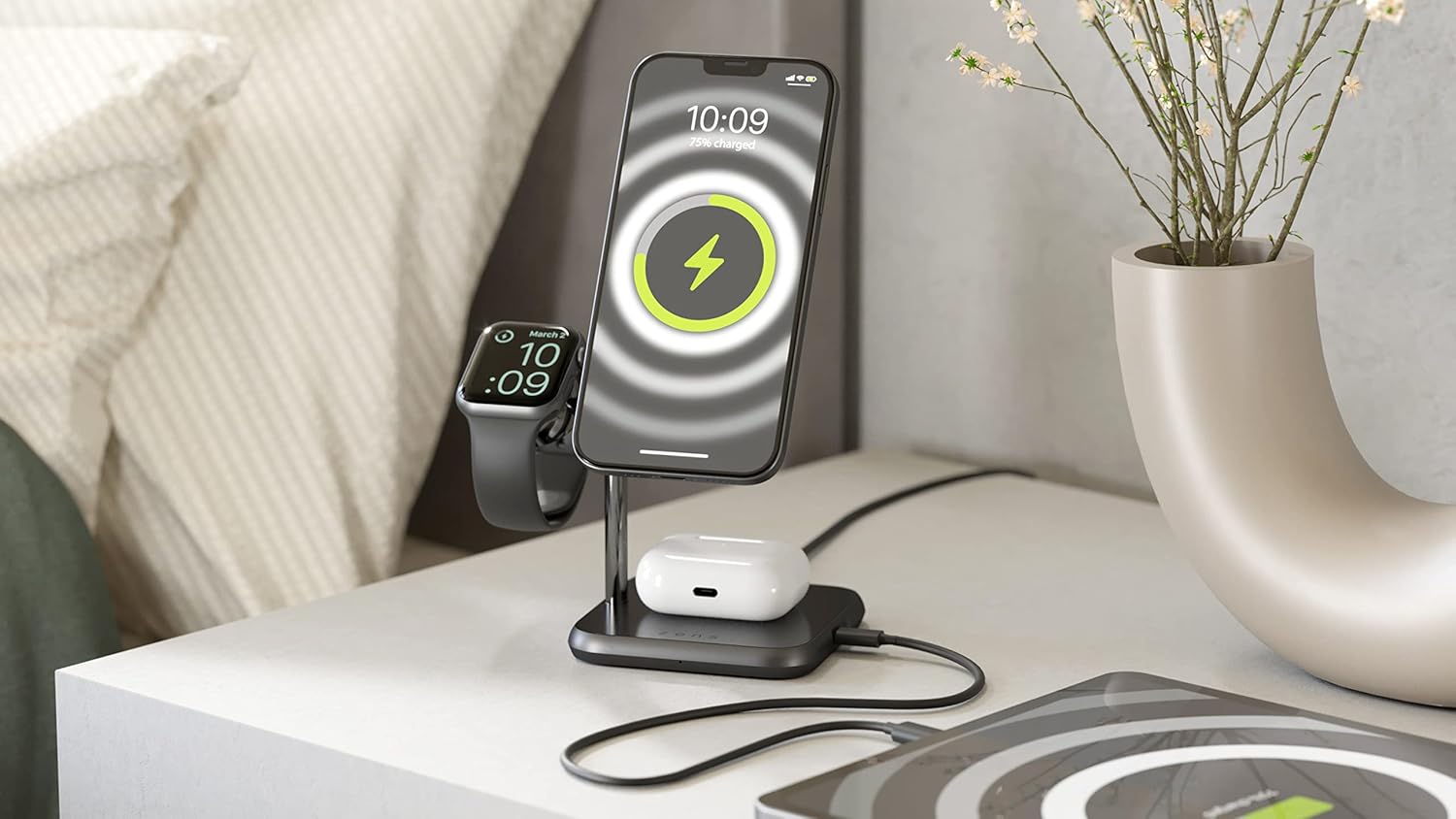
Immagine: Posteriore view of the charging station, highlighting the USB-C power input port for connecting the power adapter.
Istruzioni per l'uso
The ZENS 4-in-1 charging station allows you to charge up to four devices simultaneously.
1. Charging iPhone via MagSafe
- The MagSafe module provides 15W fast charging for Apple iPhone 12, 13, 14, 15, and 16 series.
- Simply place your MagSafe-compatible iPhone onto the magnetic charging disc. The iPhone will securely attach and begin charging.
- The MagSafe module supports both vertical and horizontal orientations, allowing for optimal viewing angles, including iOS 17 StandBy Mode.
2. Ricarica dell'Apple Watch
- The dedicated Apple Watch module is located on the left side of the station.
- Place your Apple Watch onto the module. It will magnetically align and begin charging.
- The design ensures a comfortable viewing angle, ideal for Nightstand Mode.
3. Charging AirPods and Qi-Enabled Devices
- The flat charging area on the base of the station is a Qi-certified wireless charging pad.
- Place your Apple AirPods Pro 2 (2022 & 2023 USB-C) / Pro / 3 / 2 & 1 (with wireless charging case) or any other Qi-enabled device onto this pad.
- A small white LED indicator on the front of the base will illuminate to confirm charging is active.
4. Charging a Fourth Device via USB-C Port
- An 18W USB-C output port is located on the right side of the charging station.
- Use this port to charge a fourth device, such as an Apple iPad, power bank, or another USB-C compatible accessory, using its respective charging cable (not included).

Image: The charging station with an iPhone displaying iOS 17 StandBy Mode, an Apple Watch, and AirPods charging on their respective pads.
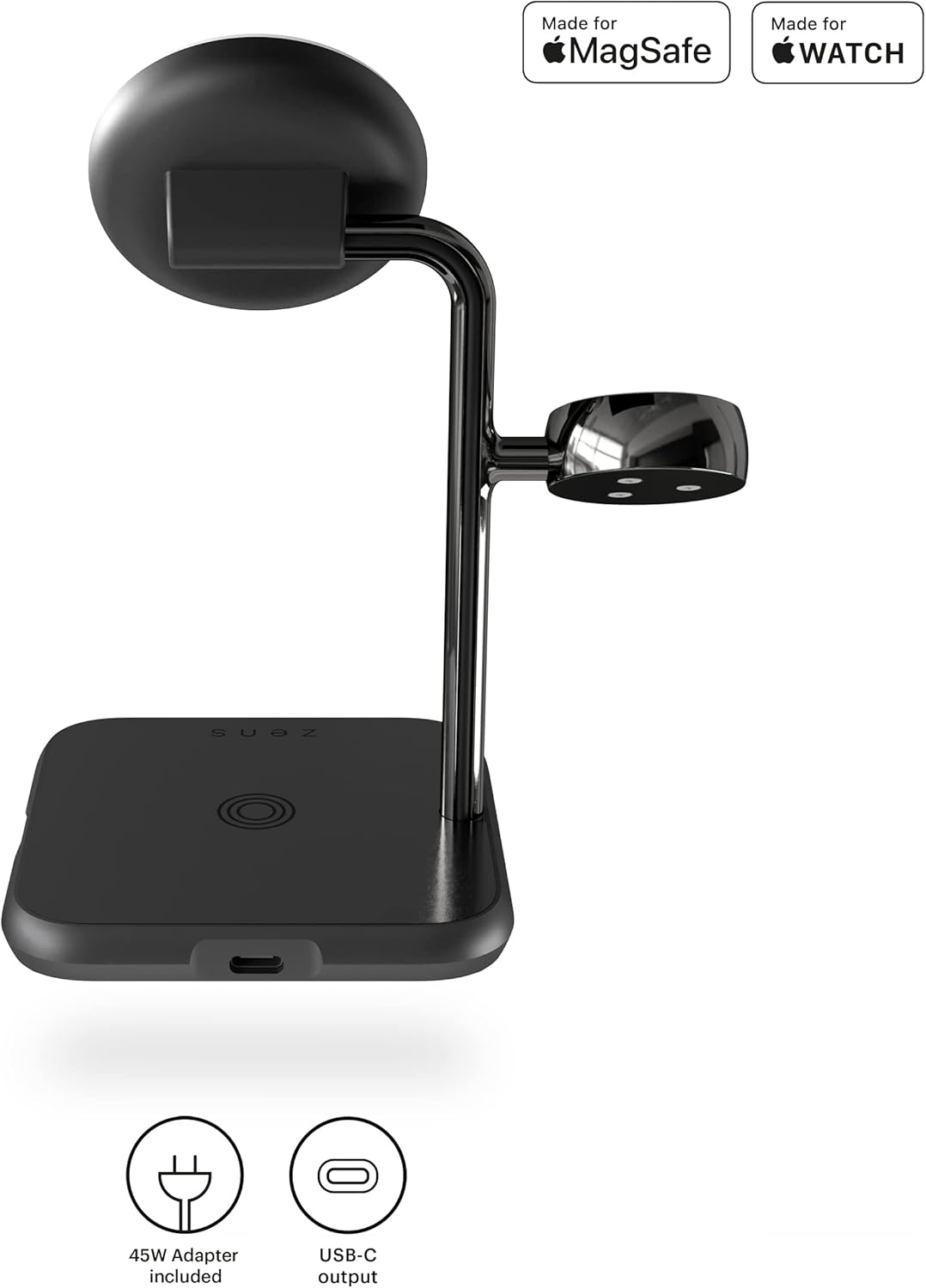
Immagine: Lato view of the charging station, illustrating the 18W USB-C output port for charging an additional device.
Manutenzione
To ensure the longevity and optimal performance of your ZENS charging station, follow these maintenance guidelines:
- Pulizia: Disconnect the power adapter before cleaning. Use a soft, dry, lint-free cloth to wipe the surface of the charging station. Avoid using abrasive cleaners, solvents, or aerosol sprays, which may damage the finish.
- Posizionamento: Place the charging station on a stable, flat surface away from direct sunlight, excessive heat, and moisture.
- Gestione: Maneggiare il dispositivo con cura. Evitare di farlo cadere o di sottoporlo a forti urti.
- Gestione dei cavi: Ensure the power cable is not kinked or pinched, which can lead to damage.
Risoluzione dei problemi
Se riscontri problemi con la tua stazione di ricarica, fai riferimento alle seguenti soluzioni comuni:
| Problema | Possibile causa | Soluzione |
|---|---|---|
| Dispositivo non in carica | Power adapter not connected, device not properly aligned, incompatible device, or protective case interference. | Ensure the power adapter is securely plugged into both the station and the wall outlet. Reposition the device on the charging pad. Remove thick or metallic phone cases. Verify device compatibility (MagSafe for iPhone, Qi for AirPods/other devices). |
| Ricarica lenta | Using a non-original power adapter, background apps on device, or device overheating. | Use the included 45W power adapter. Close unnecessary apps on your device. Ensure proper ventilation around the charging station. |
| MagSafe not holding iPhone securely | Non-MagSafe compatible case or foreign objects between iPhone and charger. | Ensure your iPhone case is MagSafe compatible. Remove any foreign objects or debris from the charging surface. |
| USB-C port not charging a device | Cable issue, device incompatibility, or device requires more power than 18W. | Try a different USB-C cable. Ensure the device is compatible with USB-C charging. Some larger devices like certain iPads may require higher wattage than the 18W output. |
If the problem persists after trying these solutions, please contact ZENS customer support for further assistance.
Specifiche
| Caratteristica | Dettaglio |
|---|---|
| Numero di modello | ZEDC22B/00 |
| Dimensioni del prodotto | 7.09 x 7.09 x 4.33 pollici (18 x 18 x 11 cm) |
| Peso dell'articolo | 1.63 libbre (0.74 kg) |
| Uscita MagSafe | 15W (for iPhone 12, 13, 14, 15, 16 series) |
| Uscita dell'Apple Watch | Standard charging (compatible with all Apple Watch series) |
| Qi Pad Output | 5W (for AirPods with wireless charging case, other Qi-enabled devices) |
| Porta di uscita USB-C | 18W (for charging a fourth device) |
| Ingresso volumetage | 240 Volts (via 45W Power Adapter) |
| Componenti inclusi | Charging station, 45W power adapter, 3 adapter plugs (US, EU, UK), USB-C cable, User Manual |
| Materiale | Alluminio di alta qualità |
| Certificazioni | Made for MagSafe, Made for Apple Watch, Qi Certified |
Garanzia e supporto
The ZENS 4-in-1 MagSafe + Watch Wireless Charging Station comes with a Garanzia estesa di 3 anni.
For warranty claims, technical support, or any questions regarding your product, please visit the official ZENS website or contact their customer service directly. Refer to the contact information provided on the product packaging or the ZENS official websito.
Produttore: ZENS B.V.
Indirizzo: Alta tecnologia Campus 85, 5656 AG Eindhoven, Paesi Bassi
Websito: www.makezens.com
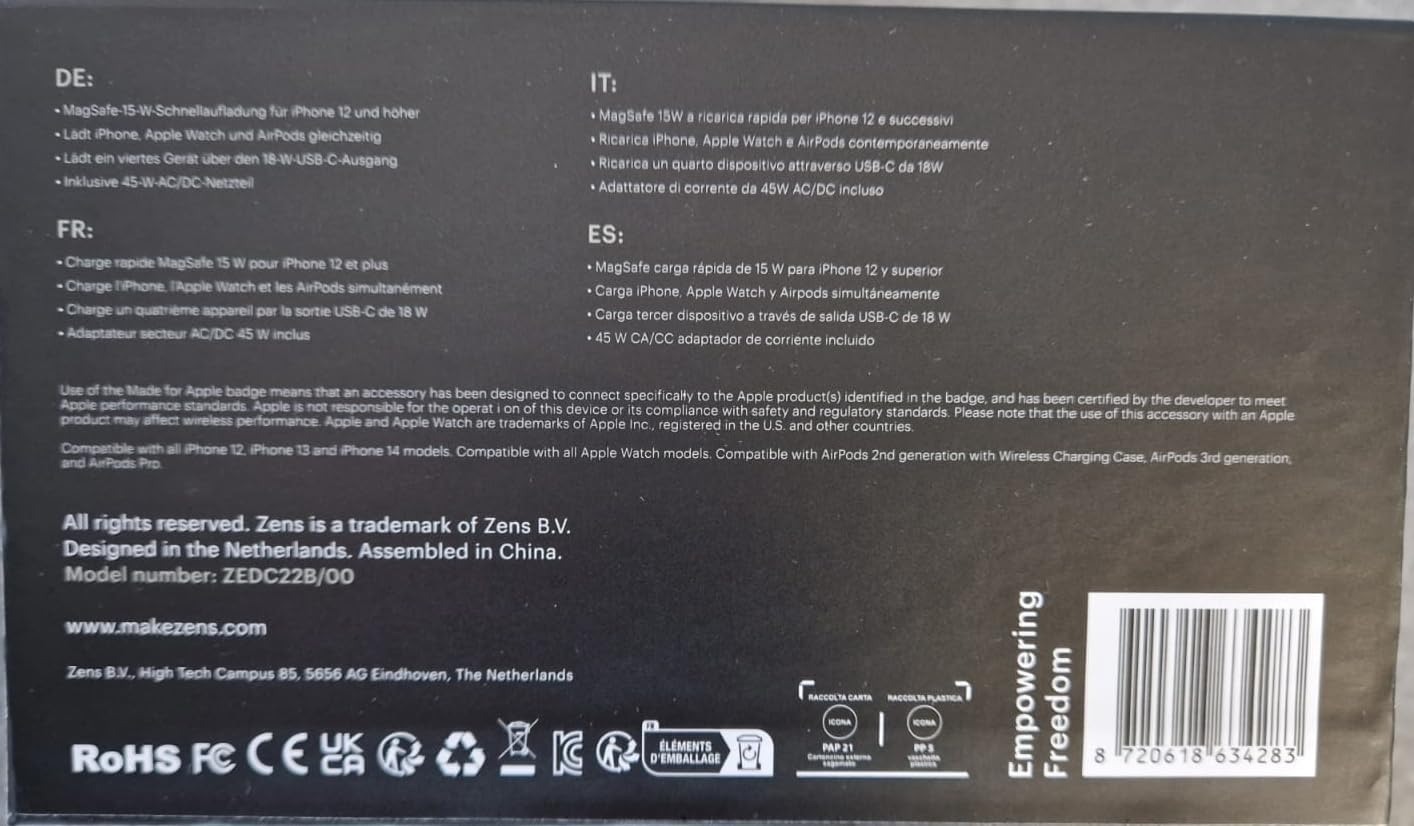
Image: Product packaging displaying the model number ZEDC22B/00, certifications, and manufacturer contact details.


