1. Introduzione
Grazie per l'acquistoasing the BlitzMax 480P Mini WiFi Projector. This compact and portable projector is designed to provide a versatile entertainment experience with its advanced DLP technology, Android 9.0 system, 5G WiFi, and Bluetooth connectivity. Please read this manual carefully to ensure proper setup, operation, and maintenance of your device.

Image 1.1: The BlitzMax Mini HD Projector providing an immersive visual experience.
2. Informazioni sulla sicurezza
- Non guardare direttamente nell'obiettivo del proiettore quando lamp è acceso.
- Garantire un'adeguata ventilazione attorno al proiettore per evitare il surriscaldamento.
- Tenere il proiettore lontano da acqua, umidità e materiali infiammabili.
- Utilizzare esclusivamente l'adattatore di alimentazione fornito.
- Non tentare di smontare o riparare il proiettore da soli. Contattare l'assistenza clienti per ricevere assistenza.
- Tenere fuori dalla portata dei bambini.
3. Contenuto della confezione
Verificare che tutti gli articoli siano presenti nel pacco:
- BlitzMax Mini WiFi Projector
- Telecomando
- Adattatore di alimentazione
- Cavo HDMI
- Manuale dell'utente (questo documento)

Image 3.1: Contents included in the BlitzMax Mini WiFi Projector package.
4. Prodotto finitoview
Familiarizzare con i componenti e le interfacce del proiettore.

Image 4.1: Front, rear, and top views of the projector highlighting ports and touch controls.
4.1. Interfacce
- Porta USB 2.0: Per collegare dispositivi di archiviazione USB.
- Informazione non disponibile: Ricevitore a infrarossi per il telecomando.
- DC IN: Porta di ingresso alimentazione.
- Compatibile con HDMI: Per collegare dispositivi esterni come laptop, console di gioco o decoder TV.
4.2. Toccare Pannello di controllo
The top panel features sensitive touch controls for easy navigation and operation, even in low-light conditions due to its LED screen light.
- Menu: Accedi alle impostazioni e alle opzioni.
- Casa: Ritorna all'interfaccia principale.
- Volume: Regola il livello di uscita audio.
- Ritorno: Torna alla schermata precedente.
5. Impostazione
5.1. Accensione/Spegnimento
- Collegare l'adattatore di alimentazione alla porta DC IN del proiettore e quindi a una presa di corrente.
- Premere il pulsante di accensione sul proiettore o sul telecomando per accenderlo.
- To turn off, press the power button again and confirm shutdown.
5.2. Initial Setup (Android 9.0 System)
Upon first use, the projector will guide you through initial setup steps, including:
- Selezione della lingua: Scegli la tua lingua preferita.
- Connessione di rete: Connect to a 5G or 2.4G WiFi network for internet access and streaming.
- Fuso orario: Imposta il fuso orario corretto.
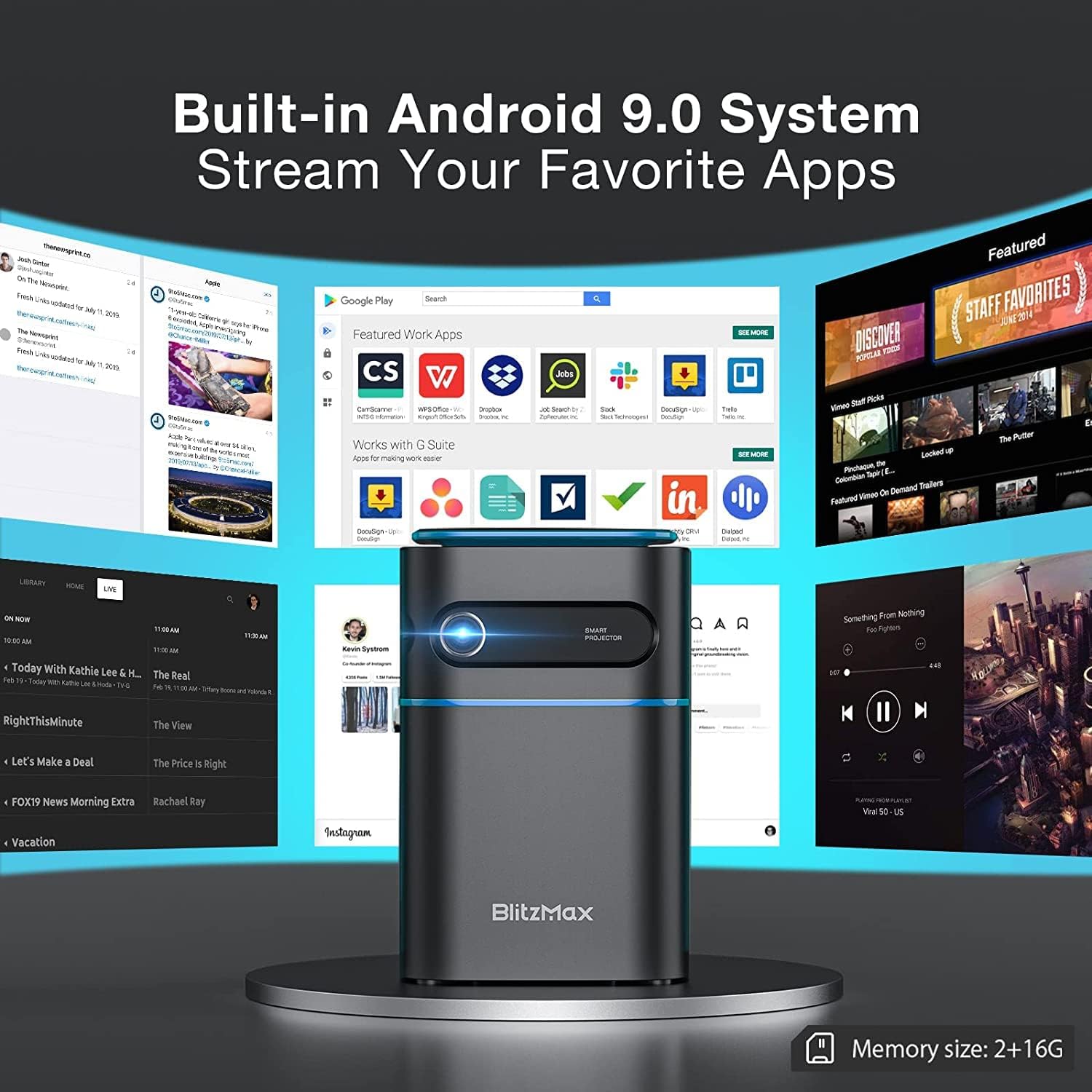
Image 5.1: The projector's built-in Android 9.0 system allows streaming of favorite apps.
5.3. Messa a fuoco e correzione trapezoidale
Adjust the image for clarity and proper rectangular shape.
- Messa a fuoco: Rotate the focus ring near the lens until the projected image is sharp.
- Correzione trapezoidale: The projector supports ±40° keystone correction. Access this setting through the menu to adjust the image geometry if the projector is not perfectly perpendicular to the screen.

Image 5.2: Illustrating the ±40° keystone correction capability.
6. Operativo
6.1. Collegamento di dispositivi esterni
Il proiettore offre molteplici opzioni di connettività:
- HDMI: Connect devices like PCs, DVD players, PS3/PS4, or TV boxes using an HDMI cable. Select the HDMI input source from the projector's menu.
- USB: Inserire un'unità flash USB nella porta USB 2.0 per riprodurre contenuti multimediali filedirettamente.
- Wireless Projection (WiFi): Connect your smartphone or tablet wirelessly via the 5G WiFi chip for screen mirroring. Ensure both devices are on the same network.
- Bluetooth: Pair with Bluetooth-enabled devices such as smartphones for audio output.

Image 6.1: Wireless projection and Bluetooth connectivity with a smartphone.
6.2. Using Touch Control
The intelligent touch control panel provides a sensitive and convenient operation experience.

Image 6.2: Demonstrating the touch screen control functionality.
6.3. Modalità altoparlante Bluetooth
The projector can function as a standalone Bluetooth speaker, providing clear and balanced sound.

Image 6.3: The projector operating in Bluetooth speaker mode.
7. Manutenzione
7.1. Pulizia
- Lente: Utilizzare un panno morbido e privo di lanugine, specificamente progettato per lenti ottiche. Non utilizzare detergenti abrasivi.
- Esterno: Pulire l'esterno del proiettore con un panno morbido e asciutto. Per macchie ostinate, strofinare leggermenteampimmergi il panno nell'acqua.
- Porte di ventilazione: Regularly check and clean the ventilation ports to ensure unobstructed airflow and prevent overheating. Use a soft brush or compressed air.
7.2. Conservazione
Quando non viene utilizzato per lunghi periodi, conservare il proiettore in un luogo fresco e asciutto, lontano dalla luce solare diretta e da temperature estreme. Utilizzare l'imballaggio originale o una custodia protettiva per evitare l'accumulo di polvere e danni fisici.
7.3. Cura della batteria
The projector has a built-in battery with a working time of approximately 1.5 hours. To prolong battery life:
- Evitare di scaricare completamente la batteria frequentemente.
- Per preservarne la salute, caricare regolarmente la batteria, anche quando non la si utilizza.
- Store the projector with a partial charge (around 50%) if storing for a long time.
8. Risoluzione Dei Problemi
Se riscontri problemi con il proiettore, fai riferimento ai seguenti problemi comuni e alle relative soluzioni:
| Problema | Possibile causa | Soluzione |
|---|---|---|
| Nessuna immagine proiettata | Power issue, incorrect input source, lens cap on. | Check power connection, select correct input source (HDMI, USB, WiFi), remove lens cap. |
| L'immagine è sfocata | Sfocato. | Adjust the focus ring near the lens. |
| L'immagine è distorta (forma trapezoidale) | Proiettore non perpendicolare allo schermo. | Use keystone correction feature in the settings menu. |
| Nessun suono | Volume too low, incorrect audio output, external device muted. | Increase projector volume, check audio settings, unmute external device. |
| Connessione Wi-Fi instabile | Signal interference, distance from router. | Ensure projector is within range of the WiFi router, minimize interference from other devices. |
| Projector freezes or bugs frequently | Software issue, insufficient memory, overheating. | Restart the projector. Ensure sufficient free storage. Check for firmware updates. Ensure proper ventilation. |
9. Specifiche
Key technical specifications of the BlitzMax Mini WiFi Projector:
| Caratteristica | Specificazione |
|---|---|
| Produttore | BlitzMax |
| Dimensioni del prodotto | Dimensioni: 20 x 16 x 8 cm |
| Peso del prodotto | 400 grammi |
| Risoluzione dello schermo | 1920 x 1080 (1080P Compatible, Native 480P) |
| Luminosità | 180 ANSI Lumen |
| Distanza di proiezione | 0.5 - 8 metri |
| Dimensioni della proiezione | 40 - 300 pollici |
| Proporzioni | 16: 9 / 16: 10 / 4: 3 |
| Sistema operativo | Androide 9.0 |
| Connettività wireless | 5G WiFi, Bluetooth V4.2 |
| Capacità della batteria | 7.4V 4000mAh (Approx. 1.5-2 hours working time) |
| Lamp Vita | Fino a 10,000 ore |
| Tipo di controllo | Controllo remoto, controllo touch |
| Dispositivi compatibili | Smartphone, PC, DVD, PS3/4, Camera, TV Box, Laptop |

Image 9.1: Physical dimensions and weight of the projector.

Image 9.2: Projection distance, size, and aspect ratio capabilities.
10. Garanzia e supporto
For warranty information and technical support, please refer to the documentation provided with your purchase or contact BlitzMax customer service through their official webo al rivenditore presso cui è stato acquistato il prodotto. Conservare la ricevuta d'acquisto come prova d'acquisto per eventuali reclami in garanzia.


