Introduzione
This manual provides detailed instructions for the setup, operation, and maintenance of your ESR Stylus Pen. Please read this manual thoroughly to ensure proper use and to maximize the performance of your device.
Compatibilità
The ESR Stylus Pen is designed for specific iPad models. Ensure your device is compatible for full functionality, including magnetic wireless charging and USB-C charging.
- iPad Pro: 11-inch (4th/3rd/2nd/1st Gen), 12.9-inch (6th/5th/4th/3rd Gen)
- iPad Air: 10.9-inch (5th/4th Gen)
- iPad mini: (6th Gen)
- Per iPad: (11th/10th/9th/8th/7th Gen)
Note: Devices not listed above are not supported. Magnetic wireless charging is specifically compatible with iPad Pro 12.9/11, iPad Air 5/4, and iPad mini 6. USB-C charging is compatible with iPad 10/9/8/7, iPad Pro 12.9/11, iPad Air 5/4, and iPad mini 6.
Figure 1: Detailed compatibility chart for various iPad models and charging methods.
Impostazione e connessione
The ESR Stylus Pen offers two primary methods for connection and activation:
- Attacco magnetico: For compatible iPad models, simply attach the stylus magnetically to the side of your iPad. The pen will automatically connect and begin charging if needed.
- Collegamento manuale: Long-press the button on the top of the stylus for 2 seconds to power it on and initiate Bluetooth pairing. Once powered on, the stylus is ready for use.
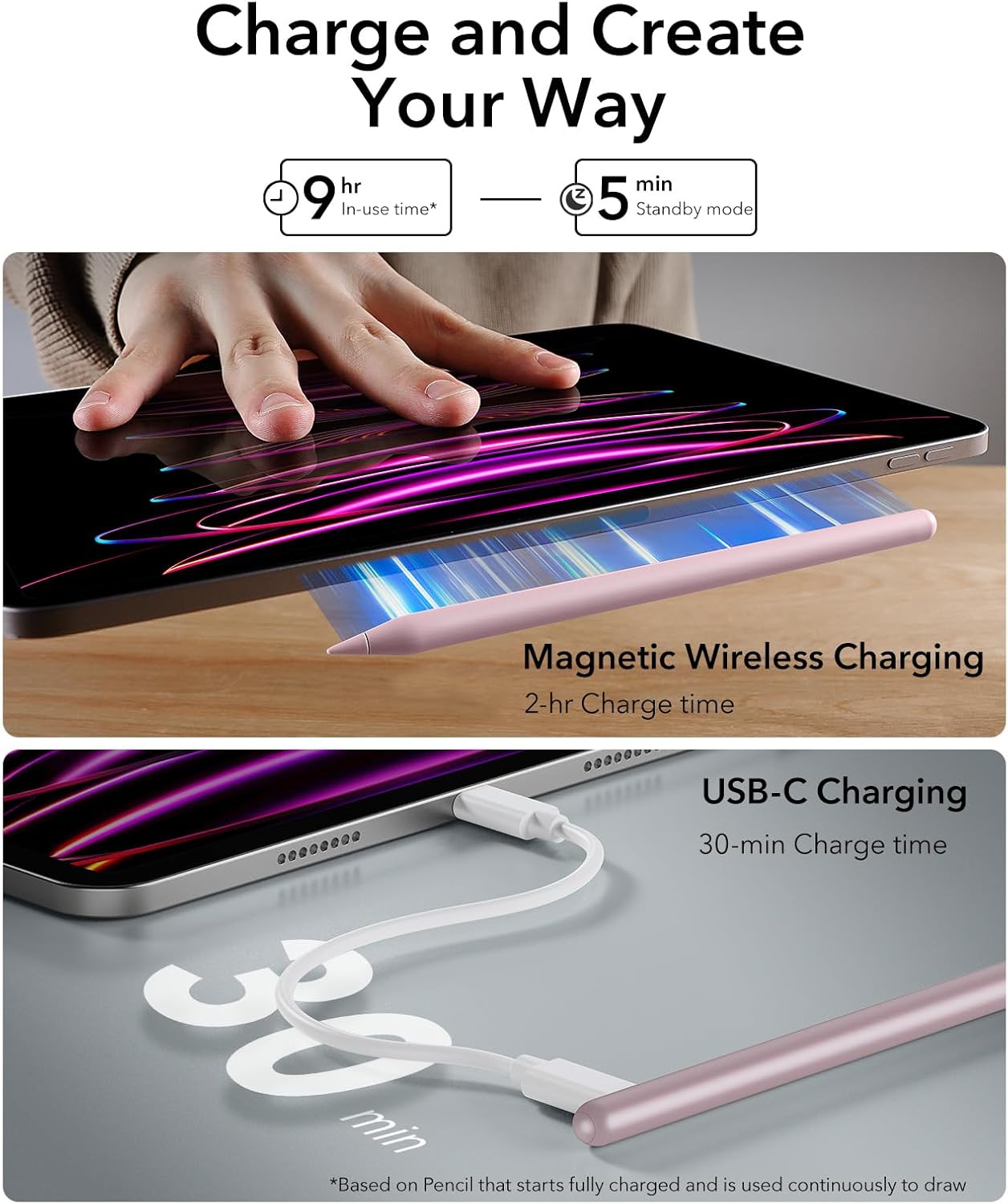
Figure 2: Magnetic attachment for instant connection and charging.
Istruzioni per l'uso
Caratteristiche principali:
- Rifiuto del palmo: Rest your hand comfortably on the iPad screen while writing or drawing without interference.
- Sensibilità all'inclinazione: Adjust the angle of the pen nib to create thicker or thinner lines and achieve realistic shading effects.
- Smooth and Precise: Experience seamless, uninterrupted lines with zero lag or delay, providing a natural writing and drawing experience.
Shortcut Button Functionality:
The stylus features a convenient shortcut button for quick navigation:
- Premi una volta: Instantly return to the iPad's home screen.
- Doppia pressione: Access the main task manager to view e passare da un'applicazione aperta all'altra.

Figure 3: Shortcut button for quick access to home and multitasking views.

Figure 4: Palm rejection allows comfortable hand placement, and tilt sensitivity enables varied line thickness.

Figure 5: The ESR Stylus Pen provides a smooth and precise drawing experience.
Ricarica della penna stilo
Your ESR Stylus Pen offers two convenient charging methods:
- Ricarica wireless magnetica: For compatible iPad models, simply attach the stylus to the magnetic connector on the side of your iPad. The pen will begin charging wirelessly. A full charge takes approximately 120 minutes.
- Ricarica rapida USB-C: Remove the protective cap from the USB-C port on the stylus and connect it to a USB-C charging cable (provided). This method offers faster charging, reaching a full charge in about 30 minutes.
Indicatore LED:
The LED light on the stylus indicates its charging status:
- Luce rossa: Indicates low battery or charging in progress.
- Luce verde: Indicates a full charge.

Figure 6: Two ways to charge your ESR Stylus Pen.
Manutenzione
Sostituzione del pennino:
The ESR Stylus Pen comes with replaceable nibs to ensure consistent performance. To replace a worn nib:
- Ruotare delicatamente la punta esistente in senso antiorario per rimuoverla.
- Align a new nib and twist it clockwise until securely fastened.
Three replacement nibs are included with your purchase.
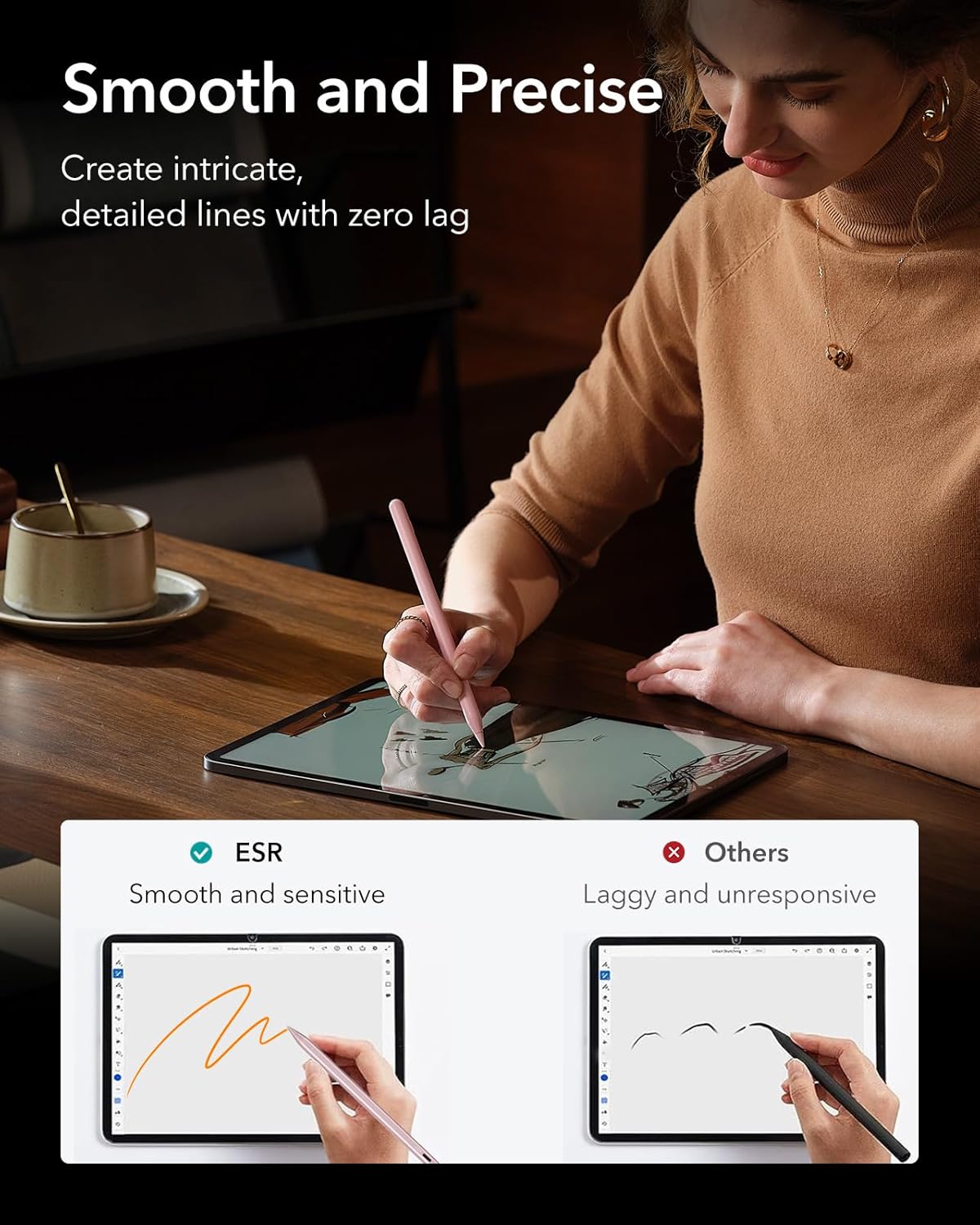
Figure 7: Replaceable 1.5mm nibs for high-quality, durable performance.
Risoluzione dei problemi
- Lo stilo non si connette: Ensure the stylus is sufficiently charged. For magnetic connection, ensure it's placed correctly on the iPad's magnetic strip. For manual connection, long-press the button for 2 seconds until the LED indicator lights up.
- Disconnessione intermittente: If the stylus disconnects during use, try re-attaching it to the iPad or long-pressing the button to re-establish the connection. Ensure your iPad's Bluetooth is active.
- Unresponsive or inaccurate input: Check if the nib is securely attached and not worn out. Replace the nib if necessary. Ensure your iPad screen is clean.
- Problemi di ricarica: Verify that the USB-C cable is properly connected to both the stylus and a power source. For wireless charging, ensure the stylus is correctly aligned on the iPad's magnetic charging area. Check the LED indicator for charging status.
Specifiche
| Marca | ESR |
| Numero di modello | TSAJHBQ17 |
| Peso dell'articolo | 1.45 once (41 grammi) |
| Dimensioni del prodotto | 6.42 x 0.35 x 0.35 pollici |
| Colore | Rosa |
| Opzioni di ricarica | Magnetic Wireless Charging, USB-C Charging |
| Tempo di ricarica wireless | Circa 120 minuti |
| USB-C Charging Time | Circa 30 minuti |
| Caratteristiche | Tilt Sensitivity, Palm Rejection, Shortcut Button |
| Replaceable Nibs | Sì (3 inclusi) |
Garanzia e supporto
For warranty information, product support, or to purchase replacement parts, please visit the official ESR website or contact their customer service. The product typically includes a manufacturer's warranty. Please retain your proof of purchase for any warranty claims.
Politica di ritorno: This product has a return policy duration of 30 days for refund/replacement, as per Amazon's policy.


