1. Informazioni importanti sulla sicurezza
Please read all safety instructions carefully before using the BYINTEK P70 Smart WiFi Projector. Keep this manual for future reference.
- Fonte di energia: Utilizzare solo l'adattatore di alimentazione fornito. Assicurarsi che il volumetage corrisponde ai requisiti del proiettore.
- Sicurezza della batteria: The projector contains a built-in lithium-ion battery. Do not expose to extreme temperatures, puncture, or disassemble.
- Ventilazione: Assicurare una ventilazione adeguata attorno al proiettore per evitare il surriscaldamento. Non ostruire le aperture di ventilazione.
- Calore: Il proiettore potrebbe surriscaldarsi durante il funzionamento. Questo è normale. Evitare di toccare l'obiettivo o le prese d'aria subito dopo l'uso.
- Esposizione alla luce: Non guardare direttamente nell'obiettivo del proiettore quando lamp è acceso, poiché la luce intensa può causare affaticamento o danni agli occhi.
- Acqua e umidità: Tenere il proiettore lontano da acqua, pioggia e umidità eccessiva. Non utilizzare con le mani bagnate.
- Pulizia: Scollegare l'alimentazione prima della pulizia. Utilizzare un panno morbido e asciutto. Non utilizzare detergenti liquidi o spray.
- Bambini: Tenere il proiettore e i suoi accessori fuori dalla portata dei bambini.
2. Prodotto finitoview
The BYINTEK P70 is a portable smart DLP projector designed for versatile entertainment and presentation needs. It features an 8000mAh built-in battery, Android 9.0 operating system, auto-focus, and 3D support.
2.1 Contenuto della confezione
- BYINTEK P70 Projector x 1
- Telecomando x 1
- Adattatore di alimentazione x 1
- Mini treppiede x 1
- Borsa di stoccaggio x 1
- Manuale utente x 1
2.2 Caratteristiche principali
- Design portatile: Compatto e leggero per un facile trasporto.
- Batteria integrata: 8000mAh battery provides 1.5 to 3 hours of playback.
- Sistema operativo Android intelligente: Android 9.0 for app downloads, online streaming, and gaming.
- Messa a fuoco automatica: Automatic focus adjustment for clear images.
- Correzione trapezoidale 6D: Advanced keystone correction for flexible placement.
- Supporto 3D: Goditi contenuti 3D immersivi.
- Connettività wireless: Supports wireless screen mirroring from Android, iOS, and PC devices.
- Connettività cablata: USB data cable sync for iOS and select Android devices.
- Grandi dimensioni di proiezione: Fino a 200 pollici.
- 4K Playback: Supports up to 4K video input.
- LED lungo Lamp Vita: 30,000 ore.
- Doppi altoparlanti stereo: Integrated 2x5W speakers for clear audio.

Image: Infographic detailing the BYINTEK P70's features including 4K support, DLP display, 6D keystone, 8000mAh battery, 3D, Type-C charge, 2G+32G memory, Android OS, and stereo speakers.
3. Impostazione
3.1 Ricarica del proiettore
Before first use, fully charge the projector. Connect the provided power adapter to the projector's Type-C port and plug it into a power outlet. The charging indicator will show the charging status.

Image: The BYINTEK P70 projector connected to a power bank via a Type-C cable, illustrating its portable charging capability.
3.2 Posizionamento iniziale
Posizionare il proiettore su una superficie stabile e piana. Per una visione ottimale viewing, position it directly in front of your projection screen or wall. The included mini tripod can be used for angle adjustments.
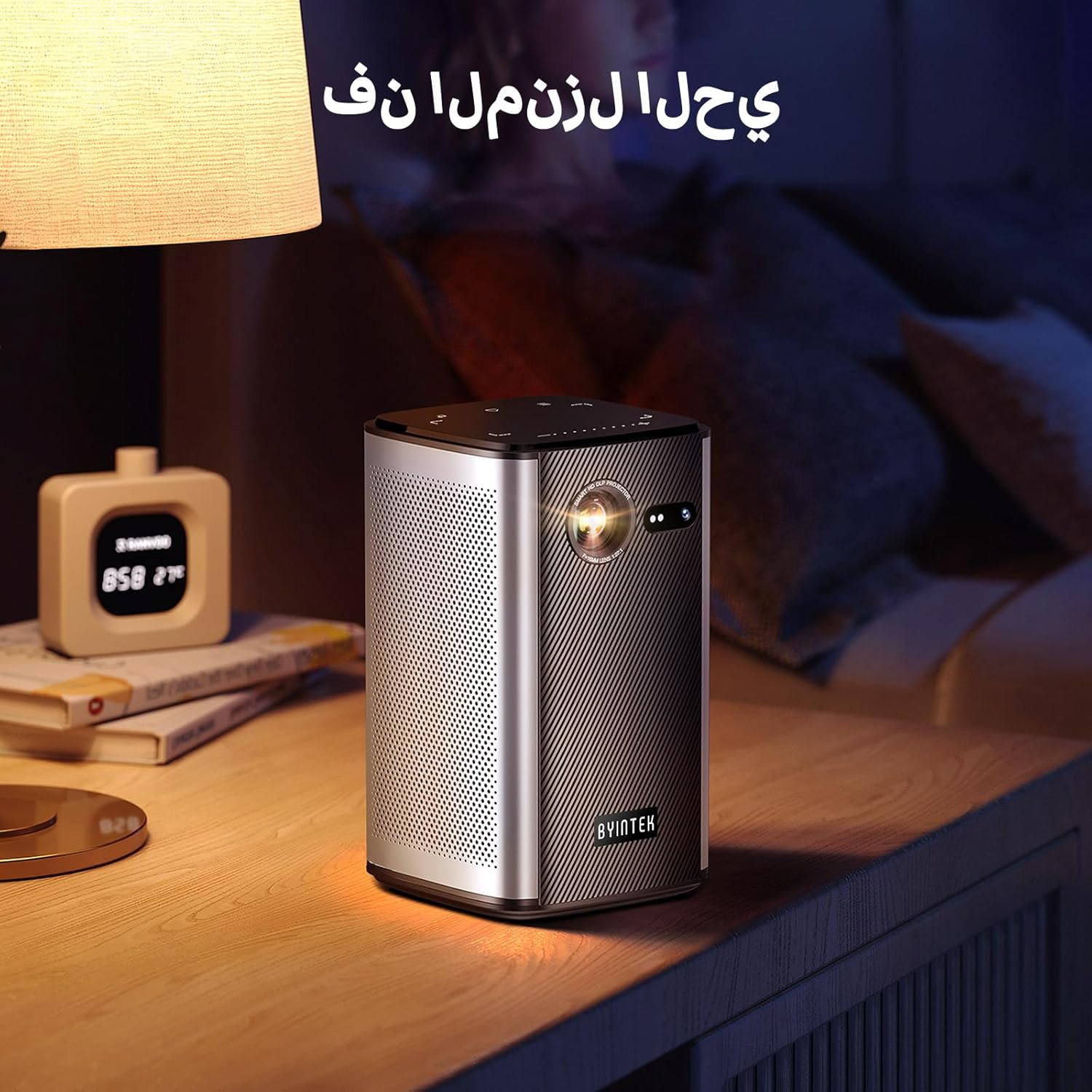
Image: The BYINTEK P70 projector placed on a bedside table, ready for indoor use.
3.3 Accensione/Spegnimento
Press and hold the power button on the projector or remote control to turn the device on or off.
3.4 Correzione della messa a fuoco e della distorsione trapezoidale
The BYINTEK P70 features automatic focus. For keystone correction, navigate to the settings menu using the remote control. The 6D keystone correction allows for precise image adjustment, even with side projection.

Image: A visual representation of the projector's auto-focus feature, showing a clear image projected onto a wall.
4. Istruzioni per l'uso
4.1 Navigazione nel sistema operativo Android
Use the remote control to navigate the Android 9.0 interface. The home screen provides access to pre-installed apps and settings. You can download additional applications from the app store.

Image: The projector displaying its Android operating system interface with various application icons like Miracast, Settings, AirPlay, Market, File Explorer, YouTube, and Netflix.
4.2 Mirroring dello schermo wireless
The projector supports wireless screen mirroring for Android, iOS, and PC devices. Access the 'Miracast' or 'AirPlay' app on the projector's home screen and follow the on-screen instructions to connect your device.
4.3 Mirroring dello schermo cablato
For iOS devices and some Android devices, you can use a USB data cable for wired screen synchronization. Connect your device to the projector's USB port using its original data cable.
4.4 Riproduzione 3D
The BYINTEK P70 supports 3D content. To enjoy 3D movies, ensure your media file is in a compatible 3D format (e.g., Blu-ray 3D, SBS, TNB) and use active shutter 3D glasses (sold separately).

Image: A family wearing 3D glasses, enjoying a 3D movie projected by the BYINTEK P70, showcasing its 3D capability.
4.5 Zoom digitale
Adjust the image size from 50% to 100% using the digital zoom function on the remote control. This allows you to fit the image perfectly to your screen without moving the projector.
5. Manutenzione
5.1 Pulizia della lente
Utilizzare un panno morbido e privo di lanugine, specificamente progettato per lenti ottiche, per pulire delicatamente la lente del proiettore. Evitare l'uso di materiali abrasivi o prodotti chimici aggressivi.
5.2 Pulizia dell'esterno
Pulire l'esterno del proiettore con un panno morbido e asciutto. Non utilizzare detergenti liquidi o spray direttamente sul dispositivo.
5.3 Conservazione
When not in use, store the projector in a cool, dry place, away from direct sunlight and extreme temperatures. Use the provided storage bag to protect it from dust and scratches.
5.4 Cura della batteria
Per prolungare la durata della batteria, evitare di scaricarla completamente frequentemente. Se si prevede di non utilizzarla per un periodo prolungato, caricare la batteria fino a circa il 50% e ricaricarla ogni pochi mesi.
6. Risoluzione Dei Problemi
| Problema | Possibile causa | Soluzione |
|---|---|---|
| Nessuna immagine proiettata | Projector not powered on; input source not selected; cable not connected. | Ensure projector is on. Select correct input source (HDMI, USB, Wireless). Check cable connections. |
| L'immagine è sfocata | Out of focus; projector too close/far from screen; lens dirty. | Consentire la regolazione della messa a fuoco automatica. Regolare la distanza del proiettore. Pulire l'obiettivo. |
| Il telecomando non funziona | Batteries low/dead; remote not paired; obstruction. | Replace remote batteries. Ensure line of sight to projector's IR receiver. Re-pair remote if necessary (refer to specific pairing instructions in the full manual). |
| Nessun suono | Volume too low; external audio device connected; audio format not supported. | Increase projector volume. Disconnect external audio devices. Check audio format compatibility. |
| Problemi di mirroring wireless | Poor Wi-Fi signal; device compatibility; firewall settings. | Ensure strong Wi-Fi signal. Check device compatibility with Miracast/AirPlay. Disable firewalls temporarily for testing. |
| Il proiettore si surriscalda | Blocked ventilation; prolonged use in hot environment. | Ensure vents are clear. Operate in a well-ventilated area. Allow projector to cool down. |
7. Specifiche
| Caratteristica | Specificazione |
|---|---|
| Marca | DAINTEK |
| Numero di modello | P70 |
| Dimensioni del prodotto | Dimensioni: 8.2 x 8.2 x 14.2 cm |
| Peso dell'articolo | 1.58 chilogrammi |
| Batteria | 1 Lithium Ion battery (included), 8000mAh, 29.6 Wh |
| Sistema operativo | Android |
| Risoluzione dello schermo | 960x540 |
| Risoluzione massima dello schermo | 4K Ultra HD Megapixel |
| Tecnologia di connettività | Wifi |
| Caratteristiche speciali | Auto-focus, 3D Ready, Built-in Wi-Fi Receiver |
| Usi consigliati | Cinema in casa |
| Tipo di visualizzazione | DLP |
| Fattore di forma | Portatile |
| Tipo di montaggio | Supporto per treppiede |
| Porte USB 3.0 | 1 |
| Porte HDMI | 1 |
| Voltage | 12 Volt |
| Cosatage | 25 Watt |
| Fonte di alimentazione | AC e batteria |
8. Garanzia e supporto
The BYINTEK P70 Smart WiFi Projector comes with a standard manufacturer's warranty. For specific warranty details, please refer to the warranty card included in your product packaging or contact BYINTEK customer support.
If you encounter any issues or have questions regarding your projector, please contact BYINTEK customer support through their official website or the contact information provided in your product documentation. Please have your model number (P70) and purchase details ready when contacting support.