1. Introduzione
This manual provides detailed instructions for the proper setup, operation, and maintenance of your Radioddity QT40 10 Meter SSB Ham Radio. Please read this manual thoroughly before using the device to ensure safe and optimal performance.
2. Informazioni sulla sicurezza
- Non utilizzare la radio senza un'antenna correttamente collegata.
- Garantire l'alimentazione voltage soddisfa i requisiti della radio.
- Evitare di esporre la radio a temperature estreme, alla luce solare diretta o all'umidità.
- Non tentare di smontare o modificare la radio. Per qualsiasi intervento di assistenza, rivolgersi a personale qualificato.
- Maintain a safe distance from the antenna during transmission to avoid exposure to RF energy.
3. Contenuto della confezione
Verifica che tutti gli articoli siano presenti nel tuo pacco:
- QT40 Radio x 1
- Microfono x 1
- USB Programming Cable x 1
4. Prodotto finitoview
The Radioddity QT40 is a 10-meter SSB ham radio designed for reliable communication. It features 40 watts of transmission power, digital noise reduction, and a frequency range of 28.000-29.695MHz.
4.1 Controlli del pannello frontale

This image displays the front panel of the Radioddity QT40, highlighting the various controls and indicators. Key elements include the S-Meter, NB/ANL control, NRC function control, Monitor/10K on/off switch, Echo function control, H/L/WX band switch, TX/RX indicator, Channel Display, 4-Pin Mic Connector, Power/Volume control, Squelch Level control, SSB Frequency FINE function, RF Gain Level, PA/FM/AM/USB/LSB Mode selector, Working Band Selection, Mic Gain Level control, Power Level control, and Channel Switch.
- S-metro: Indicates signal strength and output power.
- NB/ANL Control: Noise Blanker and Automatic Noise Limiter.
- NRC Function Control: Digital Noise Reduction activation.
- Control Monitor/10K on/off: Monitor function and 10KHz step switch.
- ECHO Function Control: Activates and adjusts echo effect.
- H/L/WX Band Switch: High/Low power and Weather band selection.
- Indicatore TX/RX: Shows transmit (TX) or receive (RX) status.
- Visualizzazione del canale: Mostra il canale operativo corrente.
- 4-Pin Mic Connector: For connecting the supplied microphone.
- Controllo di potenza/volume: Accende/spegne la radio e regola il volume audio.
- Squelch Level Control: Regola la soglia di silenziamento.
- SSB Frequency FINE Function: Fine-tunes SSB frequency.
- RF Gain Level: Adjusts receiver RF gain.
- PA/FM/AM/USB/LSB Mode: Selects the operating modulation mode.
- Working Band Selection: Seleziona la banda di frequenza operativa.
- Mic Gain Level Control: Adjusts microphone input sensitivity.
- Power Level Control: Adjusts transmit power output.
- Cambio canale: Selects operating channels.
4.2 Collegamenti del pannello posteriore

This image illustrates the rear panel connections of the Radioddity QT40. These include the SO-239 Antenna Connector, External PA Jack, PC Programming Port, 3.5MM External Speaker Jack, and Power Supply Jack.
- SO-239 Antenna Connector: For connecting your external antenna.
- External PA Jack: For connecting an external Public Address speaker.
- PC Programming Port: For connecting the USB programming cable to a computer.
- 3.5MM External Speaker Jack: Per collegare un altoparlante esterno opzionale.
- Presa di alimentazione: Per collegare il cavo di alimentazione CC.
4.3 Microfono

The included microphone features Channel Up/Down buttons, a Push-To-Talk (PTT) button, the microphone element, and a 4-Pin Microphone Connector for connection to the radio.
- Canale in alto: Aumenta il numero del canale.
- Canale inattivo: Diminuisce il numero del canale.
- PTT (premi per parlare): Attiva la trasmissione quando premuto.
- Mic: Microphone element.
- Cavo del microfono: Connects the microphone to the radio.
- 4-Pin Microphone Connector: Connects to the radio's front panel.
5. Impostazione
5.1 Collegamento dell'antenna
Connect a suitable 10-meter antenna to the SO-239 Antenna Connector on the rear panel of the radio. Ensure the connection is secure. An improperly connected or mismatched antenna can damage the radio.
5.2 Collegamento di alimentazione
Connect the DC power cable to the Power Supply Jack on the rear panel. Connect the other end of the power cable to a compatible 13.8V DC power source. Observe correct polarity (red to positive, black to negative).
5.3 Collegamento del microfono
Plug the 4-Pin Microphone Connector into the corresponding jack on the front panel of the radio.
6. Istruzioni per l'uso
6.1 Funzionamento di base
- Accensione/spegnimento: Ruotare il Controllo accensione/volume clockwise to turn the radio on. Continue rotating to adjust the audio volume.
- Regolazione dello squelch: Ruotare il Controllo del livello di squelch clockwise until background noise disappears. Rotate counter-clockwise to hear weaker signals.
- Selezione canale: Utilizzare il Cambio canale manopola sul pannello frontale o Canale su/giù buttons on the microphone to select your desired operating channel.
6.2 Modulation Modes (AM/FM/SSB)
Utilizzare il PA/FM/AM/USB/LSB Mode selector to choose your desired modulation mode:
- SONO (AmpModulazione di intensità): Common for local communication.
- FM (modulazione di frequenza): Offers clearer audio over shorter distances.
- USB (Upper Sideband) / LSB (Lower Sideband): Used for long-distance SSB communication. Fine-tune with the SSB Frequency FINE Function.
- PA (Public Address): Outputs audio to an external PA speaker.
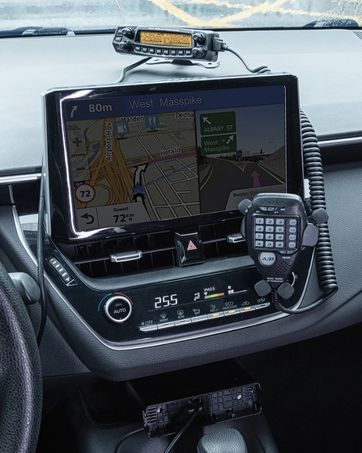
This image shows the Radioddity QT40 radio in a vehicle, illustrating its capability for AM/FM/SSB modulation, crucial for various communication needs.
6.3 Digital Noise Reduction (NRC)
The QT40 features TX and RX digital noise reduction technology. Activate the NRC Function Control to reduce background noise during transmission and reception, improving audio clarity.
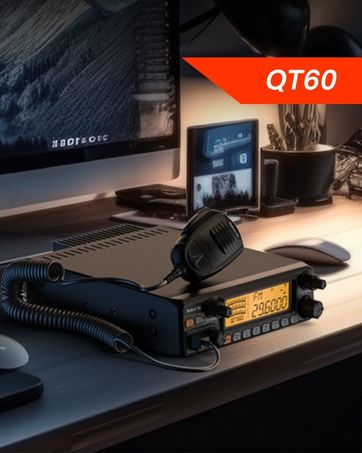
This image depicts the Radioddity QT40 radio installed in a vehicle, emphasizing its digital noise reduction feature for clearer communication in noisy environments.
6.4 Weather Channel and NOAA Alert
To access weather channels and NOAA alerts, use the H/L/WX Band Switch to select the WX band. This feature provides timely weather information and alerts.
6.5 CTCSS/DCS
The radio supports CTCSS (Continuous Tone-Coded Squelch System) and DCS (Digital Coded Squelch) for selective calling. These features can be configured via the programming software.
6.6 Funzione VOX
The VOX (Voice Operated Transmit) function allows for hands-free operation. When activated, the radio will transmit automatically when it detects your voice. Adjust VOX sensitivity via the programming software.
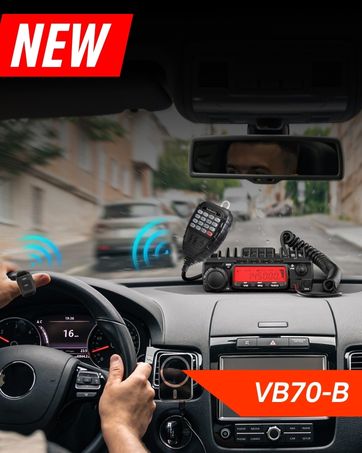
This image shows the Radioddity QT40 microphone mounted in a vehicle, demonstrating the convenience of the VOX hands-free function for drivers.
6.7 Programmazione PC
The Radioddity QT40 can be customized using PC programming software and the included USB programming cable. This allows for advanced settings adjustments, including CTCSS/DCS codes, VOX levels, and other features. Software and drivers are typically available on the manufacturer's websito.
7. Manutenzione
- Pulizia: Utilizzare un morbido, damp panno per pulire l'esterno della radio. Non utilizzare prodotti chimici aggressivi o detergenti abrasivi.
- Magazzinaggio: When not in use for extended periods, store the radio in a dry, dust-free environment.
- Controllo dell'antenna: Periodically inspect antenna connections for corrosion or damage.
8. Risoluzione Dei Problemi
| Problema | Possibile causa | Soluzione |
|---|---|---|
| Nessun potere | Cavo di alimentazione scollegato; vol erratotage; fusibile bruciato. | Check power connections; verify power source; inspect fuse. |
| Nessuna ricezione | Squelch too high; antenna disconnected; incorrect channel/mode. | Adjust squelch; check antenna connection; verify channel and mode settings. |
| Impossibile trasmettere | Microfono non collegato; pulsante PTT difettoso; problema con l'antenna. | Ensure microphone is connected; test PTT; check antenna and SWR. |
| Scarsa qualità audio | Low signal strength; high noise; incorrect mode. | Adjust RF Gain; activate NRC; ensure correct modulation mode. |
| Codice di errore E5 | High SWR (Standing Wave Ratio) detected, indicating an antenna mismatch or fault. | Check antenna connection; verify antenna tuning for the operating frequency; inspect antenna cable for damage. Do not transmit with high SWR to prevent radio damage. |
9. Specifiche
| Caratteristica | Specificazione |
|---|---|
| Marca | Radiodità |
| Numero di modello | QT40 |
| Gamma di frequenza | Frequenza 28.000-29.7 MHz |
| Numero di canali | 40 |
| Potenza di trasmissione | 40 Watt |
| Modalità di modulazione | AM, FM, SSB (USB/LSB), PA |
| Caratteristiche speciali | Automatic Squelch, Echo, PC programmable, VOX Function, Digital Noise Reduction, NOAA Alert |
| Peso dell'articolo | 3.3 libbre (1.5 kg) |
| Dimensioni del prodotto | 11.3 x 7.87 x 2.4 pollici (287 x 200 x 61 mm) |
| Portata massima di conversazione | 10 miglia (circa, dipende dalle condizioni) |
| Livello di resistenza all'acqua | Non resistente all'acqua |

This image provides a visual representation of the Radioddity QT40's dimensions (11.2 inches length, 7.9 inches width, 2.4 inches height) and weight (3.3 lbs).
10. Informazioni sulla garanzia
The Radioddity QT40 comes with an 18-month warranty from the date of purchase. This warranty covers manufacturing defects. Please retain your proof of purchase for warranty claims. The warranty does not cover damage caused by misuse, unauthorized modifications, or improper installation.
11. Supporto
For technical assistance, troubleshooting beyond this manual, or warranty inquiries, please contact Radioddity customer support. Refer to the official Radioddity websito per le informazioni di contatto e le risorse di supporto più aggiornate.
Radioddity ufficiale Websito: www.radioddity.com