1. Introduzione
This manual provides instructions for the proper use and care of your Docooler Portable USB Cassette Player. This device allows you to play audio cassettes and convert their content into digital MP3 files via a USB connection to a computer. Please read this manual thoroughly before operating the device to ensure optimal performance and longevity.
2. Prodotto finitoview
The Docooler Portable USB Cassette Player is a compact, handheld device designed for playing and digitizing audio cassettes. It features a transparent casing, allowing visibility of the internal mechanism.
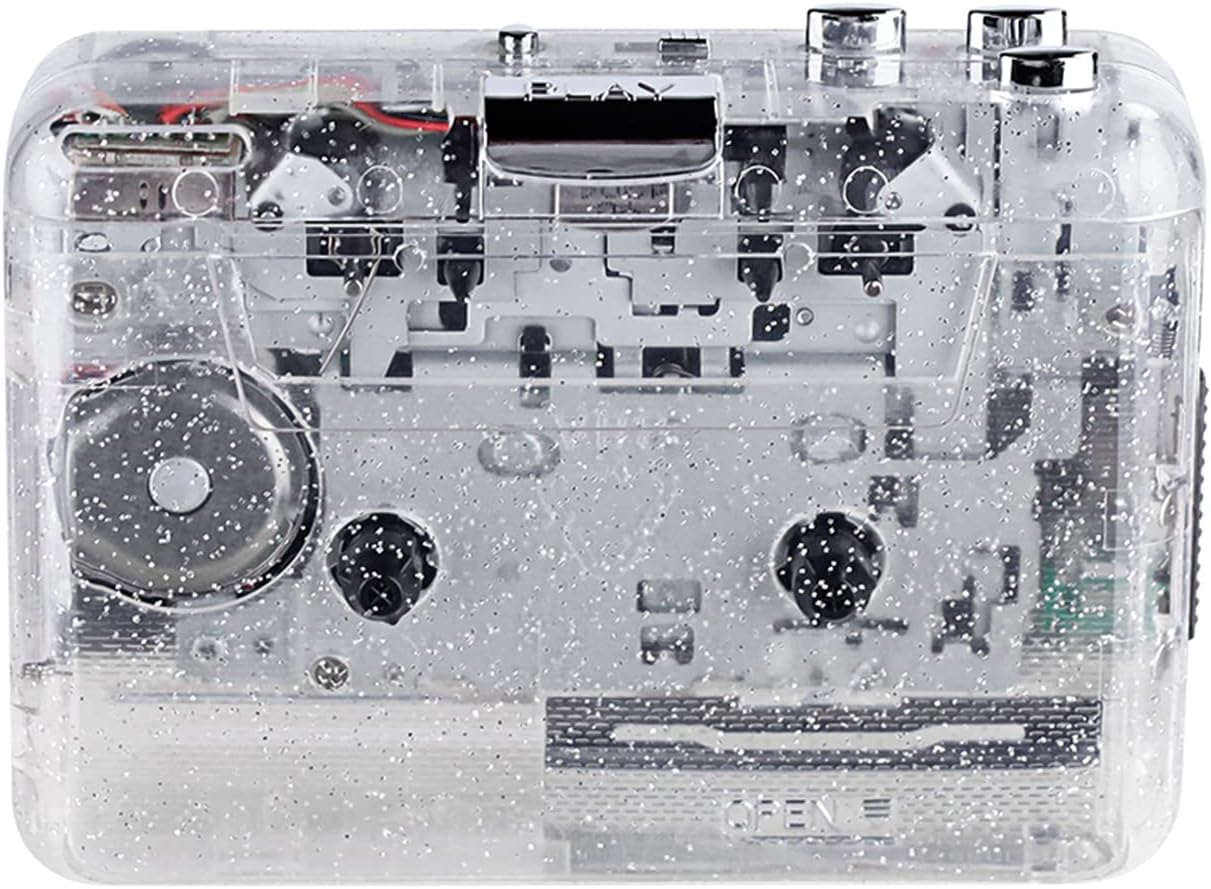
Figura 1: Fronte view of the Docooler Portable USB Cassette Player, showcasing its transparent design.

Figure 2: Various angles of the cassette player, including top, side, and open views.
Contenuto della confezione:
- Docooler Portable USB Cassette Player
- Cavo USB
- Manuale dell'utente (questo documento)
- Headphones (may vary by package)
3. Impostazione
3.1 Alimentazione
The cassette player can be powered by either batteries or a USB connection.
Installazione della batteria:
- Individuare il vano batteria sul dispositivo.
- Aprire il coperchio del vano batterie.
- Inserire 2 batterie AA (non incluse), assicurandosi della corretta polarità (+/-).
- Chiudere saldamente il coperchio del vano batterie.
Alimentazione USB:
Connect the provided USB cable to the player's USB port and the other end to a powered USB port on your computer or a USB wall adapter. The device will draw power from the USB connection.
4. Istruzioni per l'uso
4.1 Riproduzione di una cassetta
- Aprire il coperchio del vano cassetta.
- Insert an audio cassette tape with the open edge facing upwards.
- Close the cassette compartment cover firmly.
- Connect headphones or external speakers to the 3.5mm audio output jack.
- Premere il tasto GIOCARE pulsante per iniziare la riproduzione.
- Utilizzare il FERMARE pulsante per interrompere la riproduzione.
- Utilizzare il FF (Avanti veloce) E REW (Riavvolgimento) pulsanti per navigare nel nastro.
- Regolare il volume utilizzando la manopola di controllo del volume.
- The "DIR" button allows you to quickly flip the tape direction. The "play mode" button can be used to reverse playback once or an unlimited number of times.

Figure 3: The cassette player in use, demonstrating tape insertion and playback setup.

Figure 4: Users listening to audio through headphones connected to the cassette player.
4.2 Converting Tapes to MP3 Files
The Docooler Portable USB Cassette Player can convert your analog cassette audio into digital MP3 files. This process requires a computer and compatible audio recording software (not included).
- Ensure the cassette player is powered (via batteries or USB).
- Connect the cassette player to your computer using the provided USB cable.
- Install and open your preferred audio recording software on your computer. Software such as Audacity (free and open-source) is commonly used for this purpose.
- Configure your recording software to recognize the cassette player as an audio input device.
- Inserire nel lettore la cassetta che si desidera convertire.
- Avviare la registrazione nel software, quindi premere il tasto GIOCARE pulsante sul lettore di cassette.
- Monitor the recording process. Once the tape has finished playing, stop the recording in your software.
- Salva l'audio registrato come MP3 file sul tuo computer.

Figure 5: Illustration of the process to convert cassette audio to MP3 files using the player and a computer.
5. Manutenzione
5.1 Pulizia del dispositivo
- Pulire la parte esterna del lettore con un panno morbido e asciutto.
- Do not use liquid cleaners or abrasive materials, as they may damage the surface.
- Periodically clean the tape heads and pinch rollers using a cotton swab lightly damptrattato con alcol isopropilico per garantire una qualità audio ottimale e prevenire danni al nastro.
5.2 Conservazione
- Quando non si utilizzano le batterie per lunghi periodi, rimuoverle per evitare perdite.
- Conservare il lettore in un luogo fresco e asciutto, lontano dalla luce solare diretta e da temperature estreme.
6. Risoluzione Dei Problemi
| Problema | Possibile causa | Soluzione |
|---|---|---|
| Nessun potere | Dead batteries; USB cable not connected properly. | Sostituire le batterie; assicurarsi che il cavo USB sia collegato saldamente. |
| Nessun suono | Headphones/speakers not connected; volume too low; dirty tape heads. | Connect audio output device; increase volume; clean tape heads. |
| Poor sound quality (hissing, muffled) | Dirty tape heads; worn-out tape; low battery. | Clean tape heads; try a different tape; replace batteries. |
| Il nastro non viene riprodotto o non si muove | Tape jammed; mechanism issue; low battery. | Check tape for damage; replace batteries. |
| Cannot convert to MP3 | USB connection issue; software not configured correctly; no recording software. | Ensure USB is connected; check software settings; install compatible recording software. |
7. Specifiche
- Modello: B0C69FDZF6
- Alimentazione elettrica: 2 x AA Batteries or USB 5V DC
- Interfaccia: USB 2.0
- Uscita audio: Jack stereo da 3.5 mm
- Dimensioni: 7.2 x 5.91 x 1.54 pollici (circa)
- Peso: 9.6 once (circa)
- Produttore: Docooler
8. Informazioni sulla sicurezza
- Non esporre il dispositivo all'acqua o a umidità eccessiva.
- Evitare di far cadere o sottoporre il dispositivo a forti impatti.
- Non tentare di smontare o riparare il dispositivo da soli. Rivolgersi a personale qualificato.
- Tenere fuori dalla portata dei bambini.
- Smaltire le batterie secondo le normative locali.
9. Garanzia e supporto
For warranty information or technical support, please refer to the documentation included with your purchase or contact Docooler customer service through their official website or the retailer where the product was purchased. Please have your model number (B0C69FDZF6) and purchase date available when contacting support.


