1. Introduzione
Thank you for choosing the Choetech True Wireless Earbuds. This manual provides detailed instructions on how to set up, operate, and maintain your earbuds to ensure optimal performance and longevity. Please read this manual carefully before using the product and keep it for future reference.
2. Contenuto della confezione
- Choetech True Wireless Earbuds (Left & Right)
- Custodia di ricarica
- Cavo di ricarica USB
- Diverse misure di gommini auricolari
- Manuale d'uso
3. Prodotto finitoview
Familiarize yourself with the components of your Choetech True Wireless Earbuds.

Image: The Choetech True Wireless Earbuds and their compact charging case.

Image: The earbuds placed inside the open charging case, showing the charging contacts.
Componenti degli auricolari:
- Area di controllo touch: Per gestire la riproduzione, le chiamate e l'assistente vocale.
- Indicatore LED: Mostra lo stato di associazione e il livello della batteria.
- Microfono: Per chiamate e comandi vocali.
- Contatti di ricarica: Per la ricarica all'interno della custodia.
Componenti della custodia di ricarica:
- Slot di ricarica per auricolari: Tiene saldamente e carica gli auricolari.
- Indicatore LED della custodia di ricarica: Mostra lo stato della batteria della custodia.
- Porta di ricarica USB: Per caricare la custodia.
4. Impostazione
4.1 Ricarica degli auricolari e della custodia
Prima del primo utilizzo, caricare completamente sia gli auricolari che la custodia di ricarica.
- Inserire gli auricolari nella custodia di ricarica, assicurandosi che siano posizionati correttamente.
- Connect the USB charging cable to the charging port on the case and a power source (e.g., USB wall adapter, computer USB port).
- The LED indicators on the earbuds and case will show charging status. They will turn off or change color when fully charged.
A full charge provides over 5 hours of playback time for the earbuds, and the charging case extends total usage to approximately 120 hours in standby mode.

Image: Visual representation of the earbuds' long battery endurance, indicating playback, talk, and standby times.
4.2 Pairing with Your Device (Bluetooth 5.2)
Gli auricolari utilizzano la tecnologia avanzata Bluetooth 5.2 per una connessione veloce e stabile.
- Open the charging case. The earbuds will automatically power on and enter pairing mode. The earbud LED indicators will flash, indicating they are ready to pair.
- Sul tuo dispositivo (smartphone, tablet, ecc.), attiva il Bluetooth.
- Cercare available Bluetooth devices and select "Choetech BH-T06" from the list.
- Once connected, the earbud LED indicators will stop flashing. You will hear a confirmation tone.
The earbuds support seamless switching, allowing each earbud to independently fast switch between two different audio devices.
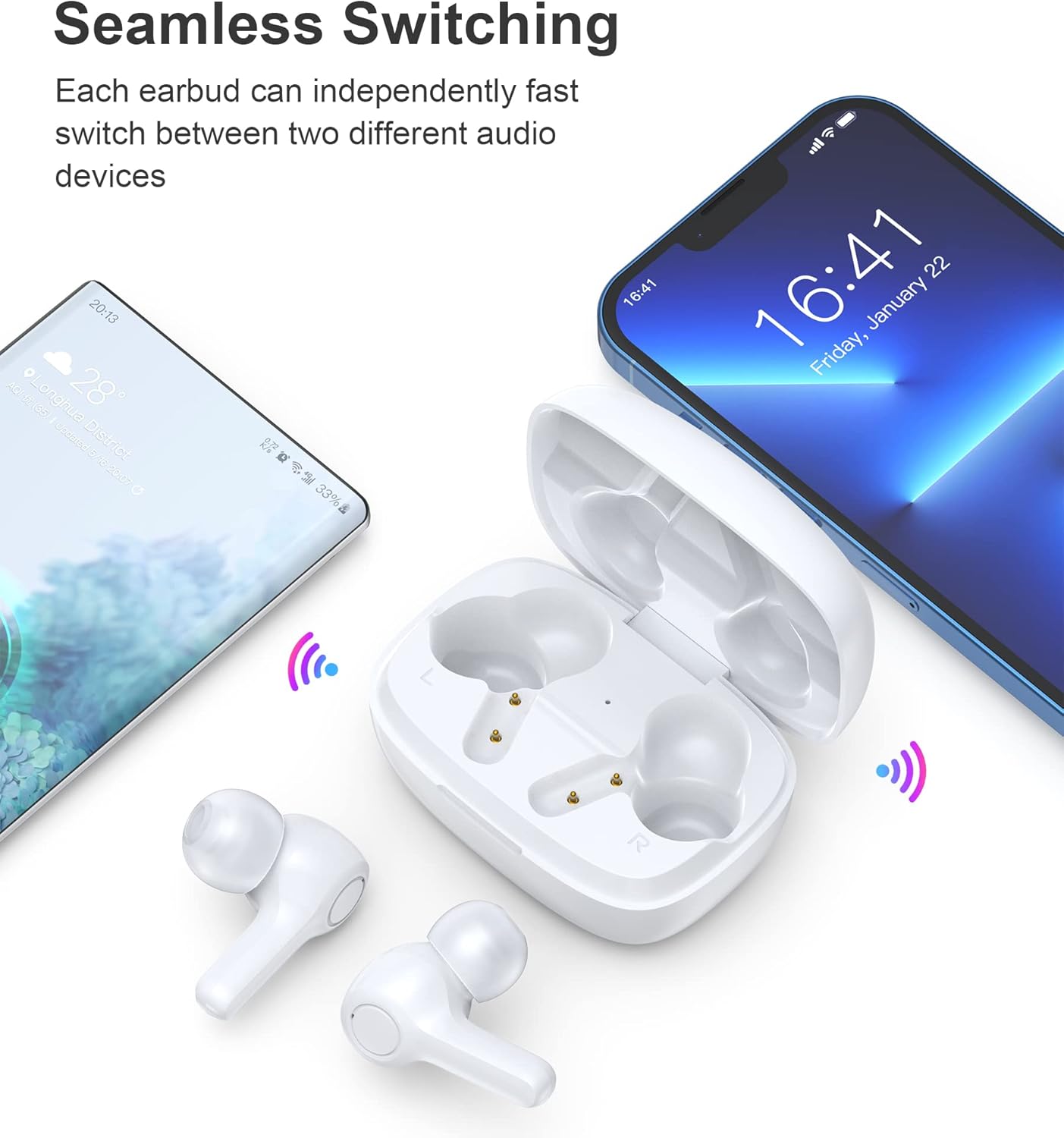
Image: Illustration demonstrating the seamless switching capability between a smartphone and another device.
Nota: Dopo l'associazione iniziale, gli auricolari si connetteranno automaticamente all'ultimo dispositivo associato quando vengono estratti dalla custodia, a condizione che il Bluetooth sia abilitato sul dispositivo.
5. Istruzioni per l'uso
5.1 Accensione/spegnimento
- Accensione: Apri la custodia di ricarica e gli auricolari si accenderanno automaticamente.
- Spegni: Riponi gli auricolari nella custodia di ricarica e chiudi il coperchio. Si spegneranno automaticamente e inizieranno a caricarsi.
5.2 Comandi touch
The earbuds feature sensitive touch controls for easy operation.
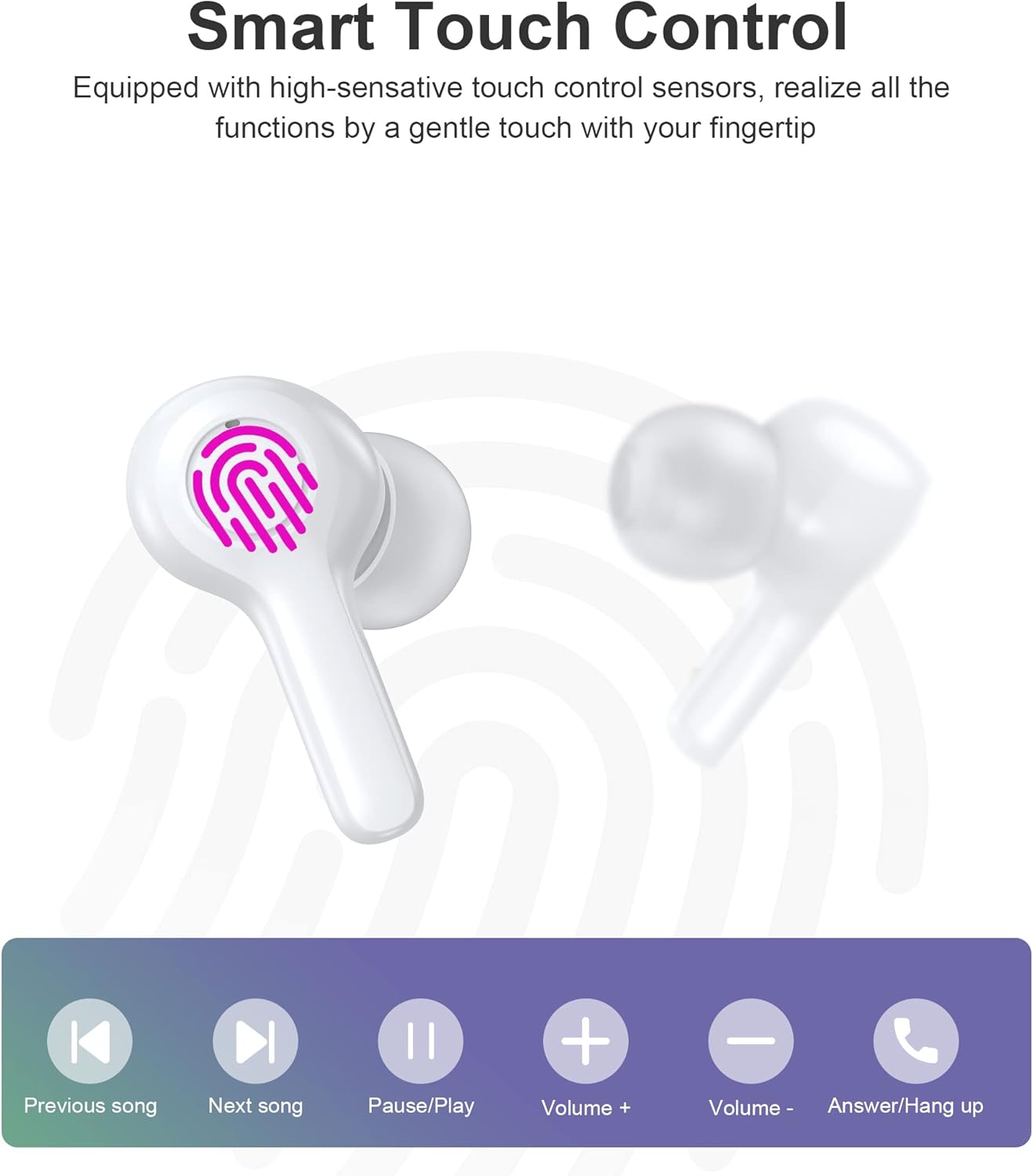
Image: Diagram illustrating the various touch control functions on the earbuds, including playback, volume, and call management.
| Azione | Auricolare sinistro | Auricolare destro |
|---|---|---|
| Riproduci/Pausa | Singolo tocco | Singolo tocco |
| Prossima canzone | Doppio tocco | |
| Canzone precedente | Doppio tocco | |
| Alza il volume | Triplo tocco | |
| Abbassa il volume | Triplo tocco | |
| Rispondi/Termina chiamata | Singolo tocco | Singolo tocco |
| Rifiuta chiamata | Pressione lunga (2 secondi) | Pressione lunga (2 secondi) |
| Attiva l'Assistente Vocale | Pressione lunga (2 secondi) | Pressione lunga (2 secondi) |
Nota: Specific touch control functions may vary slightly depending on your connected device and its operating system.
6. Manutenzione
6.1 Pulizia
The earbuds are IPX8 waterproof, making them resistant to sweat and water. They can be easily cleaned.
- Pulisci gli auricolari e la custodia di ricarica con un panno morbido, asciutto e privo di lanugine.
- Per sporco ostinato, leggermente dampLavare il panno con acqua. Non utilizzare prodotti chimici aggressivi o materiali abrasivi.
- Per evitare problemi di ricarica, assicurarsi che i contatti di ricarica sia sugli auricolari che sulla custodia siano puliti e asciutti.

Image: Visual representation of the earbuds' IPX8 waterproof protection, showing them submerged in water.
6.2 Conservazione
- Quando non li usi, riponi gli auricolari nella custodia di ricarica per proteggerli e mantenerli carichi.
- Conservare il prodotto in un luogo fresco e asciutto, lontano da temperature estreme e dalla luce solare diretta.
7. Risoluzione Dei Problemi
In caso di problemi, fare riferimento alle seguenti soluzioni comuni:
- Gli auricolari non si associano: Ensure both earbuds are out of the case and in pairing mode. Turn off and on your device's Bluetooth. Try forgetting the device in your Bluetooth settings and re-pairing.
- Funziona solo un auricolare: Riponi entrambi gli auricolari nella custodia di ricarica, chiudi il coperchio, attendi qualche secondo, quindi estraili nuovamente. Spesso, questa operazione li sincronizza nuovamente.
- Nessun suono: Controlla il livello del volume sul tuo dispositivo e sugli auricolari. Assicurati che gli auricolari siano collegati correttamente al dispositivo.
- Problemi di ricarica: Clean the charging contacts on both earbuds and the case. Try a different USB cable and power source.
- Scarsa qualità della chiamata: Ensure the microphones are not obstructed. Move closer to your device. The smart noise reduction technology helps provide clear calls, but extreme noisy environments may still affect quality.

Image: Visual representation of the noise reduction technology, showing sound waves being processed for clearer audio.
Se il problema persiste, contattare l'assistenza clienti.
8. Specifiche
| Caratteristica | Dettaglio |
|---|---|
| Modello | BH-T06 |
| Versione Bluetooth | 5.2 |
| Grado di impermeabilità | IPX8 (impermeabile fino a 1 metro per 30 minuti) |
| Capacità della batteria degli auricolari | 40 mAh (ogni auricolare) |
| Capacità della batteria della custodia di ricarica | 300mAh |
| Tempo di riproduzione | ~5+ hours (earbuds) |
| Tempo di standby (con custodia) | ~120 ore |
| Dimensioni dell'altoparlante | 8mm |
| Microfoni | 4 (per chiamate chiare) |
| Tecnologia di connettività | Wireless (Bluetooth) |
| Controllo del rumore | Automatic Noise Reduction |
9. Informazioni sulla sicurezza
- Non smontare o modificare il prodotto.
- Tenere lontano da temperature estreme, luce solare diretta e fiamme libere.
- Evitare di far cadere o sottoporre il prodotto a forti impatti.
- Tenere fuori dalla portata dei bambini e degli animali domestici.
- Non utilizzare gli auricolari a volumi eccessivamente alti per periodi prolungati per evitare danni all'udito.
10. Garanzia e supporto
Choetech products come with a standard warranty. Please refer to the warranty card included in your package or visit the official Choetech website for detailed warranty terms and conditions. For technical support, troubleshooting assistance, or any inquiries, please contact Choetech customer service through their official channels.