Prodotto finitoview
The Feit Electric Smart Outdoor Flood Light is a hardwired LED security light designed for outdoor use. It features integrated motion sensing, dusk-to-dawn functionality, and smart control capabilities via the Feit Electric app, Alexa, and Google Assistant. This manual provides instructions for installation, setup, operation, and maintenance of your flood light.
Caratteristiche principali:
- WiFi-Enabled Control: Manage your flood light from anywhere using the Feit Electric app (2.4 GHz WiFi network required).
- Controllo vocale: Compatible with Alexa and Hey Google for hands-free operation.
- Motion Sensor & Dusk-to-Dawn: Automatic activation based on detected motion and ambient light levels.
- Bianco regolabile: Regola la temperatura del colore da bianco caldo (2700K) a bianco freddo (6500K).
- Dimmerabile: Adjust brightness levels via the app.
- Pianificazione: Create custom schedules for automated operation.
- Design durevole: ETL Listed and designed for outdoor conditions, providing 2000 lumens of illumination.
Informazioni sulla sicurezza
Please read and understand all safety instructions before installation and use. Failure to do so may result in fire, electric shock, or other hazards.
- Sicurezza elettrica: Always turn off power at the circuit breaker before installing or servicing the fixture. Ensure proper grounding.
- Elettricista qualificato: If you are unsure about wiring or electrical connections, consult a qualified electrician.
- Uso esterno: This fixture is rated for outdoor use. Ensure all connections are watertight.
- Montaggio: Mount the fixture securely to a suitable surface according to local electrical codes.
- Calore: The LED light heads may become warm during operation. Avoid direct contact.
Contenuto della confezione
Verificare che tutti i componenti siano presenti prima di iniziare l'installazione:
- 1 LED Smart Flood Light
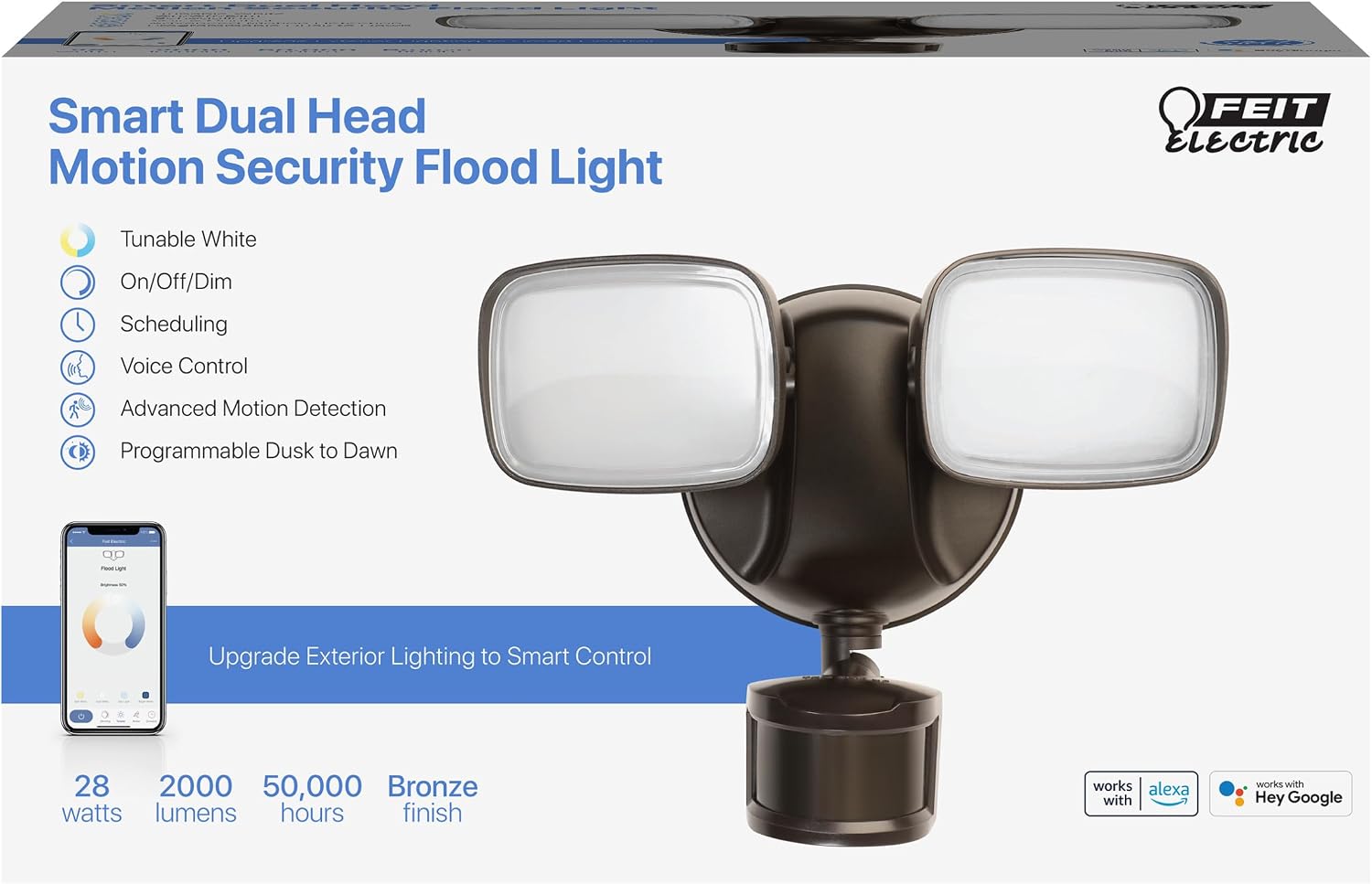
Image: Product packaging highlighting key features like tunable white, on/off/dim, scheduling, voice control, advanced motion detection, and programmable dusk to dawn.
Impostare
Installation Instructions (Hardwired)
This flood light is designed for hardwired installation. Professional installation is recommended if you are not familiar with electrical wiring.
- Spegnimento dell'alimentazione: Locate the circuit breaker controlling the outdoor light fixture and turn off the power.
- Rimuovere il vecchio apparecchio: Carefully remove your existing flood light fixture.
- Staffa di fissaggio: Attach the new mounting bracket to the junction box.
- Cablaggio: Connect the flood light's wires to your household wiring (black to black, white to white, ground to ground). Secure connections with wire nuts.
- Dispositivo sicuro: Mount the flood light fixture to the mounting bracket, ensuring a tight seal against the wall to prevent water intrusion.
- Ripristina alimentazione: Riattivare la corrente tramite l'interruttore automatico.

Image: Illustrates the hardwired installation process, showing electrical wires being connected within a junction box.
App Setup & Connection
To unlock the smart features of your flood light, connect it to the Feit Electric app.
- Accensione: Ensure your flood light is powered on and rapidly blinking. If not, press the reset button located on the fixture (use a small tool or your finger).
- Scarica l'app: Download the Feit Electric app from your device's app store.
- Aggiungi dispositivo: Open the app, tap 'Add Device' or the '+' icon in the top right corner.
- Select Flood Light: The app should detect the flood light. Tap 'Go to add' and then the '+' sign next to 'Floodlight with PIR'.
- Inserisci i dettagli Wi-Fi: Enter your 2.4 GHz WiFi network password. Ensure it is case-sensitive.
- Collegare: The app will connect to your device. Keep your phone close to the router for best results.
- Conferma: Once connected, you will receive a confirmation message. Tap 'Done'.
Video: Demonstrates the process of connecting the Feit Electric Smart Flood Light to the Feit Electric mobile application, including resetting the device and entering WiFi credentials.
Istruzioni per l'uso
Basic Operation (On/Off, Dimming)
Once connected to the Feit Electric app, you can control your flood light remotely:
- Acceso/Spento: Tap the power button within the app to turn the light on or off.
- dimming: Use the brightness slider in the app to adjust the light intensity from 1% to 100%.

Image: A smartphone displaying the Feit Electric app interface, showing controls for dimming, voice control, and scheduling for the flood light.
Tunable White Settings
Adjust the color temperature to suit your preference or specific needs:
- In the app, select from preset options like Soft White, White, Day Light, or Bright White.
- Alternatively, use the color wheel to fine-tune the color temperature between 2700K (warm) and 6500K (cool).

Image: The flood light is shown alongside a smartphone displaying the Feit Electric app, illustrating the tunable white feature with options ranging from 2700K to 6500K.
Motion Sensor Configuration
Customize the motion sensor behavior through the app's motion menu:
- Gamma di movimento: Adjust the detection range (e.g., 10ft, 20ft, 30ft, 40ft, 50ft) to prevent unwanted triggers.
- Evening Settings: Define when lights turn on with motion during the evening (e.g., Early Evening, Evening, Late Evening).
- Morning Settings: Define when lights turn on with motion during the morning (e.g., Early Morning, Morning, Late Morning).
- Primary Timer: Set how long the lights stay on after motion is detected.
- Secondary Brightness & Timer: Configure a secondary brightness level and timer for the light to remain on at a lower intensity after the primary timer expires.

Immagine: un primo piano view of the flood light's motion sensor, with arrows illustrating its adjustable detection range.
Pianificazione
Automate your lighting by creating custom schedules:
- In the Feit Electric app, navigate to the 'Schedule' section.
- Tap 'Add Schedule'.
- Select the desired days of the week and the specific time for the light to turn on or off.
- Salva il tuo programma.
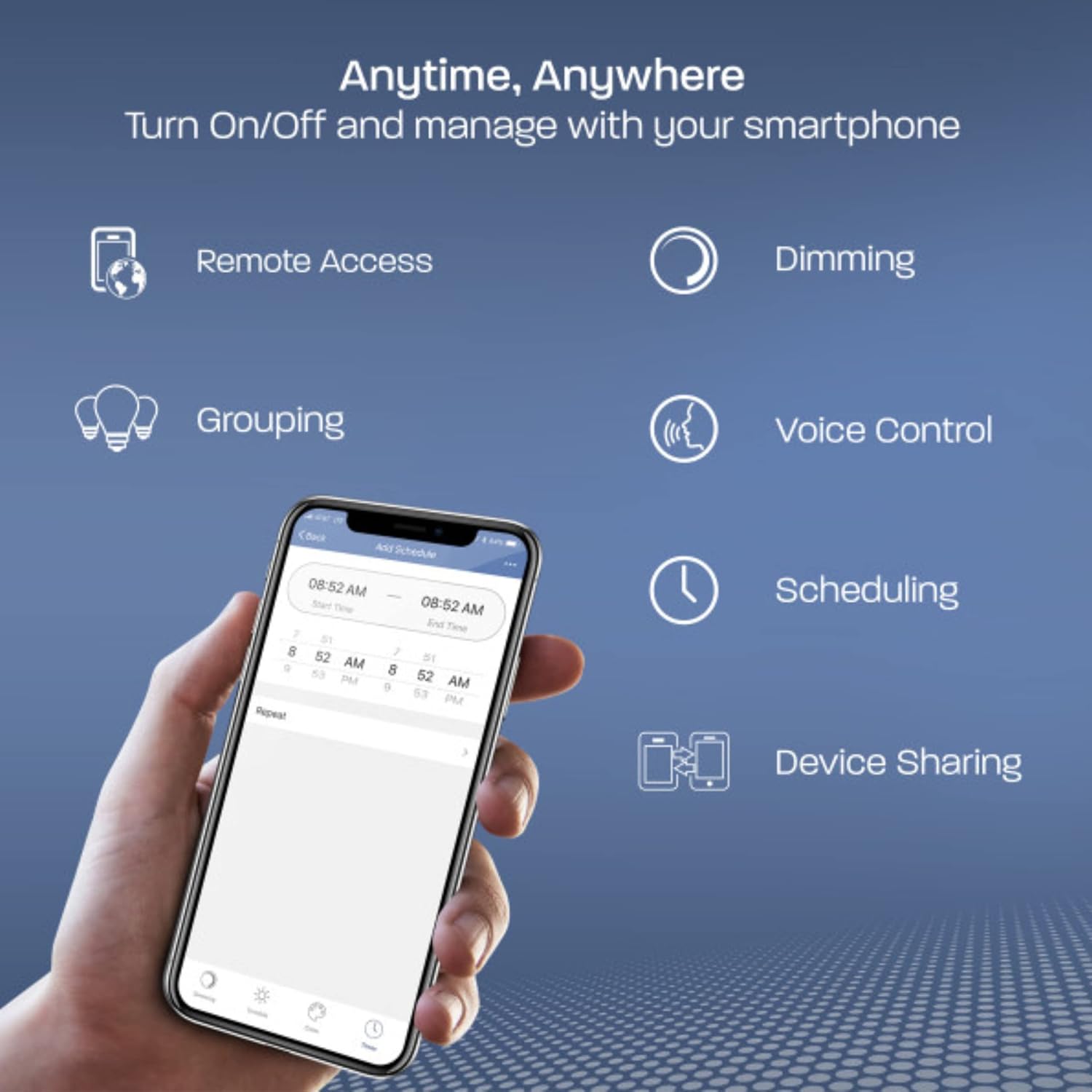
Image: A smartphone displaying the Feit Electric app, illustrating various control options including remote access, dimming, grouping, voice control, scheduling, and device sharing.
Manutenzione
Una manutenzione regolare garantisce prestazioni ottimali e longevità del proiettore.
- Pulizia: Pulire periodicamente le teste delle luci e la lente del sensore di movimento con un panno morbido e asciutto.amp panno. Non usare detergenti abrasivi o solventi.
- Ispezionare le connessioni: Annually inspect all electrical connections for tightness and signs of wear or corrosion.
- Sensor Obstructions: Ensure the motion sensor is free from obstructions like leaves, branches, or spiderwebs that could interfere with its operation.
- Protezione dalle intemperie: While designed for outdoor use, extreme weather conditions may affect performance. Ensure the fixture is properly sealed.

Image: A Feit Electric flood light mounted on the exterior of a house, operating effectively during a rain shower, indicating its weather-resistant design.
Risoluzione dei problemi
If you encounter issues with your Feit Electric Smart Outdoor Flood Light, refer to the following common problems and solutions:
- La luce non si accende:
- Controllare l'interruttore automatico per accertarsi che l'apparecchio sia alimentato.
- Verificare che tutti i collegamenti elettrici siano saldi.
- Ensure the light is not in a scheduled 'off' period or set to a very low brightness.
- Light Not Blinking for Setup:
- Press the reset button on the fixture. If it still doesn't blink, try cycling the power off and on at the switch or breaker.
- Impossibile connettersi al Wi-Fi:
- Ensure your WiFi network is 2.4 GHz. The device does not support 5 GHz networks.
- Verify the WiFi password is entered correctly (it is case-sensitive).
- Move your smartphone closer to the flood light and your WiFi router during the connection process.
- Consider using a WiFi extender if the installation location is far from your router.
- Il sensore di movimento non risponde:
- Check the motion sensor settings in the Feit Electric app to ensure it is enabled and the range is appropriate.
- Assicurarsi che non vi siano ostacoli che bloccano il sensore view.
- Verify the 'Evening Settings' and 'Morning Settings' are configured correctly for when motion detection should be active.
- Light Stays On Constantly:
- Check motion sensor settings for continuous motion detection or an extended timer.
- Ensure the dusk-to-dawn sensor is not being tricked by nearby light sources.
Specifiche
| Numero di modello | S9DFL/CCT/MOT/BZ/AG |
| Marca | Feit elettrico |
| Colore | Nero |
| Materiale | Alluminio |
| Dimensioni (L x P x A) | 9 x 4.8 x 6.8 pollici |
| Peso dell'articolo | 1.2 libbre |
| Fonte di alimentazione | Cablato |
| Voltage | 120 Volt |
| Cosatage | 28 watt |
| Flusso luminoso | 2000 lumen |
| Tipo di lampadina | GUIDATO |
| Tipo di montaggio | Montaggio a parete |
| Caratteristiche speciali | Dusk to Dawn, Motion Sensor, Voice Control, Tunable White, On/Off Dim, Scheduling |
| Codice UPC | 017801763140 |
Informazioni sulla garanzia
This Feit Electric product comes with a 5-year warranty. For detailed warranty terms and conditions, please refer to the official Feit Electric websito o contattare l'assistenza clienti.
Supporto
For further assistance, technical support, or to report any issues, please visit the Feit Electric website or contact their customer service department. You can often find FAQs and additional resources online.
Risorse online: Visit the Feit Electric Store on Amazon


