Introduzione
Thank you for choosing the Agunto AGU-OC1 Outdoor Security Camera. This manual provides detailed instructions for setting up, operating, and maintaining your camera to ensure optimal performance and security for your property. The AGU-OC1 is designed for outdoor surveillance, featuring 1080p video resolution, advanced night vision, motion and sound detection, and seamless integration with smart home systems like Google Assistant.

Figura 1: Fronte view of the Agunto AGU-OC1 Outdoor Security Camera.
Informazioni sulla sicurezza
- Ensure the camera is installed in a location where it is protected from direct tampring.
- Use only the provided USB-C cable and power adapter.
- Non esporre la fotocamera a temperature estreme al di fuori del suo intervallo operativo.
- Evitare di posizionare la fotocamera in prossimità di forti campi elettromagnetici.
- Scollegare l'alimentazione prima di effettuare la pulizia o la manutenzione.
Contenuto della confezione
Si prega di controllare la confezione per verificare la presenza dei seguenti elementi:
- Agunto AGU-OC1 Outdoor Security Camera
- USB-C Power Cable (3 meters)
- Viti di montaggio e tasselli
- Manuale dell'utente (questo documento)
Impostare
1. Montaggio della fotocamera
The Agunto AGU-OC1 is designed for wall mounting. Choose a location that provides the desired viewangolo di inclinazione e sia a portata di mano di una presa di corrente.
- Segnare i punti di foratura sulla parete utilizzando la base di montaggio della telecamera come modello.
- Drill holes at the marked points. Insert the wall plugs if necessary.
- Fissare la base di montaggio alla parete utilizzando le viti fornite.
- Attach the camera to the mounted base and adjust the angle as needed. The camera features a 180-degree rotatable function for optimal positioning.

Figura 2: Angolato view of the Agunto AGU-OC1, showing its mounting bracket.

Figure 3: The camera installed outdoors, demonstrating its weather resistance.
2. Collegamento elettrico
Connect the provided 3-meter USB-C cable to the camera's USB-C port and plug the other end into a suitable power adapter (not always included, but implied by "Elektrisch met snoer" and "USB-C").

Figure 4: USB-C power connection for the Agunto AGU-OC1 camera.
3. Installazione e associazione dell'app
Per controllare e view your camera, you will need to install the dedicated Agunto app on your smartphone or tablet. The app is available for both iOS and Android devices.
- Download the "Agunto Smart" app from the App Store (iOS) or Google Play Store (Android).
- Apri l'app e crea un nuovo account o accedi se ne hai già uno.
- Follow the in-app instructions to add your new AGU-OC1 camera. This typically involves scanning a QR code on the camera or entering a device ID.
- Ensure your smartphone is connected to a 2.4GHz Wi-Fi network during the pairing process, as the camera uses Wi-Fi connectivity.
Utilizzo della fotocamera
Vivere View e Registrazione
Once paired, you can access the live video feed from your camera through the Agunto Smart app. From the live view schermo, puoi:
- View pippo in tempo realetage.
- Manually record video clips or capture screenshots.
- Access recorded events stored on a microSD card (if installed) or cloud storage (if subscribed).
Visione notturna
The AGU-OC1 features advanced night vision capabilities, providing clear images even in low-light conditions. It supports color night vision for enhanced detail up to 10 meters.
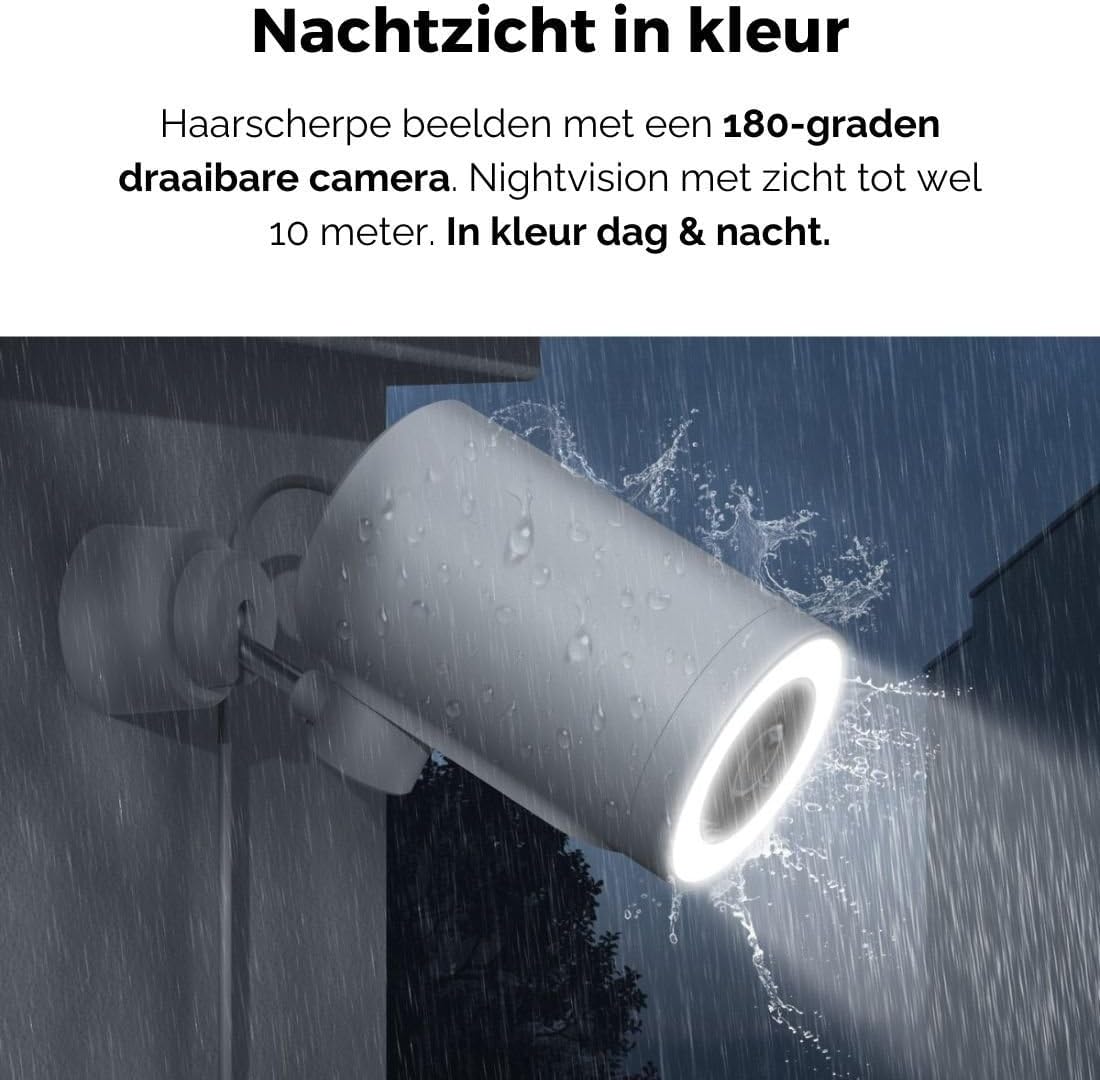
Figure 5: The camera's color night vision in action, providing clear images in the dark.
Rilevamento del movimento e del suono
The camera is equipped with intelligent motion and sound detection. When activity is detected, you will receive instant notifications on your smartphone or tablet, allowing you to monitor your property effectively.
You can customize detection zones and sensitivity settings within the app to minimize false alarms.
Integrazione con Google Assistant
The Agunto AGU-OC1 seamlessly integrates with Google Assistant. You can link your camera to Google Home and stream live footage to compatible devices such as Google Nest Hub or Chromecast-enabled displays by voice command.
Exampcomando: "Ehi Google, mostrami la telecamera del giardino."
Manutenzione
- Pulizia: Pulisci delicatamente l'obiettivo e il corpo della fotocamera con un panno morbido e asciutto. Non utilizzare prodotti chimici aggressivi o detergenti abrasivi.
- Aggiornamenti software: Regularly check the Agunto Smart app for firmware updates. Keeping your camera's software up-to-date ensures optimal performance, security, and access to new features.
- Ispezione dei cavi: Periodically inspect the USB-C cable for any signs of wear or damage, especially if exposed to outdoor elements.
Risoluzione dei problemi
| Problema | Possibile soluzione |
|---|---|
| La fotocamera non si accende. | Check the USB-C cable connection and ensure the power adapter is plugged into a working outlet. Try a different outlet or adapter if available. |
| Impossibile connettersi al Wi-Fi. | Ensure your Wi-Fi network is 2.4GHz. Check Wi-Fi signal strength at the camera's location. Restart your router and the camera. Re-attempt pairing through the app. |
| Scarsa qualità video. | Pulisci l'obiettivo della fotocamera. Assicurati che l'illuminazione sia adeguata. Controlla la velocità della tua connessione Internet. |
| Il rilevamento del movimento non funziona. | Verify motion detection is enabled in the app settings. Adjust sensitivity and detection zones. Ensure there are no obstructions blocking the camera's view. |
| Notifiche non ricevute. | Check app notification settings on your phone. Ensure the app has permission to send notifications. Verify your phone has an active internet connection. |
Specifiche
| Caratteristica | Dettaglio |
|---|---|
| Numero di modello | AGU-OC1 |
| Risoluzione video efficace | 1080 pixel |
| Materiale | Plastica |
| Cosatage | 4 watt |
| Dimensioni articolo (L x P x A) | 10 x 4.4 x 7.3 centimetri |
| Peso dell'articolo | 78 grammi |
| Tecnologia di connettività | Wireless, Wired (USB-C) |
| Caratteristiche speciali | Night Vision (Color), Motion Detection, Sound Detection, 180-degree rotatable |
| Ambiente di utilizzo | All'aperto |
| Dispositivi compatibili | Smartphone (via Agunto Smart app), Google Assistant devices |
| Fonte di alimentazione | Elettrico con cavo (USB-C) |
| Tipo di montaggio | Montaggio a parete |
Garanzia e supporto
Agunto products are designed for reliability and performance. For information regarding warranty coverage, technical support, or service, please refer to the warranty card included with your product or visit the official Agunto website. You can also contact Agunto customer support through the contact information provided on their website or within the Agunto Smart app.
For the latest information and FAQs, please visit: Agunto Official Store


