Introduzione
This manual provides comprehensive instructions for the setup, operation, maintenance, and troubleshooting of your Timex Men's Command Encounter 45mm Watch. Please read this manual carefully to ensure proper use and longevity of your timepiece.
Prodotto finitoview
The Timex Command Encounter is a robust digital watch designed for durability and functionality. It features a 45mm square case, a digital negative display, and is water-resistant up to 100 meters. The watch includes standard timekeeping functions, a chronograph, timer, and alarm.

Figura 1: Fronte view of the Timex Command Encounter 45mm Watch. This image displays the watch face with its digital negative display, showing the time, date, and various mode indicators like CHRONO, TIMER, and ALARM. The watch features a green case and strap with a camouflage pattern on the display bezel.
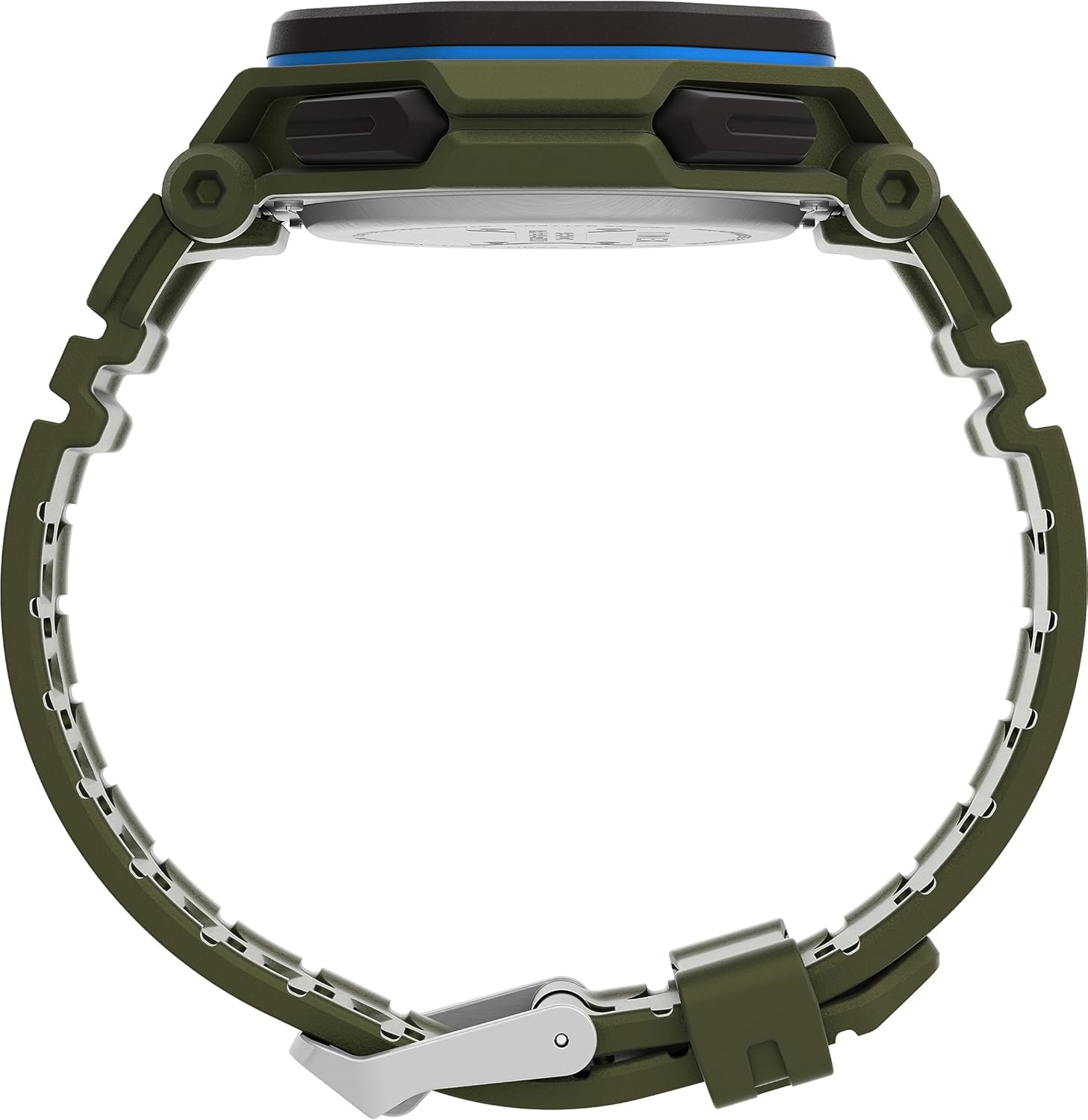
Figura 2: lato view of the Timex Command Encounter 45mm Watch. This image highlights the profile dell'orologio, mostratoasing the robust case design and the textured green strap. The buttons on the side of the watch are also visible.

Figura 3: Posteriore view of the Timex Command Encounter 45mm Watch. This image focuses on the stainless steel case back, which is engraved with "TIMEX", "SHOCK RESISTANT", "WATER RESISTANT 100M", and "STAINLESS STEEL BACK". The four screws securing the case back are also visible.
Impostare
1. Accensione iniziale e batteria
Your Timex Command Encounter watch comes with a pre-installed Lithium Metal battery (CR2025). The watch should be ready for use upon arrival. If the display is blank, press any button to activate it. If the watch does not power on, the battery may need replacement (refer to the Maintenance section).
2. Impostazione di ora e data
- Premere il tasto MODALITÀ button (typically on the lower left) repeatedly until the time setting mode is displayed. The seconds digits will likely be flashing.
- Premere il tasto RESET button (typically on the lower right) to cycle through the adjustable fields: seconds, hours, minutes, year, month, day.
- Utilizzare il INIZIO button (typically on the upper right) to increase the value of the flashing field. Hold the button to rapidly advance the digits.
- Una volta che tutte le impostazioni sono corrette, premere il tasto MODALITÀ per uscire dalla modalità di impostazione e tornare alla visualizzazione normale dell'ora.
3. Formato 12/24 ore
While in the time setting mode, when the hour digits are flashing, pressing the INIZIO button may toggle between 12-hour (with AM/PM indicator) and 24-hour formats. Consult the specific button functions for your model if this does not work as described.
Istruzioni per l'uso
1. Cronometraggio di base
The watch displays the current time (hours, minutes, seconds) and date (month, day, day of week) in its primary mode. The negative display provides clear visibility in various lighting conditions.
2. Luce notturna INDIGLO®
To activate the INDIGLO® night-light, press the INDIGLIO button (typically on the upper left). The entire display will illuminate for a few seconds, allowing for easy reading in low-light environments.
3. Cronografo (cronometro)
- Premere il tasto MODALITÀ finché sul display non compare la scritta "CHRONO" o "STW".
- Premere INIZIO per iniziare a cronometrare.
- Premere INIZIO again to pause timing. Press INIZIO per riprendere.
- To record a lap or split time, press SPL/SET while the chronograph is running. The display will momentarily show the lap time.
- To stop the chronograph, press FERMARE.
- Per azzerare il cronografo, premere RESET dopo l'arresto.
4. Timer (Countdown)
- Premere il tasto MODALITÀ button until "TIMER" or "TMR" appears on the display.
- Per impostare il conto alla rovescia, premere RESET to select the flashing digit (hours, minutes, seconds). Use INIZIO per regolare il valore.
- Premere INIZIO per iniziare il conto alla rovescia.
- Premere INIZIO di nuovo per mettere in pausa. Premere INIZIO per riprendere.
- When the timer reaches zero, an alarm will sound. Press any button to stop the alarm.
5. Allarme
- Premere il tasto MODALITÀ finché sul display non compare la scritta "ALARM" o "ALM".
- Per impostare l'ora della sveglia, premere RESET to select the flashing digit (hours, minutes). Use INIZIO per regolare il valore.
- Per attivare o disattivare l'allarme, premere SPL/SET. Un'icona di allarme apparirà/scomparirà sul display.
- Quando suona la sveglia, premere un pulsante qualsiasi per disattivarla.
Manutenzione
1. Pulizia dell'orologio
Pulisci regolarmente l'orologio con un panno morbido eamp cloth. For stubborn dirt, a mild soap solution can be used, followed by rinsing with clean water and thorough drying. Avoid using harsh chemicals or abrasive materials, as these can damage the watch case or strap.
2. Resistenza all'acqua
Your Timex Command Encounter watch is water-resistant up to 100 meters (330 feet). This means it is suitable for showering, swimming, and snorkeling. Do not press any buttons while the watch is submerged in water, as this can compromise the water resistance seal. Avoid exposing the watch to extreme temperature changes, which can also affect the seals.
3. Sostituzione della batteria
The watch uses a CR2025 Lithium Metal battery. Battery life varies depending on usage, especially the frequency of INDIGLO® night-light activation. When the display dims or functions become erratic, it's time to replace the battery. Battery replacement should ideally be performed by a qualified watch technician to ensure the water resistance seal is properly re-seated.
If replacing the battery yourself, carefully remove the four screws on the case back (refer to Figure 3). Gently pry open the case back. Note the battery's orientation before removal. Replace with a new CR2025 battery, ensuring proper polarity. Carefully re-seat the gasket and secure the case back with the screws. Self-replacement may void warranty or compromise water resistance if not done correctly.
Risoluzione dei problemi
| Problema | Possibile causa | Soluzione |
|---|---|---|
| Il display è vuoto o poco luminoso. | Batteria scarica o scarica. | Sostituire la batteria CR2025. |
| L'ora/data non è corretta. | Not set correctly or reset due to battery change. | Seguire le istruzioni "Impostazione di ora e data" nella sezione Configurazione. |
| I pulsanti non rispondono. | L'orologio potrebbe essere in modalità bloccata o la batteria potrebbe essere molto scarica. | Try pressing all buttons to see if any respond. If not, replace battery. If still unresponsive, contact support. |
| Acqua all'interno dell'orologio. | Compromised water resistance seal (e.g., buttons pressed underwater, extreme temperature changes, damaged gasket). | Portare immediatamente l'orologio presso un centro di riparazione orologi qualificato. Non tentare di asciugarlo da soli. |
Specifiche
- Numero modello: TW2V93700VQ
- Dimensioni della cassa: 45mm
- Materiale del cinturino: Green (8 inch)
- Tipo di visualizzazione: Display negativo digitale
- Materiale della lente: Vetro minerale
- Resistenza all'acqua: 100 metri (330 piedi)
- Tipo di batteria: 1 batteria al litio metallico (CR2025)
- Caratteristiche: Chronograph, Timer, Alarm, INDIGLO® Night-Light
- Paese di origine: Cina
Garanzia e supporto
Timex watches are manufactured to high standards and come with a limited warranty. For specific warranty details, please refer to the warranty card included with your purchase or visit the official Timex websito. Conservare la prova d'acquisto per eventuali reclami in garanzia.
For technical support, service, or parts, please contact Timex Customer Service. Contact information can typically be found on the Timex websito o sulla confezione.
Timex ufficiale Websito: www.timex.com


