Introduzione
Experience a new realm of gaming with the Pikmin Clover Patch REALMz Wireless Controller. This one-of-a-kind controller features a figurine living inside the grip, offering an immersive universe from your favorite games. Its unique, multi-layer design showcases iconic scenes from your favorite titles. Designed for the Nintendo Switch, this controller provides a comfortable and responsive gaming experience.
Impostare
1. Carica iniziale
Before first use, ensure the controller is fully charged. Connect the included USB-C charging cable to the controller's charging port and plug the other end into a compatible USB power source, such as your Nintendo Switch dock or a USB wall adapter. The controller features a built-in rechargeable battery with up to 40 hours of play time.

Image: The controller's USB-C charging port and an indicator for 40 hours of battery life.
2. Connessione senza fili
The controller connects wirelessly to your Nintendo Switch. Follow the standard Nintendo Switch controller pairing procedure. The controller offers a 30-foot wireless range for flexible gameplay.

Image: A user holding the controller, illustrating its 30-foot wireless range.
3. Effetti di illuminazione a LED
Effortlessly change the LED lighting effects using the ABXY buttons. Refer to the specific button combinations in the quick start guide for detailed instructions on customizing the lighting.

Immagine: un primo piano view of the controller highlighting its customizable LED lighting effects.
4. Jack per cuffie
The controller includes a headphone jack for audio output, allowing for private listening during gameplay.
Funzionamento del controller
1. Design ergonomico
The PDP REALMz Wireless Controller is ergonomically designed for all-day comfort and performance, ensuring a comfortable grip during extended gaming sessions.
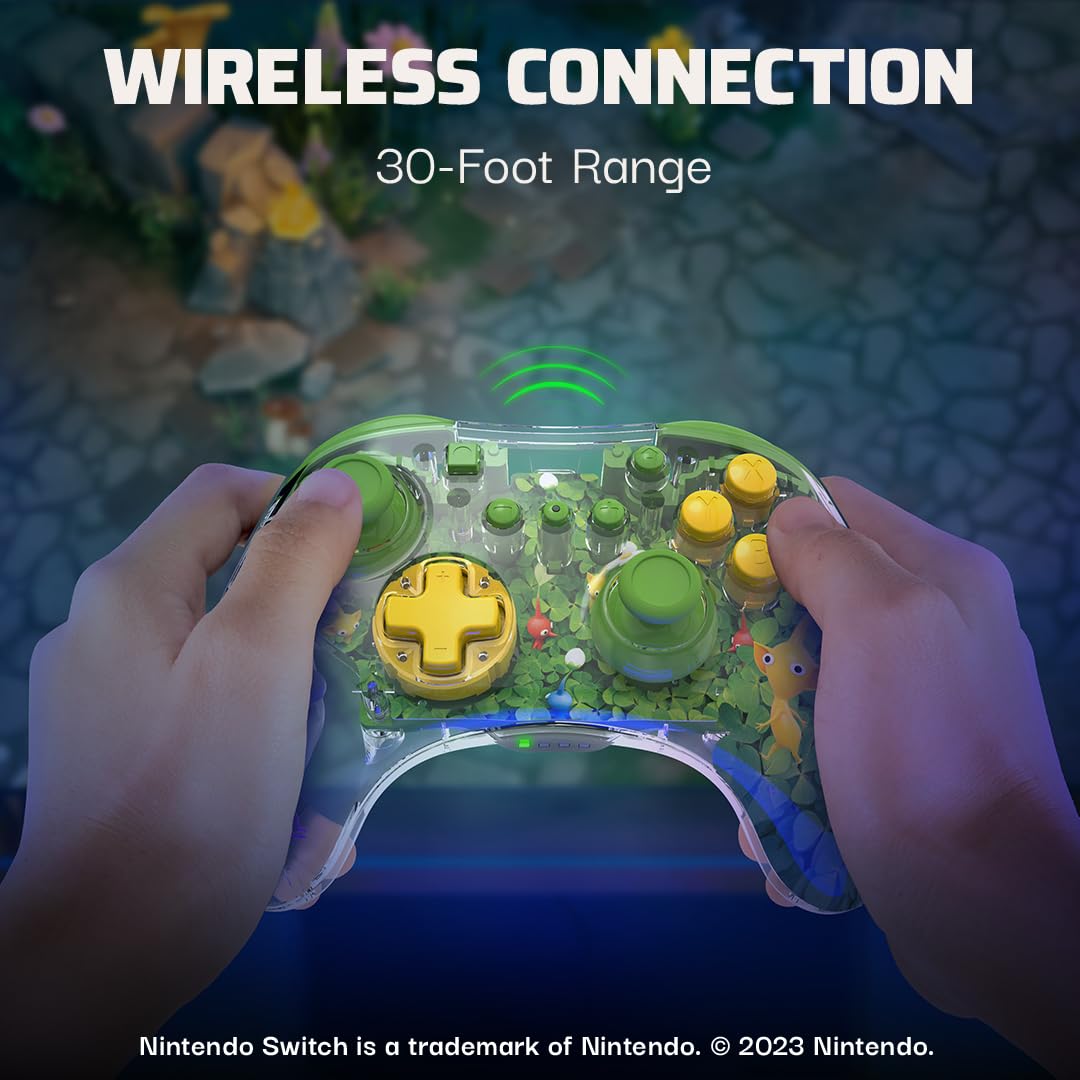
Immagine: Un lato profile of the controller, emphasizing its comfortable, ergonomic design.
2. Unique Visuals
The controller features a collectible figurine inside its grip and a multi-layered design showcasing iconic scenes, adding a unique visual element to your gaming setup.

Immagine: Un dettaglio view of the controller's clear casing, revealing a Pikmin figurine and multi-layered artwork.
Manutenzione
- Mantenere pulito il controller pulendolo con un panno morbido e asciutto. Evitare l'uso di prodotti chimici aggressivi o materiali abrasivi.
- Conservare il controller in un luogo fresco e asciutto, lontano dalla luce solare diretta e da temperature estreme.
- Avoid dropping the controller or subjecting it to strong impacts, as this can damage internal components or the clear casing.
- Ensure the USB-C port is free of dust and debris to maintain proper charging and connection.
Risoluzione dei problemi
Il controller non si connette:
- Assicurarsi che il controller sia completamente carico.
- Verifica che la console Nintendo Switch sia aggiornata all'ultima versione del software di sistema.
- Attempt to re-pair the controller through the Nintendo Switch's "Change Grip/Order" menu.
- If issues persist, try connecting the controller directly to the Switch dock via the USB-C cable to establish a wired connection and then attempt wireless pairing again.
Luci LED non funzionanti:
- Check the controller's battery level. Low battery can affect LED performance.
- Refer to the quick start guide for correct button combinations to activate or change LED effects.
Specifiche
| Numero modello: | 500-234-PIK |
| Portata wireless: | 30 piedi |
| Durata della batteria: | Fino a 40 ore |
| Connettività: | Wireless (Bluetooth), USB-C per la ricarica |
| Audio: | Presa per cuffie |
| Peso: | 8.4 once |
| Dimensioni: | 6.34 x 5.55 x 2.64 pollici |
| Produttore: | PDP |
| Paese di origine: | Cina |
Garanzia e supporto
Per informazioni dettagliate sulla garanzia e sull'assistenza clienti, fare riferimento al PDP ufficiale websito o la documentazione inclusa con il prodotto. Puoi anche visitare il Negozio PDP su Amazon per risorse aggiuntive.


