1. Introduzione
The BOTSLAB W302 Outdoor Dual-Lens Security Camera is designed to provide comprehensive surveillance for your home or business. Featuring advanced dual-lens technology, it offers a 170° super-wide viewing angle and crystal-clear 4MP resolution. This manual provides detailed instructions for setting up, operating, and maintaining your security camera to ensure optimal performance.
2. Contenuto della confezione
Si prega di verificare che tutti gli articoli elencati di seguito siano inclusi nel pacco. Se alcuni articoli risultano mancanti o danneggiati, contattare l'assistenza clienti.
- Unità fotocamera x 1
- Staffa x 1
- Adesivo di posizionamento x 1
- Adesivo di avvertenza x 1
- Guida rapida x 1
- Adattatore di alimentazione x 1
- Pacchetto viti x 1

Figure 2.1: All components included in the BOTSLAB W302 camera package.
3. Caratteristiche del prodotto
- Dual-Lens Vision: Captures a wide 170° super-wide viewing angle with 4MP (2MP+2MP) resolution for seamless panoramic images without blind spots.
- Visione notturna a colori: Provides continuous color views 24/7, even in low light, thanks to automatic light adaptation (ColorGuard) and up to 100ft night vision range.
- Smart Security & Precise Alerts: Detects people and vehicles with motion detection, sending precise alerts. Features a customizable siren and light alarm for enhanced security.
- AI-Powered Tracking: Intelligently focuses on humans, offering close-up views and dual live views (wide panorama and close-up) simultaneously via the Botslab app.
- Connettività senza interruzioni: Supports faster and more stable dual-band Wi-Fi (2.4GHz/5GHz).
- Audio bidirezionale: Stay connected and communicate with visitors or deter intruders.
- Design resistente alle intemperie: IP66 rated, ensuring reliable performance in temperatures from -20°C to 60°C.
- Integrazione della casa intelligente: Si integra perfettamente con Amazon Alexa e Google Assistant per il controllo vocale.

Figure 3.1: Dual-Lens Vision with 170° Super-Wide Angle.

Figure 3.2: Non-Stop Color Night Vision.

Figure 3.3: Smart Security with Person, Vehicle, and Motion Detection.
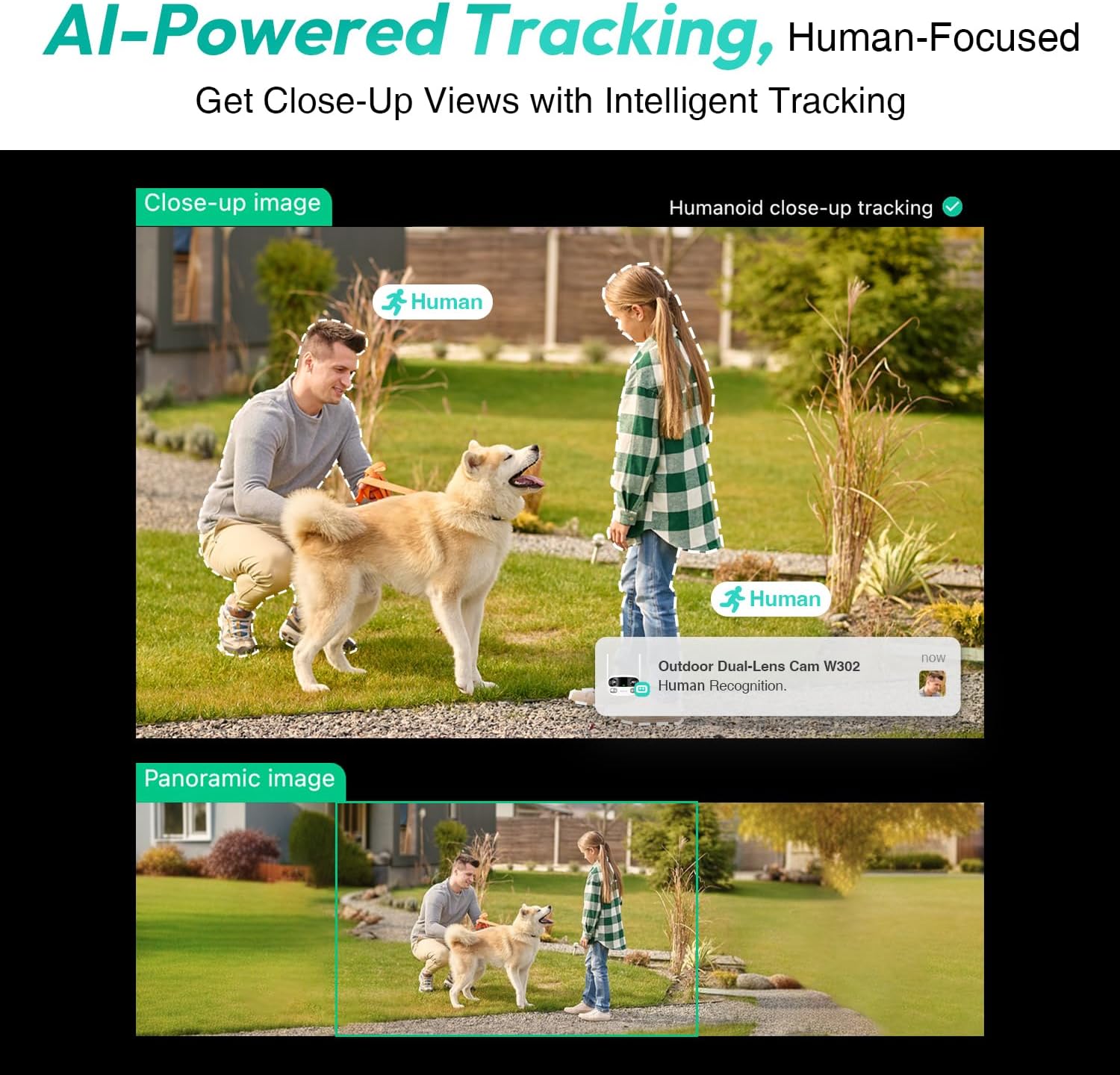
Figure 3.4: AI-Powered Human Tracking with Dual Live Views.
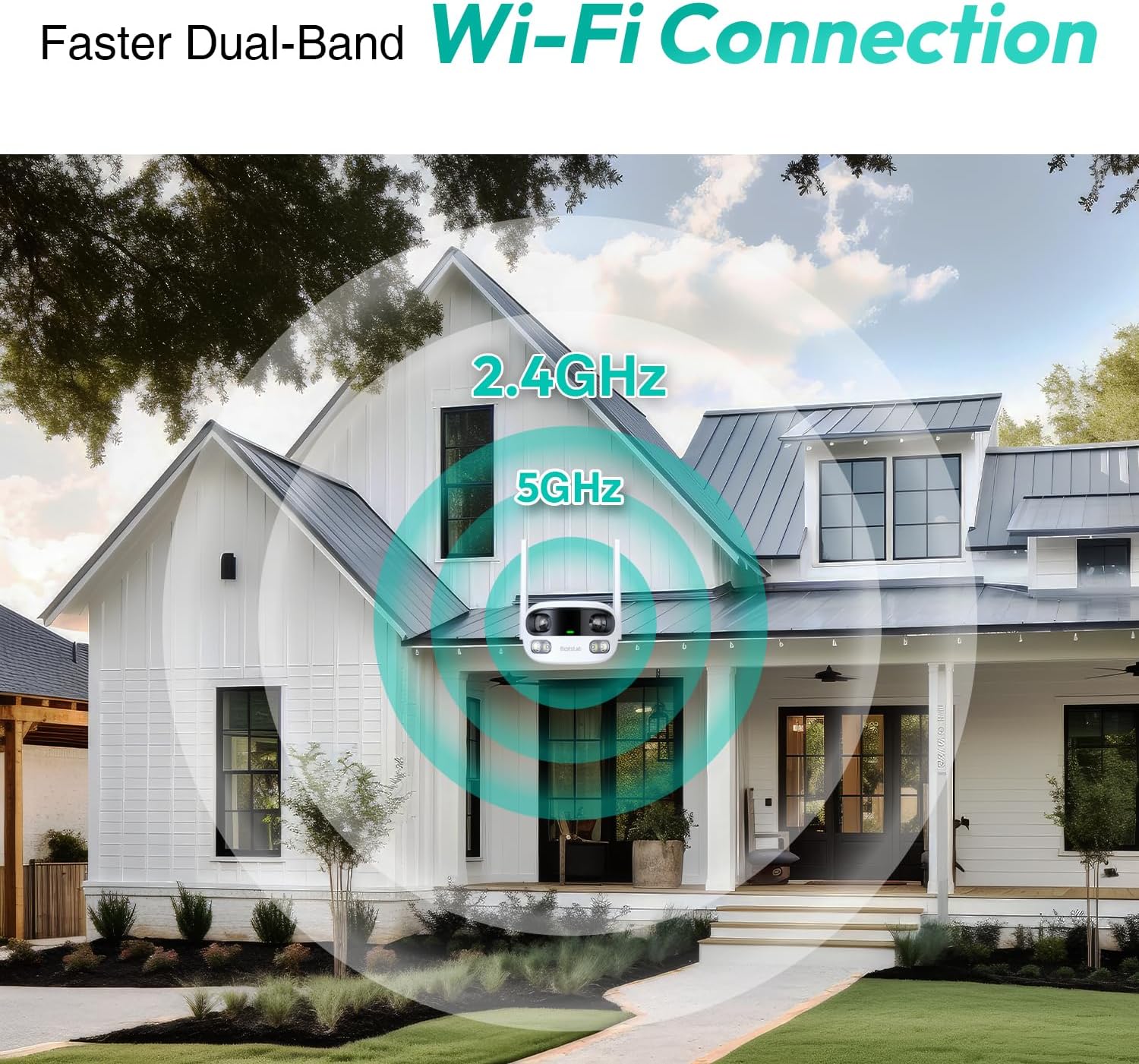
Figure 3.5: Faster Dual-Band Wi-Fi Connection.

Figura 3.6: Comunicazione audio bidirezionale.

Figura 3.7: Design resistente alle intemperie IP66.

Figure 3.8: Alexa & Google Assistant Integration.
4. Configurazione e installazione
Follow these steps to properly install your BOTSLAB W302 camera.
- Scegli una posizione: Selezionare una posizione all'aperto con una chiara view of the area you wish to monitor. Ensure it's within Wi-Fi range and near a power outlet.
- Montare la staffa: Use the provided positioning sticker to mark drill holes on the wall or ceiling. Drill the holes, insert expansion tubes, and securely fasten the bracket with screws.
- Collega la fotocamera: Rotate the camera body and screw it onto the bracket. Adjust the camera's position and tighten the bracket.
- Connetti alimentazione: Plug the power adapter into the camera and then into a power outlet. The indicator light will turn green and start flashing when ready for pairing.

Figure 4.1: Versatile Installation Options (Wall and Ceiling).
Video 4.1: Un overview of the Botslab Security Camera Outdoor, including its features and installation process. This video is provided by Botslab Security.
5. Configurazione dell'app
The Botslab app is essential for controlling and monitoring your camera. Download and install the app on your smartphone (available on App Store and Google Play).
- Registrati/Accedi: Open the Botslab app and register a new account or log in with an existing one.
- Aggiungi dispositivo: Tap 'Add Device' or the '+' icon in the app.
- Scansiona il codice QR: Scansiona il codice QR che si trova nella parte inferiore della fotocamera.
- Connettiti al Wi-Fi: Follow the in-app instructions to connect the camera to your 2.4GHz or 5GHz Wi-Fi network. Ensure your phone is near the camera during this process.
- Associazione del dispositivo: The app will bind the device to your account. Once connected, the indicator light on the camera will turn solid blue.
Video 5.1: Una revisione dettagliataview of the Botslab W302 Outdoor Dual Lens Security Camera, including app setup and features. This video is provided by Galaxy Tech Review.
6. Istruzioni per l'uso
Once configured, you can access and control your camera through the Botslab app.
- Vivere View: Access the live feed from both lenses. You can switch between close-up and panoramic views, or use the left/right mode for individual lens feeds.
- Panoramica/Zoom: In panoramic mode, slide the bottom image to pan left or right. Pinch to zoom on the close-up image.
- Audio bidirezionale: Tap the phone icon to speak through the camera's speaker. Tap the mute icon to silence audio from the camera's microphone.
- Siren & Light Alarm: Activate the siren and floodlights manually from the app to deter intruders.
- Motion/Vehicle/Person Detection: Enable these features in the app settings to receive precise alerts.
- Zone di privacy: Imposta aree specifiche all'interno della telecamera view that will not be monitored for privacy.
- Visione notturna: The camera automatically adapts to low light. You can choose between full-color night vision (using floodlights) or infrared night vision.

Figure 6.1: Dual Live Views on the Botslab App.

Figure 6.2: Siren & Light Alarm for Instant Deterrence.

Figure 6.3: Configuring Privacy Zones.

Figure 6.4: Smart Security with Precise Alerts.
7. Opzioni di archiviazione
The BOTSLAB W302 offers flexible storage solutions for your recorded footage.
- Botslab Cloud Storage: Includes a one-year trial with 7-day storage for motion-detected clips at 5-minute intervals.
- Archiviazione locale: Supports up to 256GB MicroSD cards (not included). The MicroSD card slot is located under a protective cover at the bottom of the camera.

Figura 7.1: Opzioni di archiviazione cloud e locale.
8. Specifiche
| Caratteristica | Specificazione |
|---|---|
| Risoluzione di acquisizione video | 4 MP |
| Viewangolo di ing | 170 gradi |
| Tecnologia di connettività | Wi-Fi a 2.4 GHz/5 GHz |
| Valutazione internazionale di protezione | Grado di protezione IP66 |
| Temperatura di esercizio | -20°C a 60°C |
| Compatibilità con la casa intelligente | Amazon Alexa, Assistente Google |
| Archiviazione locale | Up to 256GB MicroSD (Not Included) |
| Fonte di alimentazione | Wired (AC power cord included) |
| Colore | White Pro |
| Peso dell'articolo | 1.63 libbre |
9. Manutenzione
- Pulizia: Pulire regolarmente l'obiettivo e il corpo della fotocamera con un panno morbido e asciutto.amp panno per rimuovere polvere e sporco. Non utilizzare prodotti chimici aggressivi.
- Aggiornamenti del firmware: Check the Botslab app periodically for firmware updates to ensure optimal performance and security.
- Alimentazione elettrica: Ensure the camera is connected to a stable power source. Avoid using unofficial power adapters.
- Gestione della scheda SD: If using local storage, regularly back up important footage and format the MicroSD card to maintain performance.
10. Risoluzione Dei Problemi
- Fotocamera non in linea: Check Wi-Fi connection and power supply. Try restarting the camera and your router.
- Scarsa qualità video: Ensure the lens is clean. Check your Wi-Fi signal strength. Adjust camera placement if necessary.
- Problemi di rilevamento del movimento: Verify detection zones are correctly set in the app. Adjust sensitivity settings.
- Problemi audio bidirezionali: Controlla le impostazioni del microfono e degli altoparlanti nell'app. Assicurati che i livelli del volume siano adeguati.
- La scheda SD non registra: Ensure the MicroSD card is inserted correctly and is not full. Format the card if issues persist.
11. Garanzia e supporto
BOTSLAB si impegna a fornire prodotti di alta qualità e un eccellente servizio clienti.
- Garanzia di qualità: Enjoy a 365-day quality guarantee.
- Assistenza tecnica: È disponibile supporto tecnico a vita.
- Resi: 30-day free returns.
- Supporto rapido: Expect support within 48 hours.
Per ulteriore assistenza, visitare global.botslab.com o contattare servizio@botslab.com.


