1. Introduzione
Thank you for choosing the WOLFANG WD01 4K Dash Cam. This manual provides detailed instructions for the installation, operation, and maintenance of your new dash camera system. Designed for optimal road safety, the WD01 offers high-resolution recording, advanced features, and user-friendly controls to ensure a reliable and comprehensive driving record.
The WOLFANG WD01 is a dual-camera system capable of simultaneously recording 4K video from the front camera and 1080P video from the rear camera. It features a responsive 3-inch IPS touch screen, built-in GPS for route tracking, and WiFi connectivity for easy access via a smartphone app. Enhanced night vision, G-sensor, loop recording, and 24-hour parking monitoring provide comprehensive protection for your vehicle.

Figure 1.1: WOLFANG WD01 4K Dash Cam system overview, showing the main unit, rear camera, and smartphone app integration.
2. Contenuto della confezione
Please check the package carefully to ensure all items are present and in good condition. If any items are missing or damaged, please contact WOLFANG customer support.
- 1 x WOLFANG WD01 4K Dash Cam (Front Camera)
- 1 telecamera posteriore 1080P
- 1 x Cavo telecamera posteriore
- 1 x Car Charger (with built-in GPS module)
- 1 x Supporto a ventosa
- 1 x cavo di alimentazione di tipo C
- 1 x strumento per tagliare i cavi dell'auto
- 1 x Manuale utente
- Spare 3M type stickers (for rear camera and GPS unit, if applicable)

Figure 2.1: All components included in the WOLFANG WD01 Dash Cam package.
3. Specifiche
| Caratteristica | Descrizione |
|---|---|
| Nome del modello | Olio WD01 |
| Risoluzione di acquisizione video | Front 4K UHD (3840x2160P) and Rear 1080P FHD (1920x1080P) |
| Display | Schermo tattile IPS da 3 pollici |
| Campo di View | Front 170 Degrees, Rear 140 Degrees |
| Connettività | Built-in WiFi, GPS, Type-C USB |
| Visione notturna | SONY STARVIS Sensor, F1.8 Aperture, WDR & HDR |
| Caratteristiche speciali | Auto Recording, Loop Recording, G-Sensor, 24/7 Parking Monitoring (G-Sensor, Time-lapse), Automatic and Manual Emergency Recording |
| Magazzinaggio | Supporta schede TF fino a 256 GB (non incluse) |
| Fonte di alimentazione | Caricabatteria per auto (12V) |
| Dimensions (Front Cam) | 1.52 x 3.6 x 2.2 pollici |
| Peso dell'articolo | 1.23 libbre |
| Batterie | 1 batteria agli ioni di litio richiesta (integrata) |
| Produttore | LUPO |
| Paese di origine | Cina |
4. Configurazione e installazione
Follow these steps for proper installation of your WOLFANG WD01 Dash Cam system.
4.1 Preparazione per l'installazione
- Formatta la scheda Micro SD: Before first use, insert a high-speed (Class 10 or higher) TF card (up to 256GB, not included) into the dash cam and format it via the camera's settings menu. This ensures optimal performance and prevents recording errors.
- Scegli la posizione di montaggio: Selezionare una posizione sul parabrezza che non ostruisca il view of the road. The ideal spot is usually behind the rearview mirror. For the rear camera, choose a central location on the rear windshield.
4.2 Installazione della fotocamera frontale
- Clean the chosen area on your windshield thoroughly to ensure strong adhesion of the suction cup mount.
- Fissare il supporto a ventosa alla dash cam.
- Premere saldamente la ventosa contro il parabrezza e bloccarla in posizione.
- Regola l'angolazione della telecamera anteriore per assicurarti che inquadri chiaramente la strada davanti a te.
4.3 Installazione della telecamera posteriore
- Clean the chosen area on your rear windshield.
- Fissare la telecamera posteriore utilizzando il suo cuscinetto adesivo.
- Connect the rear camera cable to the rear camera and route it neatly to the front dash cam. Use the included trim tool to tuck the cable along the vehicle's headliner and A-pillars for a clean installation.
- Collegare il cavo della telecamera posteriore alla porta AV-IN dell'unità principale della dash cam.
4.4 Collegamento di alimentazione
- Collega il caricabatteria per auto alla presa accendisigari del tuo veicolo.
- Connect the Type-C end of the power cable to the Type-C port on the dash cam.
- Route the power cable neatly, tucking it along the dashboard and console using the trim tool.
- La dash cam si accenderà automaticamente e inizierà a registrare quando il motore del veicolo verrà acceso.

Figure 4.1: Wiring diagram for the WOLFANG WD01 Dash Cam system.
5. Funzionamento
5.1 Registrazione di base
Once powered on, the dash cam will automatically start recording. The front camera records in 4K UHD, and the rear camera records in 1080P FHD simultaneously. Recordings are saved to the inserted TF card.

Figure 5.1: Visual representation of 4K front and 1080P rear recording quality.
- Registrazione in loop: The dash cam records video in continuous loops (e.g., 1, 3, or 5-minute segments). When the TF card is full, the oldest unlocked video files verranno sovrascritti automaticamente.
- Registrazione di emergenza (G-Sensor): In caso di impatto o collisione improvvisa, il sensore G integrato rileverà automaticamente l'evento e bloccherà il video corrente file, impedendo che venga sovrascritto dalla registrazione in loop. Questi filevengono memorizzati in una cartella "Evento" separata.
- Registrazione manuale di emergenza: You can manually lock the current recording by pressing the designated button on the dash cam (refer to the on-screen interface or physical buttons).
5.2 3-inch IPS Touch Screen
The responsive 3-inch IPS touch screen allows for easy navigation of menus, settings, and video playback. Simply tap the icons on the screen to access various functions.
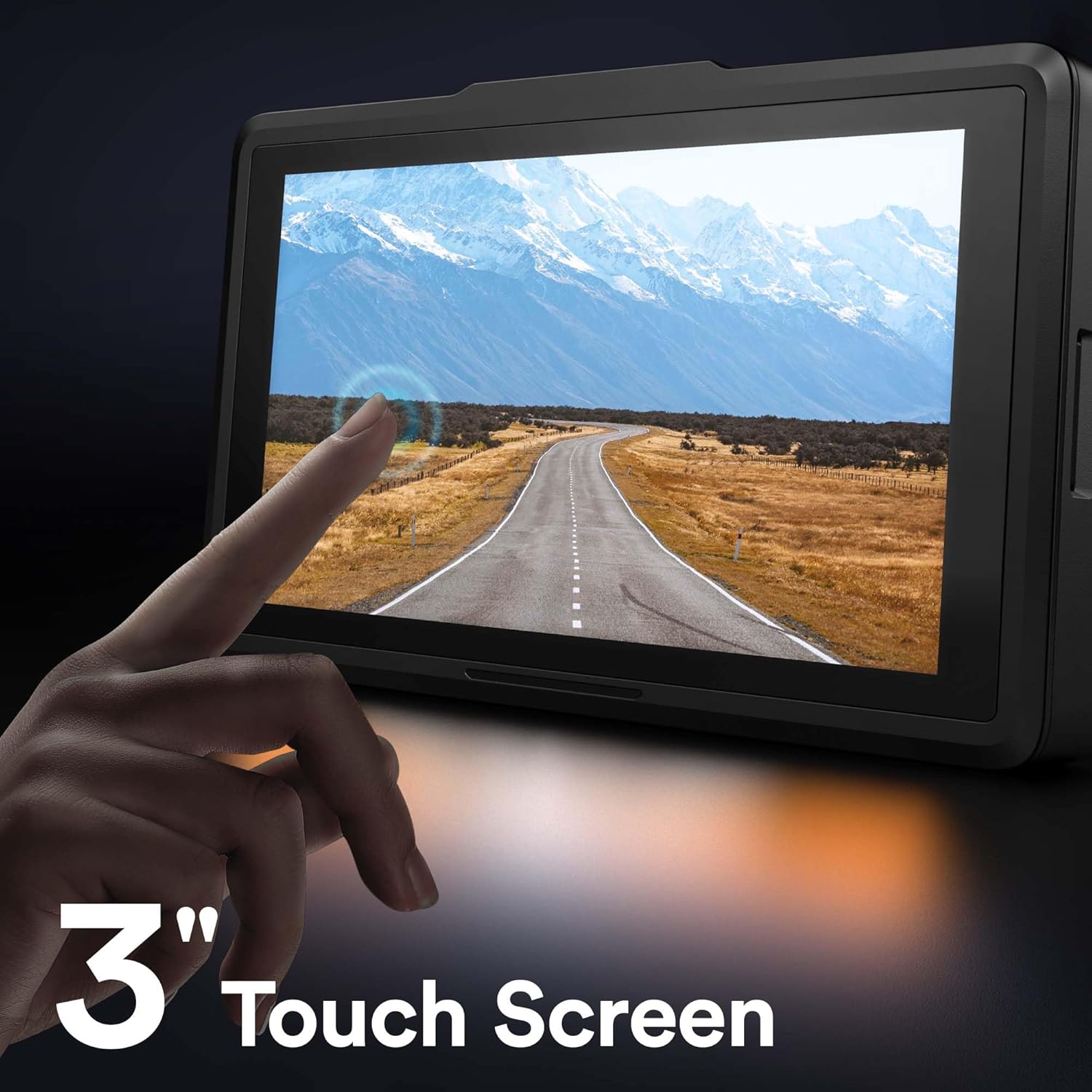
Figura 5.2: Interfaccia touchscreen IPS da 3 pollici.
5.3 Funzionalità GPS
The built-in GPS module (integrated into the car charger cable) records your driving route, speed, and other location data. This information can be viewed using a dedicated GPS player software on your Windows or Mac computer, providing crucial evidence in case of an incident. Please contact WOLFANG support to obtain the GPS player software.

Figure 5.3: GPS data access via computer and WiFi connectivity for smartphone.
5.4 Built-in WiFi & App Control
The WOLFANG WD01 features built-in WiFi, allowing you to connect your smartphone (iOS or Android) to the dash cam via the "LuckyCam" app. This app provides convenient access to:
- Dal vivo preview delle registrazioni.
- Playback of recorded videos.
- Adjustment of camera settings.
- Direct download of recorded videos to your smartphone.
- Easy sharing of footage on social media.
Download the "LuckyCam" app from your smartphone's app store. Follow the in-app instructions to connect to your dash cam's WiFi network.

Figure 5.4: Easy access and control via the LuckyCam smartphone application.
5.5 Visione notturna
Equipped with an advanced SONY STARVIS sensor, F1.8 large aperture, and TRUE WDR (Wide Dynamic Range) technology, the WD01 dash cam provides enhanced low-light sensitivity, ensuring clear and detailed video recordings even in challenging night-time conditions.
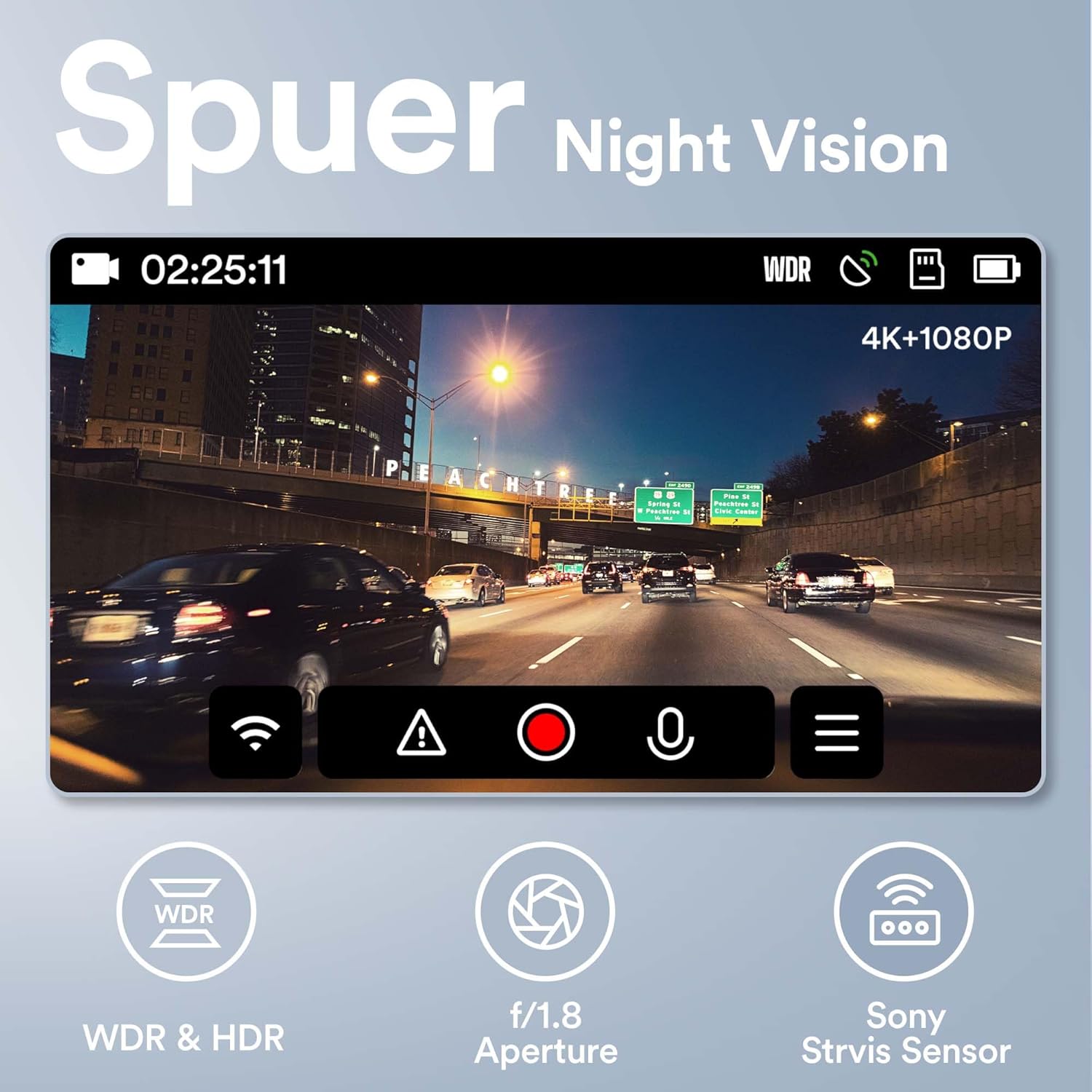
Figure 5.5: Super Night Vision capabilities of the WOLFANG WD01.
5.6 Monitoraggio del parcheggio 24 ore su 24
The 24-hour parking monitoring feature provides continuous protection for your vehicle even when parked. This mode can be activated through the camera settings and typically includes:
- Modalità sensore G: If an impact is detected while parked, the dash cam will automatically power on and record a short video, then power off.
- Time-lapse Monitor: Records continuous video at a low frame rate (e.g., 1 frame per second) to save storage space, then plays back at a normal speed, allowing you to review long periods of parking activity quickly.
Note: For continuous 24-hour parking monitoring, a hardwire kit (sold separately) is usually required to provide constant power to the dash cam without draining the car battery.

Figura 5.6: Oltreview of 24-hour parking monitoring features.
6. Manutenzione
- Pulizia: Utilizzare un panno morbido e asciutto per pulire l'obiettivo e lo schermo della fotocamera. Non utilizzare detergenti abrasivi o solventi.
- Manutenzione della carta TF: It is recommended to format the TF card once a month to maintain optimal performance and prevent data corruption. Back up any important videos before formatting.
- Temperatura: Evitare di esporre la dash cam a temperature estreme (calde o fredde) per periodi prolungati, poiché ciò potrebbe compromettere la durata della batteria e l'integrità dei componenti.
- Aggiornamenti del firmware: Periodically check the WOLFANG official website for any available firmware updates. Updating the firmware can improve performance and add new features.
7. Risoluzione Dei Problemi
| Problema | Possibile soluzione |
|---|---|
| La dash cam non si accende. |
|
| Camera stops recording or shows "Card Error". |
|
| Video pippotage è sfocato o poco chiaro. |
|
| GPS signal is not found or inaccurate. |
|
| Problemi di connessione WiFi con l'app. |
|
8. Garanzia e supporto
WOLFANG is committed to providing high-quality products and excellent customer service.
- Garanzia: The WOLFANG WD01 Dash Cam comes with a one-year warranty from the date of purchase, covering manufacturing defects. Additionally, WOLFANG offers a 3-year quality guarantee.
- Resi: You are eligible for a 365-day return policy. Please refer to your purchase platform's return guidelines for specific details.
- Assistenza clienti: For any questions, technical assistance, or warranty claims, please contact our professional after-sales team. We offer 24-hour after-sales service.
E-mail di contatto: support.vc@wolfang.co
Please provide your product model (WD01) and purchase details when contacting support for faster service.


