1. Introduzione
This manual provides detailed instructions for the installation, operation, and maintenance of your Agunto AGU-OC1 & AGU-IC1 Security Camera Set. Please read this manual thoroughly before using the product to ensure proper functionality and safety.
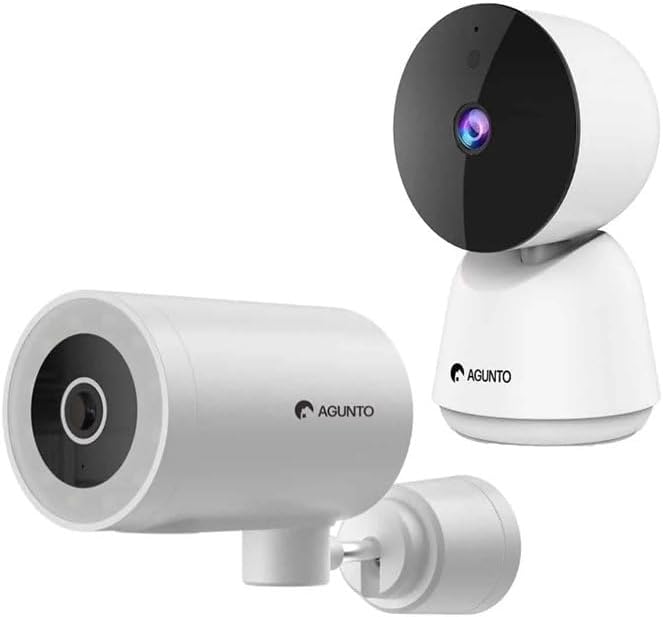
Image: The Agunto AGU-OC1 outdoor camera (left) and AGU-IC1 indoor camera (right), forming the complete security camera set.
2. Prodotto finitoview
The Agunto Security Camera Set includes two primary components: the AGU-OC1 outdoor camera and the AGU-IC1 indoor camera. This system is designed to provide comprehensive surveillance for both indoor and outdoor environments.
2.1. AGU-OC1 Outdoor Camera
- Risoluzione: 1080P
- Lente: 180-degree rotatable lens
- Resistenza alle intemperie: IP66 impermeabile e antipolvere
- Visione notturna: Infrared night vision and color night vision (due to built-in lamp)
- Rilevamento: Rilevazione del movimento e del suono
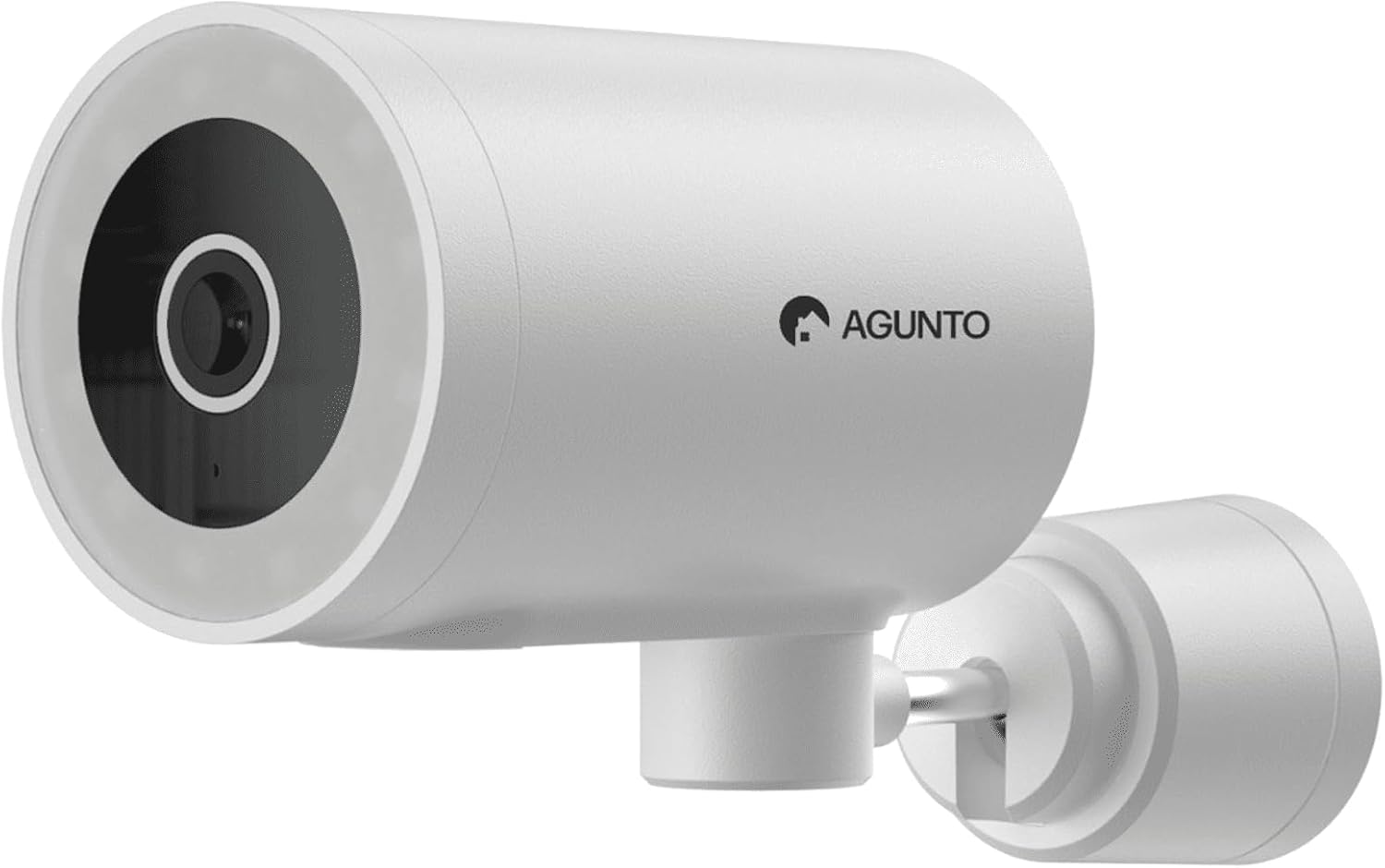
Immagine: Un dettaglio view of the Agunto AGU-OC1 outdoor camera, highlighting its robust design and lens.
2.2. AGU-IC1 Indoor Camera
- Risoluzione: 1080P
- Lente: 359-degree rotatable lens
- Visione notturna: Visione notturna a infrarossi
- Rilevamento: Rilevazione del movimento e del suono

Image: The Agunto AGU-IC1 indoor camera, shown with its product packaging, indicating Wi-Fi connectivity and Google Assistant compatibility.
3. Configurazione e installazione
3.1. Prima di iniziare
- Ensure you have a stable Wi-Fi connection.
- Download the free Agunto app from the App Store (iOS) or Google Play Store (Android).
- Disimballare tutti i componenti e verificare il contenuto rispetto alla lista di imballaggio.

Image: A screenshot of the Agunto mobile application interface, demonstrating remote control capabilities and links to download the app from the App Store and Google Play.
3.2. Installazione dell'app e creazione dell'account
- Cercare "Agunto" in your device's app store and install the application.
- Open the Agunto app and follow the on-screen prompts to create a new account or log in if you already have one.
3.3. Posizionamento e montaggio della telecamera
AGU-OC1 Outdoor Camera:
- Scegli una posizione con una chiara view dell'area che desideri monitorare.
- Assicurati che la videocamera si trovi nel raggio d'azione della tua rete Wi-Fi.
- Mount the camera securely to a wall using the provided mounting hardware. The camera supports wall mounting.
AGU-IC1 Indoor Camera:
- Place the camera on a flat surface or mount it to a wall/ceiling in a central location for optimal coverage.
- Ensure it is within Wi-Fi range.
3.4. Connecting Cameras to the App
- Open the Agunto app.
- Tocca l'icona "+" per aggiungere un nuovo dispositivo.
- Select the appropriate camera model (AGU-OC1 or AGU-IC1).
- Follow the in-app instructions to connect each camera to your Wi-Fi network. This typically involves scanning a QR code displayed on your phone with the camera's lens or entering Wi-Fi credentials.
- Once connected, you can name each camera for easy identification.
4. Istruzioni per l'uso
4.1. Vivere View e controllo remoto
- Open the Agunto app.
- Select the desired camera from the device list to view il suo feed live.
- For AGU-OC1, use the app to rotate the 180-degree lens.
- For AGU-IC1, use the app to control the 359-degree pan/tilt function.
4.2. Registrazione e archiviazione
The camera set supports two storage options:
- Micro SD Card: Insert a Micro SD card (not included) into the designated slot on each camera for local storage of recordings.
- Archiviazione cloud: Utilize the cloud storage options provided through the Agunto app (subscription may be required).
4.3. Visione notturna
- Both cameras feature infrared night vision for clear images in low-light conditions.
- The AGU-OC1 outdoor camera also has a built-in lamp for color night vision, providing enhanced visibility at night.
4.4. Rilevamento di movimento e suono
- Enable motion and sound detection in the Agunto app settings for each camera.
- Receive real-time alerts on your smartphone when motion or sound is detected.
- Adjust sensitivity settings to minimize false alarms.
5. Manutenzione
- Pulizia: Pulisci delicatamente le lenti e il corpo della fotocamera con un panno morbido e asciutto. Non utilizzare prodotti chimici aggressivi o detergenti abrasivi.
- Aggiornamenti del firmware: Regularly check the Agunto app for available firmware updates to ensure optimal performance and security.
- Stabilità della rete: Ensure your Wi-Fi network remains stable for uninterrupted camera operation.
6. Risoluzione Dei Problemi
6.1. La fotocamera non si connette al Wi-Fi
- Assicurati di aver inserito correttamente la password Wi-Fi.
- Avvicina la telecamera al router Wi-Fi.
- Riavvia il router e la telecamera.
- Verify that your Wi-Fi network is 2.4GHz, as these cameras may not support 5GHz networks.
6.2. No Live View / Fotocamera offline
- Controlla la tua connessione Internet.
- Assicurati che la fotocamera sia accesa.
- Restart the camera from its power source.
- Se il problema persiste, prova ad associare nuovamente la fotocamera all'app.
6.3. Rilevamento del movimento non funzionante
- Verificare che il rilevamento del movimento sia abilitato nelle impostazioni dell'app.
- Regola il livello di sensibilità.
- Assicurarsi che non vi siano ostacoli che bloccano la telecamera view.
6.4. Scarsa qualità dell'immagine
- Pulisci l'obiettivo della fotocamera.
- Garantire un'illuminazione adeguata nell'area monitorata.
- Check your internet speed, as low bandwidth can affect streaming quality.
7. Specifiche
| Caratteristica | Dettaglio |
|---|---|
| Marca | Agunto |
| Nome del modello | AGU-OC1IC1 |
| Protocollo di connettività | Wifi |
| Dispositivi compatibili | Smartphone |
| Tipo di montaggio | Montaggio a parete |
| Materiale | Plastica |
| Dimensioni del prodotto (L x P x A) | Dimensioni: 10 x 4.4 x 7.3 cm |
| Peso dell'articolo | 78 grammi |
| Batterie richieste | NO |
| Outdoor Camera (AGU-OC1) Features | 1080P, 180-degree rotatable lens, IP66 waterproof/dustproof, Infrared & Color Night Vision |
| Indoor Camera (AGU-IC1) Features | 1080P, 359-degree rotatable lens, Infrared Night Vision |
| Opzioni di archiviazione | Micro SD card (local), Cloud storage |
8. Garanzia e supporto
For warranty information and technical support, please refer to the official Agunto website or contact their customer service. The product is designed for long-term use with proper care and maintenance.
Politica di ritorno: Il vincitore della Buybox indica una politica di reso di 30 giorni per il rimborso/la sostituzione.
Produttore: Agunto
Venditore: Homevitaal (via Amazon.nl)
Per ulteriore assistenza, puoi visitare il Agunto Store on Amazon.


