Introduzione
This instruction manual provides essential information for the safe and efficient use of your Goobay USB-C to Lightning Charging and Sync Cable. Please read this manual thoroughly before using the product and retain it for future reference. This cable is designed for charging and data synchronization between devices equipped with a USB-C port and Apple devices featuring a Lightning port.
Prodotto finitoview
The Goobay USB-C to Lightning Cable (Model 49270) is a durable and versatile cable designed for connecting Apple Lightning-enabled devices to USB-C power adapters or computers. It supports both fast charging up to 60 watts and high-speed data transfer up to 0.48 Gigabits per second. The cable features a braided design for enhanced durability and flexibility, with a length of 0.5 meters.
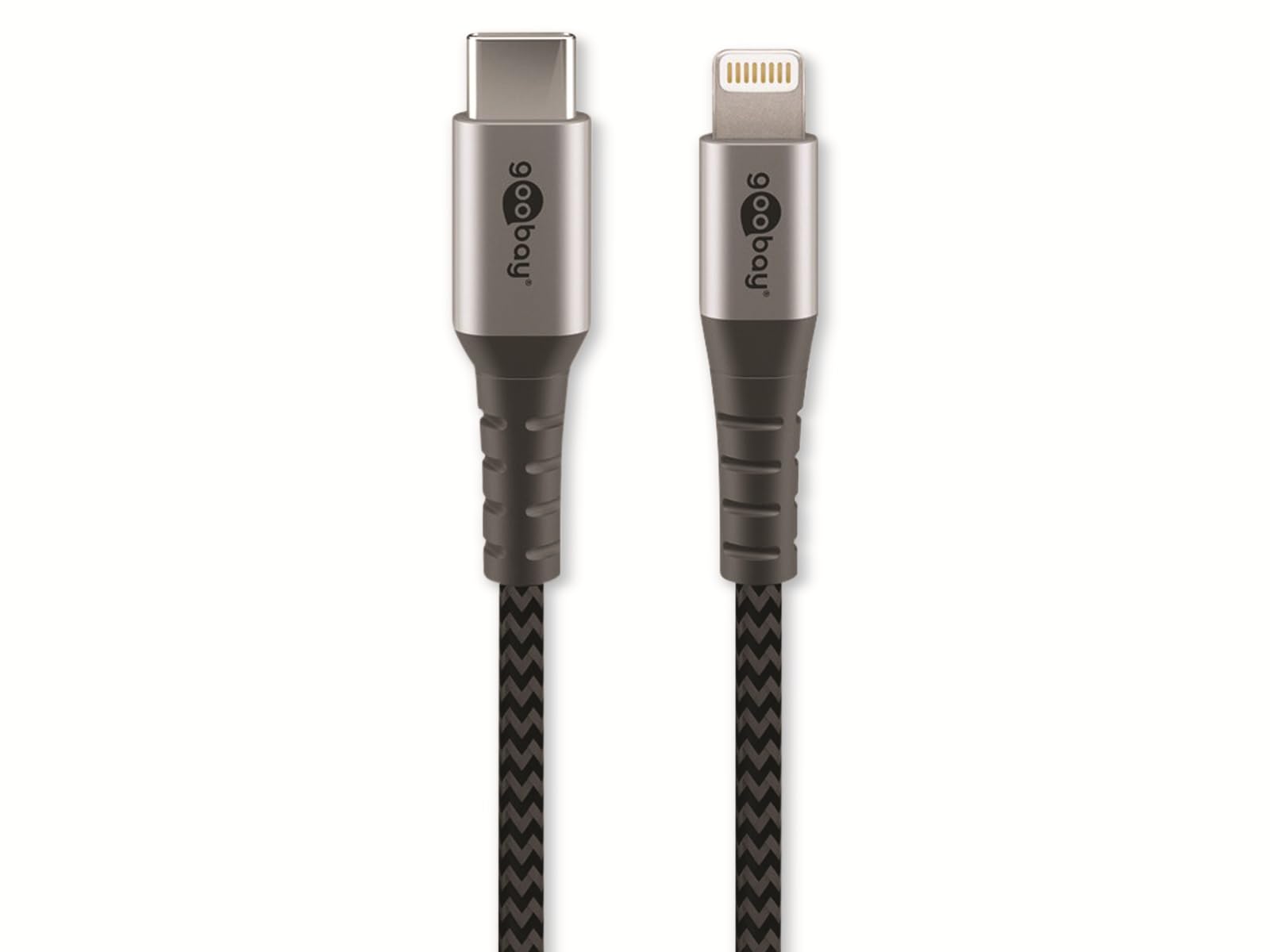
Image: Goobay USB-C to Lightning Cable. This image shows the cable with a USB-C connector on one end and a Lightning connector on the other, highlighting its braided exterior and space grey color.
Contenuto della confezione:
- 1x Goobay USB-C to Lightning Cable (0.5m)
Impostare
Using the Goobay USB-C to Lightning cable is straightforward. Follow these steps to connect your devices:
- Identificare i connettori: Locate the USB-C connector (smaller, oval-shaped) and the Lightning connector (larger, rectangular with rounded corners).
- Collegamento alla fonte di alimentazione o al computer: Insert the USB-C connector into a compatible USB-C port on a power adapter, laptop, or desktop computer. Ensure the connection is firm.
- Connetti al dispositivo Apple: Insert the Lightning connector into the Lightning port of your Apple iPhone, iPad, or iPod. Ensure the connection is firm.
- Verifica connessione: Your Apple device should indicate that it is charging or connected for data transfer.
Istruzioni per l'uso
Ricarica del tuo dispositivo:
To charge your Apple device, connect the USB-C end of the cable to a compatible USB-C power adapter (e.g., a wall charger or power bank) and the Lightning end to your Apple device. The cable supports fast charging up to 60W, provided your power adapter and device also support this wattage.
Sincronizzazione dei dati:
To synchronize data between your Apple device and a computer, connect the USB-C end of the cable to a USB-C port on your computer and the Lightning end to your Apple device. Your computer should recognize the device, allowing you to transfer files, photos, and other data using iTunes or Finder (macOS Catalina and later).
Manutenzione
Proper care and maintenance will extend the life of your Goobay cable:
- Magazzinaggio: Store the cable in a clean, dry place when not in use. Avoid extreme temperatures.
- Gestione: Do not bend the cable sharply or pull it forcefully from connectors. Always grip the connector housing when plugging or unplugging.
- Pulizia: Se necessario, pulire delicatamente il cavo e i connettori con un panno morbido e asciutto. Non utilizzare detergenti liquidi o materiali abrasivi.
- Ispezione: Periodically inspect the cable for any signs of damage, such as fraying, cuts, or bent pins on the connectors. Discontinue use if damage is observed.
Risoluzione dei problemi
If you encounter issues with your Goobay USB-C to Lightning cable, refer to the following common solutions:
- Dispositivo non in carica:
- Assicurarsi che entrambe le estremità del cavo siano collegate saldamente.
- Prova un adattatore di alimentazione o una porta USB-C diversi.
- Test the cable with a different Apple device, if available, to rule out a device issue.
- Controlla se l'alimentatore funziona correttamente.
- Errore di sincronizzazione dei dati:
- Verify that the USB-C end is connected to a data-enabled USB-C port on your computer.
- Assicurati che il sistema operativo del tuo computer e iTunes/Finder siano aggiornati.
- Restart both your Apple device and computer.
- Check for any prompts on your Apple device asking to "Trust This Computer."
- Ricarica lenta:
- Assicurati che l'adattatore di alimentazione fornisca una potenza sufficientetage (e.g., 20W or higher for fast charging).
- Evitare di utilizzare il dispositivo in modo eccessivo durante la ricarica.
Specifiche
| Marca: | Goobay |
| Numero modello: | 49270 |
| Tipo di connettore: | USB Type C (Male) to Lightning (Male) |
| Tipo di cavo: | Charging and Data Sync Cable |
| Lunghezza del cavo: | 0.5 metri |
| Caratteristica speciale: | Braided design for durability |
| Velocità di trasferimento dati: | Up to 0.48 Gigabits Per Second (USB 2.0 speed) |
| Potenza massima erogata: | Fino a 60 Watt |
| Colore: | Grigio siderale |
| Dispositivi compatibili: | Apple iPhone (e.g., iPhone 8, X, XR, XS, 11, 12, 13 series), iPad, iPod with Lightning port, and USB-C enabled laptops, power adapters, and headphones. |
| Certificazione: | MFI (Made For iPhone/iPad/iPod) |
Garanzia e supporto
Goobay products are manufactured with quality and reliability in mind. For information regarding warranty terms, technical support, or customer service, please refer to the official Goobay website or contact your retailer. Please have your product model number (49270) available when seeking support.
Produttore: Goobay
Websito: www.goobay.de (Please note: This is a general placeholder for the manufacturer's website. Actual support links may vary.)


