Introduzione
This manual provides essential information for setting up, operating, maintaining, and troubleshooting your HP 15 Laptop Computer. Please read this guide thoroughly to ensure optimal performance and longevity of your device. This laptop is equipped with an AMD Ryzen 3 processor, 16GB RAM, and a 512GB SSD, running on Windows 11 Home.

Image: The HP 15 Laptop Computer open, displaying the Windows 11 Home operating system, AMD Ryzen 3 processor, and AMD Radeon Graphics on its screen. An HP earphone case is visible on the palm rest, and the Microsoft Office logo is present on the bottom right.
1. Impostazione
1.1 Disimballaggio e ispezione iniziale
Carefully remove all components from the packaging. Verify that all items listed in the 'What's in the Box' section are present. Inspect the laptop for any visible damage.
- Computer portatile HP 15
- Adattatore di alimentazione
- HP Earphone
- Mouse senza fili
1.2 Collegamento dell'adattatore di alimentazione
Connect the power adapter to the laptop's power jack and then plug it into a wall outlet. It is recommended to fully charge the battery before initial use.
1.3 Accensione iniziale e configurazione di Windows 11
Premi il pulsante di accensione per accendere il laptop. Segui le istruzioni visualizzate sullo schermo per completare la configurazione di Windows 11 Home. Questa procedura include la selezione della regione, la connessione a una rete Wi-Fi e la creazione di un account utente.
2. Operating Your HP 15 Laptop
2.1 Funzioni di base
- Pulsante di accensione: Located on the top right of the keyboard deck. Press to turn on/off, or put the laptop to sleep.
- Tastiera: Features a full-size keyboard with a 10-key numeric keypad for efficient data entry.
- Touchpad: Supporta i gesti multi-touch per la navigazione.
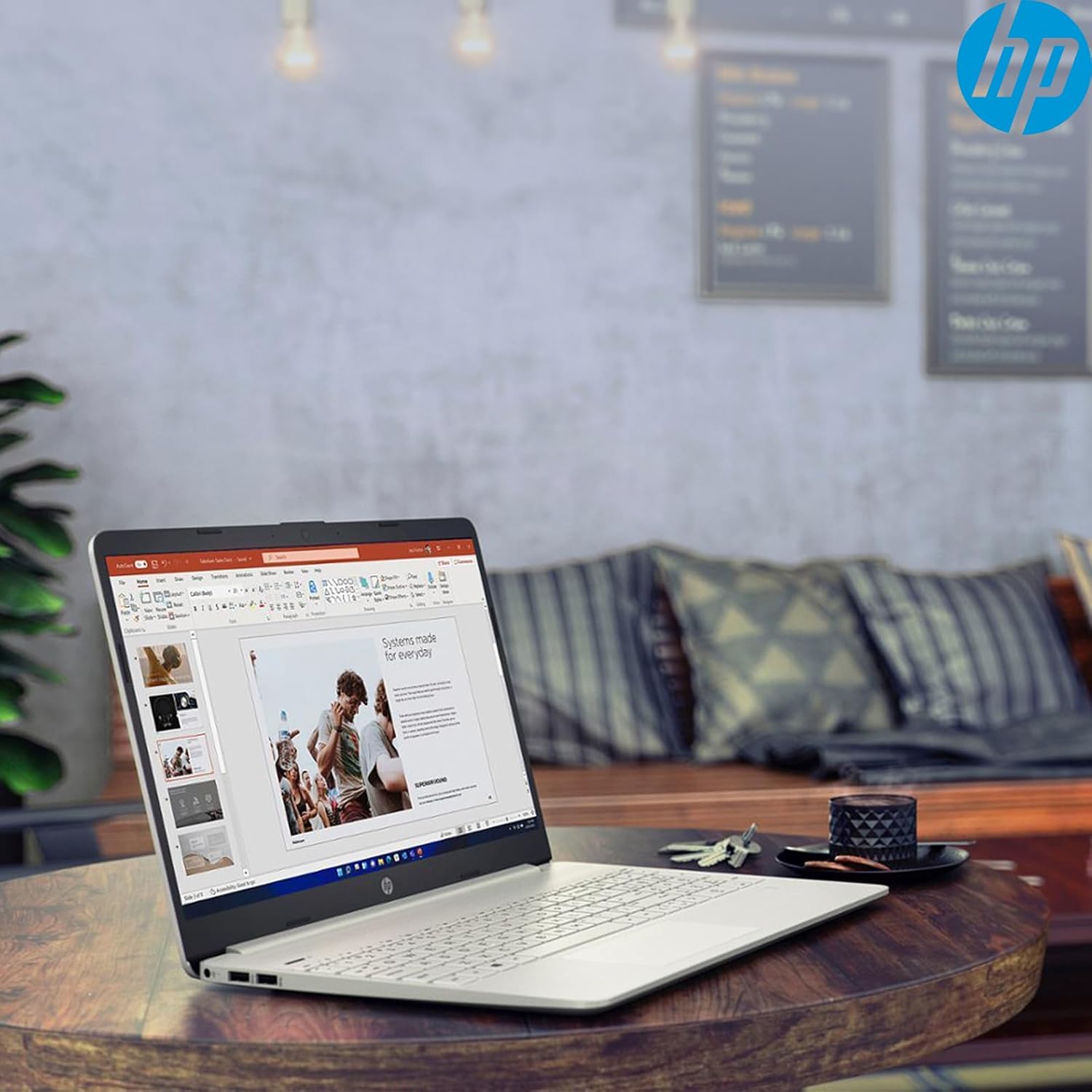
Immagine: Primo piano view of the HP 15 laptop's keyboard, clearly showing the integrated 10-key numeric keypad on the right side and the central touchpad below the spacebar.
2.2 Porte e connessioni
Your HP 15 laptop is equipped with various ports for connectivity:
- USB-C (5Gbps signaling rate): Per il trasferimento dei dati.
- USB-A (x2): Porte USB standard per periferiche.
- HDMI1.4b: Per il collegamento a display esterni.
- Lettore di schede SD: Per leggere le schede di memoria.
- Jack per cuffie: Per collegare cuffie o auricolari.

Image: This image provides a detailed side view of the HP 15 laptop, illustrating the locations of its various connectivity ports including the power jack, two USB-A ports, an HDMI 1.4b port, an SD card reader, a headset jack, and a SuperSpeed USB Type-C port.
2.3 Webcam e audio
The laptop features an HP True Vision 720p HD camera with dual array digital microphones for video calls. Audio is delivered through B&O-tuned stereo speakers.
2.4 Gestione della batteria
The laptop offers up to 9.75 hours of battery life. HP Fast Charge technology allows for a 50% charge in approximately 45 minutes when the laptop is powered off or in sleep mode.
3. Manutenzione
3.1 Pulizia del computer portatile
Utilizzare un panno morbido e privo di lanugine leggermente dampened with water or a specialized screen cleaner to clean the display. For the keyboard and chassis, use a soft, dry cloth. Avoid harsh chemicals.
3.2 Aggiornamenti software
Regularly check for and install Windows updates and HP driver updates to ensure optimal performance and security. Access Windows updates via Settings > Windows Update.
3.3 Gestione dell'archiviazione
Periodicamente riview ed eliminare ciò che non è necessario files to maintain sufficient free space on your 512GB SSD. Utilize cloud storage or external drives for large files.
4. Risoluzione Dei Problemi
4.1 Problemi di alimentazione
- Il portatile non si accende: Assicurati che l'adattatore di corrente sia collegato correttamente e che la presa sia funzionante. Prova una presa diversa.
- La batteria non si carica: Verify the power adapter connection. Check for any damage to the adapter or charging port.
4.2 Problemi di visualizzazione
- Schermo nero: Connect an external monitor to check if the laptop is outputting video. If it displays, the laptop screen may be faulty.
- Display scuro: Adjust brightness settings using the function keys (Fn + F2/F3 typically).
4.3 Problemi di prestazioni
- Funzionamento lento: Close unnecessary applications. Check Task Manager for high resource usage. Ensure sufficient free storage space.
- Surriscaldamento: Assicurarsi che le prese d'aria siano libere. Utilizzare il portatile su una superficie rigida e piana.
4.4 Problemi di connettività
- Wi-Fi non connesso: Restart your router and laptop. Check Wi-Fi settings in Windows.
- Dispositivo Bluetooth non associato: Ensure the device is in pairing mode and within range. Check Bluetooth settings.
5. Specifiche
| Caratteristica | Dettaglio |
|---|---|
| Modello | CV 15 |
| Sistema operativo | Windows 11 Casa |
| Processore | AMD Ryzen 3 (up to 3.8GHz, 4 cores, 8 threads) |
| Grafica | Scheda grafica AMD Radeon (integrata) |
| Memoria RAM | 16 GB DDR4 |
| Magazzinaggio | SSD PCIe NVMe M.2 da 512 GB |
| Display | 15.6" HD (1366 x 768), micro-edge, anti-glare, 250 nits, 45% NTSC |
| Connettività wireless | Realtek Wi-Fi 5, Bluetooth 5 |
| Porti | 1x USB-C (5Gbps), 2x USB-A, 1x HDMI 1.4b, 1x SD Card Reader, 1x Headset Jack |
| Webcamma | Fotocamera HP True Vision HD 720p |
| Audio | Dual B&O-tuned stereo speakers |
| Durata della batteria | Up to 9.75 hours (HP Fast Charge: 50% in 45 mins) |
| Dimensioni (LxWxH) | 14.11 x 9.53 x 0.78 pollici |
| Peso | 3.75 libbre |
6. Garanzia e supporto
6.1 Garanzia del prodotto
Your HP 15 Laptop Computer comes with a standard manufacturer's warranty. Please refer to the warranty card included with your product or visit the official HP support websito per termini e condizioni dettagliati.
6.2 Supporto tecnico
For technical assistance, driver downloads, or further information, please visit the official HP Support website or contact HP customer service. Have your product model and serial number ready when contacting support.
Supporto HP Websito: supporto.hp.com