Introduzione
The RADLEY Series 20 Smart Calling Watch (Model RYS20-2156) is designed to integrate seamlessly into your daily life, offering advanced communication features alongside comprehensive health and fitness tracking. This manual provides essential information for setting up, operating, and maintaining your smartwatch.
Cosa c'è nella scatola
- RADLEY Series 20 Smart Calling Watch
- Ink Silicone Strap (Quick Release)
- Caricabatterie USB
- Manuale di istruzioni (questo documento)
- Presentation Gift Box
Per iniziare: configurazione
1. Ricarica iniziale
Before first use, fully charge your smartwatch. Connect the provided USB charger to a compatible USB power source and attach the magnetic end to the charging points on the back of your watch. A full charge typically takes approximately 2 hours.

Image: The RADLEY Series 20 Smart Calling Watch with its Ink silicone strap, displaying a digital watch face with a Radley dog logo. This image represents the watch itself, which is charged via a USB charger.
2. Download the Radley Active App
To unlock all features and synchronize data, download the free Radley Active App from your smartphone's app store. The app is compatible with Android 6.0 & above and iOS 12 & above devices.
3. Associazione dello smartwatch
- Assicurati che il Bluetooth sia abilitato sul tuo smartphone.
- Open the Radley Active App and follow the on-screen instructions to create an account or log in.
- Select "Add Device" or similar option within the app and choose your RADLEY Series 20 watch from the list of discoverable devices.
- Conferma la richiesta di associazione sia sull'orologio che sullo smartphone.
Once paired, your watch will synchronize time and data with your smartphone.
Utilizzo dello smartwatch
Funzioni di chiamata
The Series 20 allows you to make and receive calls directly from your wrist. Ensure your watch is connected via Bluetooth to your smartphone for this feature to function.
- Effettuare le chiamate: Accedi al dialer o all'elenco dei contatti sul tuo orologio per avviare una chiamata.
- Ricevere chiamate: Quando ricevi una chiamata, puoi rispondere o rifiutarla direttamente dallo schermo dell'orologio.
Notifiche
Receive call notifications, message notifications, and alerts from various apps directly on your watch. Configure notification settings within the Radley Active App.
Monitoraggio della salute e del benessere
Your smartwatch is equipped with sensors to monitor various health metrics:
- Cardiofrequenzimetro: Tiene traccia costantemente della tua frequenza cardiaca.
- Monitoraggio del sonno: Analyzes your sleep patterns (typically 9 PM - 8 AM).
- Ossigeno nel sangue: Misura i livelli di ossigeno nel sangue.
- Promemoria per l'idratazione: Prompts you to drink water throughout the day.
- Esercizi di respirazione: Guides you through calming breathing sessions.
- Promemoria sedentarietà: Ti avvisa quando sei rimasto inattivo per troppo tempo.
Fitness and Sports Tracking
Track your daily activity and specific workouts:
- Contapassi: Registra i tuoi passi giornalieri.
- Molteplici modalità sportive: Supports 14 sport modes including Walking, Running, Treadmill, Hiking, Cycling, Swimming, Rower, Elliptical, Stair Climber, Skipping, Yoga, Workout, Golf, and Badminton. Select the appropriate mode before starting an activity for accurate tracking.
- Connessione GPS: Utilizes your smartphone's GPS for accurate distance tracking during outdoor activities.
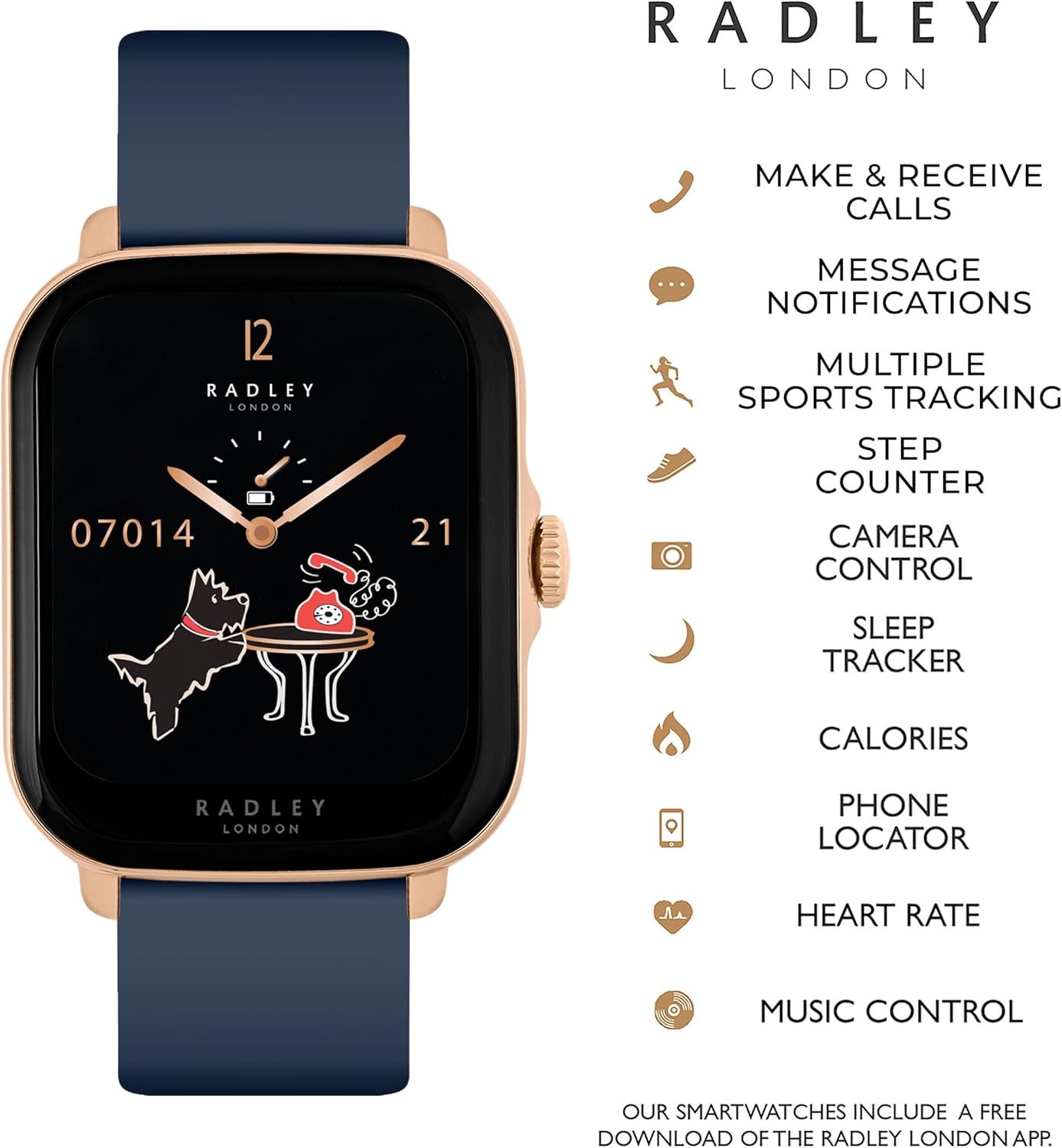
Image: An infographic illustrating key features of the RADLEY Series 20 Smart Calling Watch, including make & receive calls, message notifications, multiple sports tracking, step counter, camera control, sleep tracker, calories, phone locator, heart rate, and music control.
Caratteristiche aggiuntive
- Controllo della musica: Controlla la riproduzione musicale sul tuo smartphone direttamente dall'orologio.
- Controllo della telecamera: Utilizza il tuo orologio come otturatore remoto per la fotocamera del tuo smartphone.
- Localizzatore di telefono/orologio: Ti aiuta a ritrovare il telefono o l'orologio associato se li hai smarriti.
- Aggiornamenti meteorologici: Get current weather information on your watch.
- Quadranti personalizzati: Personalize your watch face with pre-set designs or use your own photos as a background.

Image: The RADLEY Series 20 Smart Calling Watch displayed alongside a grid of various customizable watch faces, demonstrating the ability to change dials with a simple swipe or use personal photos as backgrounds.

Image: The RADLEY Series 20 Smart Calling Watch with an Ink silicone strap worn on a person's wrist, showcasing its rectangular rose gold case and how it appears during use.
Manutenzione
- Pulizia: Pulisci regolarmente l'orologio e il cinturino con un panno morbido eamp stoffa. Evitare l'uso di prodotti chimici aggressivi o materiali abrasivi.
- Cura della batteria: Per prolungare la durata della batteria, evitare di scaricare completamente l'orologio frequentemente. Ricaricarlo quando il livello della batteria è basso. Conservare l'orologio in un luogo fresco e asciutto se non utilizzato per periodi prolungati.
- Cura del cinturino: The silicone strap is durable but can be cleaned with mild soap and water. Ensure the strap is dry before wearing.
- Resistenza all'acqua: Per i valori di resistenza all'acqua, fare riferimento alle specifiche del prodotto. Evitare di esporre l'orologio ad acqua calda, vapore o getti d'acqua ad alta pressione.
Risoluzione dei problemi
If you encounter issues with your RADLEY Series 20 Smart Calling Watch, try the following solutions:
- L'orologio non si accende: Ensure the watch is fully charged. Connect it to the USB charger and wait a few minutes before attempting to power it on.
- Connectivity Issues (Bluetooth Disconnects):
- Assicurati che il Bluetooth sia attivato sullo smartphone e che l'orologio si trovi nel raggio d'azione.
- Riavvia sia l'orologio che lo smartphone.
- "Forget" the device in your phone's Bluetooth settings and re-pair it through the Radley Active App.
- Ensure the Radley Active App is running in the background and has necessary permissions.
- Inaccurate Tracking (Steps, Heart Rate, GPS):
- Assicurati che l'orologio sia indossato comodamente al polso, né troppo largo né troppo stretto.
- For GPS, ensure your smartphone's GPS is active and the watch is connected to the app during outdoor activities.
- Calibrate settings within the Radley Active App if available (e.g., stride length).
- Notifiche non visualizzate:
- Check notification settings in the Radley Active App and your smartphone's system settings.
- Assicurati che l'app abbia l'autorizzazione per visualizzare le notifiche.
- Durata breve della batteria:
- Ridurre la luminosità dello schermo.
- Limitare l'uso frequente di funzioni che consumano molta energia, come il monitoraggio continuo della frequenza cardiaca o le chiamate frequenti.
- Assicurarsi che l'orologio sia completamente carico ogni volta.
Specifiche
| Caratteristica | Dettaglio |
|---|---|
| Nome del modello | Serie 20 |
| Numero modello articolo | RYS20-2156 |
| Marca | RADLEY |
| Produttore | Pari Hardy |
| Tecnologia di connettività | USB, Bluetooth |
| Standard di comunicazione wireless | Bluetooth |
| Compatibilità del sistema operativo | Android 6.0 e versioni successive, iOS 12 e versioni successive |
| Caratteristiche speciali | Heart Rate Monitor, Make Calls, Call Notifications, Step Counter, 14 Sport Modes, Hydration/Sedentary/Breathing Reminders, Phone/Watch Locator, Weather Updates, Sleep Monitor, Blood Oxygen, Customised Dials |
| GPS | Tramite Smartphone |
| Tipo di batteria | 1 Lithium Ion battery (included), Lithium-Cobalt composition |
| Forma | Rettangolare |
| Dimensioni del pacco | 12.8 x 8.7 x 7.4 cm; 180 g |
| Data prima disponibilità | 27 ottobre 2023 |
Garanzia e supporto
Your RADLEY Series 20 Smart Calling Watch comes with a Garanzia del produttore di 2 anniSi prega di conservare la prova d'acquisto per eventuali reclami in garanzia.
For further assistance, detailed FAQs, or to explore more features, please refer to the Radley Active App or visit the official RADLEY websito per le risorse di supporto.


