1. Introduzione
This manual provides essential information for the safe and efficient operation of your BLUETTI AC70 Portable Power Station. Please read this manual thoroughly before using the product and keep it for future reference. The BLUETTI AC70 is a versatile power solution designed for various applications, including outdoor activities, emergency backup, and mobile power needs.
2. Istruzioni di sicurezza
Per garantire un funzionamento sicuro, seguire sempre queste linee guida:
- Non smontare, riparare o modificare l'unità.
- Tenere l'unità lontana da fuoco, acqua e temperature estreme.
- Utilizzare solo accessori e cavi di ricarica approvati da BLUETTI.
- Assicurare una ventilazione adeguata durante l'uso e la ricarica per evitare il surriscaldamento.
- Tenere fuori dalla portata dei bambini e degli animali domestici.
- Evitare di far cadere l'unità o di sottoporla a forti urti.
3. Contenuto della confezione
Verifica che tutti gli articoli siano inclusi nel tuo pacco:
- BLUETTI AC70 Centrale Elettrica Portatile
- 100W Solar Panel (Ships Separately)
- Cavo di ricarica CA.
- Cavo di ricarica per auto
- Cavo di ricarica solare
- Manuale d'uso

Figure 1: BLUETTI AC70 Portable Power Station with its standard accessories.
4. Prodotto finitoview
4.1 Pannello frontale
The front panel features the main display, input/output ports, and control buttons.
- Schermo LCD: Mostra il livello della batteria, l'ingresso/uscita dell'acquatage, remaining runtime, and error indicators.
- Ingresso CC/FV: For connecting solar panels or other DC charging sources.
- Uscita CC (12 V/10 A): Standard car-style outlet.
- USB-C Ports (100W): Two ports for fast charging compatible devices.
- USB-A Ports (12W): Due porte per la ricarica USB standard.
- Prese CA (120 V/1000 W): Two standard AC outlets.
- Pulsante di accensione: Accende/spegne l'unità.
- Pulsante di uscita CC: Attiva/disattiva l'uscita CC.
- Pulsante di uscita CA: Activates/deactivates AC output.

Figure 2: Front panel layout of the BLUETTI AC70.
4.2 Pannello posteriore
The rear panel includes the AC input port and ventilation.
- Ingresso CA: Per collegare il cavo di ricarica CA.
- Griglie di ventilazione: Garantisce un corretto flusso d'aria per il raffreddamento.
4.3 Pannello superiore
The top panel features a sturdy handle for portability.

Figure 3: Top handle for easy portability.
5. Impostazione
5.1 Carica iniziale
Before first use, fully charge the BLUETTI AC70. Connect the AC charging cable to the AC input port on the rear of the unit and plug it into a wall outlet. The LCD display will show the charging status. A full charge from 0% to 100% typically takes about 1.5 hours.
5.2 Collegamento del pannello solare
If using the included 100W solar panel, unfold it and position it in direct sunlight. Connect the solar charging cable to the solar panel and then to the DC/PV input port on the front of the AC70. The display will indicate solar input wattage.
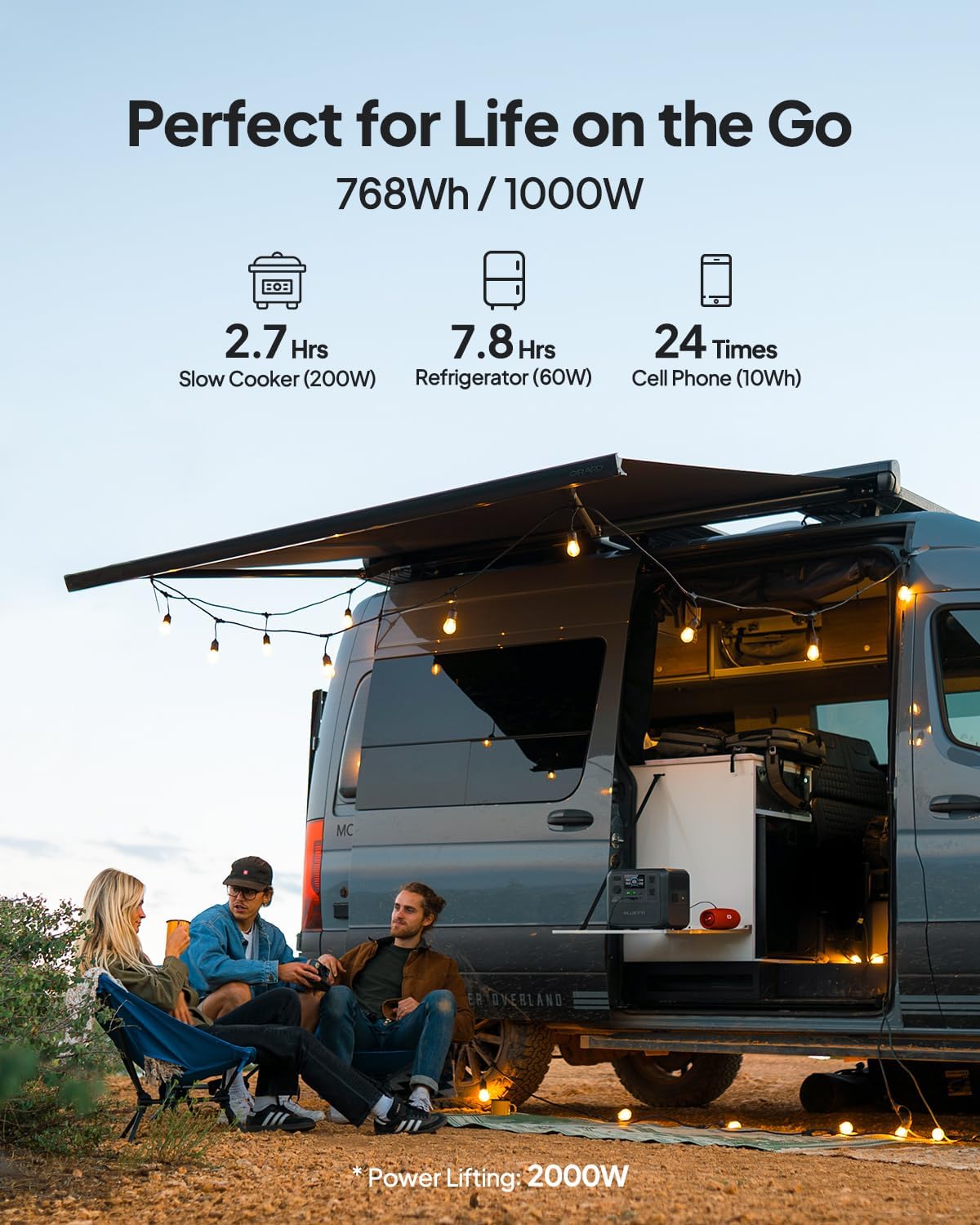
Figure 4: Connecting the BLUETTI AC70 to a solar panel.
6. Istruzioni per l'uso
6.1 Accensione/Spegnimento
Press and hold the main Power Button for 2-3 seconds to turn the unit on or off.
6.2 Utilizzo degli output
Press the respective DC Output Button or AC Output Button to activate the desired output ports. The corresponding icons on the LCD display will illuminate.

Figure 5: Various output ports of the BLUETTI AC70 in use.
6.3 BLUETTI APP Control
Download the BLUETTI APP from your smartphone's app store. Connect your AC70 via Bluetooth to monitor its status, adjust settings (like charging mode), and update firmware remotely.

Figure 6: Monitoring and controlling the AC70 using the BLUETTI App.
6.4 Modalità di sollevamento di potenza
The Power Lifting mode allows the AC70 to handle high-power resistive loads up to 2000W, exceeding its rated 1000W output. This is particularly useful for devices like hair dryers or electric kettles. Activate this mode via the BLUETTI APP.
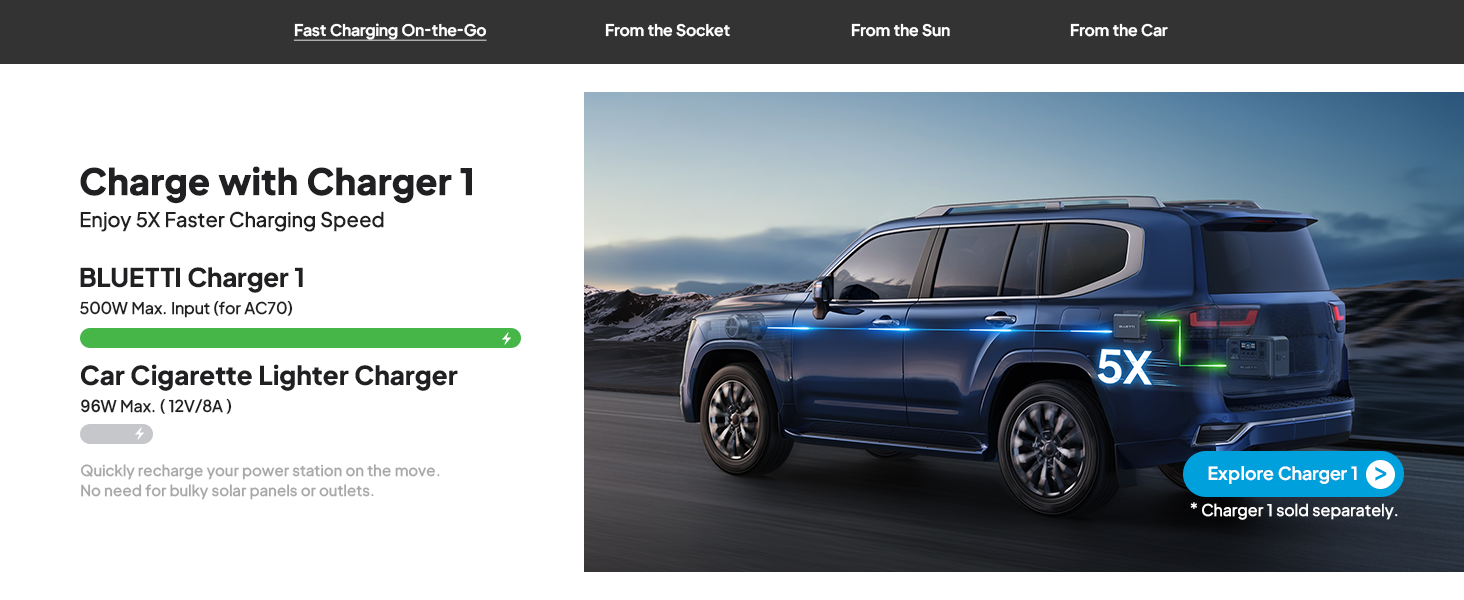
Figure 7: AC70 utilizing Power Lifting mode for higher wattage elettrodomestici.
6.5 Funzionalità UPS
The AC70 features an Uninterruptible Power Supply (UPS) function with a switching time of ≤20ms. When connected to a wall outlet and powering devices, it can automatically switch to battery power in the event of a power outage, garantendo il funzionamento continuo dei dispositivi elettronici collegati.
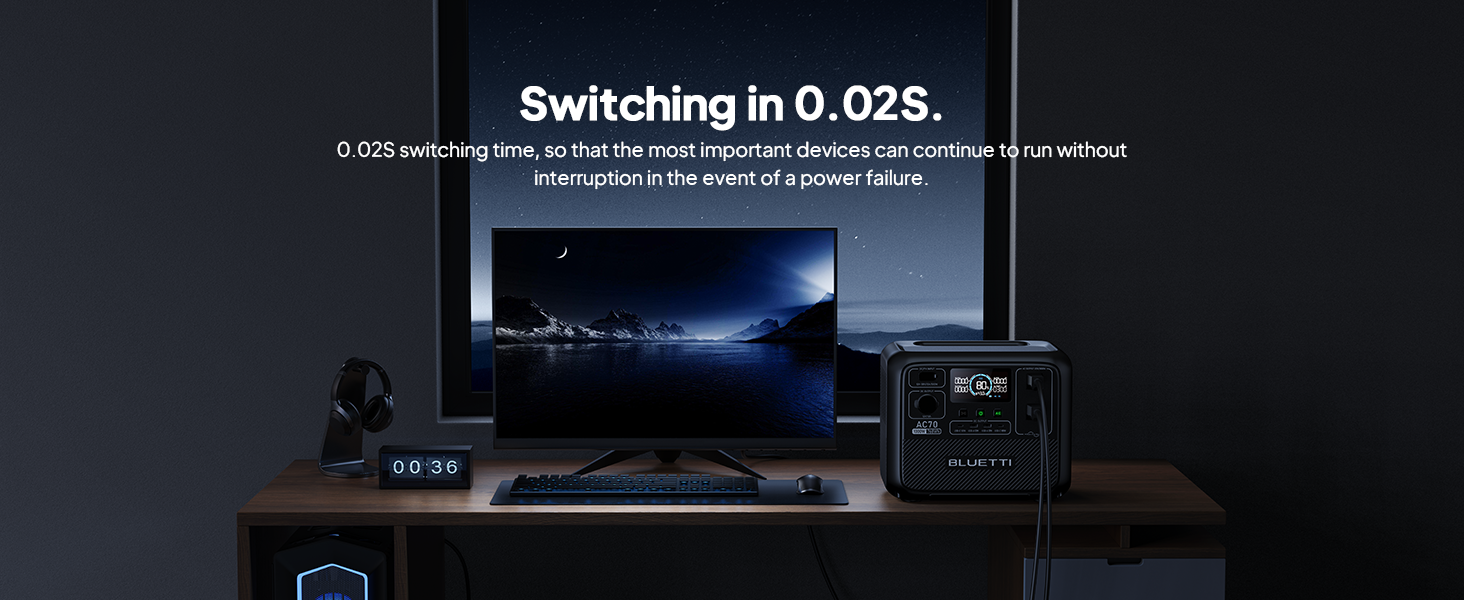
Figure 8: AC70 acting as an Uninterruptible Power Supply (UPS).
7. Ricarica dell'AC70
7.1 Ricarica CA
Connect the AC charging cable to the AC input port and a wall outlet. The AC70 supports up to 950W fast charging, reaching 80% in 45 minutes and 100% in 1.5 hours.

Figure 9: AC70 charging from a standard wall outlet.
7.2 Ricarica solare
Connect compatible solar panels (up to 500W) to the DC/PV input port using the solar charging cable. The AC70 can be fully charged via solar power in 1.9-2.4 hours under optimal sunlight conditions.

Figure 10: AC70 charging using solar panels.
7.3 Ricarica dell'auto
Use the car charging cable to connect the AC70 to your vehicle's 12V/24V cigarette lighter port. This allows for convenient charging while on the go, with a full charge taking approximately 3.2-7 hours.
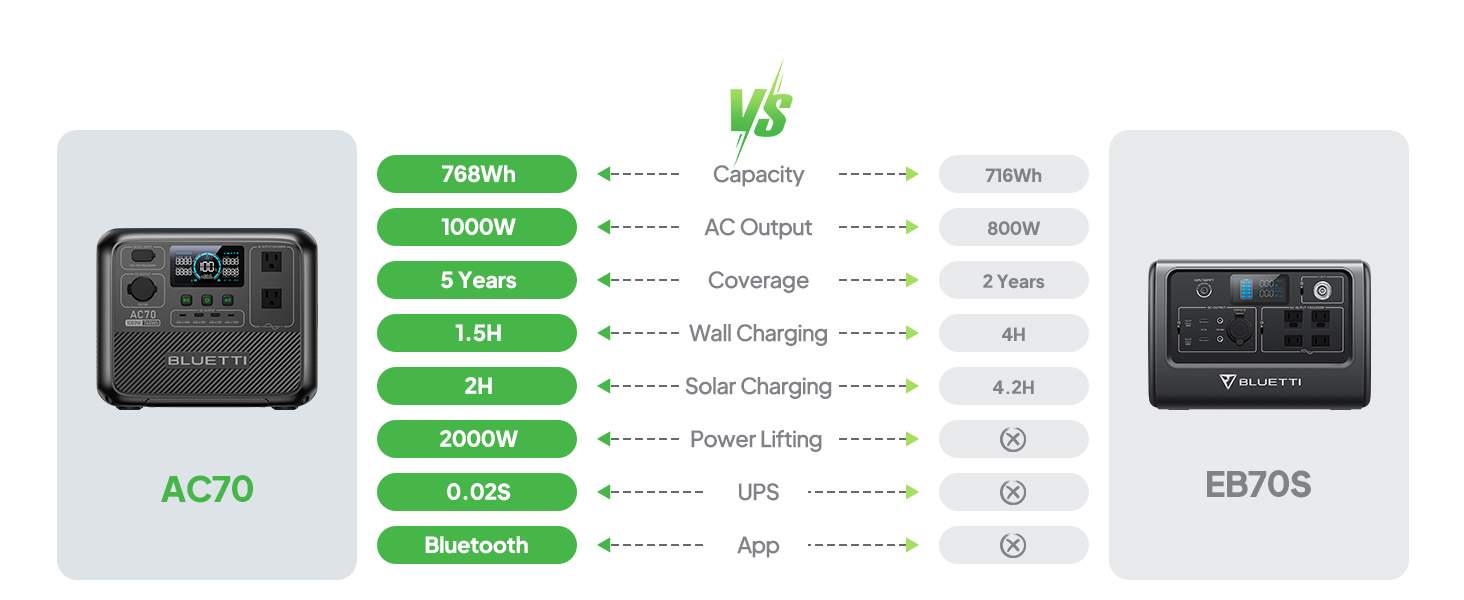
Figure 11: AC70 charging from a vehicle's 12V/24V outlet.
8. Manutenzione
Proper maintenance ensures the longevity and performance of your AC70:
- Conservare l'unità in un luogo fresco e asciutto, lontano dalla luce solare diretta.
- Ricaricare l'unità ogni 3-6 mesi se non la si utilizza regolarmente per preservare la salute della batteria.
- Pulire l'esterno con un panno asciutto e morbido. Non utilizzare prodotti chimici aggressivi o abrasivi.
- Mantenere le aperture di ventilazione libere da polvere e detriti.
9. Risoluzione Dei Problemi
If you encounter issues with your AC70, refer to the following common problems and solutions:
| Problema | Possibile causa | Soluzione |
|---|---|---|
| L'unità non si accende | Batteria scarica o unità spenta. | Caricare l'unità. Tenere premuto il pulsante di accensione per 2-3 secondi. |
| L'uscita CA non funziona | AC output is off or overloaded. | Press the AC output button. Reduce the load or check for short circuits. |
| La ricarica solare non funziona | Insufficient sunlight, incorrect connection, or incompatible panel. | Ensure direct sunlight, check cable connections, verify panel compatibility. |
| APP non connessa | Bluetooth is off or unit is too far. | Ensure Bluetooth is enabled on your phone and AC70. Move closer to the unit. |
10. Specifiche
| Caratteristica | Dettaglio |
|---|---|
| Marca | BLUETTI |
| Nome del modello | AC70 |
| Capacità della batteria | 768 Wh (LiFePO4) |
| Uscita CA | 2 x 1000W (2000W Power Lifting) |
| DC Output | 1 x 12 V/10 A |
| Uscita USB-C | 2 x 100 W massimo |
| Uscita USB-A | 2 x 12 W massimo |
| Ingresso CA | 950W Max (0-80% in 45 min, 0-100% in 1.5 hrs) |
| Ingresso solare | 500W Max (0-100% in 1.9-2.4 hrs) |
| Ricarica auto | 12V/24V, 10A (0-100% in 3.2-7 hrs) |
| Cicli della batteria | Capacità da 3000+ all'80% |
| Orario di commutazione dell'UPS | ≤20 ms |
| Peso dell'articolo | 22.5 libbre |
| Dimensioni del prodotto | 12.4 cm L x 8.2 cm P x 10.1 cm A |
11. Garanzia e supporto
The BLUETTI AC70 Portable Power Station comes with a 5-year warranty. For technical support, troubleshooting assistance, or warranty claims, please contact BLUETTI customer service through their official website or the BLUETTI APP.
Video 1: Prodotto ufficiale BLUETTI AC70view highlighting its features and portability.