Introduzione
Thank you for choosing the AIYAPLAY Electronic Kids Piano. This versatile musical instrument is designed to provide an engaging and educational experience for children aged 3 to 6 years. Featuring 32 keys, multiple instrument sounds, built-in songs, a microphone, and LED lights, it encourages musical exploration and cognitive development. Please read this manual carefully before assembly and use to ensure safe and optimal performance.
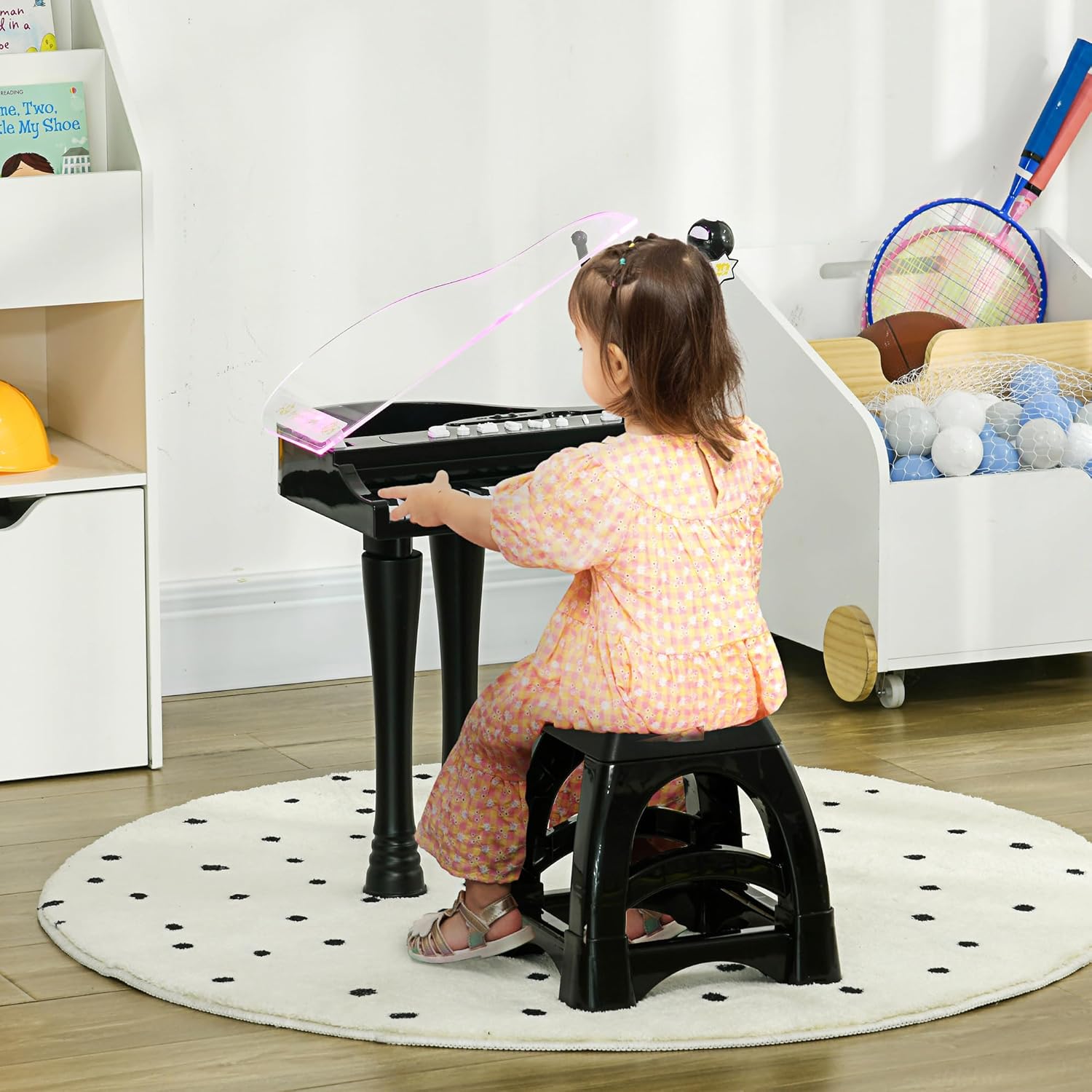
Image: A young child seated on the included stool, playing the black AIYAPLAY electronic piano. The piano features a clear, slightly tinted lid and a microphone stand.
Informazioni sulla sicurezza
- This product is intended for children aged 3 to 6 years. Adult supervision is recommended during use.
- Ensure all parts are securely assembled before allowing a child to play.
- Utilizzare solo il tipo di batteria specificato (4 batterie AA). Non mischiare batterie vecchie e nuove o tipi diversi di batterie.
- Rimuovere le batterie se il prodotto non verrà utilizzato per un lungo periodo.
- Tenere il prodotto lontano da acqua e umidità.
- Lo sgabello ha una portata massima di 50 kg. Non superare questo limite.
- Regularly inspect the product for any damage or loose parts. Discontinue use if any damage is found.
Contenuto della confezione
Si prega di verificare che tutti i componenti siano presenti nella confezione:
- 1 x Electronic Keyboard Organ
- 1 x sgabello
- 1 x Microfono
- 1 x supporto per microfono

Immagine: Un esploso view diagram illustrating the electronic keyboard, stool, microphone, and microphone stand as separate components included in the package.
Istruzioni di installazione
- Disimballare i componenti: Rimuovere con cautela tutte le parti dalla confezione.
- Installa le batterie: Locate the battery compartment on the underside of the piano. Insert 4 x AA batteries (not included), ensuring correct polarity (+/-). Close the battery compartment securely.
- Attach Legs (Optional): The piano comes with removable legs. To attach them, align each leg with the corresponding slot on the underside of the piano and push firmly until it clicks into place. To remove, gently pull them out.
- Assemble Microphone Stand: Connect the microphone to its stand. Insert the microphone stand into the designated port on the piano.
- Position Stool: Place the stool in front of the piano.
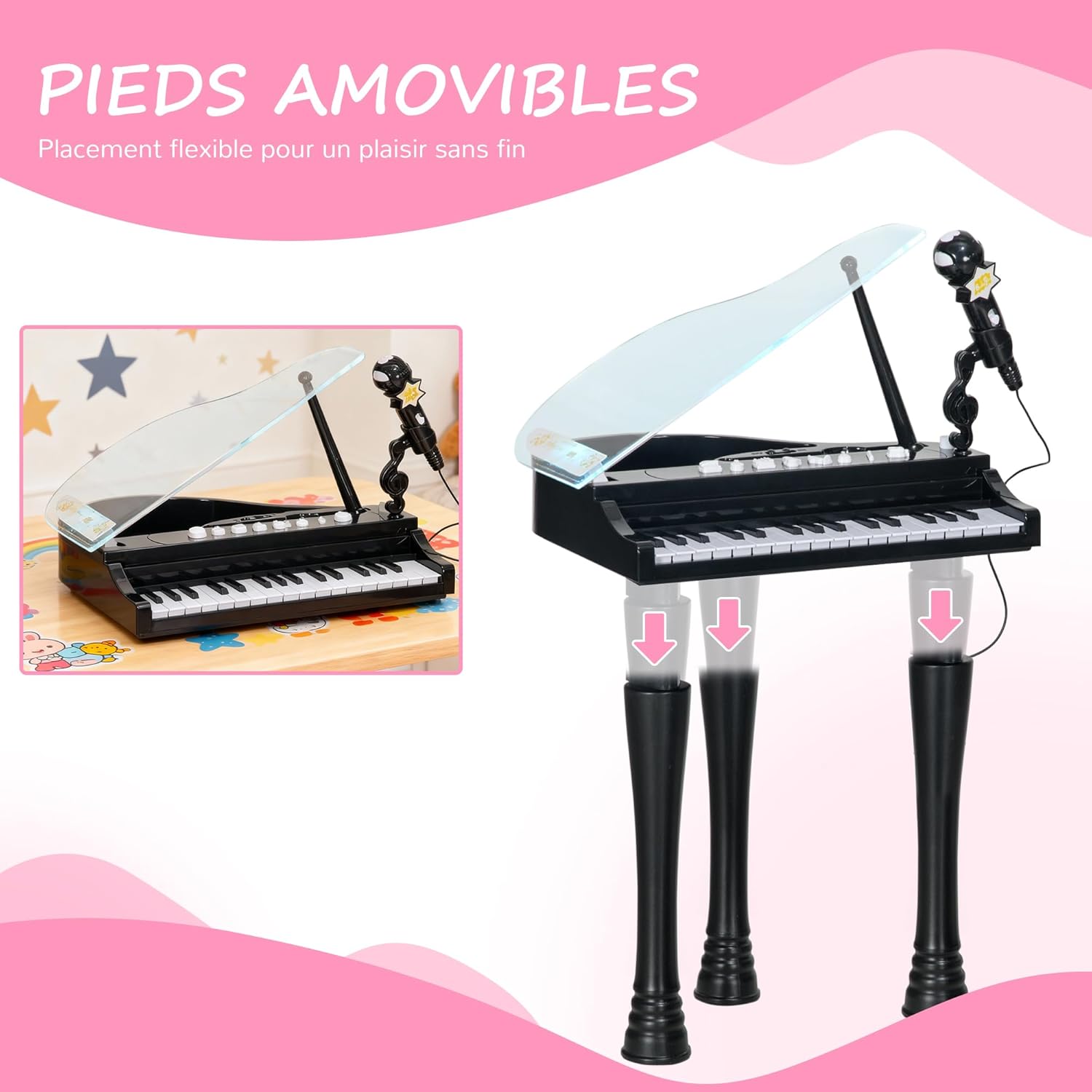
Immagine: Due views of the electronic piano, one with its legs attached for standing play and another showing the legs detached for tabletop use, highlighting the removable leg feature.
Istruzioni per l'uso
Familiarizzare con il pannello di controllo per le varie funzioni.

Immagine: Un dettaglio view of the piano's control panel, showing buttons for volume, music, stop, and instrument sounds (Piano, Organ, Mandolin, Music Box), along with the 32 keys and microphone.
- Accensione/spegnimento: Locate the ON/OFF switch, usually on the back or side of the piano. Slide it to the 'ON' position to power on the device. Slide to 'OFF' to power off.
- Regola volume: Use the 'VOLUME +' and 'VOLUME -' buttons on the control panel to increase or decrease the sound level.
- Play the Keys: Press any of the 32 keys to play musical notes.
- Change Instrument Sounds: Press the dedicated buttons for 'PIANO', 'ORGAN', 'MANDOLIN', or 'MUSIC BOX' to switch between the four available instrument sounds.
- Play Demonstration Songs: Press the 'MUSIC' button to cycle through the 22 built-in demonstration songs. Press 'STOP IT' to stop the current song.
- Use the Microphone: Speak or sing into the microphone. The sound will be amplified through the piano's speaker.
- Funzione luce LED: The LED lights on the piano keys will illuminate and change color in rhythm with the music or when keys are pressed, providing a visual accompaniment to the sound.
- Modalità di sospensione automatica: To conserve battery life, the piano will enter sleep mode after 3 minutes of inactivity. Press any key or button to reactivate it.

Image: A close-up of the piano's top surface, highlighting the clear lid, LED lights that flash, and the volume control buttons, emphasizing the interactive light feature.
Manutenzione
- Pulizia: Wipe the piano and stool with a soft, dry cloth. For stubborn dirt, a slightly damp cloth can be used, followed by a dry cloth. Do not use abrasive cleaners or immerse the product in water.
- Magazzinaggio: Store the piano in a cool, dry place away from direct sunlight and extreme temperatures. If storing for an extended period, remove the batteries.
- Sostituzione della batteria: Replace all 4 AA batteries when the sound becomes distorted or the lights dim.
Risoluzione dei problemi
- No Sound/Power:
- Assicurarsi che l'interruttore ON/OFF sia in posizione 'ON'.
- Controllare che le batterie siano installate correttamente con la polarità corretta.
- Sostituisci le batterie vecchie o esaurite con batterie nuove.
- Verify the volume is not set to minimum.
- Suono distorto:
- Potrebbe indicare che la batteria è scarica. Sostituire le batterie.
- Ensure the microphone is not too close to the speaker, causing feedback.
- Luci LED non funzionanti:
- Controllare la carica della batteria e sostituirla se necessario.
- Assicurarsi che il pianoforte sia acceso.
Specifiche
| Marca | AIYAPLAY |
| Numero di modello | 390-023V00BK |
| Colore | Nero |
| Materiale | Plastica |
| Dimensioni complessive (L x P x A) | 37L x 30.5W x 60.4H cm (lid raised) / 38.8L x 30.5W x 42.9H cm (lid lowered) |
| Dimensioni dello sgabello (L x P x A) | 25.5 x 25.5 x 23.9 cm |
| Numero di chiavi | 32 |
| Fonte di alimentazione | 4 batterie AA (non incluse) |
| Età consigliata | 3-6 anni |
| Capacità di peso delle feci | 50 kg |
| Peso del prodotto | 2.14 kg |

Image: A diagram illustrating the key dimensions of the electronic piano (height 60.4 cm, width 37 cm, depth 30.5 cm) and the accompanying stool (height 23.9 cm, width 25.5 cm, depth 25.5 cm).
Garanzia e supporto
Information regarding specific spare parts availability is not provided. For any issues or inquiries not covered in this manual, please refer to your purchase documentation or contact the retailer for support.


