1. Introduzione
This manual provides essential information for the setup, operation, and maintenance of your POPUPIANO Smart Piano Keyboard. Please read thoroughly before use to ensure optimal performance and longevity of your device.
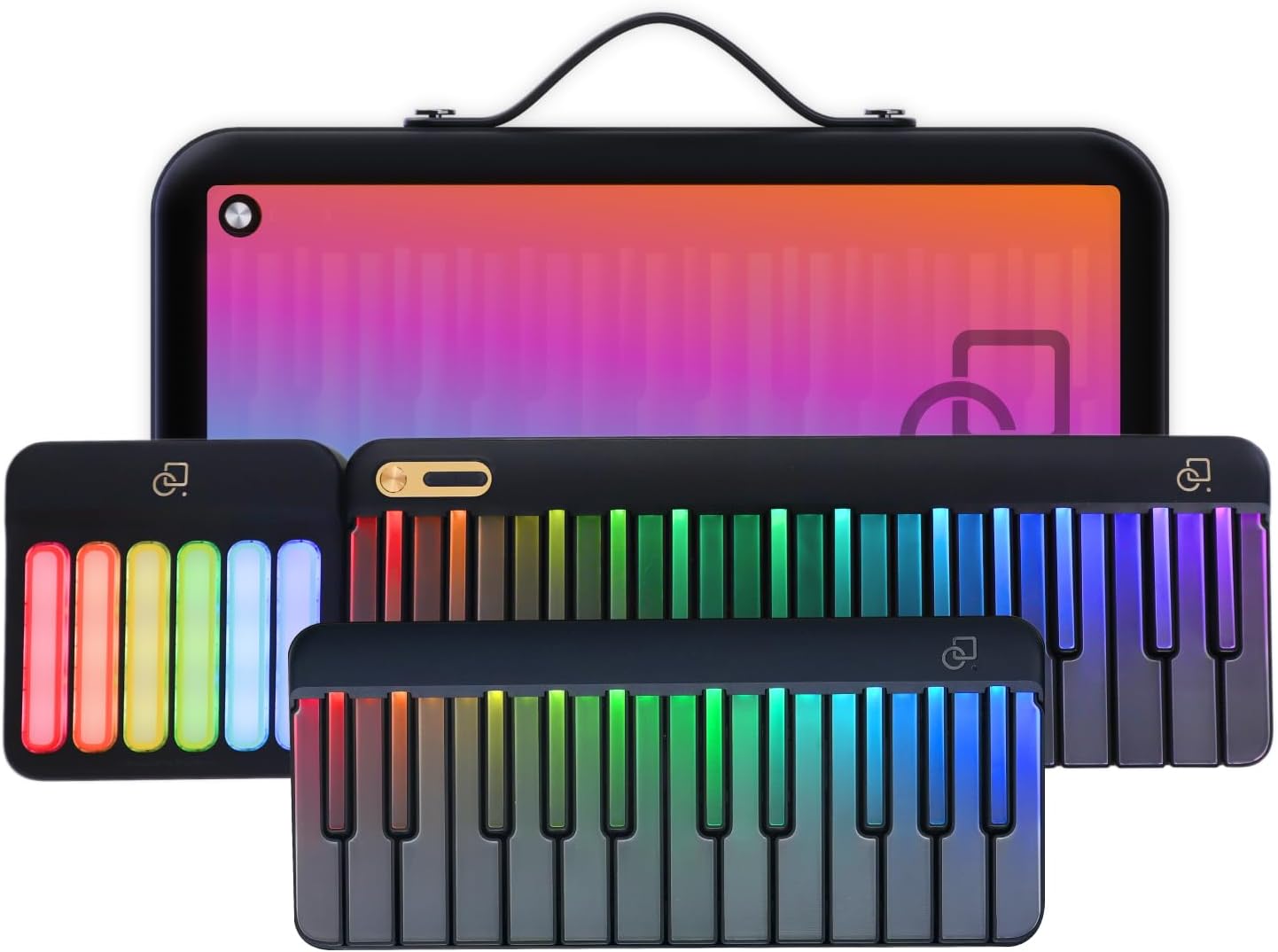
Figura 1: Oltreview of the POPUPIANO Smart Piano Keyboard and its modular components.
2. Guida all'installazione
2.1 Unboxing e componenti
Rimuovere con attenzione tutti i componenti dall'imballaggio. Assicurarsi che siano presenti tutti gli articoli elencati di seguito:
- Main 29-Key Keyboard
- Expanded 24-Key Keyboard
- Expanded Chord Pad
- Borsa per tastiera
- Cavo di ricarica (USB-C)
- Music Stand / Device Holder
The modular design allows for flexible setup. The main keyboard, expanded keyboard, and chord pad connect magnetically.

Figure 2: The modular components of the keyboard, including the main keyboard, expanded keyboard, and chord pad.
Video 1: Guide on unboxing the PopuPiano and setting up the piano with the companion app.
2.2 Accensione e ricarica
To power on the device, press and hold the power button located on the main keyboard for 2 seconds. The keyboard is battery-powered and can be charged using the provided USB-C cable. A full charge provides approximately 5-8 hours of use.
For extended use or when the battery is low, connect the USB-C cable to a power source. The keyboard can also be powered by 4 AA batteries for outdoor use (batteries not included).
2.3 Download e connessione dell'app
Download the free PopuMusic app from your device's app store (compatible with iOS and Android). Ensure Bluetooth is enabled on your smartphone or tablet.
- Open the PopuMusic app.
- Navigate to the connection settings within the app.
- Select "POPUPIANO" from the list of available devices to establish a Bluetooth connection.
- Alternatively, connect via USB/MIDI cable for a wired connection, which offers lower latency (as low as 20ms).
Video 2: A detailed walkthrough of the PopuPiano, including unboxing, powering on, and app settings.
3. Istruzioni per l'uso
3.1 Basic Play and Sound Selection
The keyboard can be played independently without the app. Use the volume dial to adjust the sound output. The PopuPiano features 256 built-in instrument voices, including pianos, guitars, strings, and synths. These can be selected via the app or dedicated buttons on the keyboard.

Figure 3: The PopuMusic app interface showing a selection of various instrument voices.
Video 3: Demonstration of the sound capabilities and lighted keys of the PopuPiano.
3.2 LED-Guided Learning
The PopuMusic app offers interactive lessons where LED-lit keys illuminate to guide your fingers to the correct notes. This system is designed to enhance learning for beginners. The app includes over 60 popular songs updated monthly and gamified lesson modes.

Figure 4: A user interacting with the PopuPiano app, showing the LED-guided keys for learning.
Video 4: Demonstrates easy and fun learning with the PopuPiano, highlighting the interactive features.
3.3 Auto Chords and Accompaniment
Utilize the 100+ auto-chord styles and intuitive chord panel to play full harmonies with a single touch. Automatic drum rhythms can be added for accompaniment, facilitating composition and performance without extensive music theory knowledge.

Figure 5: The PopuPiano with its chord pad, illustrating the ease of playing harmonies and adding accompaniment.
Video 5: Shows the light-up piano keys and chords, useful for understanding auto-chord functionality.
3.4 MIDI Controller Functionality
The PopuPiano can function as a MIDI controller. Connect it to Digital Audio Workstations (DAWs) such as FL Studio, GarageBand, or Logic via USB/MIDI to compose, record, or control virtual instruments. The built-in sustain pedal port and headphone jack support expressive play and quiet practice.

Figure 6: The PopuPiano connected to a computer, demonstrating its use as a MIDI controller for music production.
3.5 Gamified Practice Modes
The app offers gamified practice modes, including step-by-step tutorials, rhythm challenges, and AI-powered chord suggestions. These features are designed to reinforce music-reading, improve timing, and boost creative skills.

Figure 7: Screenshot of the PopuMusic app showing gamified learning interfaces.
4. Manutenzione
To ensure the longevity and optimal performance of your POPUPIANO Smart Piano Keyboard, follow these maintenance guidelines:
- Pulizia: Use a soft, dry cloth to wipe down the keys and body of the keyboard. Avoid using abrasive cleaners or solvents.
- Magazzinaggio: When not in use, store the keyboard in its provided bag to protect it from dust and scratches. Keep it in a cool, dry place away from direct sunlight and extreme temperatures.
- Cura della batteria: Per una durata ottimale della batteria, evitare di scaricarla completamente frequentemente. Se si prevede di non utilizzarla per un periodo prolungato, caricare la batteria fino a circa il 50% e ricaricarla ogni pochi mesi.
5. Risoluzione Dei Problemi
If you encounter issues with your POPUPIANO Smart Piano Keyboard, refer to the following common solutions:
- Nessun suono:
- Check the volume dial on the keyboard and your connected device.
- Ensure the keyboard is powered on and connected correctly via Bluetooth or USB/MIDI.
- Se si utilizzano le cuffie, assicurarsi che siano completamente collegate al jack per le cuffie.
- Latenza Bluetooth:
- Bluetooth latency may vary, especially on Android devices. For best performance, use a wired USB/MIDI connection.
- Ensure your device's operating system and the PopuMusic app are updated to the latest versions.
- I tasti non si illuminano:
- Ensure the keyboard is connected to the PopuMusic app and an interactive lesson or game is active.
- Check the app settings to ensure LED guidance is enabled.
- Problemi di connessione dell'app:
- Riavvia sia la tastiera che il dispositivo smart.
- Forget the Bluetooth connection on your device and re-pair.
- Try connecting via USB/MIDI if Bluetooth issues persist.
6. Specifiche
| Caratteristica | Dettaglio |
|---|---|
| Marca | POPUPIANO |
| Nome del modello | PX-S5000 |
| Numero di chiavi | 59 (Modular) |
| Tipo di chiave | Hammer-action keys with 127-level velocity sensitivity |
| Voci strumentali | 256 |
| Auto-Chord Styles | 100+ |
| Connettività | Bluetooth, MIDI USB |
| Fonte di alimentazione | Battery Powered (5-8 hours), USB-C Charging |
| Presa per cuffie | Presa da 3.5 mm |
| Product Dimensions (Main 29-Key) | 13.3 × 4.8 × 1.3 pollici |
| Peso dell'articolo (totale) | 7.68 libbre |
| Tipo di materiale | Plastic/Synthetic Composite |
| Software supportato | PopuMusic App, FL Studio, GarageBand, Logic, other DAWs |
7. Garanzia e supporto
For warranty information, technical support, or further assistance, please refer to the official POPUPIANO website or contact customer service through the PopuMusic app. Keep your purchase receipt for warranty claims.
Visita il sito ufficiale POPUPIANO Store per ulteriori prodotti e informazioni.


