1. Introduzione
The Astrum PB070 10400mAh Mini UPS Power Bank is designed to provide reliable backup power for various electronic devices. It features auto-start functionality during AC recovery and incorporates protection mechanisms against overload, short-circuit, over-charge, and over-discharge. This device offers flexible output voltage settings (5V, 9V, 12V DC) and Power over Ethernet (POE) output options (15V, 24V) via a selector switch, ensuring uninterrupted power for your essential electronics.

Image 1.1: Astrum PB070 Mini UPS Power Bank overview, highlighting its role in providing uninterrupted power.
2. Caratteristiche del prodotto
- Controllo a microprocessore: Ensures high reliability and stable performance.
- Batteria ad alta capacità: Equipped with a 10400mAh lithium battery for extended backup time.
- Indicatori LED: Provide visual status updates for power and battery charge levels.
- Interruttore di alimentazione manuale: Allows control over the power bank, aiding in battery life management.
- Potenza di uscita versatile: Supplies power to various devices including Wi-Fi routers, modems, security cameras, and smartphones.
- Porta di ricarica USB: A built-in 5V 2A USB port for charging mobile devices.
- Smart Circuit Protection: Safeguards the power bank and connected devices against over-voltage, over-temperature, over-current, and short-circuit damages.
- Selectable POE Output: Offers 15V or 24V Power over Ethernet output for compatible devices.

Image 2.1: Built-in safety features of the Astrum PB070, including protection against various electrical issues.
3. Contenuto della confezione
The standard package for the Astrum PB070 Mini UPS Power Bank typically includes:
- Astrum PB070 Mini UPS Power Bank
- Cavo di alimentazione CA.
- DC Output Cables (various connectors)
- Manuale d'uso
Note: Specific cable types and quantities may vary. Please check the product packaging for exact contents.
4. Prodotto finitoview
Familiarize yourself with the various ports and indicators on your Astrum PB070 Mini UPS Power Bank.

Immagine 4.1: Parte anteriore e superiore view of the Astrum PB070 Mini UPS, displaying its ports and LED indicators.
4.1. Porte e connettori
- INGRESSO 85-265Vac: AC power input port for charging the UPS and providing pass-through power.
- DC Output Ports (5V, 9V, 12V): Multiple DC output jacks for connecting various devices.
- USB (5V 2A): Standard USB-A port for charging smartphones and other USB-powered devices.
- POE: Power over Ethernet output port.
- LAN: Ethernet data port.
- SELECTOR (15V / 24V): Switch to select the output voltage for the POE port.
- RIPRISTINA: Pulsante per resettare il dispositivo.

Immagine 4.2: Dettagliata view of the power supply ports, showing the input AC port and various DC output options.
4.2. Indicatori LED
- STATO: Indica lo stato operativo dell'UPS.
- ENERGIA: Indica se l'unità è accesa.
- Charge Level Indicators (25%, 50%, 75%, 100%): Display the remaining battery capacity.
5. Istruzioni per l'installazione
Follow these steps to set up your Astrum PB070 Mini UPS Power Bank:
- Caricare l'UPS: Connect the provided AC power cable to the INPUT 85-265Vac port on the UPS and then to a wall outlet. The LED charge indicators will illuminate to show charging progress. Ensure the unit is fully charged before first use.
- Determinare il volume del dispositivotage: Identificare il volume di input richiestotage for the device you intend to power (e.g., your Wi-Fi router, modem). This information is usually found on the device's power adapter or label.
- Seleziona Volume di uscitatage (for DC devices): If your device requires 5V, 9V, or 12V DC, select the corresponding output port on the UPS. Use the appropriate DC output cable to connect the UPS to your device.
- Select POE Output Voltage (for POE devices): If your device uses Power over Ethernet (POE), connect it to the POE port. Use the SELETTORE switch to choose between 15V or 24V POE output, matching your device's requirements.
- Connetti dispositivi USB: For charging smartphones or other USB-powered devices, connect them to the USB (5V 2A) port using a standard USB cable.
- Accensione: Premere il tasto ENERGIA button to turn on the UPS. The power indicator LED will light up.
6. Istruzioni per l'uso
6.1. Funzionamento normale
Once set up, the Astrum PB070 operates automatically. When AC power is present, it charges its internal battery and passes power through to connected devices. In the event of a power outage, the UPS will automatically switch to battery power, providing uninterrupted operation for your connected devices.
6.2. Accensione/Spegnimento
- Per accendere: Premere e tenere premuto il tasto ENERGIA button until the power indicator LED illuminates.
- Per spegnere: Premere e tenere premuto il tasto ENERGIA button until the power indicator LED turns off.
6.3. Comprensione degli indicatori LED
- LED DI STATO: Indicates the operational status. Refer to the specific light patterns in the troubleshooting section if issues arise.
- LED DI ALIMENTAZIONE: Solid green when the unit is powered on.
- LED del livello di carica (25%, 50%, 75%, 100%): These LEDs light up progressively during charging and indicate the remaining battery capacity when operating on battery power.
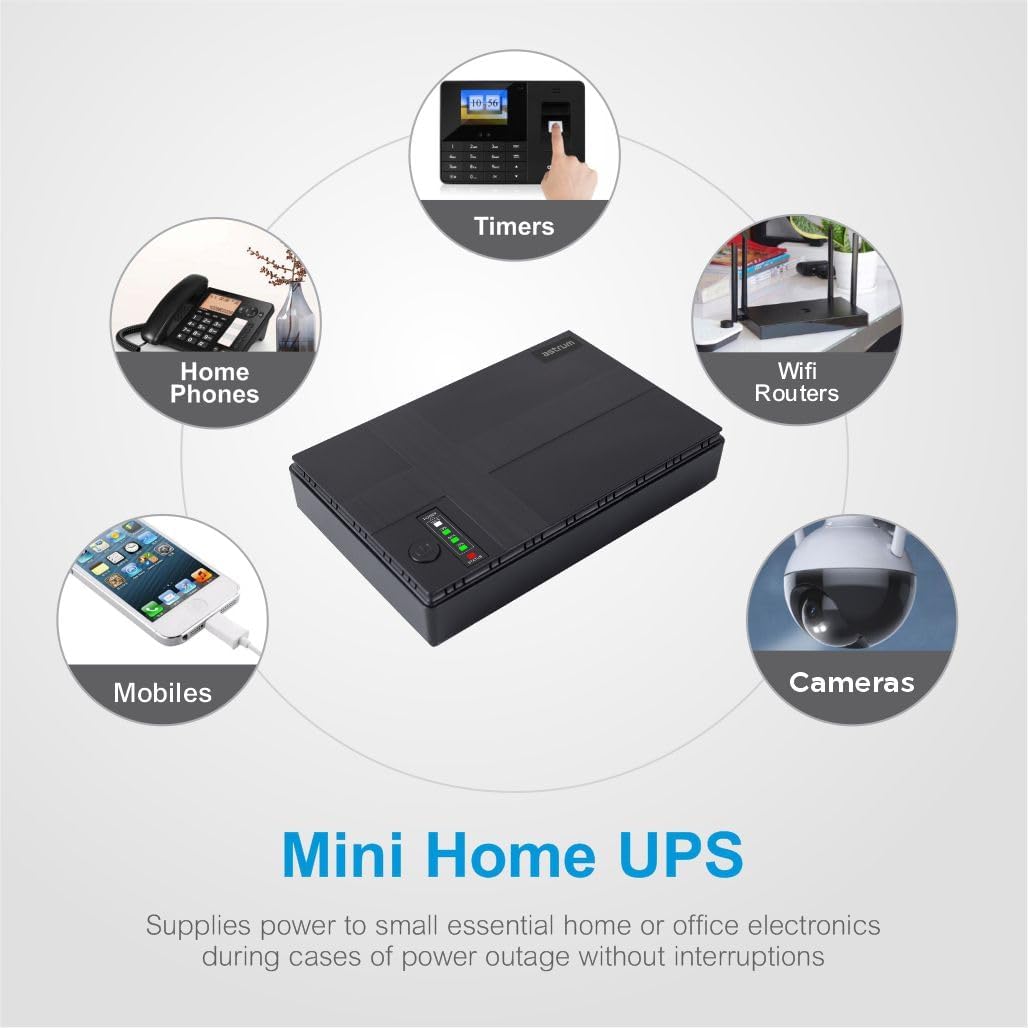
Immagine 6.1: Es.amples of devices that can be powered by the Mini UPS, such as Wi-Fi routers, security cameras, and mobile phones.
7. Manutenzione
Proper maintenance ensures the longevity and optimal performance of your Astrum PB070 Mini UPS Power Bank.
- Pulizia: Use a soft, dry cloth to clean the exterior of the unit. Do not use liquid cleaners or aerosols. Ensure all ports are free from dust and debris.
- Magazzinaggio: If storing the UPS for an extended period, ensure it is fully charged. Recharge the unit every 3-6 months to prevent battery degradation. Store in a cool, dry place away from direct sunlight and extreme temperatures.
- Cura della batteria: Avoid completely draining the battery frequently. For optimal battery life, keep the unit connected to AC power when not in use as a portable power bank.
8. Risoluzione Dei Problemi
If you encounter issues with your Astrum PB070, refer to the following common problems and solutions:
| Problema | Possibile causa | Soluzione |
|---|---|---|
| L'UPS non si accende. | La batteria è completamente scarica. | Connect the UPS to AC power and allow it to charge for several hours. |
| Il dispositivo connesso non riceve alimentazione. | Volume di uscita non correttotage selezionato. | Verify the required voltage for your device and ensure the correct DC output port or POE selector setting is used. |
| Il dispositivo connesso non riceve alimentazione. | Cables are not securely connected. | Check all cable connections between the UPS and your device. |
| UPS battery drains quickly. | High power consumption by connected devices. | Reduce the number of connected devices or ensure they are not drawing excessive power. |
| L'UPS non carica. | AC power cable is loose or wall outlet is faulty. | Ensure the AC cable is firmly connected and test the wall outlet with another device. |
Se il problema persiste dopo aver provato queste soluzioni, contattare l'assistenza clienti.
9. Specifiche
| Caratteristica | Specificazione |
|---|---|
| Marca | ASTRUM |
| Numero di modello | A91507-B |
| Capacità della batteria | 10400mAh |
| Composizione delle celle della batteria | Ioni di litio |
| Ingresso CA Voltage | 85-265 Volt |
| Volume di uscita CCtage | 5V, 9V, 12V |
| Uscita USB | 5V 2A |
| Volume di uscita POEtage | 15 V, 24 V (selezionabile) |
| Potenza massima Wattage | 18 Watt |
| Dimensioni del prodotto | 16P x 32L x 10A centimetri |
| Peso dell'articolo | 0.37 chilogrammi |
| Materiale | Plastica |
| Colore | Nero |
| Produttore | Astrum Peripherals Pty Ltd |
10. Informazioni sulla garanzia
The Astrum PB070 Mini UPS Power Bank comes with a Garanzia limitata di 1 anno dalla data di acquisto. La presente garanzia copre difetti di fabbricazione e malfunzionamenti in condizioni di normale utilizzo. Non copre danni causati da uso improprio, incidenti, modifiche non autorizzate o calamità naturali.
Conservare la prova d'acquisto per eventuali richieste di garanzia.
11. Supporto
For technical assistance, warranty claims, or further inquiries regarding your Astrum PB070 Mini UPS Power Bank, please contact Astrum customer support through their official websito o il rivenditore da cui hai acquistato il prodotto.
When contacting support, please have your product model number (A91507-B) and proof of purchase readily available.
For the most up-to-date support information, visit the official ASTRUM websito.


