1. Introduzione e oltreview
The MOJOGEAR XL All-in-1 Powerbank is a versatile and high-capacity portable charger designed to keep your electronic devices powered on the go. With a substantial 20,000 mAh capacity, built-in USB-C and Lightning cables, and multiple output ports, it offers convenient and fast charging for smartphones, tablets, smartwatches, and other compatible devices. Its compact design and airplane-friendly capacity make it an ideal travel companion.

Image 1.1: The MOJOGEAR XL All-in-1 Powerbank, showcasingrazie al suo design compatto e ai cavi integrati.
2. Caratteristiche del prodotto
- Alta capacità: 20,000 mAh battery, capable of charging a smartphone 3 to 8 times.
- Cavi integrati: Features built-in USB-C and Lightning cables for direct device charging without extra accessories.
- Uscite multiple: Includes 1x USB-C port (in/out) and 1x USB-A port, allowing simultaneous charging of up to three devices.
- Ricarica rapida: Supports Quick Charge 3.0 (up to 22.5W via USB-A) and USB Power Delivery (up to 20W via USB-C) for rapid charging.
- Display a LED: Clear LED screen indicates remaining battery percentage e lo stato di carica.
- Adatto ai viaggi: 74 Wh capacity is suitable for air travel in hand luggage.
- Ricarica pass-through: Consente di ricaricare i dispositivi collegati mentre il power bank stesso è in ricarica.
3. Impostazione
3.1 Addebito iniziale
Before first use, fully charge your MOJOGEAR XL All-in-1 Powerbank. This ensures optimal battery performance and longevity.
- Connect the built-in USB-C cable or an external USB-C cable to the power bank's USB-C input/output port.
- Collegare l'altra estremità del cavo a un adattatore da parete USB compatibile (non incluso).
- The LED display will show the charging progress. A green lightning icon on the LED screen indicates fast charging. The power bank is fully charged when the display shows 100%.
3.2 Identifying Ports and Cables
Familiarize yourself with the power bank's charging interfaces:
- Cavo USB-C integrato: Used for charging devices with a USB-C port (e.g., Android smartphones, iPhone 15) and for recharging the power bank itself.
- Cavo Lightning integrato: Used for charging Apple devices with a Lightning port (e.g., iPhone 14 and older).
- USB-C Port (In/Out): Funziona sia come ingresso per ricaricare il power bank sia come uscita per caricare i dispositivi.
- Porta USB-A (uscita): Used for charging devices that require a standard USB-A connection.

Immagine 3.1: Lato view illustrating the USB-A and USB-C ports on the power bank.
4. Istruzioni per l'uso
4.1 Ricarica dei dispositivi
The power bank offers multiple ways to charge your electronic devices:
- Utilizzo di cavi integrati: Extend the appropriate built-in USB-C or Lightning cable and connect it directly to your device's charging port.
- Utilizzo della porta USB-C: Connect your device to the power bank's USB-C input/output port using a compatible USB-C to USB-C cable.
- Utilizzo della porta USB-A: Collega il tuo dispositivo alla porta di uscita USB-A del power bank utilizzando un cavo USB-A compatibile.

Image 4.1: A smartphone being charged by the power bank using one of its integrated cables.
4.2 Ricarica simultanea
You can charge up to three devices simultaneously using the built-in USB-C cable, the USB-C port, and the USB-A port. The power bank will intelligently distribute power to connected devices.
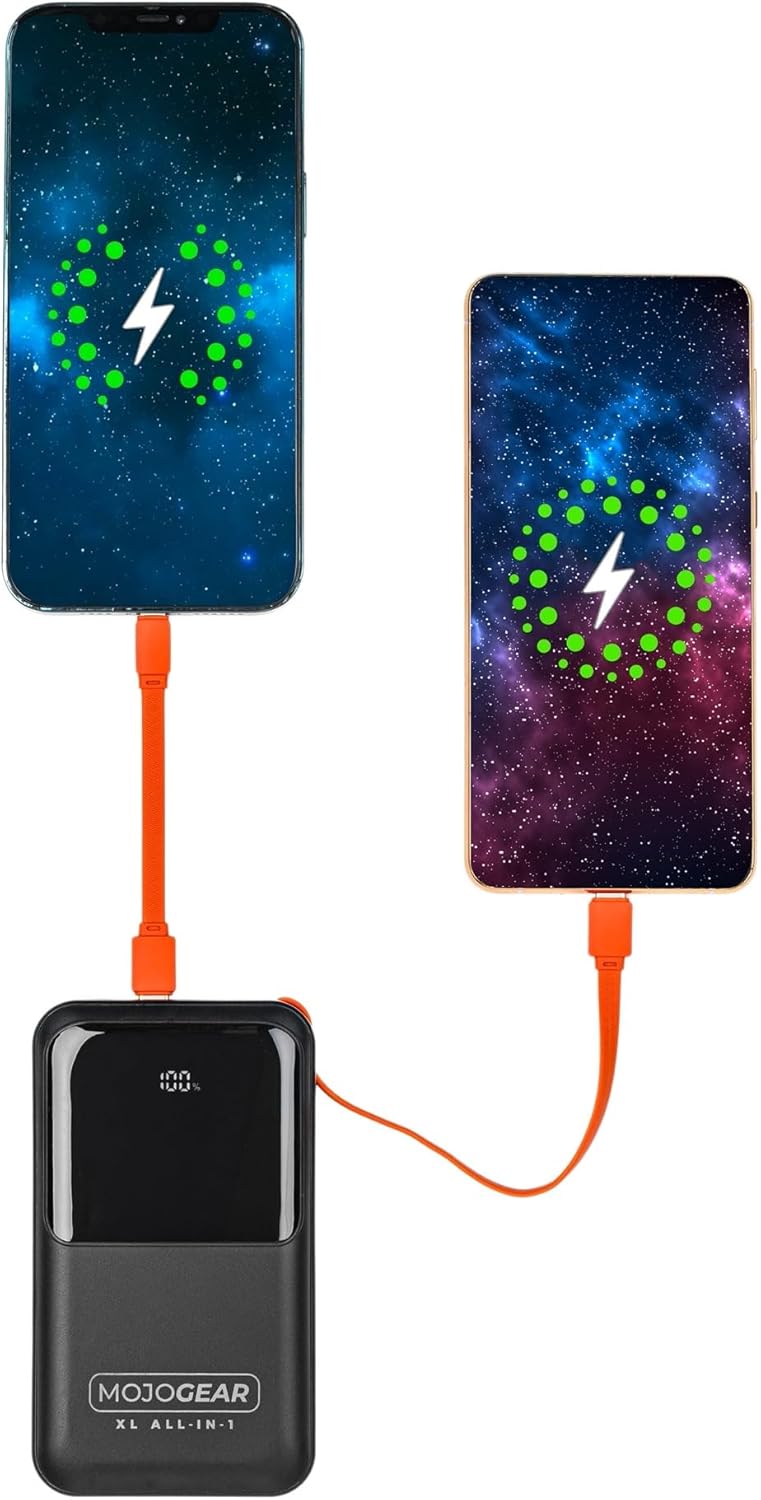
Image 4.2: Illustration of two smartphones receiving charge from the power bank.
4.3 Ricarica pass-through
The MOJOGEAR XL All-in-1 Powerbank supports pass-through charging, meaning you can charge your devices while the power bank itself is being recharged. Simply connect the power bank to a power source and then connect your devices to the power bank.
4.4 Funzionalità del display LED
The integrated LED screen provides real-time information:
- Percentuale batteriatage: Mostra il livello di carica rimanente del power bank.
- Stato di carica: Indicates when the power bank is charging (a green lightning icon may appear for fast charging) or when it is discharging to connected devices.
5. Manutenzione
- Pulizia: Per pulire il power bank, utilizzare un panno morbido e asciutto. Evitare detergenti liquidi o materiali abrasivi.
- Magazzinaggio: Conservare il power bank in un luogo fresco e asciutto, lontano dalla luce solare diretta e da temperature estreme.
- Uso regolare: Per preservare la salute della batteria, si consiglia di caricare e scaricare completamente il power bank almeno una volta ogni tre mesi, se non lo si utilizza regolarmente.
- Cura del cavo: Ensure built-in cables are properly tucked into their designated slots when not in use to prevent damage.
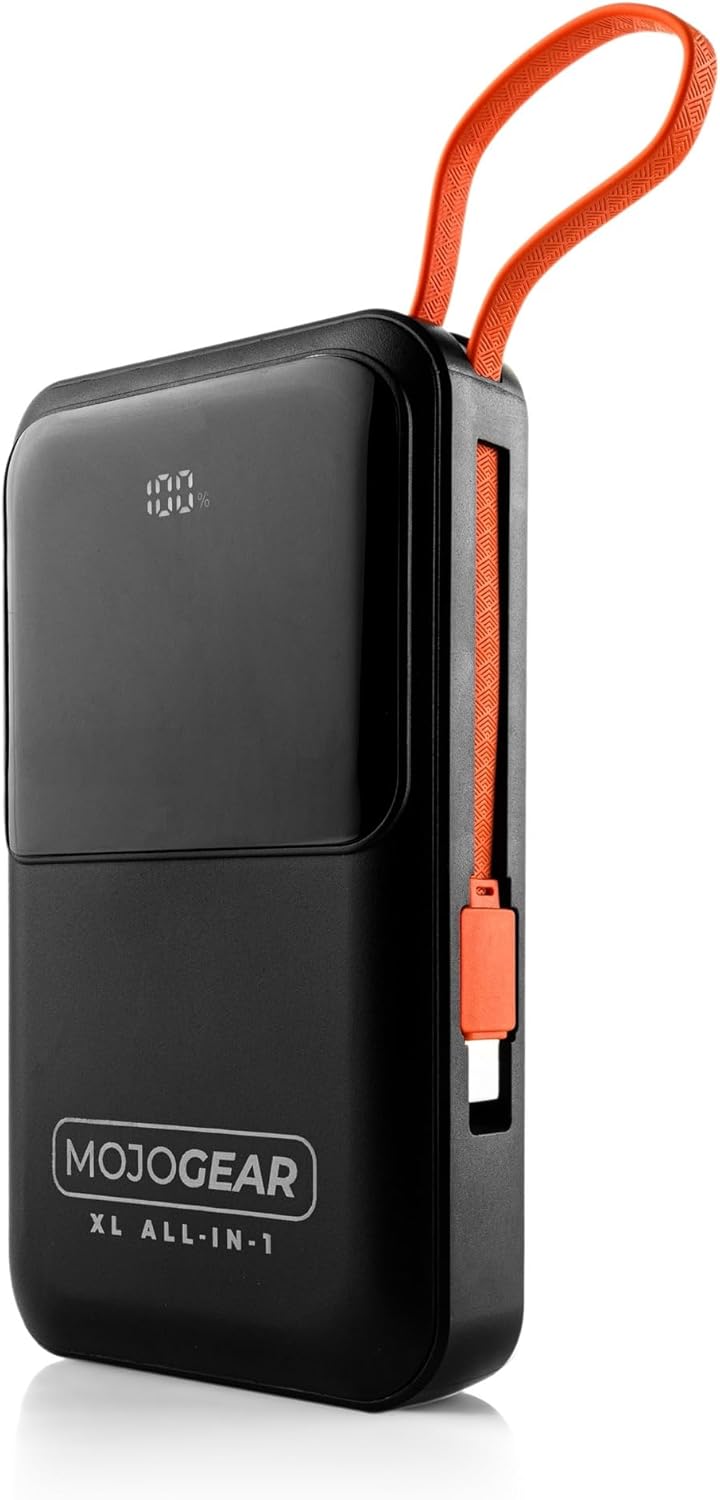
Image 5.1: The power bank with its integrated cables securely stored, ready for transport.
6. Risoluzione Dei Problemi
- Power Bank non in carica:
- Assicurarsi che il cavo di ricarica sia collegato saldamente sia al power bank sia all'adattatore da parete.
- Verificare che l'adattatore da parete funzioni correttamente e sia collegato a una presa di corrente funzionante.
- Prova a utilizzare un cavo USB-C o un adattatore da parete diverso.
- Dispositivo non in carica tramite power bank:
- Verificare che il power bank abbia una carica sufficiente (fare riferimento al display LED).
- Ensure the cable connecting the device to the power bank is securely plugged in at both ends.
- Try using a different cable or a different output port on the power bank.
- Verifica che il tuo dispositivo sia compatibile con le specifiche di uscita del power bank.
- Ricarica lenta:
- Ensure you are using a fast-charging compatible cable and wall adapter for optimal speed when recharging the power bank.
- For device charging, verify that your device supports fast charging and that you are using the appropriate port/cable (e.g., USB-C PD).
- La ricarica simultanea di più dispositivi può ridurre la velocità di ricarica individuale.
- Display LED non funzionante:
- Premere brevemente il pulsante di accensione per attivare il display.
- If the issue persists, the power bank may be completely discharged or require service.
7. Specifiche
| Caratteristica | Dettaglio |
|---|---|
| Capacità | 20,000 mAh (74 Wh) |
| Adatto per | Smartphones, tablets, e-readers, action cameras, wireless earphones, and more. |
| Contenuto della confezione | Power bank, USB-A to USB-C cable (20 cm), USB-C to Lightning cable (10 cm) |
| Connessioni | 1 x USB-C port (in/out), 1x USB-A port, built-in charging cable (USB-C), built-in Lightning cable |
| Dimensioni | Dimensioni: 10.6 x 7 x 1.6 cm |
| Peso | 323 grammi |
| Smartphone Charging Cycles | 3 to 8 times (depending on model) |
| Ricarica pass-through | SÌ |
| Max Power USB-C Output | 20W |
| Max Power USB-C Input | 15W |
| Max Power USB-A Output | 22.5W |
| Max Power Built-in USB-C Cable | 22.5W |
| Max Power Built-in Lightning Cable | 15W |
| Efficienza | 85% |
| Indicatore LED | Percentuale della batteriatage e lo stato di carica |
| Colore | Nero |
| Materiale dell'alloggiamento | Plastica |
| Caratteristiche di sicurezza | Tested and protected against overcharging |

Image 7.1: Product label displaying key specifications and certifications.
8. Informazioni sulla sicurezza
Please read and follow these safety guidelines to ensure safe operation and prolong the life of your power bank:
- Non esporre il power bank a temperature estreme (caldo o freddo), alla luce solare diretta o a elevata umidità.
- Avoid dropping, impacting, or disassembling the power bank.
- Tenere il power bank lontano dall'acqua e da altri liquidi.
- Non utilizzare il power bank se è danneggiato, gonfio o presenta perdite.
- Tenere fuori dalla portata dei bambini.
- Utilizzare solo cavi di ricarica e adattatori originali o certificati compatibili.
- Smaltire il power bank in modo responsabile, nel rispetto delle normative locali.
9. Garanzia e supporto
The MOJOGEAR XL All-in-1 Powerbank comes with a Garanzia di 2 anni dalla data di acquisto. La presente garanzia copre i difetti di fabbricazione e garantisce che il prodotto soddisfi gli standard prestazionali specificati in condizioni di utilizzo normali.
For warranty claims, technical support, or any inquiries regarding your MOJOGEAR product, please contact MOJOGEAR customer service through the retailer where you purchased the item or visit the official MOJOGEAR websito per le informazioni di contatto.
Conservare la prova d'acquisto per la convalida della garanzia.


