Introduzione
The EPOMAKER x LEOBOG Hi75 is a wired mechanical keyboard crafted from aluminum alloy, featuring a 75% layout with 81 essential keys. It incorporates a gasket-mounted structure for enhanced typing feel and reduced sound. Designed for both work and gaming, it includes a programmable mode-switching knob, hot-swappable switches, NKRO (N-Key Rollover), and customizable RGB lighting. This manual provides detailed instructions for setting up, operating, maintaining, and troubleshooting your keyboard.
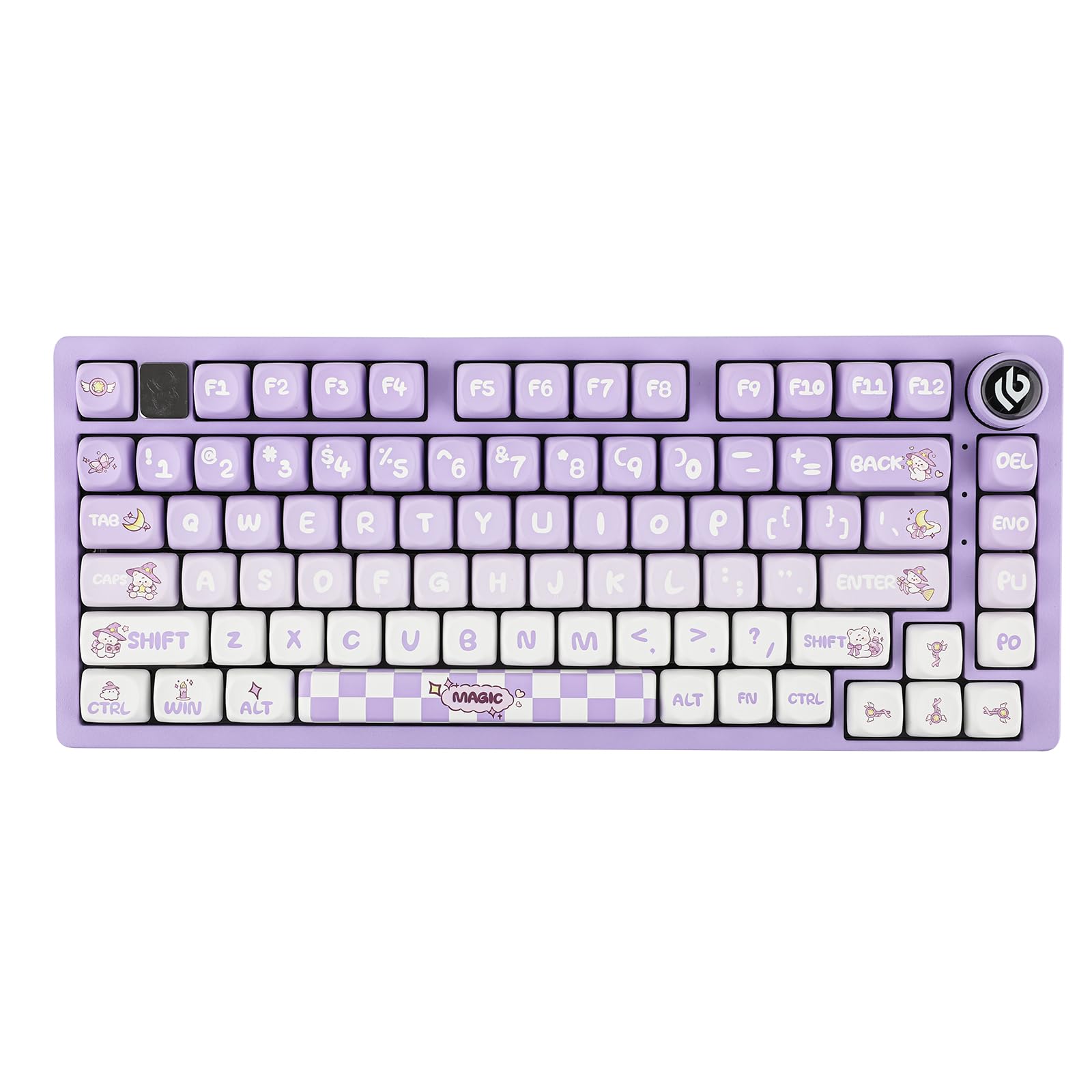
Image: The EPOMAKER x LEOBOG Hi75 keyboard, showcasing its compact 75% layout and aluminum alloy construction.
Cosa c'è nella scatola
Upon unboxing your EPOMAKER x LEOBOG Hi75 keyboard, please ensure all the following items are present:
- EPOMAKER x LEOBOG Hi75 Mechanical Keyboard
- Estrattore per tasti
- USB Cable (Type-C to USB-A, extendable spring data cable)
- Manuale dell'utente (questo documento)
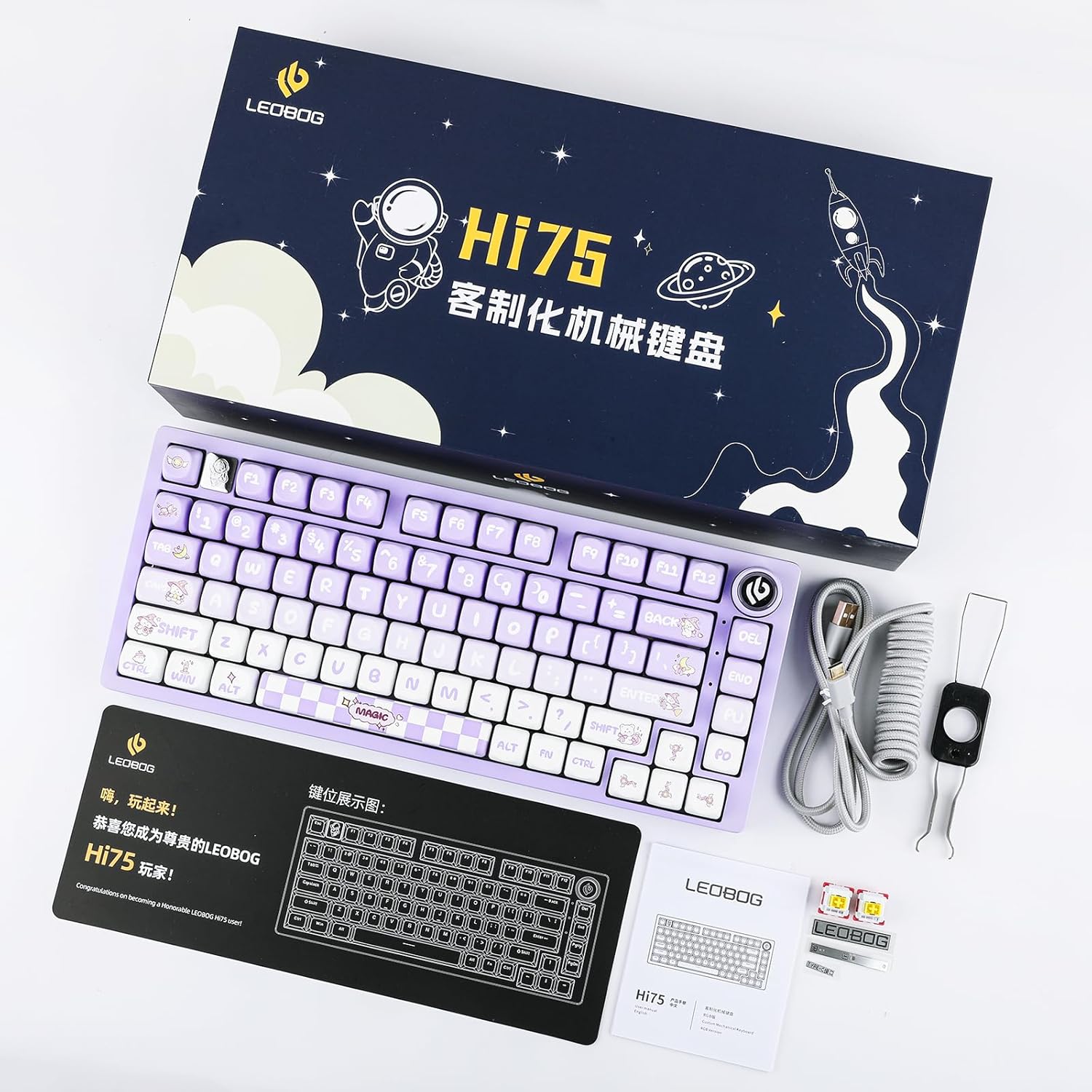
Image: All items included in the EPOMAKER x LEOBOG Hi75 keyboard package, including the keyboard, USB cable, and keycap puller.
Caratteristiche del prodotto
- Revolutionary Mode-Switching Knob: An intuitive knob allows seamless transitions between work and gaming modes, offering constant RGB glow for work and dynamic RGB flashing for gaming. It also provides refined control over volume and lighting.
- Sleek 75% Layout, Gasket-Mounted Structure: Features an 81-key layout, balancing minimalism and functionality. The GASKET design with PORON gaskets minimizes cavity sound for a satisfying, low-noise typing experience.
- Solid Aluminum Alloy Build: Crafted from top-tier aluminum alloy with an exquisite spray process for durability and a sophisticated aesthetic.
- Chip avanzato di livello gaming: Ensures rapid and responsive keystroke registration with customizable delay settings for optimal gaming performance.
- Capacità di sostituzione a caldo completa delle chiavi: Every key is hot-swappable, allowing for easy modification of switch types. Compatible with most 3/5-pin switches for personalized feel and sound.
- Connettività senza interruzioni: Features a hassle-free Type-C interface with an extendable spring data cable (1.8 to 2 meters) for immediate plug-and-play functionality.

Image: An exploded diagram illustrating the keyboard's gasket structure and five layers of sound-dampening foams for improved acoustics.

Image: The keyboard demonstrating N-Key Rollover (NKRO), allowing multiple simultaneous key presses to be registered accurately.
Impostare
1. Connessione iniziale
Connect the keyboard to your computer using the provided USB Type-C cable. The keyboard is plug-and-play, requiring no additional drivers for basic functionality.

Image: The keyboard connected via its USB-C port, highlighting the wired connection.
2. Operating System (OS) Switching
The Hi75 keyboard supports multiple operating systems. Use the following key combinations to switch between modes:
- Pressione breve FN+D to switch to Android mode.
- Pressione breve FN+W per passare alla modalità Windows.
- Pressione breve FN+E to switch to MAC mode.
- Pressione breve FN+R to switch to iOS mode.
Note: If the WIN key or Alt key stops working properly, use the shortcuts above to switch to the correct OS mode.
Video: Demonstration of how to switch between different operating system modes on the Hi75 keyboard using FN key combinations.
3. Switch hot-swap
The Hi75 features hot-swappable sockets, allowing you to change mechanical switches without soldering. Use the provided switch puller to carefully remove existing switches and insert new 3-pin or 5-pin compatible switches.

Immagine: un primo piano view of the hot-swappable switch sockets, demonstrating how to remove and insert switches.
Istruzioni per l'uso
1. Mode-Switching Knob
The multi-functional knob located on the top right of the keyboard provides quick control over various settings:
- Commutazione della modalità: Rotate the knob to switch between work mode (constant RGB glow) and gaming mode (dynamic RGB flashing).
- Controllo del volume: Press the knob to mute/unmute, and rotate to adjust the system volume.
- Controllo dell'illuminazione: The knob can also be used to cycle through RGB lighting effects or adjust brightness, depending on the current mode.

Image: A close-up of the mode-switching knob, illuminated with RGB lighting, indicating its functionality.
2. NKRO (N-Key Rollover)
The Hi75 supports full N-Key Rollover, meaning every key press is registered independently, regardless of how many keys are pressed simultaneously. This prevents ghosting and ensures accuracy, especially during fast-paced typing or gaming.
3. Illuminazione RGB
The keyboard features customizable RGB backlighting. Specific key combinations (often involving the FN key and arrow keys or other function keys) can be used to change lighting effects, colors, and brightness. Refer to the quick start guide or software (if available) for detailed RGB customization options.
Video: A demonstration of the EPOMAKER x LEOBOG Hi75 keyboard's RGB lighting effects and overall aesthetic.
Manutenzione
- Pulizia: Regularly clean your keyboard to prevent dust and debris buildup. Use a soft brush or compressed air to remove particles from between keycaps. For keycap cleaning, remove them using the keycap puller and wipe with a damp stoffa.
- Cura degli interruttori: If you frequently hot-swap switches, ensure proper alignment to avoid bending pins. Store unused switches in a clean, dry place.
- Gestione dei cavi: Avoid sharp bends or excessive tension on the USB-C cable to prolong its lifespan.
Risoluzione dei problemi
- La tastiera non risponde:
- Assicurati che il cavo USB-C sia collegato saldamente sia alla tastiera che al computer.
- Prova a collegare la tastiera a una porta USB diversa del computer.
- Prova la tastiera su un altro computer per escludere problemi specifici del sistema.
- Incorrect Key Function (e.g., WIN/ALT keys swapped):
- This often indicates the keyboard is in the wrong operating system mode. Refer to the "Operating System (OS) Switching" section and use the appropriate FN key combination (e.g., FN+W for Windows, FN+E for Mac) to correct the mode.
- Illuminazione RGB non funzionante/errata:
- Check the keyboard's current mode using the mode-switching knob. Some modes may have specific lighting behaviors.
- Ensure the keyboard is properly connected and receiving sufficient power.
- Consult the quick start guide or software for specific RGB control shortcuts.
Specifiche
| Caratteristica | Dettaglio |
|---|---|
| Dimensioni del prodotto | 12.99 x 5.31 x 1.77 pollici |
| Peso dell'articolo | 2.86 libbre |
| Numero di modello | Ciao75 |
| Tecnologia di connettività | USB-C |
| Descrizione della tastiera | Gioco d'azzardo |
| Caratteristiche speciali | Backlit, Customizable Display Keys, Ergonomic, Hot-Swappable, Wired |
| Supporto del colore della retroilluminazione della tastiera | Colore RGB |
| Dispositivi compatibili | Laptop (and other devices supporting USB-C keyboards) |
Garanzia e supporto
EPOMAKER products typically come with a standard manufacturer's warranty. For specific warranty details, technical support, or service inquiries, please visit the official EPOMAKER webo contattare direttamente l'assistenza clienti. Conservare la ricevuta d'acquisto come prova d'acquisto per eventuali reclami in garanzia.
Negozio ufficiale EPOMAKER: Negozio Amazon EPOMAKER


