1. Introduzione
Welcome to the user manual for your new Dragon Touch Notepad K10 Tablet. This guide provides essential information to help you set up, operate, maintain, and troubleshoot your device. Please read this manual thoroughly to ensure proper and safe use of your tablet.
1.1 Contenuto della confezione
Prima di iniziare, verifica che tutti gli articoli siano presenti nel tuo pacco:
- Dragon Touch Notepad K10 Tablet
- Cavo USB
- Caricabatterie
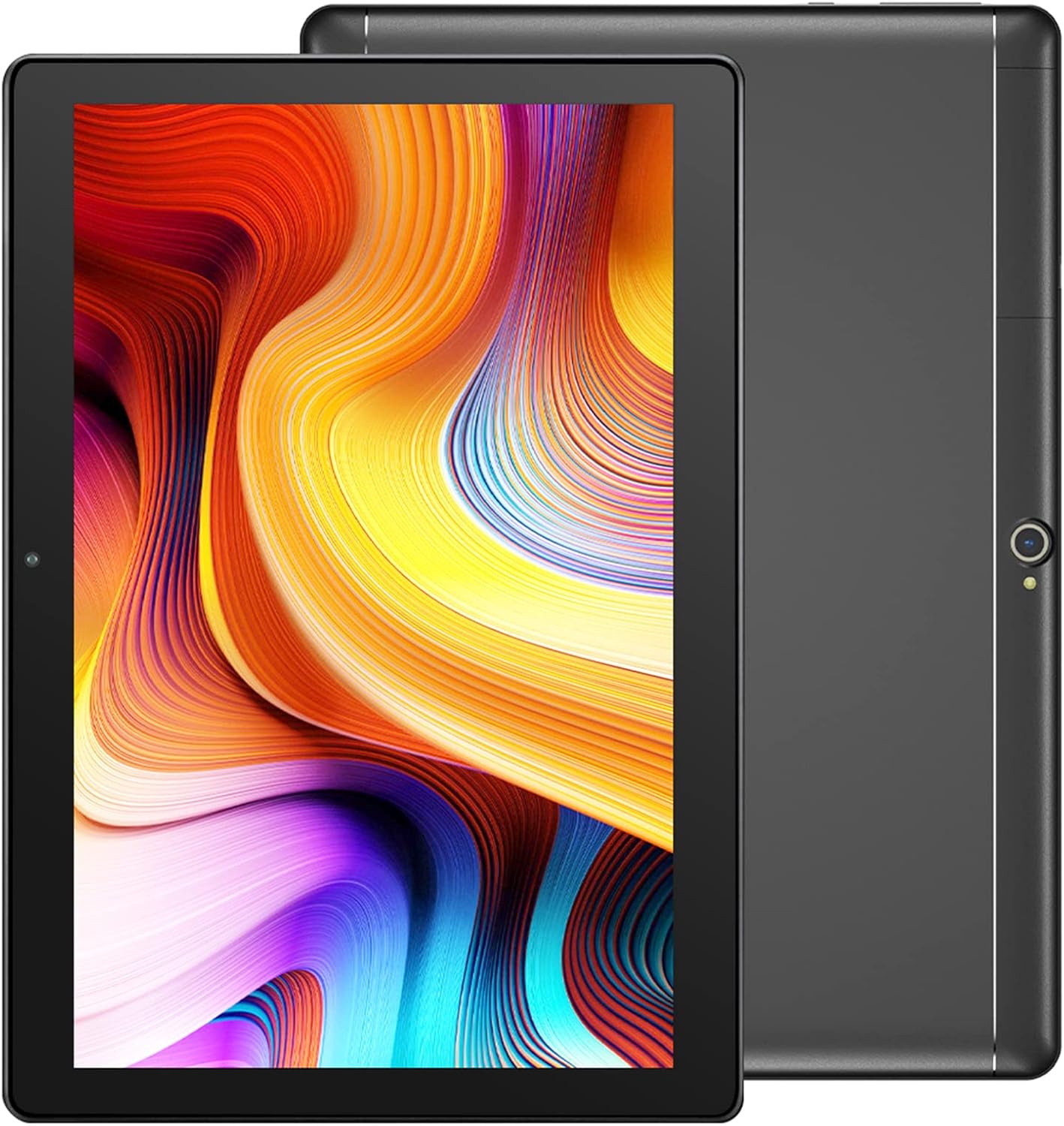
Image: The Dragon Touch Notepad K10 Tablet shown with its USB charging cable and power adapter.
2. Dispositivo suview
Familiarize yourself with the physical features and components of your Notepad K10 Tablet.
2.1 Anteriore e posteriore View
The tablet features a 10.1-inch IPS HD display on the front, along with a front-facing camera for video calls and selfies. The rear of the tablet houses the 8MP main camera and dual speakers.

Immagine: Un dettaglio view of the Notepad K10 tablet, illustrating its 10.1-inch display, Android 9.0 operating system, Quad-Core CPU, 2GB RAM, 32GB storage, dual cameras, and dual Wi-Fi capabilities.
2.2 Porte e pulsanti
Locate the following ports and buttons on your tablet:
- Pulsante di accensione: Utilizzato per accendere/spegnere il tablet o per metterlo in modalità sospensione/riattivazione.
- Pulsanti del volume: Regola il volume dell'audio.
- Porta micro USB: Per caricare il tablet e collegarlo al computer.
- Porta Micro HDMI: Connects the tablet to an external display (e.g., TV, monitor).
- Jack per cuffie da 3.5 mm: Per collegare cuffie o altoparlanti esterni.
- Slot per scheda microSD: Per espandere la memoria con una scheda Micro SD.
3. Impostazione
3.1 Carica iniziale
Before first use, fully charge your tablet. Connect the included USB cable to the tablet's Micro USB port and the charger to a power outlet. The battery indicator will show charging status.
3.2 Accensione/Spegnimento
- Per accendere: Press and hold the Power button until the Dragon Touch logo appears.
- Per spegnere: Tenere premuto il pulsante di accensione finché non viene visualizzato un menu di spegnimento, quindi selezionare "Spegni".
- Sonno-veglia: Premere brevemente il pulsante di accensione per mettere il tablet in modalità sospensione o riattivarlo.
3.3 Procedura guidata di configurazione iniziale
Alla prima accensione, il tablet ti guiderà attraverso una procedura guidata di configurazione iniziale. Segui le istruzioni sullo schermo per:
- Seleziona la tua lingua.
- Connettersi a una rete Wi-Fi.
- Set up your Google account (recommended for app downloads and services).
- Configura data, ora e altre impostazioni di base.
3.4 Inserimento di una scheda Micro SD
The Notepad K10 supports Micro SD cards up to 128GB for expanded storage. Locate the Micro SD card slot, gently insert the card with the gold contacts facing down until it clicks into place. The tablet will recognize the new storage.
4. Istruzioni per l'uso
4.1 Navigazione di base
The tablet uses a capacitive touchscreen. Common gestures include:
- Rubinetto: Per selezionare un elemento o aprire un'app.
- Tocca e tieni premuto: Per accedere ai menu contestuali o spostare le icone.
- Scorri: Per scorrere le pagine o gli elenchi.
- Pizzico: Per ingrandire o rimpicciolire le immagini e web pagine.
4.2 Connessione al Wi-Fi
Per connettersi a Internet:
- Vai a Impostazioni > Rete e Internet > Wifi.
- Attiva/disattiva Wi-Fi On.
- Seleziona la rete desiderata dall'elenco.
- Inserisci la password se richiesta, quindi tocca Collegare.
The Notepad K10 supports dual-band Wi-Fi (2.4GHz and 5GHz) for faster and more stable connections.
4.3 Utilizzo delle telecamere
The tablet is equipped with an 8MP rear camera for capturing photos and videos, and a front camera for video calls and selfies. Open the Telecamera app from the home screen or app drawer to start. You can switch between front and rear cameras within the app.

Image: The tablet's 8MP rear camera is shown in use, capturing a family moment, highlighting its ability to record wonderful memories.

Image: The tablet's front camera facilitates video calls, allowing users to stay connected with friends and family.
4.4 Connecting to a TV via Micro HDMI
The Notepad K10 features a Micro HDMI port, allowing you to connect it to a larger display like a TV or monitor for an enhanced viewesperienza di acquisizione.
- Obtain a Micro HDMI to HDMI cable (not included).
- Connect the Micro HDMI end to your tablet and the HDMI end to your TV.
- Imposta la sorgente di ingresso del televisore sulla porta HDMI corrispondente.
- The tablet's screen content will be mirrored on the TV.

Image: The tablet connected to a television, demonstrating its capability to provide great entertainment enjoyment on a larger screen.
4.5 Gestione dell'archiviazione
The tablet comes with 32GB of internal storage. You can expand this by inserting a Micro SD card (up to 128GB). To check storage usage or manage files, vai a Impostazioni > Magazzinaggio.
4.6 Gestione della batteria
The Notepad K10 is equipped with a 5000mAh Lithium Polymer battery. Average battery life is approximately 5 hours for general use. To optimize battery life:
- Ridurre la luminosità dello schermo.
- Disattivare il Wi-Fi e il Bluetooth quando non vengono utilizzati.
- Chiudere le applicazioni non utilizzate.
- Evitare temperature estreme.

Image: An illustration of the tablet's 5000mAh battery, detailing its long-lasting performance for various activities like video playback, gaming, navigation, and music.
4.7 Eye-Care Mode
The tablet features an Eye-Care mode that automatically adjusts and optimizes the backlight to reduce eye strain, making it more comfortable for reading, especially at night. This setting can typically be found in the Display settings.
5. Manutenzione
5.1 Pulizia del tablet
Per pulire il tablet, utilizzare un panno morbido e privo di lanugine. Per le macchie ostinate, leggermente dampen the cloth with water. Avoid using harsh chemicals, abrasive cleaners, or aerosol sprays directly on the tablet.
5.2 Aggiornamenti software
Controlla periodicamente gli aggiornamenti di sistema per assicurarti che il tuo tablet abbia le ultime funzionalità e patch di sicurezza. Vai a Impostazioni > Sistema > Aggiornamento del sistema.
5.3 Cura della batteria
Per prolungare la durata della batteria del tuo tablet:
- Evitare di scaricare completamente la batteria frequentemente.
- Do not leave the tablet in direct sunlight or extremely hot environments.
- Se si conserva il tablet per un lungo periodo, caricarlo fino a circa il 50% prima di spegnerlo.
6. Risoluzione Dei Problemi
Se riscontri problemi con il tuo tablet, fai riferimento ai seguenti problemi comuni e alle relative soluzioni:
6.1 Il tablet non si accende
- Assicurarsi che la batteria sia sufficientemente carica. Collegare il caricabatterie e attendere qualche minuto prima di provare ad accendere il dispositivo.
- Per eseguire un riavvio forzato, tenere premuto il pulsante di accensione per 10-15 secondi.
6.2 Problemi di connessione Wi-Fi
- Check that Wi-Fi is enabled in Impostazioni.
- Ensure you are within range of the Wi-Fi router.
- Riavvia il router Wi-Fi.
- Dimentica la rete nelle impostazioni del tablet e riconnettiti.
6.3 Prestazioni lente
- Chiudere le applicazioni non utilizzate in esecuzione in background.
- Cancella i dati della cache per le app in Impostazioni > App e notifiche.
- Riavviare il tablet.
- Assicuratevi di avere sufficiente spazio di archiviazione libero.
6.4 Lo schermo non risponde
- Perform a forced restart (press and hold Power button for 10-15 seconds).
- Assicurarsi che lo schermo sia pulito e privo di umidità o detriti.
6.5 HDMI Output Issues
- Verify that the Micro HDMI cable is securely connected to both the tablet and the TV.
- Ensure the TV input source is set to the correct HDMI port.
- Try a different Micro HDMI cable if available.
- Restart both the tablet and the TV.
7. Specifiche
Detailed technical specifications for the Dragon Touch Notepad K10 Tablet:
| Caratteristica | Dettaglio |
|---|---|
| Modello | Notepad K10 |
| Sistema operativo | Android |
| Dimensioni dello schermo | 10.1 pollici |
| Risoluzione dello schermo | 1280 x 800 pixel IPS |
| Processore | Quad-Core, 1.3GHz MediaTek |
| Memoria RAM | 2 GB |
| Memoria interna | 32 GB |
| Archiviazione espandibile | Fino a 128 GB tramite scheda Micro SD |
| Telecamera posteriore | 8MP |
| Fotocamera frontale | Yes (for video calls) |
| Wifi | Doppia banda da 2.4 GHz e 5 GHz |
| Bluetooth | SÌ |
| Porti | Micro USB, Micro HDMI, 3.5mm Headphone Jack, Micro SD Card Slot |
| Batteria | Polimero di litio da 5000 mAh |
| Dimensioni (LxWxH) | 9.4 x 0.4 x 6.7 pollici |
| Peso | 1.88 libbre |
8. Garanzia e supporto
8.1 Informazioni sulla garanzia
For detailed warranty information regarding your Dragon Touch Notepad K10 Tablet, please refer to the warranty card or documentation included with your original purchase. You may also find the most up-to-date warranty terms on the official Dragon Touch websito.
8.2 Assistenza clienti
If you have any questions, require technical assistance, or encounter issues that cannot be resolved using this manual, please contact Dragon Touch customer support:
- Visita il sito ufficiale Negozio Dragon Touch su Amazon per informazioni sui prodotti e risorse di supporto.
- Refer to the Dragon Touch official website for contact details, FAQs, and additional support.


