Model: Omega S
This manual provides detailed instructions for the safe and effective use of your Labelife Omega S Embossing Label Maker. Please read this manual thoroughly before operating the device to ensure proper function and longevity. This label maker is designed for creating embossed labels for various organizational and crafting needs without the use of batteries or ink.
Verifica che tutti gli articoli elencati di seguito siano inclusi nel tuo pacchetto:

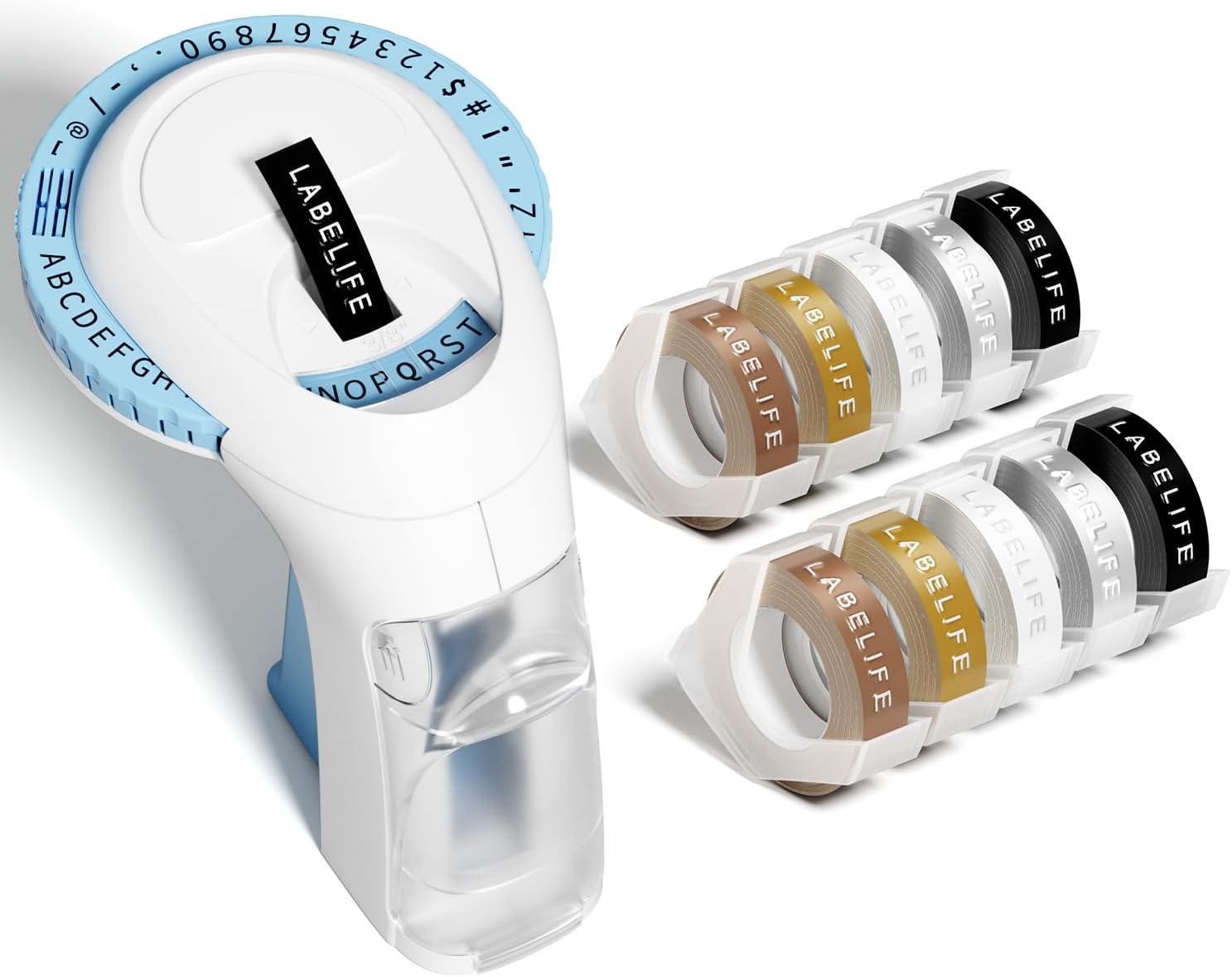
Image: The package contents, including the blue label maker, ten rolls of 9mm embossing tape in various colors, and a user manual.

Image: The label maker's character dial, highlighting the 48 available characters (A-Z, 0-9, and symbols) and the "Turn-and-Click" system.

Image: Visual representation of the label tapes' properties, including easy peeling, 3D effect, water resistance, abrasion resistance, and strong adhesive.
| Marca | Etichettavita |
| Nome del modello | Omega S Embossing Label Maker |
| Tecnologia di stampa | Goffratura |
| Tecnologia di connettività | Manuale |
| Dimensione massima del supporto | 9mm (3/8" Inches) |
| Tipo di inchiostro della stampante | Nessun inchiostro richiesto |
| Dimensioni del prodotto | 4.96 x 3.62 x 4.64 pollici (P x L x A) |
| Peso dell'articolo | 11.3 once |

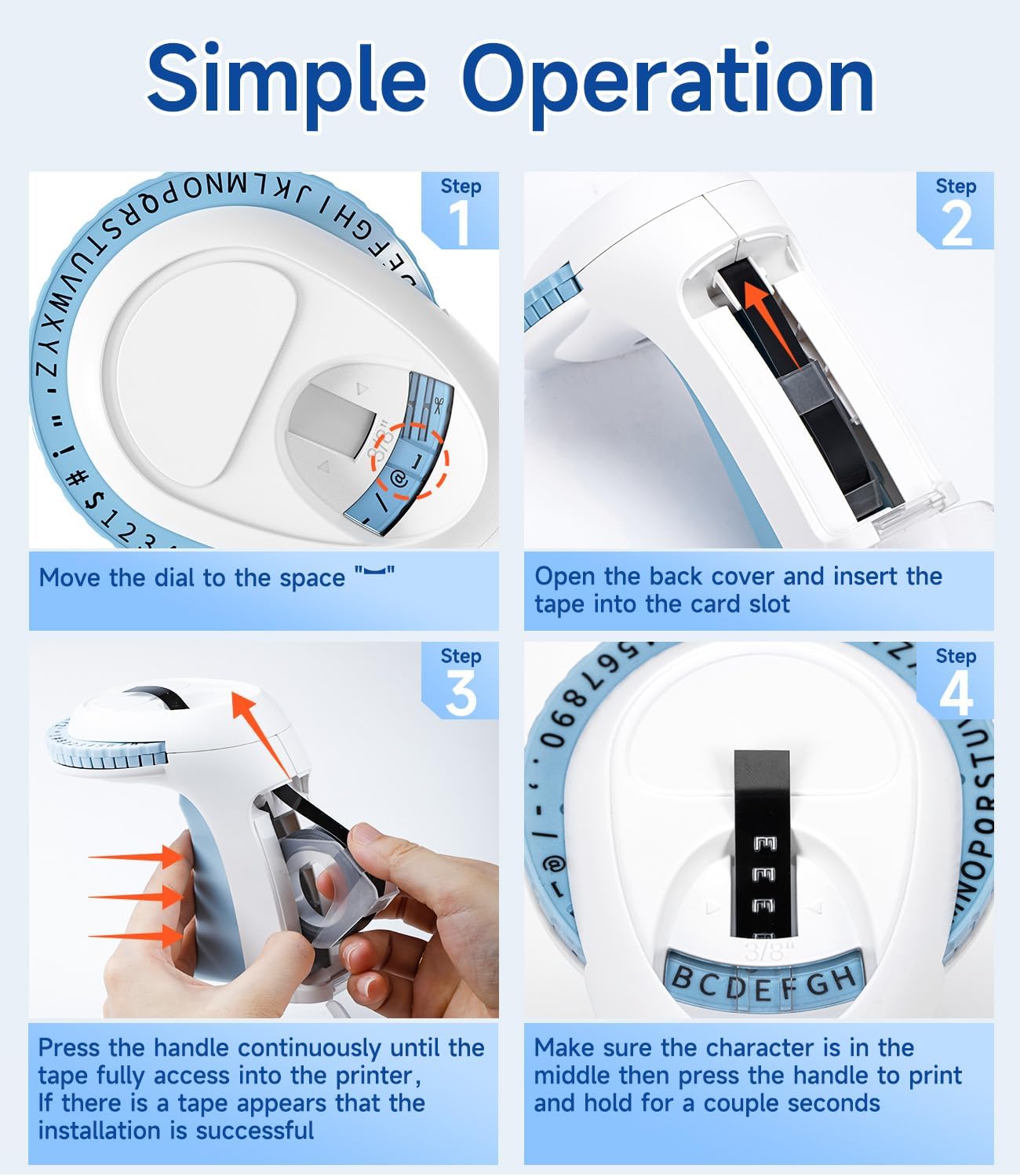
Image: Visual steps for loading the label tape, showing how to open the cover, insert the tape, and advance it by pressing the handle.

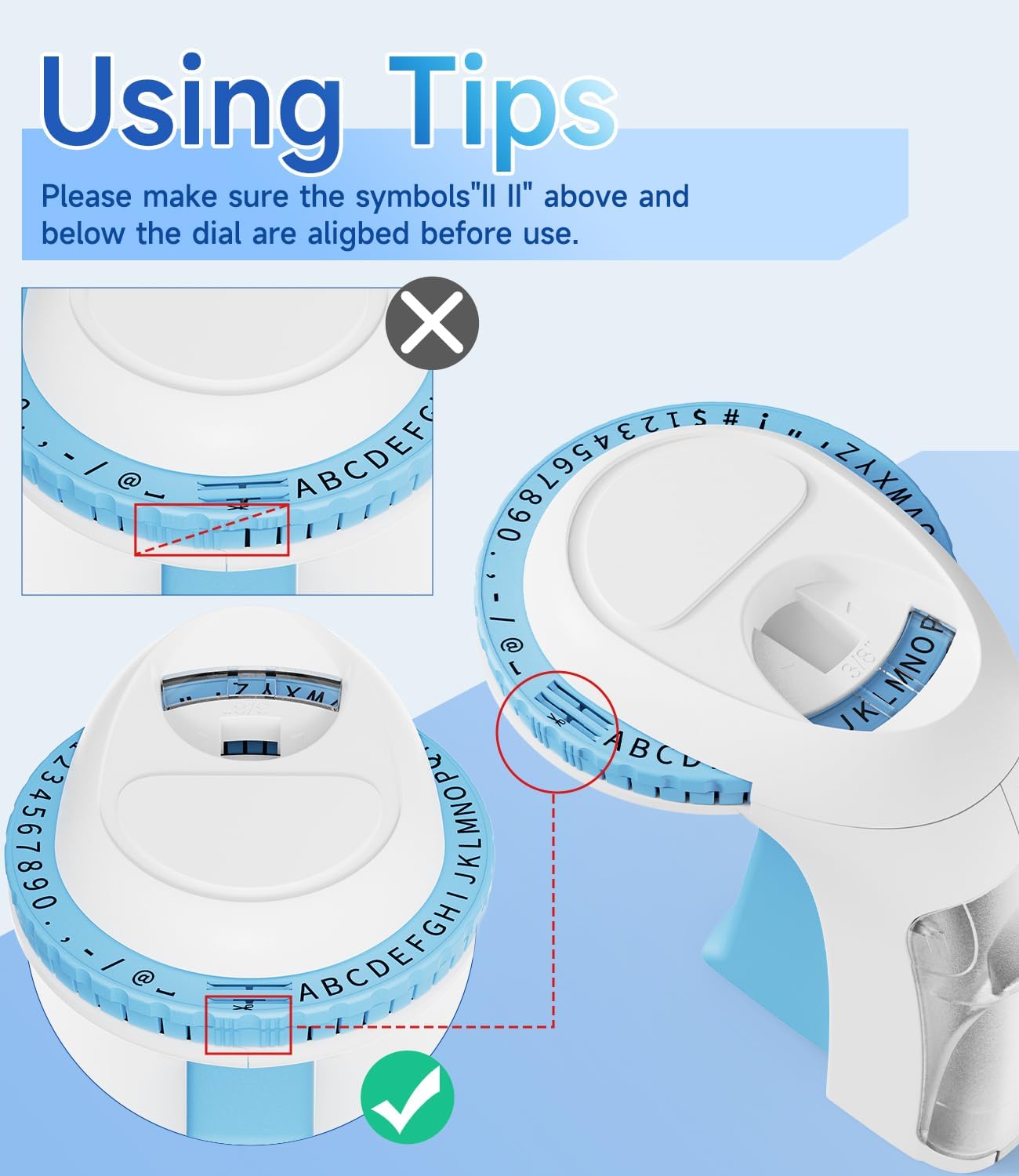
Immagine: dettagliata view of the character dial, illustrating the importance of aligning the indicator marks for accurate character embossing.
The Labelife Omega S Embossing Label Maker requires minimal maintenance. Follow these guidelines to ensure its longevity:
| Problema | Possibile causa | Soluzione |
|---|---|---|
| Characters are unclear or faint. | Insufficient pressure applied to the handle. | Press the handle more firmly and hold for a couple of seconds for each character. |
| Letters are not aligned or appear crooked. | Character dial not perfectly aligned before pressing. | Ensure the alignment marks on the dial are precisely matched with the indicator before pressing the handle for each character. |
| Il nastro non avanza o si inceppa. | Tape incorrectly loaded or debris in the tape path. | Open the back cover, remove the tape, and check for any obstructions. Re-insert the tape carefully, ensuring it is seated correctly. |
| Label does not cut cleanly. | Insufficient pressure when cutting or cutter blade is dull. | Ensure the dial is set to the scissor symbol and press the handle firmly to cut. If the issue persists, contact customer support. |
| Difficulty peeling off the tape backing. | The pre-cut divider may not have been fully created. | The tapes are designed with pre-cut dividers for easier peeling. If difficulty occurs, try gently bending the label to separate the backing or use a sharp, thin object to start the peel from a corner. |
For warranty information or technical support, please refer to the documentation included with your purchase or contact Labelife customer service directly. Keep your purchase receipt as proof of purchase.
You can visit the official Labelife store for more information: Labelife Store
![]() |
Etichettatrice Labelife: Guida all'installazione semplice del nastro per etichette Guida completa di Labelife su come installare correttamente i nastri per etichette nella tua etichettatrice, con istruzioni visive dettagliate e suggerimenti per la risoluzione dei problemi. |
![]() |
Manuale utente dell'etichettatrice portatile multifunzione M221 Manuale d'uso per l'etichettatrice portatile multifunzione M221, che comprende l'introduzione al prodotto, le prime fasi, la sostituzione del rotolo di carta, l'identificazione delle dimensioni delle etichette, l'installazione dell'applicazione per PC, la guida utente dell'app, le istruzioni di sicurezza, la pulizia e la manutenzione, le istruzioni del pannello operatore e le informazioni normative. |
![]() |
Manuale utente della stampante per etichette portatile Labelife D210S Manuale utente completo per la stampante portatile per etichette Labelife D210S, che comprende specifiche, configurazione iniziale, utilizzo di base, risoluzione dei problemi e informazioni sulla garanzia. |
![]() |
Guida rapida: stampante per etichette PM-241-BT Una guida concisa per configurare e utilizzare la stampante per etichette PM-241-BT, che comprende l'installazione, la connettività mobile e computer e le istruzioni di stampa. |
![]() |
Guida utente dell'app Labelife: stampa e creazione di etichette Una guida utente completa per l'app Labelife, che spiega nel dettaglio come collegare stampanti e stampare PDF files, personalizzare le dimensioni delle etichette e utilizzare funzionalità avanzate per la creazione di etichette. |
![]() |
Software Labelife: Guida all'installazione della stampante termica per etichette Bluetooth Guida passo passo per configurare e connettere la stampante termica per etichette Labelife tramite Bluetooth utilizzando il software Labelife. Scopri come creare etichette, configurare le impostazioni della carta e stabilire una connessione Bluetooth per la stampa. |