1. Prodotto finitoview
The Phomemo Thermal Sticker Paper is designed for use with Phomemo thermal printers, providing a convenient solution for various printing needs. This self-adhesive paper comes in multiple colors (Purple, Pink, Blue) and is suitable for creating labels, notes, photos, and more.
Le caratteristiche principali includono:
- Senza BPA: Ensures safe use for all ages.
- Resistente all'acqua: Provides durability against moisture.
- Resistente all'olio: Resists smudges from oils.
- Adesivo forte: Ensures secure attachment to surfaces.

Image: Phomemo thermal sticker paper rolls highlighting key features.
2. Compatibilità
This thermal sticker paper is compatible with the following Phomemo printer models:
- Phomo M03
- Phomemo M03AS
- Phomemo M04S
- Phomemo M04AS
- Phomemo M832, M833, M834, M835 portable printers
- Most mini 3-inch to 4-inch print width pocket printers

Image: Visual representation of compatible Phomemo printer models.
3. Setup: Loading the Paper Roll
Follow these steps to properly load the thermal sticker paper into your compatible Phomemo printer:
- Open the paper compartment of your Phomemo printer.
- Place the thermal paper roll into the compartment. Ensure the printing surface of the paper is facing the print head. For most Phomemo printers, the printing surface should face outwards.
- Pull out a small piece of paper (approximately 1-2 inches) from the paper outlet.
- Adjust the width of the roll holder within the printer to match the width of the paper roll (77mm) for optimal printing results and to prevent paper jams.
- Chiudere bene il coperchio del vano carta.
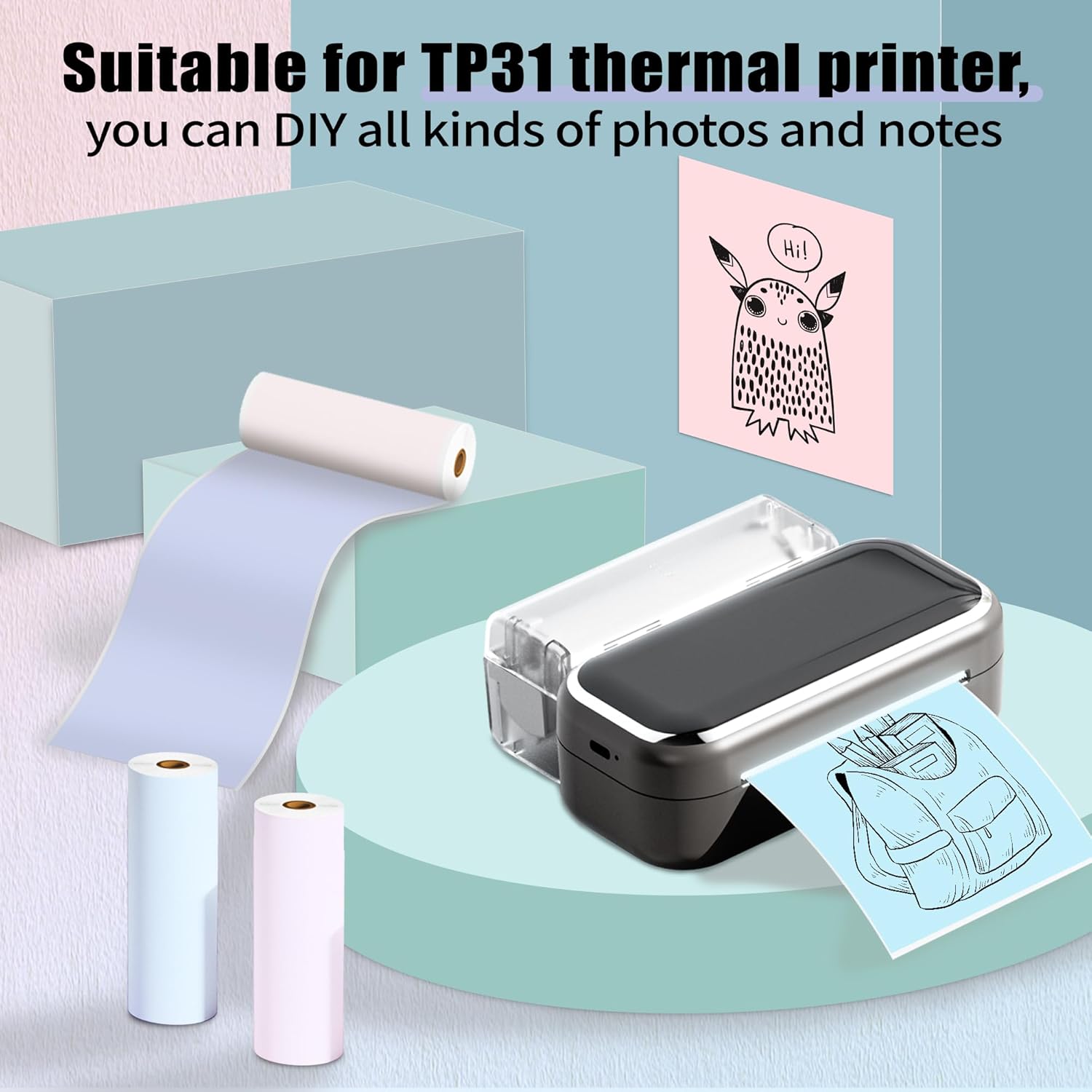
Image: Phomemo printer with thermal paper, illustrating typical usage.
4. Istruzioni per l'uso
Once the paper is loaded, you can begin printing using your Phomemo printer and its associated mobile application. Ensure your printer has sufficient power for clear prints.
General Printing Tips:
- Connect your Phomemo printer to your device via Bluetooth as per your printer's specific instructions.
- Use the Phomemo app to select your desired content (text, images, notes, lists).
- Confirm print settings such as density and size within the app before printing.
- After printing, gently tear the paper along the printer's cutting edge.

Immagine: Examples of diverse applications for Phomemo thermal sticker paper.
Usi creativi:
The self-adhesive nature of this paper allows for versatile applications:
- Progetti fai da te: Customize printouts by cutting them to desired sizes for crafts.
- Organizzazione: Create labels for files, storage, or pantry items.
- Study Aids: Print notes, diagrams, or flashcards.
- Personalizzazione: Design gift tags, room decorations, or journal entries.
5. Manutenzione e conservazione
To ensure the longevity and quality of your thermal prints and paper, observe the following guidelines:
- Magazzinaggio: Store unused thermal paper rolls in a cool, dry place away from direct sunlight.
- Evitare temperature elevate: Do not expose thermal paper to high temperatures, as this can cause premature fading or blackening.
- Avoid Acidic Environments: Keep thermal paper away from acidic materials or environments, which can also accelerate fading.
- Pulizia della stampante: Regularly clean your printer's print head according to its specific manual to maintain print quality.

Image: Demonstrations of the paper's water resistance, oil proofing, and adhesive strength.
6. Risoluzione Dei Problemi
If you encounter issues with your Phomemo Thermal Sticker Paper, consider the following:
Unclear or Faded Prints:
- Potenza della stampante: Ensure your Phomemo printer has ample power. Low battery can affect print quality.
- Orientamento della carta: Verify that the thermal paper is loaded with the printing surface facing the print head.
- Condizioni di conservazione: Confirm the paper has not been exposed to high temperatures or acidic substances, which can degrade its thermal properties.
- Pulizia della testina di stampa: A dirty print head can cause streaks or faded areas. Refer to your printer's manual for cleaning instructions.
Inceppamenti della carta:
- Roll Holder Adjustment: Ensure the paper roll holder is adjusted correctly to the paper's width (77mm) to prevent misalignment.
- Caricamento corretto: Re-check that the paper roll is seated correctly in the compartment and not skewed.
7. Specifiche del prodotto
| Caratteristica | Dettaglio |
|---|---|
| Numero di modello | P-Q22-RMS-PBPU-77 |
| Tipo di carta | Self-Adhesive Thermal Sticker Paper |
| Larghezza del rotolo | 3.03 pollici (77 mm) |
| Lunghezza rotolo | 11.48 piedi (3.5 m) |
| Diametro Rotolo | 1.1 pollici (28 mm) |
| Inner Core Diameter | 0.39 pollici (10 mm) |
| Quantità | 3 Rolls per pack |
| Stampa a colori | Black characters |
| Paper Colors | Purple, Pink, Blue |
| Tipo di materiale | Carta |
| Tipo di finitura | Non rivestito |
| Peso dell'articolo | 4.2 once (per confezione) |
| Dimensioni del prodotto | 1.1 x 3.03 x 1.1 inches (per roll) |
8. Garanzia e supporto
Phomemo offers an 18-month product replacement policy for this thermal sticker paper. For any inquiries, technical assistance, or to claim a replacement, please contact Phomemo customer support through the official Phomemo websito o sulla tua piattaforma di acquisto.
Per ulteriori informazioni e supporto, visitare il Negozio Phomemo su Amazon.


