Introduzione
This manual provides essential information for the proper use and care of your GameSir USB-A to USB-C Cable. Please read these instructions carefully before use to ensure optimal performance and longevity of the product.
The GameSir USB-A to USB-C cable is designed for connecting GameSir controllers and other compatible USB-C devices to a USB-A port for data transfer and charging.
Caratteristiche del prodotto
- Tipo di connettore: Da USB-A a USB-C
- Lunghezza del cavo: 1.8 metri (5.9 piedi)
- Materiale: Rivestimento esterno in PVC resistente
- Funzionalità: Trasferimento dati e addebito
- Compatibilità: Compatible with all GameSir controllers that support wired connection, and other USB Type-C devices.

Immagine: Primo piano view of the USB-A and USB-C connectors of the GameSir cable.

Image: The GameSir USB-A to USB-C cable with "GAMESIR PVC CABLE" branding, highlighting its material.

Image: The GameSir USB-A to USB-C cable coiled, illustrating its 1.8-meter (5.9-foot) length.
Impostare
- Identificare le porte: Locate the USB-A port on your computer, gaming console, or power adapter, and the USB-C port on your GameSir controller or other compatible device.
- Collegare USB-A: Insert the USB-A end of the cable into the USB-A port of your host device (e.g., PC, console).
- Connetti USB-C: Insert the USB-C end of the cable into the USB-C port of your GameSir controller or other compatible device. Ensure the connection is firm.
- Collega e usa: The cable is designed for plug-and-play functionality. Your device should automatically recognize the connection for data transfer or charging.

Image: The GameSir USB-A to USB-C cable connected to various GameSir controllers, demonstrating wired connection support.
Istruzioni per l'uso
Once connected, the GameSir USB-A to USB-C cable facilitates two primary functions:
- Trasferimento dati: For GameSir controllers, this enables a wired connection to your gaming platform, reducing input lag and ensuring a stable connection for gameplay. For other compatible devices, it allows for data synchronization.
- Ricarica: When connected to a power source (e.g., a USB wall adapter or a powered USB port on a computer/console), the cable will charge your compatible USB-C device.
Ensure your device's drivers are up-to-date if experiencing connectivity issues with a computer.
Manutenzione e cura
To ensure the longevity and optimal performance of your GameSir USB-A to USB-C cable, follow these maintenance guidelines:
- Magazzinaggio: Conservare il cavo in un luogo fresco e asciutto, lontano dalla luce solare diretta e da temperature estreme. Evitare di arrotolare il cavo troppo stretto o di piegarlo ad angoli acuti.
- Pulizia: Utilizzare un panno morbido e asciutto per pulire delicatamente il cavo e i connettori. Non utilizzare prodotti chimici aggressivi o detergenti abrasivi.
- Gestione: Afferrare sempre la testa del connettore quando si collega o si scollega il cavo. Evitare di tirare direttamente il cavo stesso, poiché ciò potrebbe danneggiare i fili interni.
- Durata: The cable features a clean and durable PVC outer jacket, rigorously tested for durability through plugging, suspension, and bending simulations. However, excessive force or improper handling can still cause damage.
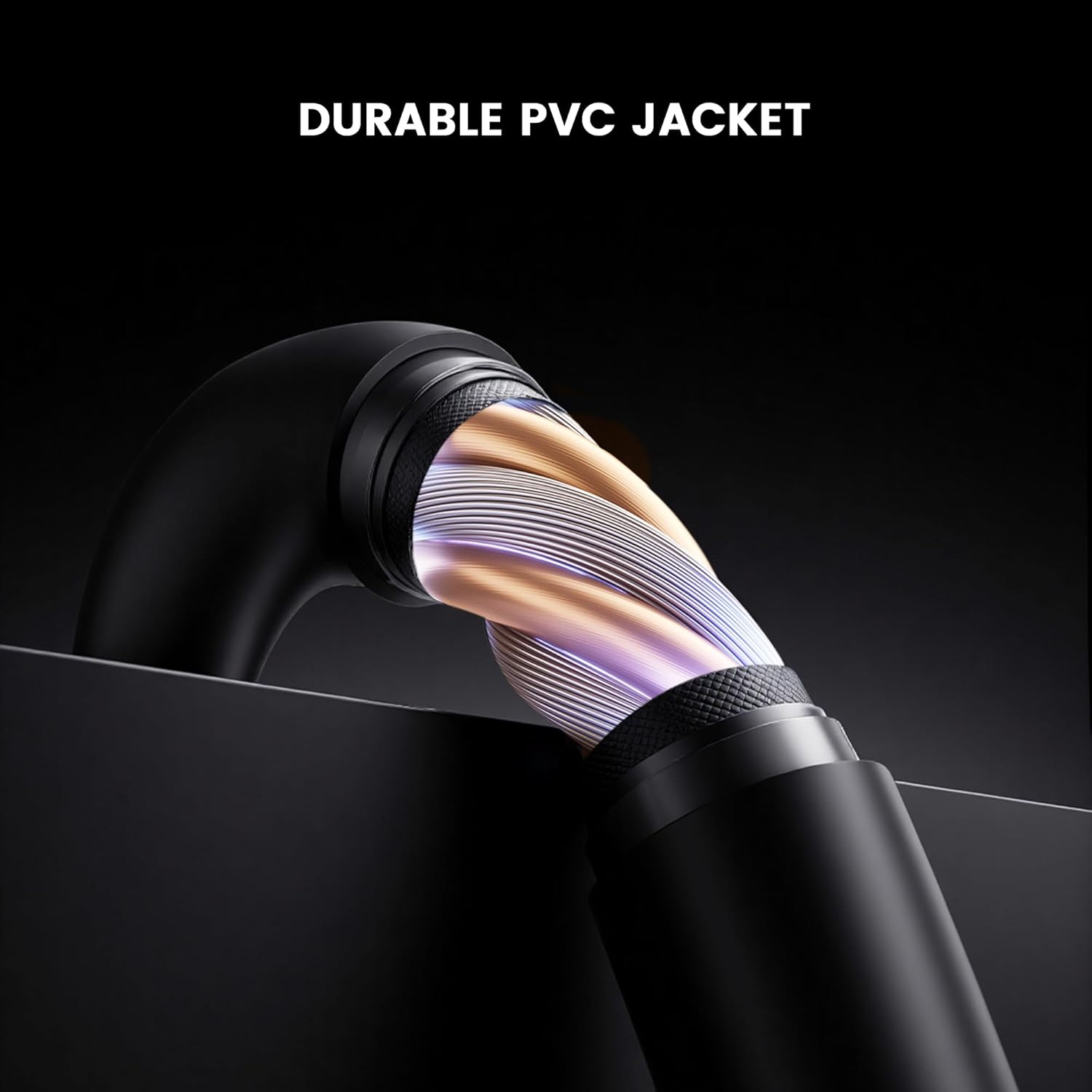
Immagine: Sezione trasversale view of the GameSir USB-A to USB-C cable, highlighting its durable PVC jacket and internal construction.
Risoluzione dei problemi
If you encounter issues with your GameSir USB-A to USB-C cable, refer to the following common troubleshooting steps:
- Dispositivo non riconosciuto:
- Assicurarsi che entrambe le estremità del cavo siano collegate saldamente alle rispettive porte.
- Try connecting the cable to a different USB-A port on your host device.
- Test the cable with another compatible USB-C device to rule out an issue with the original device.
- If connecting to a computer, ensure necessary drivers for your GameSir controller or device are installed and up-to-date.
- Ricarica lenta o nessuna ricarica:
- Verify that the power source (e.g., wall adapter, computer USB port) is providing sufficient power.
- Ensure the cable is fully inserted into both the power source and the device.
- Try a different power source or wall adapter.
- Connessione intermittente:
- Controllare eventuali danni visibili al cavo o ai connettori.
- Ensure there is no dust or debris in the USB ports of your devices or the cable connectors.
- Evitare di piegare o sollecitare il cavo durante l'uso.
Specifiche
| Marca | Signore del gioco |
| Numero di modello | 6936685221581 |
| Tipo di connettore | USB Type C (Male) to USB Type A (Male) |
| Tipo di cavo | USB |
| Lunghezza del cavo | 1.8 metri (5.9 piedi) |
| Colore | Nero |
| Dispositivi compatibili | GameSir Gaming Consoles/Controllers, other USB Type-C devices |
| Caratteristica speciale | Trasferimento dati |
| Materiale della giacca esterna | PVC |
| Uso interno/esterno | Al chiuso |
| Peso dell'articolo | 1.76 once |
Garanzia e supporto
Per informazioni sulla garanzia e supporto tecnico, fare riferimento al sito ufficiale GameSir website or contact GameSir customer service directly. Keep your purchase receipt for warranty claims.
GameSir Official Store US: Informazioni sul venditore


