1. Introduzione
This manual provides detailed instructions for the proper use, setup, operation, and maintenance of your ANCEL V5BT OBD2 Scanner and PB100 Automotive Power Circuit Probe Tester. These tools are designed to assist in diagnosing vehicle issues, performing various service functions, and testing electrical circuits. Please read this manual thoroughly before operating the devices to ensure safe and effective use.
2. Prodotto finitoview
2.1 Componenti inclusi
The ANCEL V5BT and PB100 package includes the following items:
- 1 x ANCEL V5BT Full System Bidirectional Scan Tool
- 1 x PB100 Automotive Power Circuit Probe Tester
- 1 x OBD2 VCI (Vehicle Communication Interface)
- 1 x adattatore di alimentazione
- 1 x USB to Ethernet Adapter
- 1 cavo USB
- 1 x Test Clamp for PB100
- 1 x 20FT Extension Cord for PB100
- 1 x Cigarette Lighter Adapter for PB100
- 1 x Sturdy Case
- User Manuals (for V5BT and PB100)

Figura 2.1: The image displays the ANCEL V5BT scan tool, the PB100 probe tester, and all included accessories such as cables, adapters, and the carrying case, illustrating the complete package contents.
2.2 Caratteristiche principali
The ANCEL V5BT and PB100 offer a comprehensive set of features for automotive diagnostics and electrical testing:
- Strumento di scansione bidirezionale del sistema completo (V5BT): Capable of sending commands to the vehicle's ECU to actively test components like fuel injectors, coolant pumps, windows, and headlights.
- Funzioni di servizio estese: Includes over 15 reset services such as ABS Bleeding, BMS Reset, DPF Regeneration, EPB Reset, Injector Coding, Oil Reset, TPMS Reset, Throttle Reset, SAS Calibration, AT Setting, Gear Learn, Sunroof Initialization, AFS Headlamp Ripristino, calibrazione dei finestrini e calibrazione del sedile.
- Wireless Bluetooth Diagnostics: Connects wirelessly to the vehicle via a Bluetooth VCI for enhanced mobility and convenience, supporting up to 33ft (10m) range.
- Fast & Smart Diagnosis: Features a 2+32GB memory for faster software switching, 2.4GHz & 5GHz dual-band Wi-Fi for quick updates, and supports CAN-FD protocols.
- Gestione dei dati: Consente viewing live data in text or graphs, generating diagnostic reports, and supports Auto VIN/Scan for quick vehicle identification.
- Automotive Power Circuit Probe Tester (PB100): Controlla il volumetage and ground signals, and can send voltage and ground signals to power circuits or components directly.
- PB100 Multi-functional Testing: Capable of finding broken wires, short circuits, bad grounds, testing trailer lights, checking continuity, and activating components.
- Multiple Work Modes (PB100): Supports DC voltage, AC voltage, Resistance, and Diode testing.
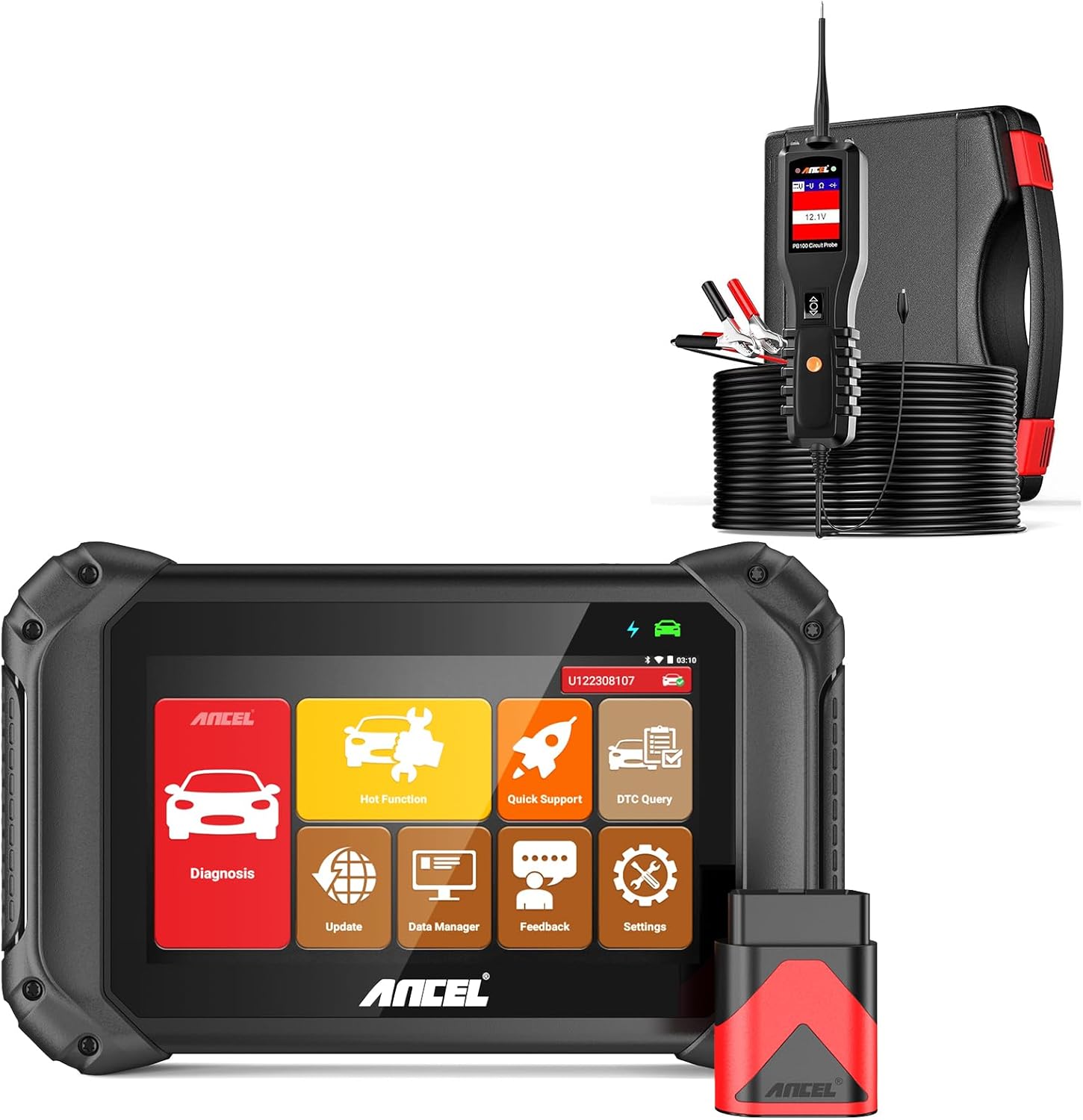
Figura 2.2: This image shows the ANCEL V5BT diagnostic tablet with its user interface and the PB100 circuit probe tester, highlighting the two main components of the product.
3. Impostazione
3.1 Initial Setup of ANCEL V5BT
- Accensione: Ensure the V5BT tablet is sufficiently charged or connected to the power adapter. Press and hold the power button to turn it on.
- Connetti VCI: Plug the OBD2 VCI (Vehicle Communication Interface) into the vehicle's OBD2 port, typically located under the dashboard.
- Accoppia Bluetooth: The V5BT tablet will automatically attempt to connect to the VCI via Bluetooth. Ensure Bluetooth is enabled on the tablet.
- Connessione Wi-Fi: For software updates and online features, connect the V5BT to a stable Wi-Fi network (2.4GHz or 5GHz) via the 'Settings' menu.

Figura 3.1: This image illustrates the wireless Bluetooth connection between the ANCEL V5BT tablet and the OBD2 VCI plugged into a vehicle's OBD port, emphasizing the convenience of wireless diagnostics.
3.2 Initial Setup of PB100 Probe Tester
- Fonte di energia: Connect the PB100 to a 12V or 24V vehicle battery using the provided test clampo l'adattatore per accendisigari.
- Prolunga: For extended reach, attach the 20FT extension cord between the PB100 and the power source.
- Suggerimento della sonda: Ensure the probe tip is securely attached and clean for accurate readings.
4. Istruzioni per l'uso
4.1 Using the ANCEL V5BT Scanner
The V5BT scanner provides comprehensive diagnostic capabilities:
- Diagnosi: Select 'Diagnosis' from the main menu to perform full system scans, read and clear fault codes (DTCs), and view live data streams. The tool supports Auto VIN for automatic vehicle identification.
- Controllo bidirezionale (test attivo): Navigate to 'Hot Function' or specific system menus to access bidirectional control. This allows you to send commands to vehicle components (e.g., turn on/off lights, cycle A/C clutch, test injectors) to verify their functionality.

Figura 4.1: This graphic illustrates the bidirectional control capabilities of the ANCEL V5BT, showing how it can perform individual tests on components like windows, headlights, wipers, injectors, and EGR systems.
- Funzioni di servizio: Access various reset and maintenance functions through the 'Hot Function' menu. Select the desired service (e.g., ABS Bleeding, Oil Reset) and follow the on-screen prompts.

Figura 4.2: This image highlights over 15 dealership-level service functions available on the ANCEL V5BT, including ABS Bleeding, BMS Reset, DPF Regeneration, EPB Reset, Injector Coding, Oil Reset, TPMS Reset, Throttle Reset, SAS Calibration, and AT Setting.
- Flusso di dati in tempo reale: View real-time sensor data in numerical or graphical format. The V5BT supports 4-in-1 data stream graphing for comparative analysis.
- CAN-FD Protocols: The V5BT supports new CAN-FD protocols, ensuring compatibility with modern vehicles.
- Responsabile dei dati: Review saved diagnostic reports, data streams, and playback recorded data for further analysis.

Figura 4.3: This visual demonstrates the V5BT's fast and smart diagnosis capabilities, showing features like CAN-FD protocols, AutoVin, 4-in-1 data stream graph, DTC lookup, one-click Wi-Fi update, and diagnostic report generation.
4.2 Using the PB100 Automotive Power Circuit Probe Tester
The PB100 is a versatile tool for electrical circuit testing:
- Voltage & Ground Testing: Touch the probe tip to a circuit point to read voltage. Il display mostrerà il volumetage reading. The tool can also identify positive, negative, and open circuits.
- Test di continuità: Use the probe tip and ground lead simultaneously to check for continuity in components or wires.
- Activating Components: With the press of a switch, the PB100 can provide an instant hot lead or ground lead to power up components directly, such as activating a fuel pump or cooling fan.
- Short Circuit Detection: The PB100 can help locate short circuits without blowing fuses by providing a controlled power source.

Figura 4.4: This image displays six key functions of the PB100 probe tester: finding broken wires, finding short circuits, finding bad grounds, testing trailer lights, checking continuity, and activating components.
- Molteplici modalità di lavoro: The PB100 supports various measurement modes including DC voltage, AC voltage, Resistance, and Diode testing, displayed on its screen.

Figura 4.5: This graphic illustrates the PB100's capability to operate in multiple modes, showing examples of DC voltage, AC voltage, resistance, and diode measurements on its display.
5. Manutenzione
- Aggiornamenti software: Regularly connect your ANCEL V5BT to Wi-Fi and check for software updates via the 'Update' icon on the main menu. Updates provide new features, vehicle coverage, and bug fixes.
- Pulizia: Utilizzare un morbido, damp cloth to clean the exterior of both devices. Do not use abrasive cleaners or solvents. Ensure the probe tip of the PB100 is clean before each use.
- Magazzinaggio: Store the V5BT and PB100 in their sturdy carrying case in a dry, cool environment away from direct sunlight and extreme temperatures.
- Cura della batteria (V5BT): For optimal battery life, avoid fully discharging the V5BT's battery frequently. Charge it regularly, especially if storing for extended periods.
6. Risoluzione Dei Problemi
| Problema | Possibile causa | Soluzione |
|---|---|---|
| V5BT not powering on | Batteria scarica; Pulsante di accensione non premuto abbastanza a lungo; Malfunzionamento del dispositivo. | Charge the device; Press and hold power button for 3-5 seconds; Contact support. |
| V5BT not connecting to vehicle | VCI not properly plugged in; Bluetooth off; VCI malfunction; Vehicle OBD2 port issue. | Ensure VCI is firmly seated; Check Bluetooth settings; Try VCI on another vehicle; Consult vehicle manual. |
| PB100 no power/reading | Incorrect power connection; Blown fuse in PB100 cable; Vehicle battery dead. | Verificare clamps/adapter are correctly connected to battery; Check PB100 cable fuse; Test vehicle battery. |
| Inaccurate PB100 readings | Dirty probe tip; Poor ground connection; Incorrect mode selected. | Clean probe tip; Ensure solid ground connection; Select appropriate measurement mode. |
| Errore di aggiornamento software | Unstable Wi-Fi connection; Insufficient storage space. | Ensure strong Wi-Fi signal; Clear unnecessary files from device storage. |
If you encounter issues not listed here or require further assistance, please refer to the support information in Section 8.
7. Specifiche
| Caratteristica | Specificazione |
|---|---|
| Marca | ANCEL |
| Operating System (V5BT) | Androide 7.0 |
| Memory (V5BT) | 2 GB di RAM + 32 GB di ROM |
| Display (V5BT) | Touchscreen da 7 pollici |
| Connectivity (V5BT) | Bluetooth, 2.4GHz & 5GHz Dual-band Wi-Fi |
| Battery (V5BT) | Batteria ricaricabile da 5000 mAh |
| Supported Protocols (V5BT) | CAN-FD and others |
| PB100 Cable Length | 20FT Extension Cord |
8. Garanzia e supporto
Your ANCEL V5BT and PB100 come with the following support and warranty:
- Aggiornamenti software: Enjoy 2 years of free software updates to ensure your device remains current with the latest vehicle models and diagnostic functions.
- Garanzia: A 3-year warranty is provided for the product.
- Supporto tecnico: 24/7 technical support is available. For assistance, please visit the official ANCEL websito o contattare il loro servizio clienti.
- Remote Guidance: One-on-one remote guidance may be available for complex issues.
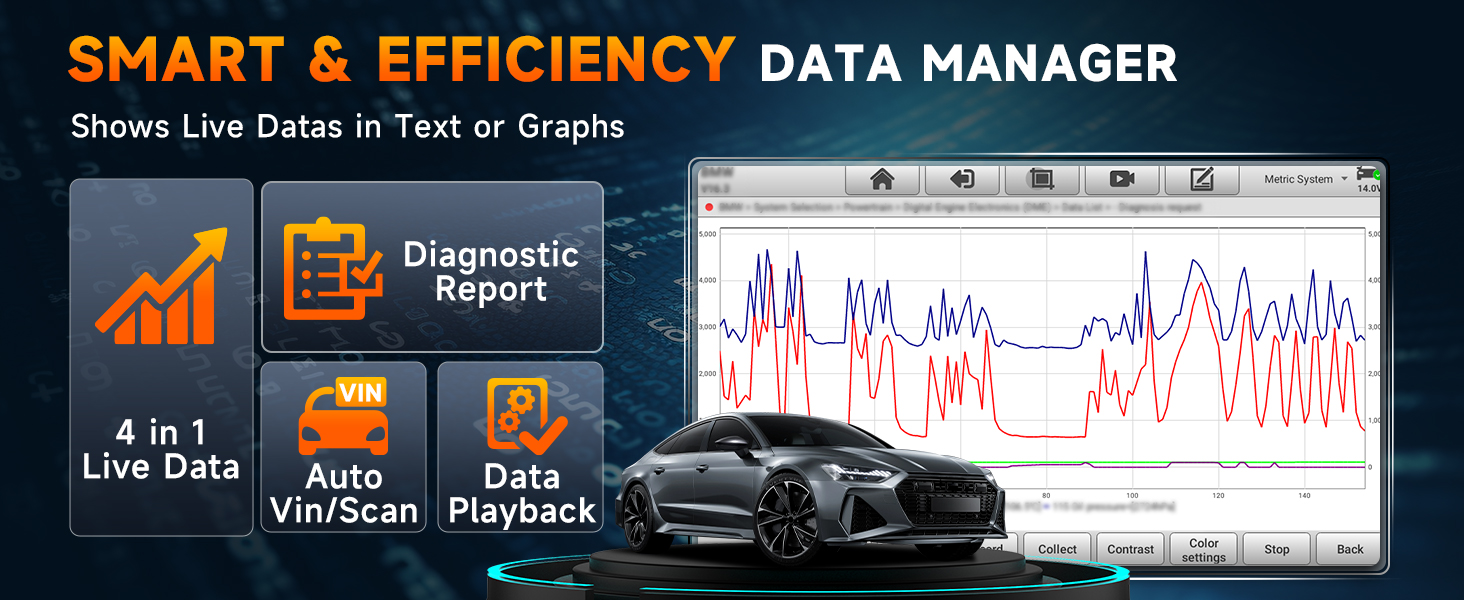
Figura 8.1: This image highlights the ANCEL support offerings, including 2 years of free software updates, 24/7 tech support, a 3-year warranty, and remote 1v1 guidance.
For more information or to purchase accessories, please visit the official ANCEL store: Negozio ANCEL su Amazon.


