1. Introduzione
This manual provides detailed instructions for the installation, setup, operation, and maintenance of your eudic 2K Outdoor Security Camera, Model eudic-T4Q. Please read this manual thoroughly before using the product to ensure correct usage and optimal performance. Keep this manual for future reference.
2. Prodotto finitoview
The eudic 2K Outdoor Security Camera is a wired surveillance device designed for outdoor use, offering advanced features for comprehensive property monitoring. Key features include:
- Risoluzione 2K/4MP: Fornisce video chiari e dettagliatitage.
- WiFi Dual Band: Supporta reti wireless sia a 2.4 GHz che a 5 GHz per una connettività flessibile.
- Pan-Tilt 360° View: Allows remote control of horizontal (355°) and vertical (90°) camera movement.
- Modalità di visione notturna: Offers Infrared, Full-Color, and Alarmed night vision options for visibility in low-light conditions.
- AI Motion Detection & Auto Track: Automatically detects motion and tracks subjects within the camera's field of view.
- Audio bidirezionale: Consente la comunicazione tramite l'altoparlante e il microfono integrati nella telecamera.
- Archiviazione locale e cloud: Supports local storage via an SD card (not included) and optional cloud storage.
- Alimentazione cablata: Operates via a standard 110-240V electrical receptacle.
- Design impermeabile: Suitable for various outdoor weather conditions.

Image 2.1: The eudic 2K Outdoor Security Camera highlighting its main features including 2K/4MP resolution, color night vision, AI motion detection, auto track, cloud storage, two-way audio, SD card storage, notifications, siren, alarm, and 2.4GHz/5GHz WiFi.

Image 2.2: A visual comparison demonstrating the enhanced detail provided by 2K/4MP resolution compared to 1080p resolution.
3. Contenuto della confezione
Si prega di controllare la confezione per verificare la presenza dei seguenti elementi:
- eudic 2K Outdoor Security Camera
- Manuale di istruzioni
- Adattatore di alimentazione (cablato)
- Viti e ancoraggi di montaggio
4. Impostazione
4.1 Installazione fisica
- Scegli una posizione: Selezionare una posizione all'aperto con una chiara view of the area you wish to monitor. Ensure the location is within range of your WiFi network and has access to a 110-240V power outlet.
- Montare la fotocamera: Use the provided mounting screws and anchors to securely attach the camera to a wall or suitable surface. The camera is designed for wall-mounted installation.
- Connetti alimentazione: Plug the camera's power adapter into a compatible electrical receptacle.
4.2 Installazione dell'app e connessione WiFi
- Scarica l'App: Cercare the official eudic security camera application on your smartphone's app store (iOS or Android).
- Creare un account: Segui le istruzioni nell'app per creare un nuovo account utente.
- Aggiungi dispositivo: Power on the camera. In the app, select the option to add a new device.
- Connessione Wi-Fi: Follow the app's prompts to connect the camera to your home WiFi network. The camera supports both 2.4GHz and 5GHz bands. Ensure your router is within effective range.

Image 4.1: Illustration of the camera's ability to connect to both 2.4GHz and 5GHz dual-band WiFi networks, indicating improved range and stability.
5. Istruzioni per l'uso
5.1 Vivere View e controllo Pan-Tilt
Once connected, open the app to access the live video feed. Use the on-screen controls to pan (rotate horizontally up to 355°) and tilt (rotate vertically up to 90°) the camera lens to adjust the viewing angle. Digital zoom is also available.
5.2 Rilevamento del movimento e tracciamento automatico
The camera features AI-powered motion detection and auto-tracking capabilities.
- Abilita rilevamento movimento: Navigate to the camera settings in the app and enable motion detection. You can adjust sensitivity levels to minimize false alerts.
- Custom Area Detection: Definisci aree specifiche all'interno della telecamera view for motion detection to focus on, ignoring irrelevant zones.
- Tracciamento automatico: When enabled, the camera will automatically follow detected movement within its range.
- Avvisi in tempo reale: Ricevi notifiche istantanee sul tuo smartphone quando viene rilevato un movimento.
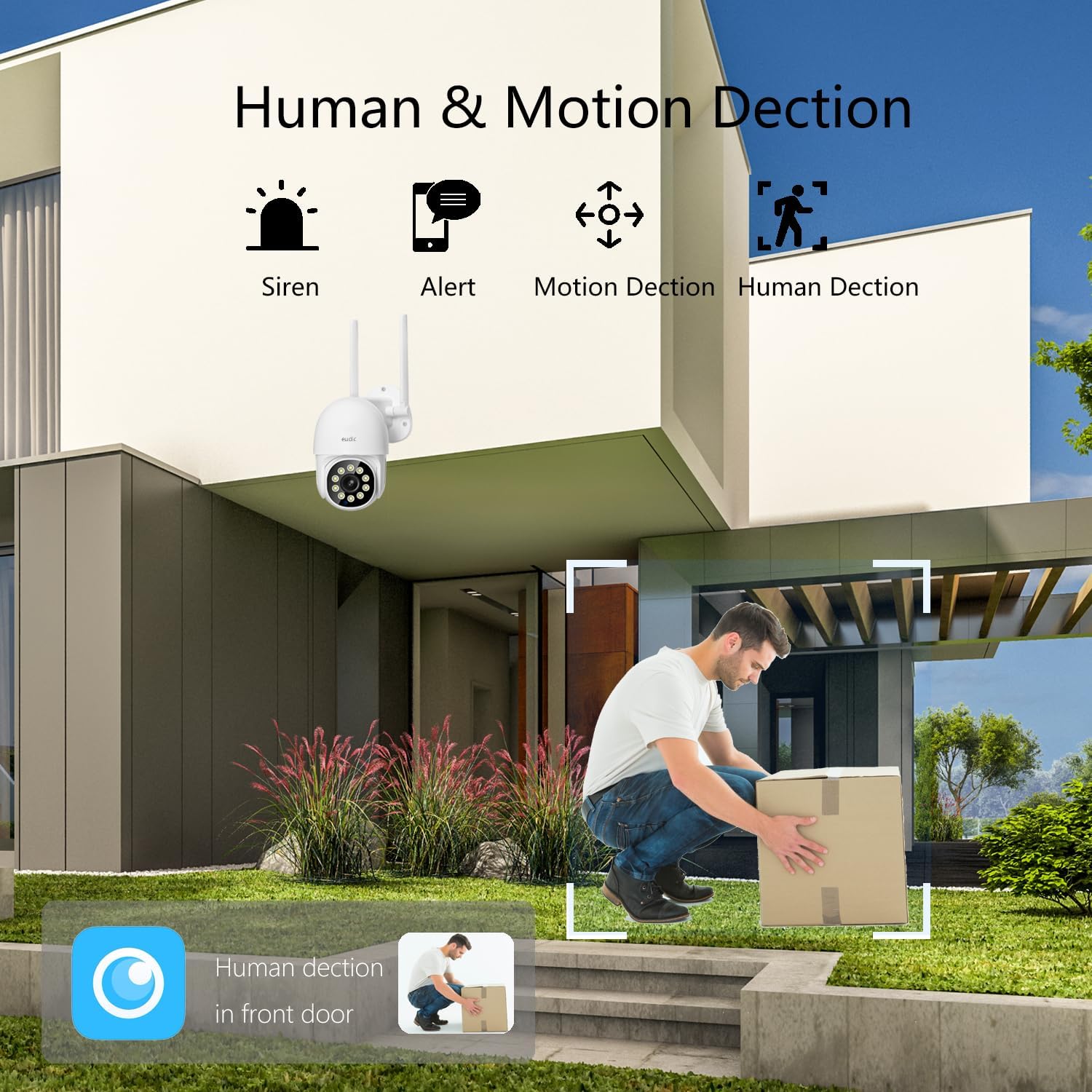
Image 5.1: Visual representation of the camera's human and motion detection capabilities, including siren and alert functions.

Immagine 5.2: Un example of the auto-tracking feature, showing the camera identifying and following a moving subject.
5.3 Modalità di visione notturna
La telecamera offre tre modalità di visione notturna:
- Modalità a infrarossi: Fornisce video in bianco e nero in completa oscurità.
- Modalità a colori: Utilizza luci integrate per fornire video a colori di notte.
- Alarmed Mode: Activates lights and/or a siren upon detection of motion at night.
È possibile passare da una modalità all'altra nelle impostazioni della fotocamera all'interno dell'app.

Image 5.3: A comparison showing the difference between 2K Color Night Vision and 2K Infrared Vision, demonstrating the clarity and detail in various night settings.
5.4 Audio bidirezionale
Use the microphone and speaker icons in the app to engage in two-way communication. This allows you to speak to visitors or deter intruders remotely.
5.5 Registrazione e archiviazione
La fotocamera supporta due opzioni di archiviazione:
- Archiviazione su scheda SD: Insert a microSD card (up to a specified maximum capacity, typically 128GB, not included) into the designated slot on the camera for local recording.
- Archiviazione cloud: Subscribe to the optional cloud storage service through the app for secure, remote storage of your video footage.
Pippo registratotagÈ possibile accedervi e riprodurli tramite l'app.

Image 5.4: The camera's SD card slot for local storage and an icon representing cloud storage support.
5.6 Condivisione con la famiglia
The app allows you to share access to your camera's live feed and recordings with trusted family members. Follow the in-app instructions to invite and manage shared users.
6. Manutenzione
- Pulizia: Regularly wipe the camera lens and exterior with a soft, damp panno per rimuovere polvere e sporco. Non utilizzare prodotti chimici aggressivi o materiali abrasivi.
- Aggiornamenti del firmware: Check the app periodically for available firmware updates. Keeping your camera's firmware updated ensures optimal performance and security.
- Gestione della memoria: Se si utilizza una scheda SD, ripetere regolarmenteview e gestire i foo archiviatitage to prevent the card from becoming full. For cloud storage, monitor your subscription and storage limits.
7. Risoluzione Dei Problemi
- La fotocamera non si connette al Wi-Fi:
- Assicurati che la telecamera si trovi nel raggio d'azione del router.
- Verifica di aver inserito la password Wi-Fi corretta.
- Confirm your router supports 2.4GHz or 5GHz, and the camera is attempting to connect to a compatible band.
- Try restarting both the camera and your router.
- Scarsa qualità dell'immagine:
- Pulisci l'obiettivo della fotocamera per rimuovere eventuali macchie o sporco.
- Ensure a stable WiFi connection; a weak signal can affect video streaming quality.
- Check app settings to ensure video resolution is set to 2K/4MP.
- Avvisi di movimento falsi:
- Regola la sensibilità del rilevamento del movimento nell'app.
- Utilize the custom area detection feature to exclude areas with frequent irrelevant movement (e.g., trees swaying).
- Ensure human detection is enabled if you only wish to detect people.
- Camera Not Responding/Dead:
- Controllare il collegamento dell'alimentazione per assicurarsi che la telecamera riceva alimentazione.
- Attempt a hard reset by unplugging the camera for a few minutes and then plugging it back in.
- Se il problema persiste, contatta l'assistenza clienti.
- Sensibilità alla temperatura:
- The camera is designed for outdoor use but extreme temperatures (very high heat or freezing cold) can affect performance. Ensure the camera is installed within its specified operating temperature range.
8. Specifiche
| Risoluzione di acquisizione video | 4 MP (2K) |
| Dimensioni (L x P x A) | Dimensioni: 12.7 x 10.16 x 10.16 cm |
| Peso dell'articolo | 930 grammi |
| Comunicazione senza fili | Wi-Fi (2.4G/5G Dual Band) |
| Fonte di alimentazione | Elettrico con cavo (110-240 V) |
| Livello di resistenza all'acqua | Impermeabile |
| Fattore di forma | Cupola |
| Tipo di installazione | Montaggio a parete |
| Tipo di visione notturna | Infrarossi |
| Dispositivi compatibili | Smartphone |
| Nome del modello | eudic-T4Q |
9. Informazioni sulla garanzia
For detailed warranty information regarding your eudic 2K Outdoor Security Camera, please refer to the product packaging or visit the official eudic websito. I termini e le condizioni della garanzia possono variare in base alla regione e alla data di acquisto.
10. Supporto
If you encounter any issues or have questions not covered in this manual, please refer to the contact information provided in your product packaging or visit the official eudic website for technical support and customer service.
