1. Introduzione
This user manual provides comprehensive instructions for the GLAMCOR Galileo Ultimate Lighting Bundle. This innovative 18-inch portable foldable LED ring light kit is designed to provide versatile and high-quality illumination for content creation, photography, and videography. It features adjustable color temperature from 2,700K to 5,600K, remote control functionality, Bluetooth smartphone compatibility, and a flexible arm for optimal positioning. Please read this manual thoroughly before using the product to ensure proper operation and longevity.
2. Informazioni sulla sicurezza
Per garantire un funzionamento sicuro ed evitare danni al prodotto o lesioni personali, osservare le seguenti precauzioni di sicurezza:
- Non esporre il dispositivo all'acqua o a umidità eccessiva.
- Use only the provided 24V 2A power supply. Using an incorrect power supply may damage the unit and void the warranty.
- Tenere il dispositivo lontano da fonti di calore, dalla luce solare diretta e da materiali infiammabili.
- Do not attempt to disassemble or modify the product. Repairs should only be performed by authorized service personnel.
- Ensure the telescopic stand is stable and securely locked before mounting the ring light or any accessories.
- Avoid looking directly into the LED lights for extended periods, as this may cause eye strain.
- Tenere fuori dalla portata dei bambini.
3. Contenuto della confezione
Verifica che tutti gli articoli elencati di seguito siano inclusi nel tuo pacchetto:
- GLAMCOR Galileo 18-inch Foldable Ring Light
- Flexible Gooseneck Extension Arm
- Braccio di montaggio accessori
- Clip universale per telefono
- Supporto telescopico
- Travel-friendly Carry Bag
- 24V 2A Alimentazione
- Telecomando
- Libretto di istruzioni (questo manuale)

Figure 3.1: All components of the GLAMCOR Galileo Ultimate Lighting Bundle.
This image displays the complete set of items included in the GLAMCOR Galileo Ultimate Lighting Bundle, neatly arranged to show the ring light, stand, various arms, phone clip, power supply, remote control, and carry bag.
4. Impostazione
4.1 Assembling the Stand and Ring Light
- Unfold the legs of the telescopic stand until they are fully extended and stable.
- Extend the telescopic sections of the stand to your desired height and secure them by tightening the locking clamps.
- Carefully unfold the GLAMCOR Galileo ring light from its compact, folded position. Ensure the hinge mechanisms lock into place, forming a complete 18-inch ring.
- Mount the unfolded ring light onto the top of the telescopic stand. Secure it firmly using the integrated mounting mechanism.

Figure 4.1: Fully assembled GLAMCOR Galileo ring light and stand.
This image shows the GLAMCOR Galileo ring light fully assembled on its telescopic stand, ready for use, with a smartphone positioned in the center.

Figure 4.2: Folding and unfolding the Galileo ring light.
This diagram illustrates the unique folding design of the Galileo ring light, demonstrating how it transforms from a compact, folded state to its full 18-inch diameter, alongside its maximum height on the stand.
4.2 Collegamento degli accessori
- Clip universale per telefono: Attach the universal phone clip to the accessory mounting arm. Insert the accessory mounting arm into the designated slot in the center of the ring light. Secure your smartphone firmly within the clip.
- Flexible Gooseneck Extension Arm: For additional positioning flexibility, attach the gooseneck arm to the ring light's accessory port. This allows for precise adjustment of the light's angle or the mounting of other compatible accessories.
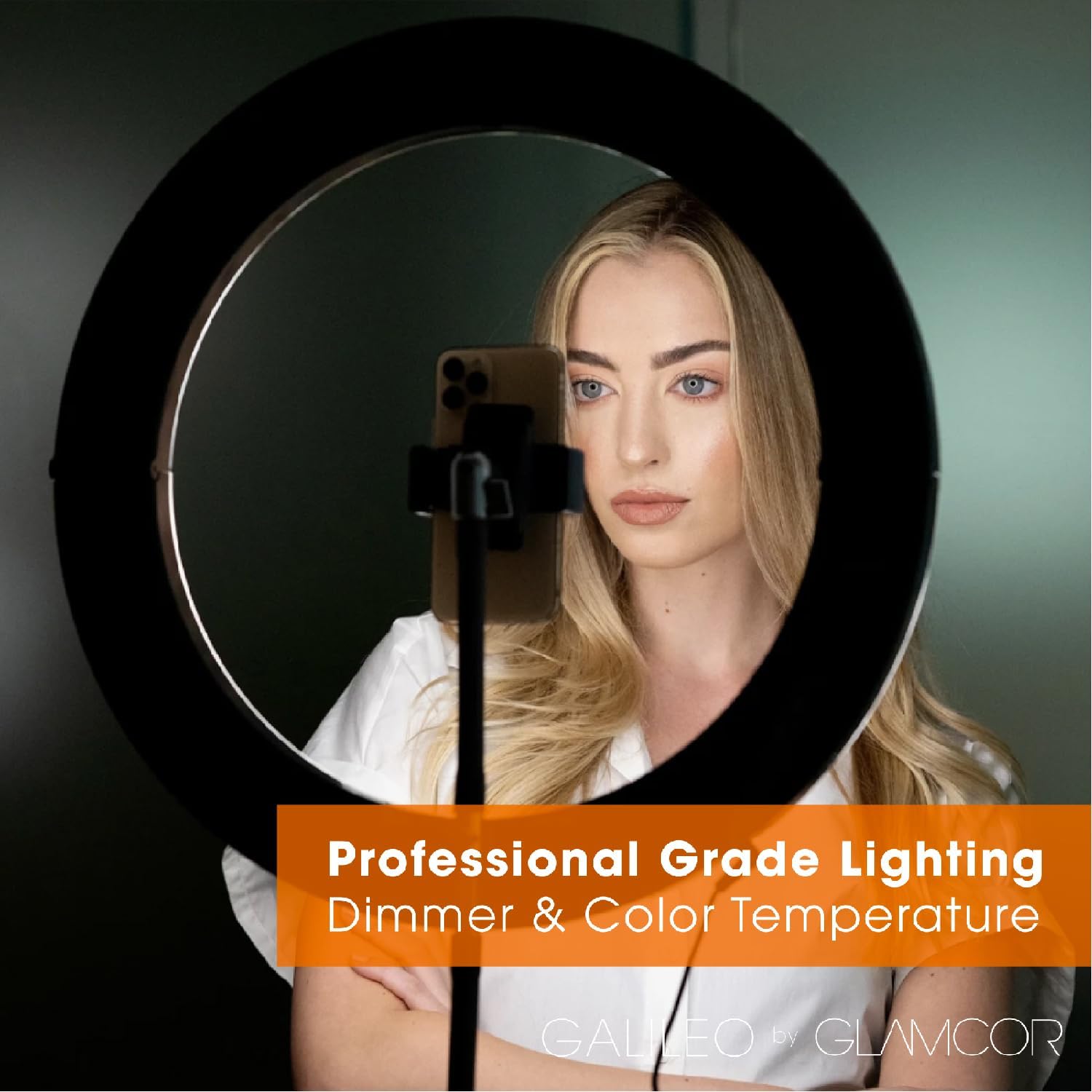
Figure 4.3: Smartphone mounted within the ring light.
This image demonstrates a user with a smartphone securely mounted in the center of the GLAMCOR Galileo ring light, highlighting its use for content creation.
4.3 Collegamento di alimentazione
Connect the provided 24V 2A power supply to the power input port on the ring light. Plug the power adapter into a standard electrical outlet.
5. Istruzioni per l'uso
5.1 Accensione/spegnimento e controlli di base
- Energia: Press the power button on the remote control or the control panel on the ring light to turn the unit on or off.
- Regolazione della luminosità: Aumenta la luminosità (+) e giù (-) buttons on the remote or control panel to adjust the light intensity.
- Regolazione della temperatura del colore: Use the color temperature buttons (e.g., Freddo, Caldo) or the dedicated up/down arrows to cycle through color temperatures from 2,700K (warm) to 5,600K (cool).

Figure 5.1: GLAMCOR Galileo Remote Control functions.
Questa immagine fornisce una descrizione dettagliata view of the GLAMCOR Galileo remote control, with labels indicating the functions of each button, including power, color temperature, brightness adjustment, saved light settings, Bluetooth, and selfie trigger.
5.2 Bluetooth Connectivity and Selfie Function
- Assicurati che il Bluetooth sia abilitato sul tuo smartphone.
- On the GLAMCOR Galileo remote control, press the Bluetooth button. The light will enter pairing mode.
- On your smartphone, search for "GLAMCOR Galileo" in the Bluetooth settings and select it to pair.
- Once paired, you can use the Fai un selfie button on the remote control to remotely trigger your smartphone's camera shutter.

Figure 5.2: Remote photo capture with Galileo.
This image illustrates the convenience of using the GLAMCOR Galileo ring light to capture photos and videos remotely, without needing to touch the smartphone, thanks to its Bluetooth selfie function.
5.3 USB Fast-Charging Port
The GLAMCOR Galileo ring light features a built-in USB fast-charging port. You can use this port to charge your smartphone or other USB-powered devices while using the light, ensuring your devices remain powered during extended sessions.
6. Manutenzione
- Pulizia: Disconnect the power supply before cleaning. Use a soft, dry, lint-free cloth to wipe the surfaces of the ring light and stand. Do not use abrasive cleaners, solvents, or harsh chemicals.
- Magazzinaggio: When not in use, fold the ring light and collapse the stand. Store all components in the provided travel-friendly carry bag in a cool, dry place, away from direct sunlight and extreme temperatures.
- Gestione: Always handle the ring light and its components with care to avoid damage to the LED array or mechanical parts.
7. Risoluzione Dei Problemi
| Problema | Possibile causa | Soluzione |
|---|---|---|
| La luce non si accende. | No power connection; faulty power supply; unit malfunction. | Ensure power supply is securely connected to both the light and the outlet. Verify the outlet is functional. Try a different outlet. If problem persists, contact support. |
| Telecomando non funzionante. | Dead batteries; remote out of range; pairing issue. | Replace remote control batteries. Ensure remote is within operating range of the light. Re-pair the remote if necessary (refer to section 5.1). |
| La connessione Bluetooth non riesce. | Bluetooth not enabled on device; light not in pairing mode; interference. | Ensure Bluetooth is enabled on your smartphone. Put the light into Bluetooth pairing mode (refer to section 5.2). Move closer to the light. Try forgetting the device on your phone and re-pairing. |
| La luce tremola o si attenua inaspettatamente. | Alimentazione instabile; problema interno. | Ensure power supply is stable. If flickering continues, contact customer support. |
8. Specifiche
| Caratteristica | Dettaglio |
|---|---|
| Nome del modello | Galileo Ultimate Lighting Bundle |
| Diametro della luce ad anello | 18 pollici |
| Temperatura del colore | 2,700K - 5,600K (regolabile) |
| Connettività | Bluetooth, USB |
| Alimentazione elettrica | 24V 2A |
| Caratteristiche speciali | Foldable Design, USB Fast-Charging Port, Remote Control, Bluetooth Selfie Function |
| ASIN | B0CTR7GTV7 |
| Data prima disponibilità | 1 febbraio 2024 |
9. Garanzia e supporto
GLAMCOR products are manufactured to the highest quality standards. For information regarding warranty coverage, please refer to the warranty card included with your purchase or visit the official GLAMCOR website. If you encounter any issues or require technical assistance, please contact GLAMCOR customer support through their official channels. Please have your product model and ASIN (B0CTR7GTV7) ready when contacting support.
Per maggiori informazioni, visita il Glamcor Store on Amazon.


