1. Introduzione
Thank you for choosing the eWheels EW-10 Electric Mobility Scooter. This manual contains important information regarding the safe operation, maintenance, and care of your new scooter. Please read it thoroughly before operating the scooter and keep it for future reference. The EW-10 is designed for recreational use, offering a long range and high performance for enhanced mobility.
2. Informazioni sulla sicurezza
La tua sicurezza è fondamentale. Rispetta sempre le seguenti linee guida di sicurezza:
- Quando si guida lo scooter, indossare sempre il casco e gli opportuni dispositivi di sicurezza.
- Non utilizzare lo scooter sotto l'effetto di alcol o droghe.
- Rispettare tutte le leggi e i regolamenti locali sul traffico.
- Ensure the battery is fully charged before each use, especially for long trips.
- Non superare la capacità di peso massima di 400 libbre.
- Avoid sudden stops or turns, especially at high speeds.
- Siate consapevoli dell'ambiente circostante e dei potenziali pericoli.
- Tenere mani e piedi lontani dalle parti in movimento.
- Do not attempt to modify the scooter in any way, as this may void the warranty and compromise safety.
3. Prodotto finitoview
The eWheels EW-10 is a high-performance electric mobility scooter designed for comfort and extended travel. It features a robust design and user-friendly controls.

Figura 3.1: Pieno view of the eWheels EW-10 Electric Mobility Scooter in light blue. This image showcases the overall design, including the front wheel, main body, seat, and rear wheels with the integrated storage box.

Figura 3.2: An illustrative image highlighting the key performance specifications of the EW-10 scooter, including its 40-mile range, 400 lb weight capacity, 500-watt motor, and the convenience of arriving fully assembled.
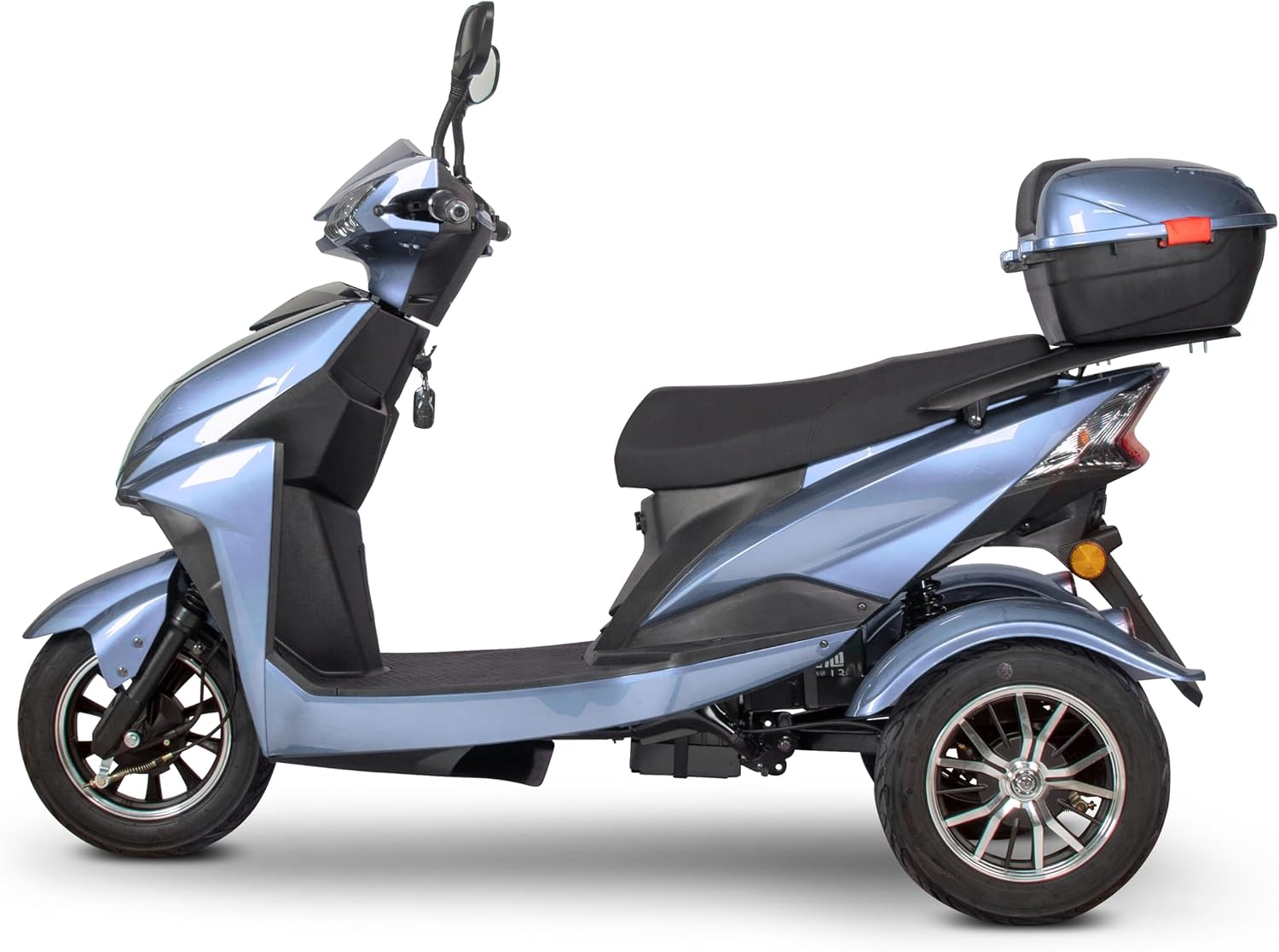
Figura 3.3: Lato profile of the EW-10 scooter, emphasizing the spacious saddle seat and the practical rear storage box, which provides convenient space for personal items.

Figura 3.4: Posteriore view of the EW-10 scooter, showcasing its stable dual rear wheel design and the integrated top-case storage compartment, which is ideal for carrying essentials.
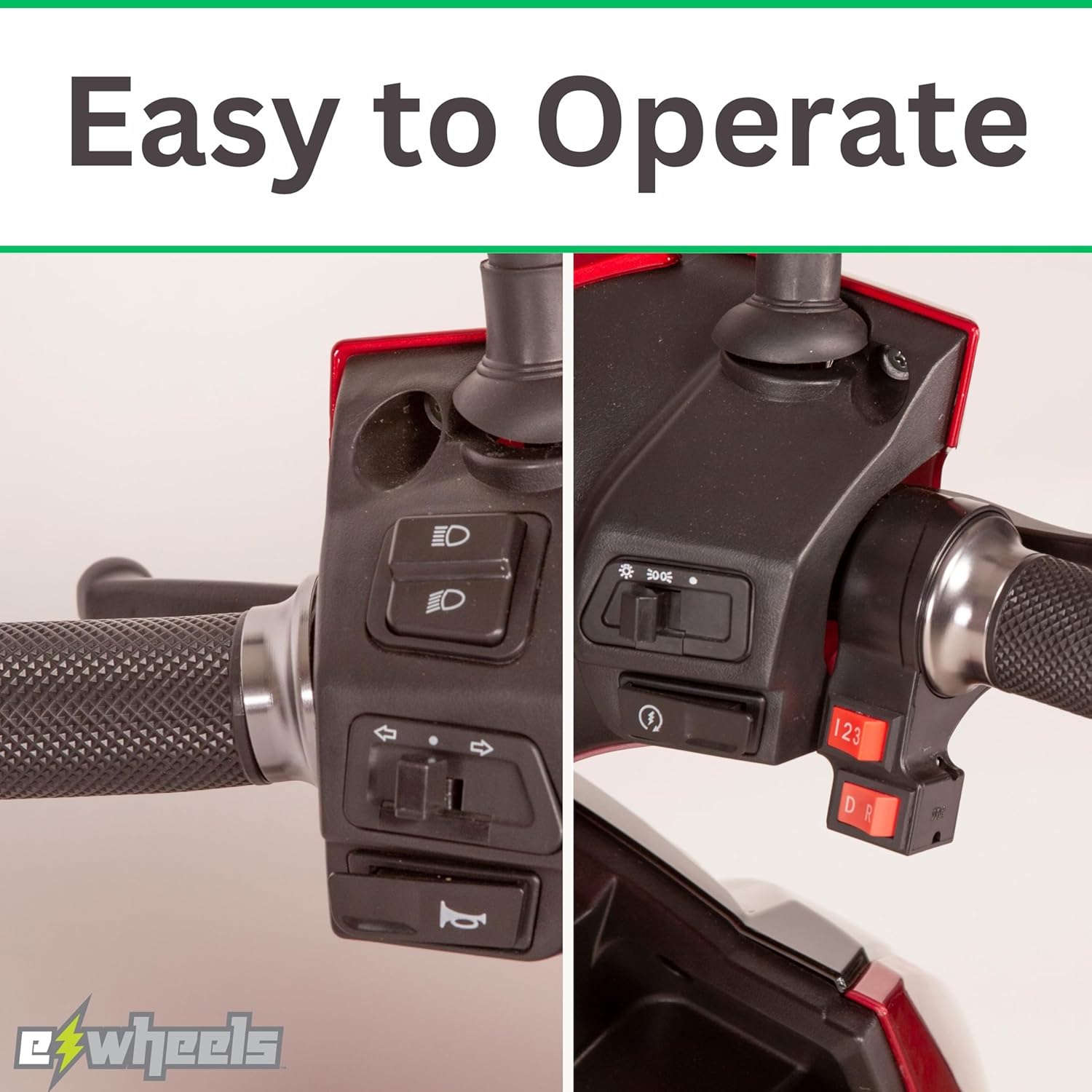
Figura 3.5: A detailed close-up of the convenient rear storage box, highlighting its design and capacity for securely storing items during travel.

Figura 3.6: Un primo piano view of the scooter's handlebars and control panel, demonstrating the intuitive layout of switches for lights, horn, and speed settings, designed for easy operation.
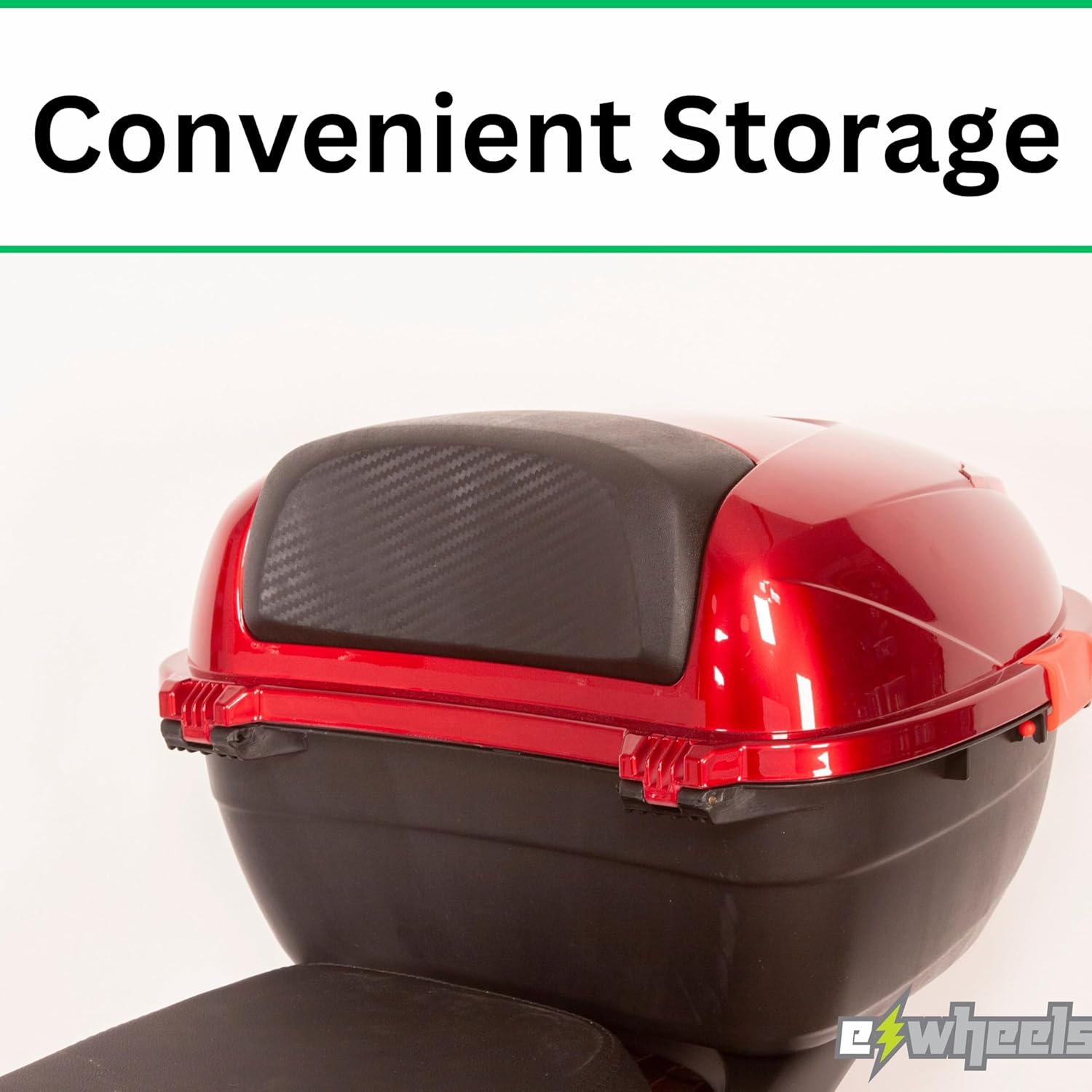
Figura 3.7: A detailed shot of the scooter's dashboard, featuring an easy-to-read display that provides essential information such as speed and battery level at a glance.
4. Impostazione
The EW-10 scooter arrives fully assembled, minimizing setup time. However, some initial steps are necessary before your first ride.
4.1 Carica iniziale
- Individuare la porta di ricarica, in genere vicino al vano batteria.
- Collegare il caricabatterie alla porta di ricarica dello scooter, quindi collegare il caricabatterie a una presa elettrica standard.
- Allow the scooter to charge completely before its first use. The charging indicator light on the charger will change color (e.g., red to green) when fully charged. This may take several hours.
- Non sovraccaricare la batteria. Scollegare il caricabatterie una volta completata la carica.
4.2 Controlli pre-guida
- Pneumatici: Controllare la pressione degli pneumatici prima di ogni uscita. Per i valori PSI consigliati, fare riferimento al fianco dello pneumatico.
- Freni: Provare sia i freni anteriori che quelli posteriori per assicurarsi che funzionino correttamente.
- Luci: Verify that the headlights, taillights, and turn signals are operational.
- Corno: Prova il corno.
- Livello della batteria: Confirm sufficient battery charge for your intended journey.
5. Istruzioni per l'uso
5.1 Avviamento dello scooter
- Inserire la chiave nell'accensione e girarla in posizione "ON".
- Ensure the kickstand is up (if applicable).
- Ruotare delicatamente l'acceleratore per accelerare.
5.2 Guida
- Maintain a comfortable and safe speed.
- Usa gli indicatori di direzione quando cambi direzione.
- Be mindful of pedestrians and other vehicles.
5.3 Frenata
Apply both front and rear brakes smoothly and gradually to slow down or stop. Avoid sudden braking, especially at high speeds or on slippery surfaces.
5.4 Parcheggio
When parking, turn the key to the 'OFF' position and remove it. Engage the kickstand to ensure stability.
6. Manutenzione
Regular maintenance ensures the longevity and optimal performance of your EW-10 scooter.
- Cura della batteria: Charge the battery regularly, even if the scooter is not in use for extended periods (e.g., once a month). Store the scooter in a cool, dry place.
- Pulizia: Pulisci lo scooter con l'adamp cloth. Avoid using high-pressure washers or harsh chemicals.
- Manutenzione degli pneumatici: Check tire pressure weekly and inspect for wear or damage.
- Ispezione dei freni: Controllare periodicamente le pastiglie e i cavi dei freni per verificarne l'usura e la corretta regolazione.
- Elementi di fissaggio: Assicurarsi che tutti i dadi, i bulloni e gli elementi di fissaggio siano ben serrati.
7. Risoluzione Dei Problemi
This section addresses common issues you might encounter with your EW-10 scooter.
| Problema | Possibile causa | Soluzione |
|---|---|---|
| Lo scooter non si accende | Battery is low or dead; Ignition key not fully turned; Circuit breaker tripped. | Charge the battery; Ensure key is fully in 'ON' position; Reset circuit breaker. |
| Portata o potenza ridotte | Low tire pressure; Battery not fully charged; Battery degradation. | Inflate tires to recommended PSI; Fully charge battery; Consult service for battery replacement. |
| I freni sembrano allentati o inefficaci | Brake cable needs adjustment; Worn brake pads. | Adjust brake cable tension; Replace brake pads. |
| Rumori insoliti durante il funzionamento | Componenti allentati; problema al motore; problema al cuscinetto della ruota. | Inspect and tighten all visible fasteners; Contact qualified technician for motor/wheel inspection. |
If you encounter issues not listed here or if solutions do not resolve the problem, please contact eWheels customer support or a certified technician.
8. Specifiche
Key technical specifications for the eWheels EW-10 Electric Mobility Scooter:
| Caratteristica | Specificazione |
|---|---|
| Modello | EW-10 |
| Marca | eWheels |
| Dimensioni del prodotto | 70"P x 28"L x 43"A |
| Larghezza del sedile | 26 pollici |
| Colore | Blu-2 |
| Produttore | Ewheels |
9. Garanzia e supporto
For detailed information regarding the warranty coverage for your eWheels EW-10 Electric Mobility Scooter, please refer to the warranty card included with your purchase or visit the official eWheels website. Warranty terms and conditions, including coverage periods for specific components like the battery, may vary.
For technical support, parts, or service inquiries, please contact eWheels customer service directly. Contact information can typically be found on the manufacturer's websito o nella documentazione di acquisto.