1. Informazioni sulla sicurezza
Please read all safety instructions carefully before using this air purifier to ensure safe and proper operation. Keep this manual for future reference.
- Posizionare sempre il purificatore d'aria su una superficie stabile e piana.
- Do not block air inlets or outlets. Maintain at least 15 cm (6 inches) clearance from walls and other objects.
- Non utilizzare l'apparecchio vicino all'acqua o in ambienti damp ambienti.
- Scollegare il purificatore d'aria prima di pulirlo o di eseguire qualsiasi intervento di manutenzione.
- The child lock function helps prevent accidental operation by children or pets. Activate it when necessary.
- Ensure the filter is correctly installed and the bottom cover is securely locked before operation.
2. Impostazione
- Disimballare il purificatore d'aria: Estrarre con cautela il purificatore d'aria dalla confezione.
- Rimuovi filtro Imballaggio: Before first use, twist the bottom cover counter-clockwise to open. Remove the plastic packaging from the filter. Reinsert the filter and secure the bottom cover by twisting clockwise.
- Posizionare il purificatore d'aria: Place the air purifier on a stable, flat surface in the desired room. Ensure there is adequate space around the unit for optimal airflow.
- Connettiti all'alimentazione: Collegare il cavo di alimentazione a una presa elettrica idonea.

Image: Levoit Core300 Pro Air Purifier, showing its compact design.
3. Funzionamento
Pannello di controllo Fineview
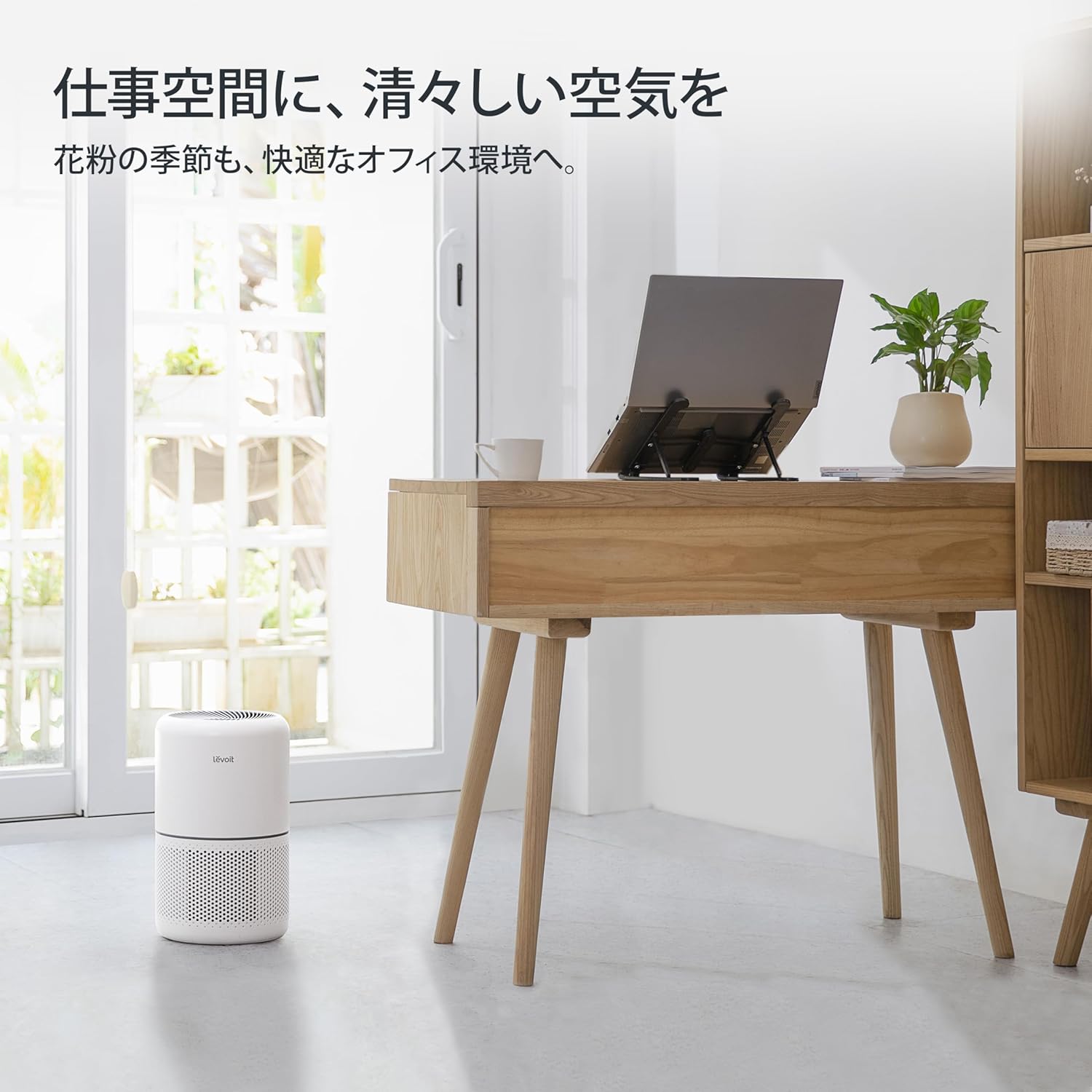
Immagine: dettagliata view del pannello di controllo con vari pulsanti funzione.
The Levoit Core300 Pro features an easy-to-understand control panel for simple operation.
- Pulsante di accensione: Premere per accendere o spegnere il purificatore d'aria.
- Pulsante velocità ventola: Adjusts the fan speed. Multiple speed settings are available. For rapid purification or when air quality is poor, select the maximum airflow setting.
- Plasma Button: Activates or deactivates the advanced plasma function for enhanced purification and deodorization.
- Pulsante Timer: Sets the operating time from 1 to 12 hours. The unit will automatically turn off after the set time.
- Pulsante di spegnimento del display: Turns off the screen display, ideal for use in bedrooms or for light-sensitive individuals.
- Pulsante Blocco bambini: Press and hold for 3 seconds to activate or deactivate the child lock. This prevents unintended changes to settings.
Tecnologia di purificazione
The Core300 Pro utilizes patented VortexAir 3.0 technology and 11 centrifugal fans to significantly enhance suction power. It can purify an 8-tatami room in approximately 13 minutes at maximum airflow. The air purification capacity supports rooms up to 20 tatami mats (approximately 33 square meters).

Image: Air purifier operating in a living room, illustrating 360-degree air intake and clean air output.
For optimal plasma effect, it is recommended to use the air purifier in spaces under 20 tatami mats.

Image: Visual representation of plasma technology effectively purifying air by suppressing floating and attached bacteria and viruses.
4. Manutenzione
Pulizia e sostituzione filtri
The Core300 Pro uses a high-performance integrated filter designed to capture 0.1µm particles with 99.97% efficiency and achieve 99.99% sterilization. This filter consists of four layers:
- Pre filtro: Captures large particles like hair and dust.
- Filtro a carbone attivo: Removes various odors including tobacco, cooking smells, and pet odors.
- Sterilization Coat: Suppresses harmful substances like viruses and bacteria.
- Electrostatic HEPA Filter: Strongly removes pollen, dust mites, bacteria, and mold.

Image: Cross-section diagram illustrating the multi-layered filtration system.
- Pulizia del prefiltro: The pre-filter should be cleaned every 2-4 weeks to maintain purification efficiency and extend the overall filter life. Use a soft brush or vacuum cleaner to remove accumulated dust.
- Durata del filtro: The filter's stated lifespan is 2 years, but the recommended replacement guideline is every 6-12 months, depending on usage and air quality.
- Filter Check Lamp: If the filter check lamp illuminates, it does not always mean immediate replacement is required. First, clean the filter and then reset the filter life indicator. If the lamp remains lit after resetting, then filter replacement is necessary.
Passaggi per la sostituzione del filtro
Image: Visual guide demonstrating the four-step filter replacement process.
- Spegnere l'unità e scollegarla.
- Twist the bottom cover counter-clockwise to open.
- Remove the old filter and insert the new filter.
- Replace the bottom cover by twisting clockwise until secure. Press and hold the filter reset button on the control panel for 3 seconds to reset the filter life indicator.
Replacement filters can be found by searching for B07TYMHQQG or B0861RKWP7.
5. Risoluzione Dei Problemi
| Problema | Possibile causa | Soluzione |
|---|---|---|
| Il purificatore d'aria non si accende. | Non collegato; alimentazione spentatage; filtro non installato correttamente. | Check power cord connection; check power supply; ensure filter is unwrapped and installed correctly, and bottom cover is secured. |
| Flusso d'aria debole o scarsa purificazione. | Blocked air inlets/outlets; dirty filter. | Ensure no obstructions; clean the pre-filter. If performance does not improve, replace the filter. |
| Rumore insolito durante il funzionamento. | Filtro allentato; corpo estraneo all'interno; unità non posizionata su una superficie stabile. | Check filter installation; turn off and unplug the unit, then inspect for foreign objects; place on a stable surface. |
| Filter check lamp remains on after cleaning. | Filter life indicator not reset; filter needs replacement. | Press and hold the filter reset button for 3 seconds. If it still remains on, replace the filter. |
6. Specifiche
| Caratteristica | Dettaglio |
|---|---|
| Numero di modello | LAP-C303-WJP |
| Dimensioni (L x P x A) | Dimensioni: 22 cm x 22 cm x 36 cm |
| Peso | 3.5 kg |
| Livello di rumore | 24 dB (minimo) |
| Fonte di alimentazione | Elettrico con cavo |
| Altre funzioni | PM2.5 compatible, Plasma function |
| Area applicabile | Up to 20 tatami mats (approx. 33 square meters) |
| Consumo energetico in modalità sospensione | 7W |

Image: Product dimensions showing height, width, and depth.
7. Garanzia e supporto
This Levoit Core300 Pro Air Purifier comes with a Garanzia di 2 anno for your peace of mind. For any inquiries or support needs, please contact VeSync JP customer service. They offer 24-hour response and Japanese language support.
For further assistance, please visit the official Levoit websito o contatta direttamente il venditore tramite la tua piattaforma di acquisto.


