1. Introduzione
The ANYFAR B4 Pro Wireless Android Auto Adapter is designed to convert your vehicle's factory-installed wired Android Auto system into a wireless connection. This device allows for seamless integration of your Android smartphone's features, such as navigation, music playback, phone calls, and messaging, directly onto your car's display without the need for a USB cable. Featuring a dual-core 5G chip and 5.8GHz WiFi, it ensures a stable and rapid connection for an enhanced in-car experience.
2. Cosa c'è nella scatola
- ANYFAR B4 Pro Wireless Android Auto Adapter (x1)
- Cavo da USB-A a USB-C (x1)
- Cavo da USB-C a USB-C (x1)
- Manuale utente (x1)

Image: The ANYFAR B4 Pro adapter with its USB-A and USB-C cables.
3. Prodotto finitoview
The B4 Pro adapter features a compact and sleek design, minimizing its footprint in your vehicle. It incorporates a dual-core 5G chip for enhanced performance and a thermal vent design to maintain optimal operating temperature during extended use.

Image: The compact design of the B4 Pro adapter, showing its small dimensions.

Image: Illustration of the thermal vent design for heat dissipation.

Image: Diagram highlighting the dual-core 5G chip for fast and stable connections.
4. Guida all'installazione
Follow these steps for the initial setup of your ANYFAR B4 Pro adapter:
- Collegare l'adattatore: Connect the B4 Pro adapter to your car's USB port that supports wired Android Auto. Use the appropriate USB-A or USB-C cable provided.
- Abilita Bluetooth e Wi-Fi: On your Android phone, ensure both Bluetooth and Wi-Fi are turned on.
- Abbinamento con l'adattatore: Cercare the adapter's Bluetooth name (e.g., "AIBox-BT-XXXX") in your phone's Bluetooth settings and pair with it.
- Conferma connessione: Once paired, your phone's Wi-Fi should automatically connect to the adapter. Confirm the connection on your car's screen. Android Auto should launch wirelessly.

Image: Visual representation of the three-step setup process for the adapter.
Video: A demonstration of the easy pairing process for the ANYFAR B4 Pro Wireless Android Auto Adapter.
5. Istruzioni per l'uso
Once connected, your car's display will show the Android Auto interface. You can interact with it using your car's touchscreen, voice commands (via Google Assistant), steering wheel controls, or physical knobs, just as you would with a wired connection.
- Navigazione: Use Google Maps or other compatible navigation apps for directions.
- Musica e media: Stream music from your favorite apps like Spotify or Pandora.
- Comunicazione: Make and receive calls, send messages, and access your contacts.
- Comandi vocali: Activate Google Assistant by saying "Hey Google" or pressing the voice command button on your steering wheel to control functions hands-free.
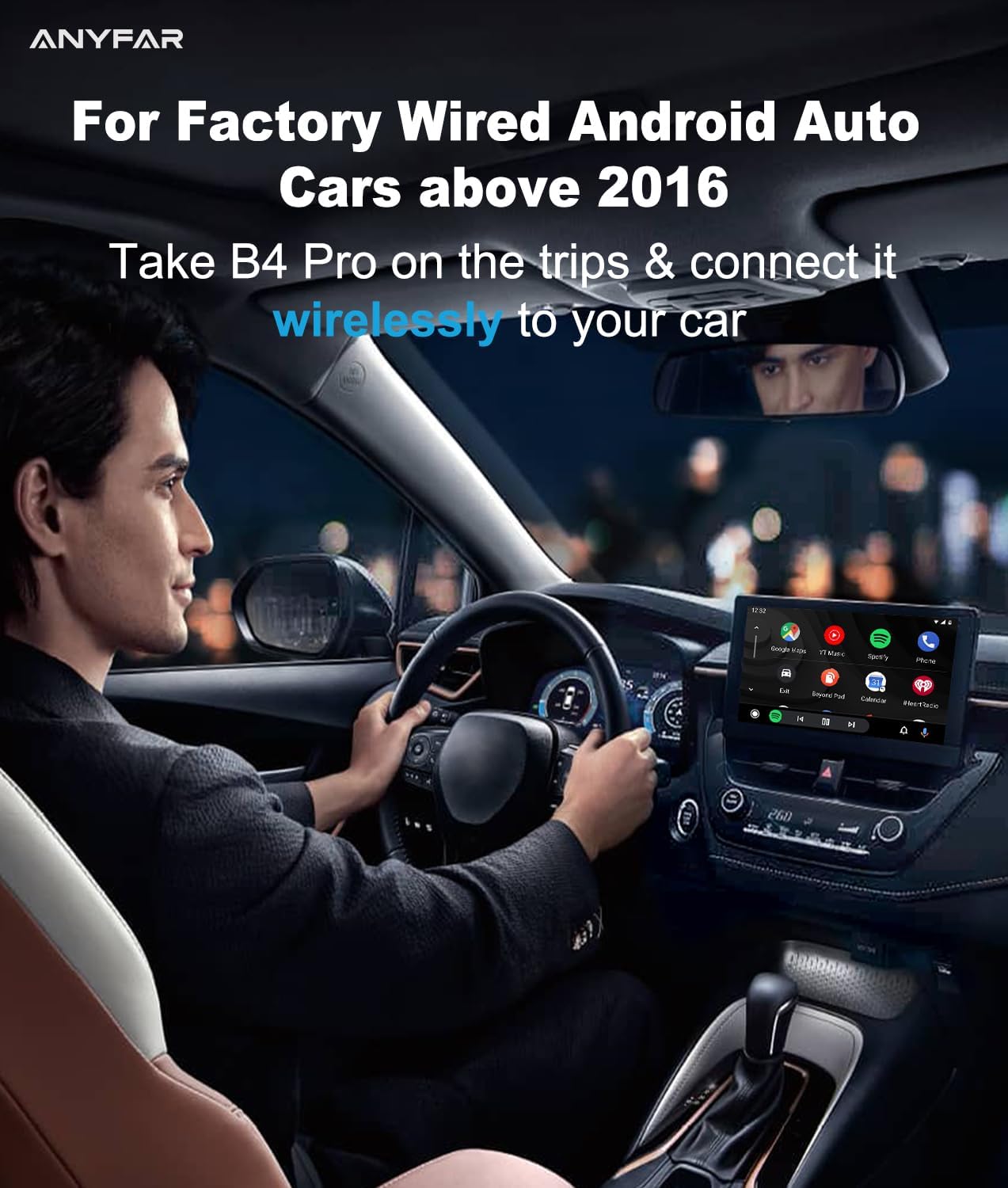
Image: A driver using the ANYFAR B4 Pro to access Android Auto wirelessly on their car's display.
Video: Un dettagliato sopraview of the ANYFAR B4 Pro Wireless Android Auto Adapter's features and in-car operation.
6. Compatibilità
The ANYFAR B4 Pro is designed for specific vehicle and phone configurations:
- Compatibilità del veicolo: Compatible with approximately 98% of cars manufactured from 2017 onward that come equipped with factory-installed wired Android Auto.
- Compatibilità del telefono: Your Android phone must be running Android OS 11 or later.
- Modelli incompatibili: The B4 Pro is non compatible with BMW, Tesla, aftermarket stereos, or the following specific car models: 2017 Chevy Bolt; 2019 Chrysler Pacifica; 2020 GMC Canyon; 2023 Toyota Camry; 2021 RAV4; 2020 Tacoma; 2018 Sienna; 2019 & 2020 Honda Odyssey; 2016 Accord EX-L; Outlander; 2021 Mazda cx5; VW Passat; VW Tiguan; 2017 Audi TT; 2019 AMG C43; 2024 Kia Telluride; 2023 Hyundai Ioniq 5; Ioniq 6; 2021 Kona; Nissan Rouge; 2023 Nissan Qashqai; 2020 F-250; 2023 Jeep Sahara; 2016 Jetta; 2021 Kia Rio; 2024 Hyundai Ioniq 6; 2017 Honda Civic; 2017 Honda CRV; 2017 Chevy Cruze; 2019 Ram 1500.
If you are unsure about your car's compatibility, please consult your vehicle's manual or contact ANYFAR customer support.
7. Risoluzione Dei Problemi
- Problemi di connessione: If the adapter does not connect automatically, ensure your phone's Bluetooth and Wi-Fi are enabled. Try restarting both your phone and the car's infotainment system. Re-pair the device if necessary.
- Lag or Freezing: The B4 Pro is designed for minimal lag. If you experience performance issues, ensure your phone's software is up to date and that there are no other devices interfering with the 5.8GHz Wi-Fi signal.
- Nessun audio/Qualità audio scarsa: Check your car's audio input settings to ensure it is set to the correct source. Verify that your phone's volume is up and that the adapter is securely plugged in.
- Aggiornamenti del firmware: Controllare periodicamente le istruzioni del produttore website for any available firmware updates for the B4 Pro, as these can improve performance and compatibility.
8. Specifiche
| Caratteristica | Dettaglio |
|---|---|
| Marca | OVUNQUE |
| Numero di modello | B4 Professionista |
| Interfaccia Hardware | USB 3.0 tipo A, USB 3.0 tipo C |
| Protocollo di collegamento dati | IEEE 802.11n, USB |
| Velocità di trasferimento dati | 5.8 GHz |
| Peso dell'articolo | 1.76 once (50 grammi) |
| Dimensioni del pacco | 4.96 x 4.17 x 0.75 pollici |
9. Informazioni sulla sicurezza
To ensure safe operation and prevent damage to the device or your vehicle, please observe the following:
- Non esporre il dispositivo a temperature estreme, alla luce solare diretta o all'umidità.
- Avoid disassembling or modifying the device, as this will void the warranty and could cause malfunction.
- Tenere il dispositivo lontano dalla portata dei bambini.
- Ensure the device is securely plugged into the USB port to prevent accidental disconnection.
10. Garanzia e supporto
The ANYFAR B4 Pro Wireless Android Auto Adapter comes with a standard manufacturer's warranty. For detailed warranty information, technical support, or assistance with troubleshooting, please visit the official ANYFAR website or contact their customer service department. Contact information can typically be found on the product packaging or the ANYFAR brand store online.


