Introduzione
The Veise VE06-H Smart Front Door Lock Set offers advanced security and convenience for your home. This smart lock provides multiple access methods including app control, keypad codes, fobs, mechanical keys, and a thumb turn. It integrates seamlessly with smart home systems (with a separate gateway) and features robust construction for reliable performance.

Image: The Veise VE06-H Smart Lock with handle set, illustrating the various ways to unlock it: via a numerical code on the keypad, a traditional physical key, a smartphone app, and RFID fobs.
Configurazione e installazione
Pre-installation Door Check
Prima di iniziare l'installazione, assicurati che la tua porta soddisfi le seguenti specifiche:
- Door thickness: 1-3/8" to 2" (35mm-50mm)
- Hole diameter for deadbolt: 1-1/2" or 2-1/8" (38mm or 54mm)
- Backset: 2-3/8" or 2-3/4" (60mm or 70mm)
- Hole diameter for handle: 3/8" (10mm)
- Minimum distance between deadbolt and handle holes: 4" (101.6mm)
- Distance from bottom handle hole to bottom of door: 7-7/8" to 8-7/8" (200mm-225mm)
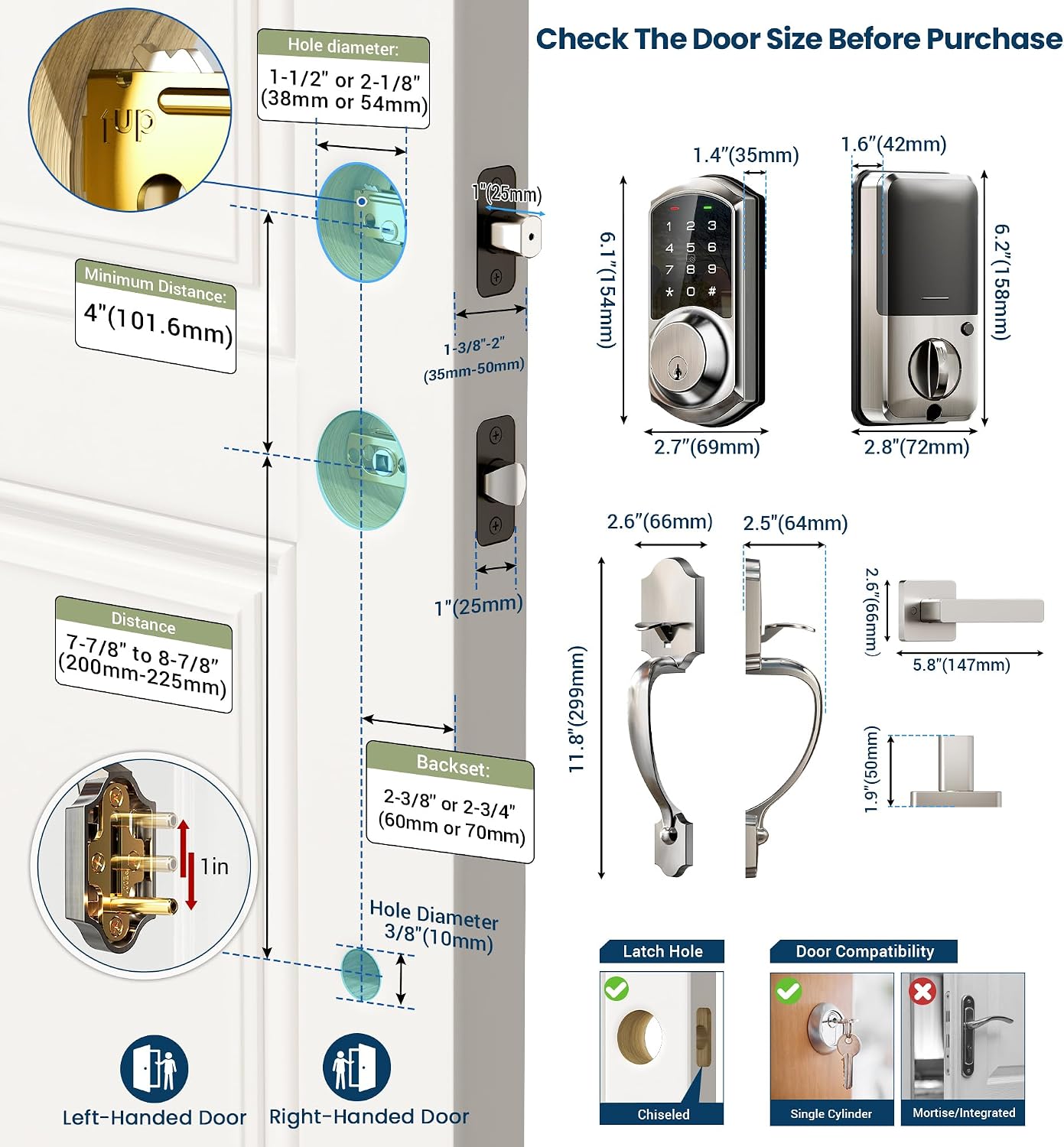
Image: A detailed diagram illustrating the required door dimensions and hole placements for installing the Veise VE06-H Smart Lock and handle set, including measurements for deadbolt, handle, backset, and door thickness.
Componenti inclusi
Il pacchetto include:
- Maniglia
- Leva della maniglia
- Istruzioni e manuale utente
- Fermo
- Sciopero
- 2 Chiavi di backup
- 2 portachiavi
- Piastra di montaggio
- Viti
- Serratura intelligente
Fasi di installazione
For a detailed visual guide on installing your Veise VE06-H Smart Lock Set, please refer to the official installation video below. Ensure the door remains open or ajar during installation and do not close it before batteries are inserted.
Video: Official installation guide for the Veise VE06-H Smart Lock with Handle Set, demonstrating step-by-step assembly and mounting on a door.
After installation, determine if your door is right-handed or left-handed and adjust the thumb turn direction accordingly by moving the slide switch to 'R' or 'L' on the interior assembly.
Image: An illustration demonstrating how to identify if a door is left-handed or right-handed and the corresponding adjustment needed for the smart lock's internal mechanism.
Istruzioni per l'uso
Multiple Access Methods
The Veise VE06-H provides five convenient ways to access your door:
- Controllo app: Use your smartphone to remotely lock/unlock, manage users, and view record di accesso.
- Codice: Enter a personalized code on the digital touchscreen keypad.
- Fob: Tap an RFID fob against the lock for quick entry.
- Chiave meccanica: Use traditional backup keys for manual unlocking.
- Pollice in giù: Manually lock or unlock from the interior.
App Control & eKeys
Manage your smart lock via the dedicated smartphone application. You can remotely generate eKeys and grant access to guests or service providers. The app allows you to manage multiple user codes (over 250), including one-time, permanent, scheduled, and recurring codes. You can also view a local event history of lock activity.
Video: A demonstration of the Veise VE06-H Smart Lock's app control features, including remote locking/unlocking and user management.
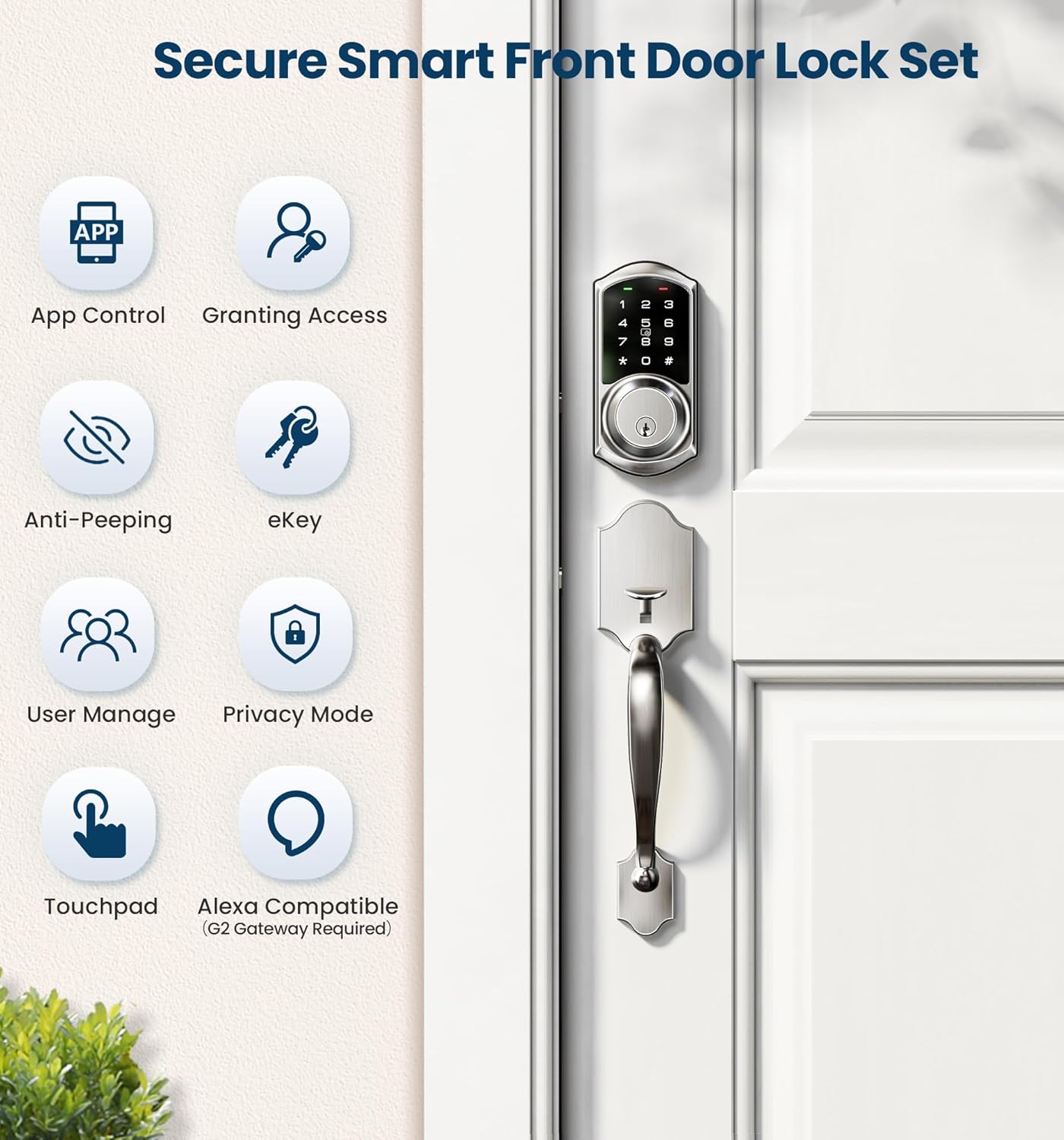
Image: The Veise VE06-H Smart Lock keypad alongside a graphic illustrating the different types of PIN codes that can be generated and managed, such as one-time, timed, recurring, permanent, and custom codes.
Funzione di blocco automatico
For enhanced security and peace of mind, the smart lock includes an auto-lock feature. You can customize the delay time within the app, typically ranging from 5 to 900 seconds, after which the door will automatically lock. Additionally, a one-touch locking function is available by long-pressing the '#' key on the keypad.

Image: A visual representation of the Veise VE06-H Smart Lock's auto-lock function, showing a child entering the house and the lock automatically engaging after a set time, along with the one-touch locking option via the keypad.
Integrazione della casa intelligente
With the separately sold Veise G2 gateway, you can remotely access your smart deadbolt and enable voice control with Alexa and Google Home. This integration allows for real-time push notifications and monitoring of the lock's status from anywhere.
Manutenzione
Gestione della batteria
The lock requires 4 AA batteries (not included). The app provides low battery alerts, ensuring you are notified when it's time for replacement. The battery cover is designed for easy access to change batteries.

Image: A close-up of the Veise Smart Lock keypad displaying a red indicator light and a smartphone screen showing a low battery alert, indicating that the battery level is at 15%.
Assistenza generale
The lock is designed with an IP55 waterproof rating and constructed from durable zinc alloy, making it weather-resistant. Regular cleaning with a soft, dry cloth is recommended to maintain its appearance. Avoid using abrasive cleaners or solvents.
Risoluzione dei problemi
App Connection Issues / Lock Not Found
If the app does not find the lock or cannot connect, please ensure the following:
- Do not use the keypad to change the Master Password before pairing the lock in the APP.
- Before pairing, you may need to touch the keypad to activate the lock.
- If issues persist, a reset of the lock may be required.
Come resettare la serratura
For instructions on how to reset your smart deadbolt, please watch the video below:
Video: A step-by-step guide on how to reset the Veise Smart Deadbolt, useful for resolving connectivity or pairing issues.
Specifiche
| Marca | Veise |
| Nome del modello | VE06-H |
| Tipo di blocco | Combination Lock, Deadbolt, Keypad |
| Materiale | Alluminio, Metallo |
| Colore | Nichel satinato |
| Stile | Tirare la maniglia |
| Dimensioni dell'articolo L x P x A | 17.99 x 7 x 4 pollici |
| Peso dell'articolo | 5.94 libbre |
| Caratteristiche speciali | Fob Unlock, One-Touch Lock, Smart Door Lock with Handleset, Full App Control & ekeys, Touchscreen Keypad Deadbolt, Remote Control with G2 Gateway, Alexa and Google Compatible (Veise G2 WiFi Gateway Required), ANSI Grade 3, Anti-Peeping, Web Portal Management, Fob IC Card, No Extra Drill, Auto Lock, Touchscreen, Weather Resistant |
| Tipo di controllore | Androide, iOS |
| Metodo di controllo | App, tocco |
| Protocollo di connettività | Bluetooth, WiFi (Veise G2 WiFi Gateway Required) |
| Sono necessarie batterie? | SÌ |
| Componenti inclusi | Handleset, Handle Lever, Instructions, User Manual, Latch, Strike, 2 Backup Key, 2 Fobs, Mounting Plate, Screws, Smart Door Lock |
Garanzia e supporto
Veise offers at least a 2-year warranty on this product. For any assistance, lifetime US-Based professional phone support is available weekdays from 9 AM to 5 PM PST. Additionally, 24/7 after-sales email service is provided for your convenience.


