1. Introduzione
The HYTE Y70 is an advanced dual-chamber ATX mid-tower computer case designed for high-performance gaming systems. It features a panoramic tempered glass display, extensive cooling capabilities, and a pre-installed PCIe 4.0 riser cable for vertical GPU mounting. This manual provides essential information for the proper assembly, operation, and maintenance of your HYTE Y70 case.
2. Informazioni sulla sicurezza
Please read and understand all safety precautions before installing components into the HYTE Y70 case. Failure to follow these guidelines may result in personal injury or damage to your equipment.
- Sicurezza elettrica: Always disconnect the power supply from the wall outlet before installing or removing any components. Ensure proper grounding.
- Scarica statica: Indossare un braccialetto antistatico o toccare frequentemente un oggetto metallico collegato a terra per prevenire le scariche elettrostatiche (ESD), che possono danneggiare i componenti elettronici sensibili.
- Componenti di movimentazione: Handle all components, especially the tempered glass panels, with care. Tempered glass, while durable, can shatter if subjected to sharp impacts or excessive force.
- Ventilazione: Ensure adequate airflow around the case to prevent overheating. Do not block ventilation openings.
- Peso: The case itself weighs approximately 24.3 pounds (11 kg). With components installed, it will be heavier. Lift with care, using proper lifting techniques.
3. Contenuto della confezione
Verify that all items are present in your HYTE Y70 package:
- HYTE Y70 Mid-Tower ATX Computer Gaming Case (Snow White)
- PCIe 4.0 x16 Riser Cable with color-matched canopy
- Accessory box containing screws, standoffs, cable ties, and other small parts.
- Manuale dell'utente (questo documento)
4. Prodotto finitoview
The HYTE Y70 case is engineered for both aesthetic appeal and high performance, featuring a dual-chamber design and panoramic tempered glass panels.
Caratteristiche principali:
- Vetro temperato panoramico: A three-piece panoramic glass design provides an unobstructed view dei tuoi componenti interni.
- Disposizione a doppia camera: Separates the main components from the power supply and cable management area for a cleaner build and improved airflow.
- Montaggio GPU verticale: Supports massive 4-slot vertical graphics cards with an included PCIe 4.0 x16 riser cable.
- Extensive Cooling Capacity: Accommodates up to a 360mm radiator on the side (up to 125mm thick) and top (up to 68mm thick). Features cold floor cooling for the GPU, supporting up to three 120mm or two 140mm fans (up to 32mm thick). Total capacity for up to 10 fans.
- Gestione ottimizzata dei cavi: Includes an L-shaped molded rubber grommet, dedicated routing channels, tie-down points, and reusable Velcro straps in the rear chamber.
- Tool-less Access: Top and side panels are easily removable without tools for convenient installation and maintenance.
- Floating Storage Sleds: Drive bays eject from the rear for intuitive drive maintenance.
Componenti visivi:
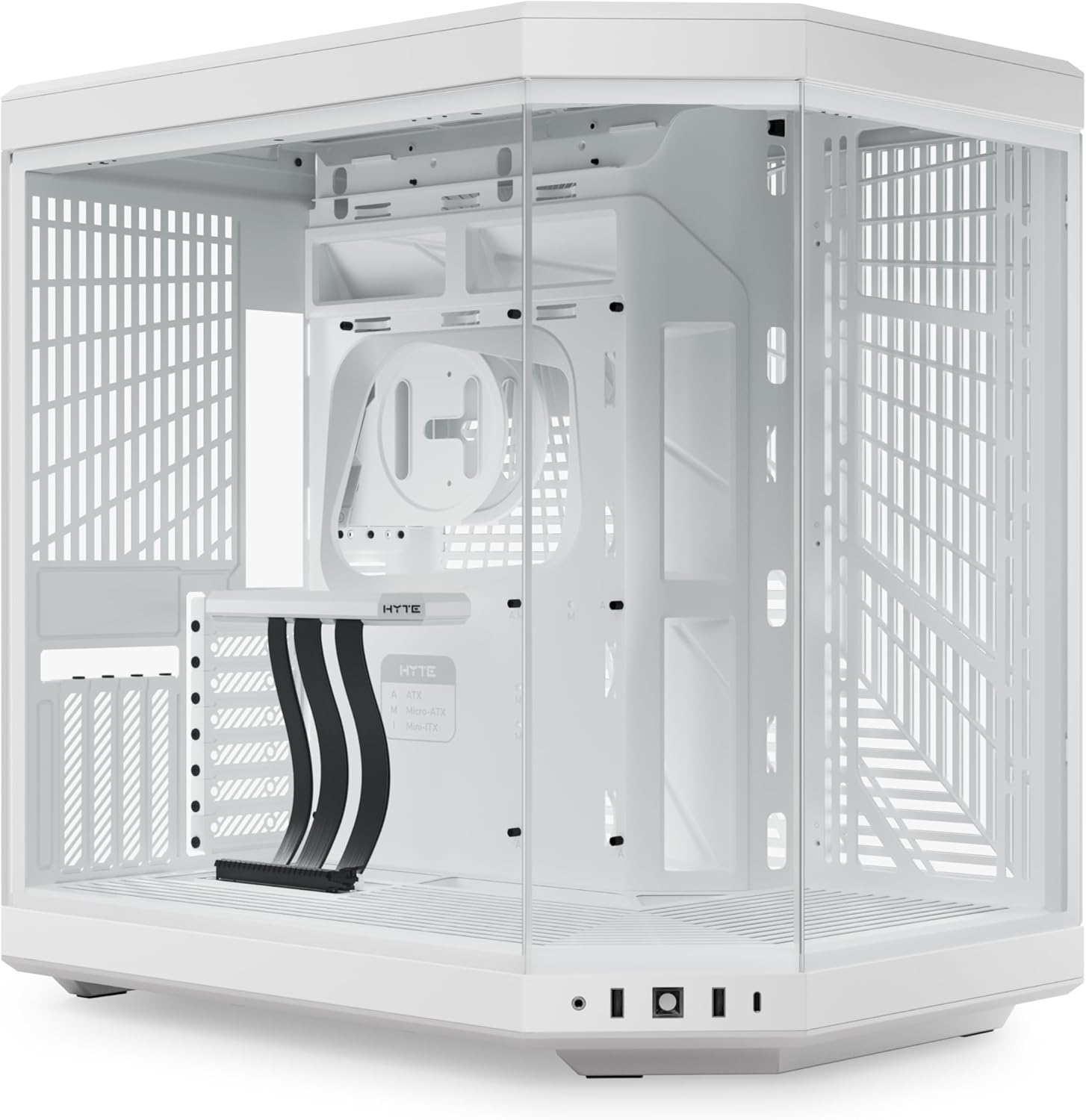
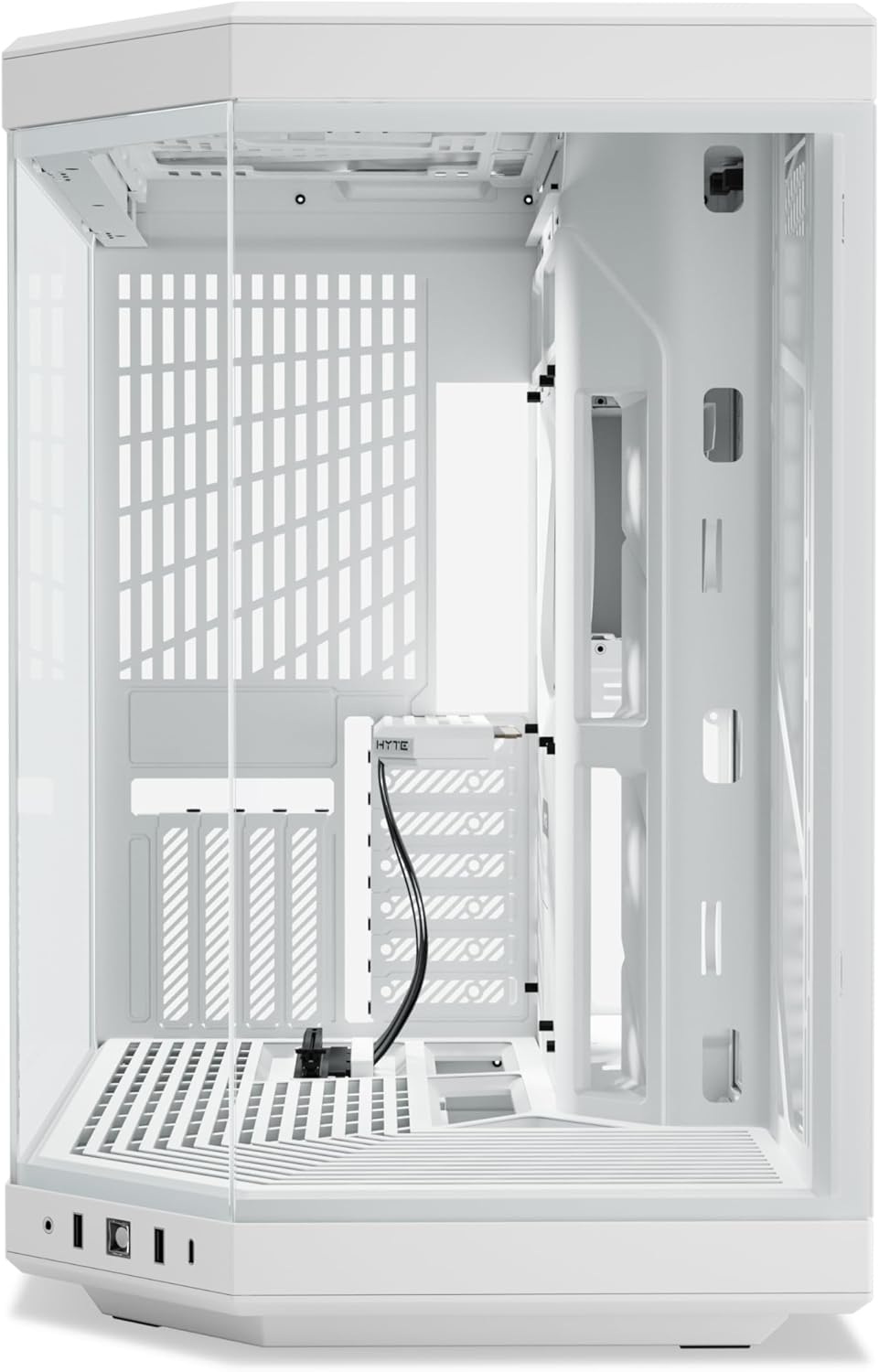


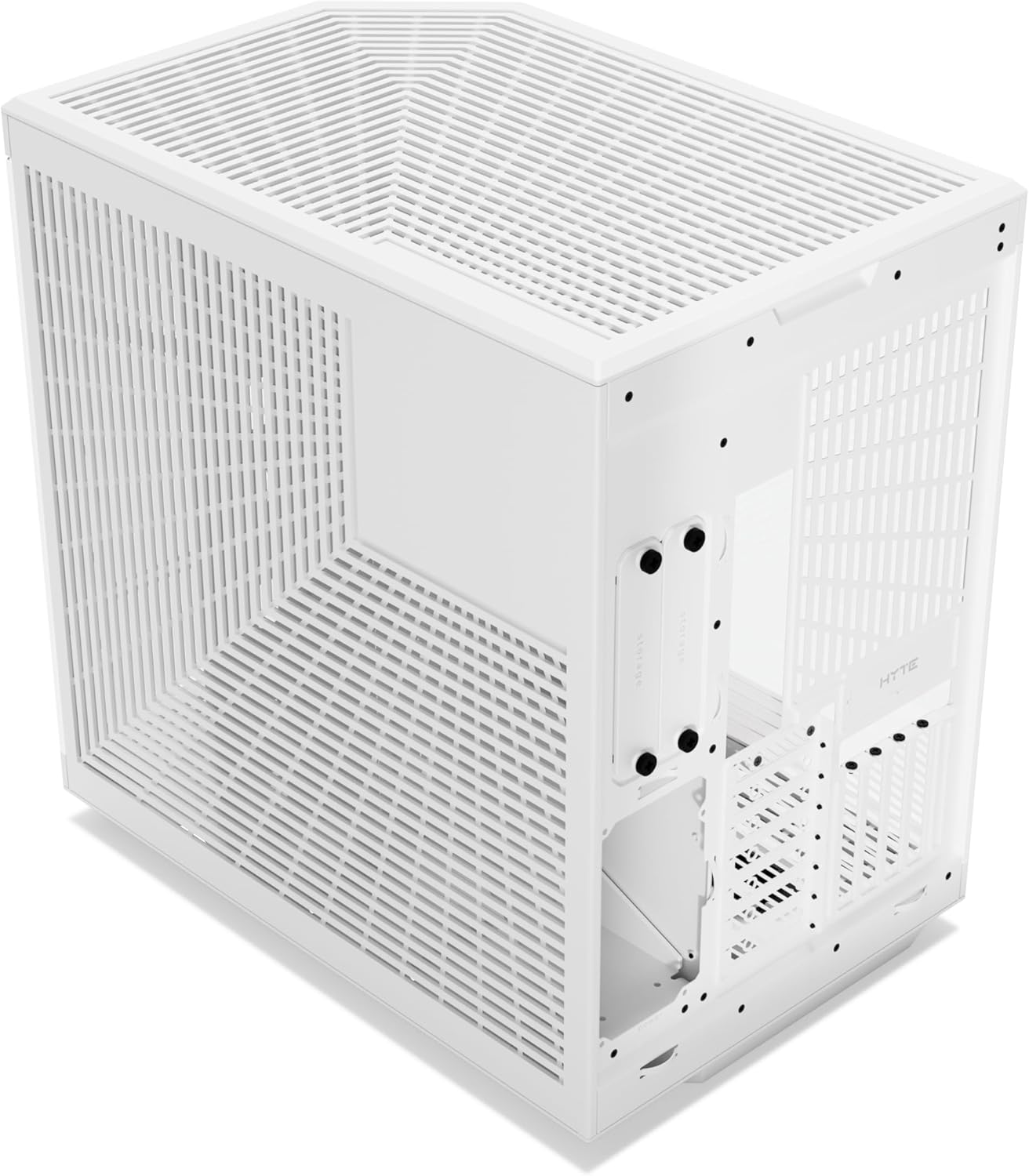

5. Configurazione e installazione
Follow these steps to install your computer components into the HYTE Y70 case.
- Preparare il caso: Carefully remove the tempered glass panels and the rear side panel by gently pulling them away from the chassis. The top panel can also be removed for easier access.
- Installare l'alimentatore (PSU): Mount your power supply unit in the dedicated compartment in the rear chamber of the case. Secure it with screws provided in the accessory box.
- Installa la scheda madre: Align your ATX, Micro-ATX, or Mini-ITX motherboard with the standoffs in the main chamber. Secure it with the appropriate screws.
- Installa unità di archiviazione: Utilize the floating storage sleds in the rear chamber for 2.5-inch SSDs or 3.5-inch HDDs. Eject the sleds, mount your drives, and reinsert them.
- Install Cooling Solutions:
- Tifosi: Install case fans in the designated locations (side, top, bottom, rear). The case supports up to three 120mm or two 140mm fans at the bottom, and various configurations on the side and top.
- Radiatori: If using liquid cooling, mount radiators up to 360mm on the side or top brackets. Ensure proper clearance for tubes and fittings.
- Installa la scheda grafica (GPU): The HYTE Y70 supports vertical GPU mounting. Connect your graphics card to the included PCIe 4.0 x16 riser cable and secure it in the vertical slot. Ensure the card is properly seated and secured.
- Collegare i cavi I/O anteriori: Connect the front panel USB 2.0, USB 3.0, audio, and power/reset switch cables to the corresponding headers on your motherboard.
- Gestione dei cavi: Route all power and data cables through the designated channels and tie-down points in the rear chamber. Use the provided Velcro straps to bundle cables neatly.
- Rimontare i pannelli: Once all components are installed and cables are managed, carefully reattach the side and top panels.
6. Funzionamento del caso
The HYTE Y70 case functions as an enclosure for your computer components, facilitating airflow and protecting hardware. Once your system is fully assembled and powered on, ensure proper ventilation and monitor component temperatures.
- Accensione: Press the power button located on the front I/O panel to start your system.
- Ottimizzazione del flusso d'aria: For optimal cooling performance, ensure that intake fans draw cool air into the case and exhaust fans expel hot air. The dual-chamber design and extensive fan mounting options allow for highly efficient airflow configurations.
- Aesthetic Display: The panoramic glass panels are designed to showcase your internal components. Consider lighting and component placement for visual appeal.
7. Manutenzione
Regular maintenance helps ensure optimal performance and longevity of your HYTE Y70 case and its components.
- Filtri antipolvere: The case features removable dust filters to prevent dust buildup inside. Regularly remove and clean these filters by rinsing them with water or using a soft brush. Ensure they are completely dry before reinstallation.
- Pulizia esterna: Wipe the exterior surfaces, including the tempered glass panels, with a soft, lint-free cloth. For stubborn smudges on glass, use a glass cleaner applied to the cloth, not directly to the glass. Avoid abrasive cleaners.
- Interior Dusting: Periodically, with the system powered off and unplugged, use compressed air to remove dust from internal components and hard-to-reach areas.
8. Risoluzione Dei Problemi
Questa sezione affronta i problemi più comuni che potresti riscontrare durante la configurazione o il funzionamento.
- Il sistema non si accende:
- Ensure the power supply is properly connected to the wall outlet and the motherboard.
- Verificare che il cavo dell'interruttore di alimentazione del pannello frontale sia collegato correttamente al connettore del pannello frontale della scheda madre.
- Nessuna uscita di visualizzazione:
- Check that the graphics card is fully seated in the PCIe slot and the PCIe riser cable is securely connected at both ends.
- Ensure your monitor cable is connected to the graphics card, not the motherboard's integrated graphics port (unless you are using integrated graphics).
- Scarso flusso d'aria/temperature elevate:
- Verify that all fans are spinning and oriented correctly (intake vs. exhaust).
- Clean any clogged dust filters.
- Ensure no cables or components are obstructing airflow paths.
- Pannelli sciolti:
- Ensure panels are properly aligned with their mounting points and pushed firmly into place until they click or are securely seated.
For further assistance, please refer to the HYTE support websito o contattare il loro servizio clienti.
9. Specifiche
| Caratteristica | Specificazione |
|---|---|
| Nome del modello | CS-HYTE-Y70-WW |
| Tipo di caso | Mid Tower |
| Compatibilità della scheda madre | ATX |
| Materiale | Metallo, vetro temperato |
| Colore | Bianco come la neve |
| Dimensioni (LxWxH) | 18.5 x 12.5 x 18.5 pollici (470 x 318 x 470 mm) |
| Peso dell'articolo | 24.3 libbre (11 kg) |
| Metodo di raffreddamento | Aria, Acqua |
| Tipo di montaggio dell'alimentatore | Montaggio inferiore |
| Porte USB 2.0 | 2 |
| Porte USB 3.0 | 2 |
| Cavo riser PCIe | PCIe 4.0 x16 (Included) |
10. Garanzia e supporto
For detailed warranty information regarding your HYTE Y70 case, please refer to the documentation included with your purchase or visit the official HYTE websito. I termini e le condizioni della garanzia possono variare in base alla regione e al rivenditore.
For technical support, troubleshooting assistance, or to inquire about replacement parts, please contact HYTE customer support directly. You can typically find support contact information on the official HYTE websito:


