1. Introduzione e oltreview
This Unitronic wireless remote control system provides a simple and reliable solution for controlling electronic devices remotely. It includes two transmitters and one receiver, operating at a stable frequency of 433.92 MHz. The system is designed for energy efficiency with a low power consumption and a maximum output of 120W. The receiver is capable of storing up to 140 unique codes, allowing for versatile control and customization of various appliances such as blinds, lighting, and garage doors. With an IP20 rating, this system is suitable for safe indoor use.

Figura 1.1: Oltreview of the Unitronic 2-Channel Wireless Remote Control System, showing the two remote transmitters and the receiver module.
2. Impostazione
2.1 Disimballaggio e componenti
Disimballare con cura tutti i componenti. La confezione dovrebbe contenere:
- 2 x Wireless Remote Transmitters (with batteries included)
- 1 x modulo ricevitore wireless

Figure 2.1: Product packaging for the Unitronic Wireless Remote Control System.
2.2 Installazione e cablaggio del ricevitore
The receiver module is designed for easy integration into your existing electrical setup. Ensure power is disconnected before wiring.
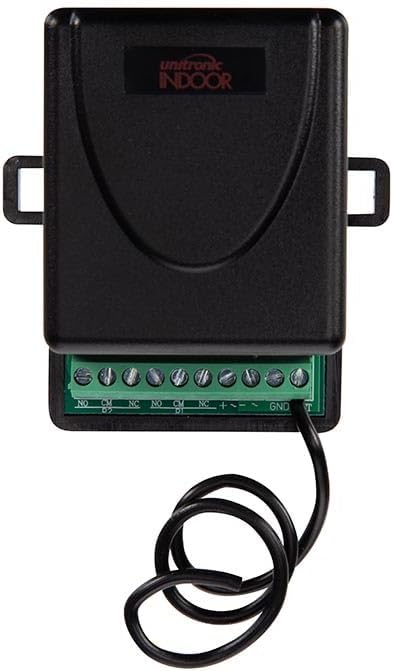
Figura 2.2: primo piano view of the receiver's terminal block for wiring connections.
Connect your device and power supply to the receiver's terminal block according to the following labels:
- NO: Contatto normalmente aperto
- CM: Contatto comune
- NC: Contatto normalmente chiuso
- +: Ingresso di potenza positivo
- -: Assorbimento di potenza negativo
- TERRA: Terra
- Giorno 1: Data input (if applicable for advanced configurations)
Refer to the wiring diagram of the device you intend to control for proper connection to the NO, CM, or NC terminals. Ensure the power supply matches the receiver's voltage requisiti.
2.3 Pairing Transmitters with the Receiver
The receiver can store up to 140 unique codes from various transmitters. To pair a transmitter:
- Assicurarsi che il ricevitore sia acceso.
- Locate the learning button or programming jumper on the receiver (exact location may vary, refer to receiver's specific markings).
- Press and hold the learning button on the receiver until an indicator light (LED) illuminates or flashes, indicating it is in learning mode.
- Within a few seconds, press the desired button on the transmitter that you wish to pair.
- The receiver's indicator light should change (e.g., flash rapidly, turn solid, or turn off) to confirm successful pairing.
- Repeat the process for any other buttons on the same transmitter or for additional transmitters you wish to pair.
To clear all stored codes from the receiver, typically press and hold the learning button for a longer duration (e.g., 8-10 seconds) until the indicator light confirms the reset.
3. Istruzioni per l'uso
3.1 Funzionamento di base
Once paired, operating the system is straightforward. Each button on the transmitter corresponds to a specific action or device linked during the pairing process.
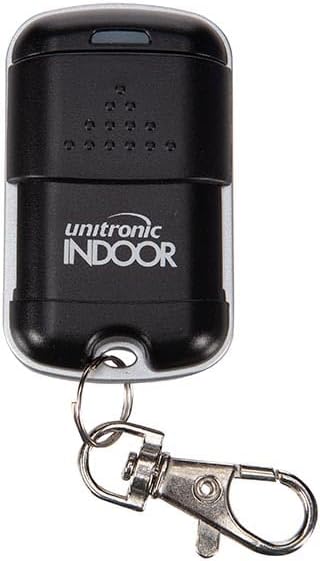
Figure 3.1: Close-up of a Unitronic remote transmitter.
To activate a connected device, simply press the corresponding button on the remote transmitter. The blue LED on the transmitter will illuminate when a button is pressed, indicating signal transmission.
3.2 Dispositivi di controllo
The system is versatile and can be used for various home automation tasks:
- Garage Doors/Gates: Press the assigned button to open or close your garage door or gate.

Figure 3.2: Using the remote to control a garage door.
- Caratteristiche esterne: Control garden lights, water features, or other outdoor electrical appliances.
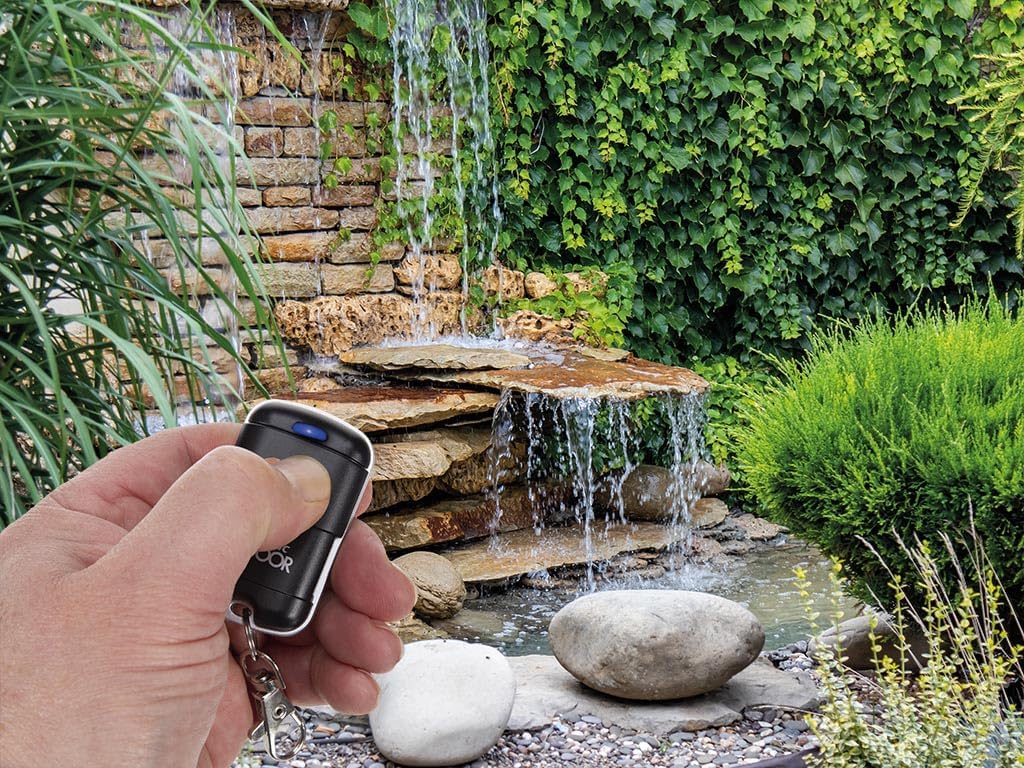
Figure 3.3: Remote control used for a garden water feature.
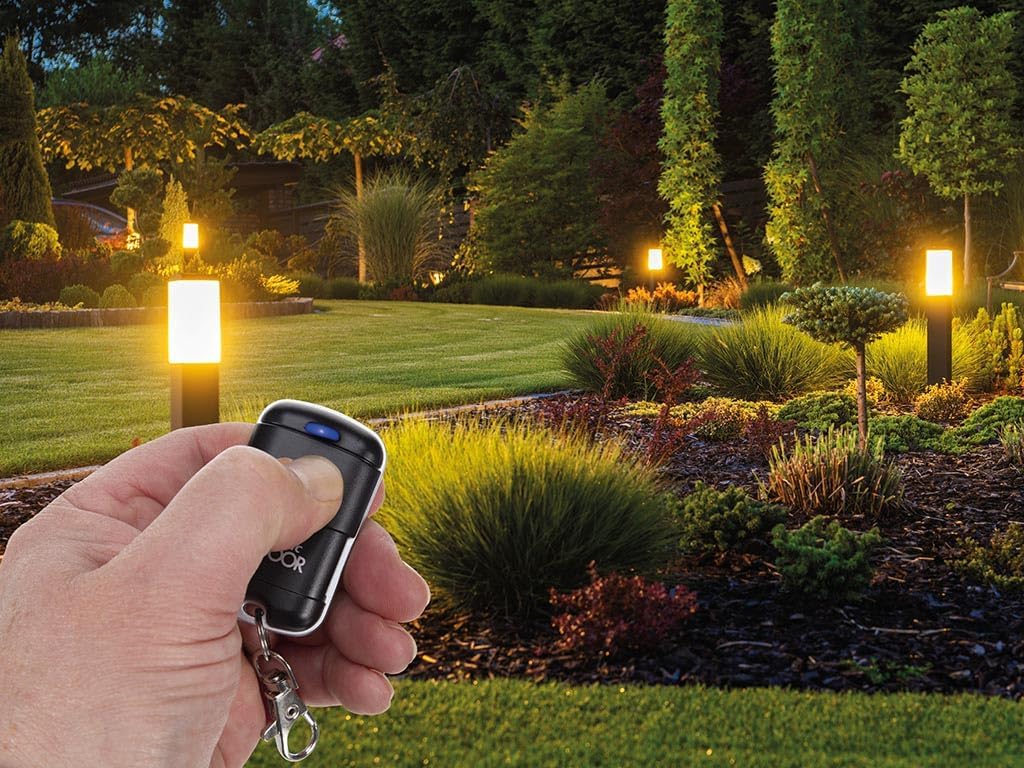
Figure 3.4: Remote control used for garden lighting.
- Indoor Lighting/Blinds: Integrate with indoor lighting systems or motorized blinds for convenient control.
4. Manutenzione
4.1 Pulizia
Wipe the transmitters and receiver with a soft, dry cloth. Do not use abrasive cleaners, solvents, or immerse the devices in water. Ensure the receiver's terminal block remains free of dust and debris.
4.2 Battery Replacement (Transmitters)
The transmitters come with batteries included. If the blue LED on the transmitter does not illuminate or the range decreases significantly, it may be time to replace the battery. Refer to the transmitter's casing for the battery type (typically a small coin cell battery). Carefully open the battery compartment, replace the old battery with a new one of the same type, observing polarity, and close the compartment securely.
4.3 Conservazione
Store the system components in a cool, dry place away from direct sunlight, extreme temperatures, and high humidity when not in use for extended periods.
5. Risoluzione Dei Problemi
5.1 Nessuna risposta dal dispositivo
- Controlla la potenza: Ensure the receiver module is properly powered.
- Controlla l'associazione: Verify that the transmitter is correctly paired with the receiver. If unsure, repeat the pairing process (Section 2.3).
- Check Transmitter Battery: Confirm the transmitter battery is not depleted. Replace if necessary.
- Controllare il cablaggio: Ensure all wires are securely connected to the receiver's terminal block and to the controlled device.
5.2 Limited Range or Intermittent Operation
- Ostacoli: Large metal objects, concrete walls, or other electronic devices can interfere with the wireless signal. Try operating closer to the receiver or repositioning the receiver.
- Interferenza: Other wireless devices operating on similar frequencies (433.92 MHz) can cause interference.
- Batteria scarica: A weak transmitter battery can reduce the effective range.
5.3 Receiver Indicator Light Not Functioning
- Problema di alimentazione: Ensure the receiver is receiving adequate power.
- Danno: If the receiver has been exposed to moisture or physical damage, it may be faulty.
6. Specifiche
| Marca | UNITRONIC |
| Numero di modello | 8023389773367 |
| ASIN | B0CY254GGS |
| Colore | Nero |
| Tecnologia di connettività | Senza fili |
| Frequenza | 433.92 MHz |
| Numero di canali | 2 |
| Potenza massima in uscita | 120 L |
| Code Storage Capacity | Fino a 140 codici |
| Caratteristica speciale | Digital Display (on some models/features) |
| Grado di protezione IP | IP20 (per uso interno) |
| Produttore | Unitronic |
| Paese di origine | Cina |
7. Garanzia e supporto
Information regarding specific warranty terms for this product is not provided in the available data. For warranty claims or technical support, please contact the retailer or manufacturer directly.
Please note that information on spare parts availability and guaranteed software updates is not available for this product.


