1. Introduzione
This manual provides essential information for the safe and efficient operation of your JVC TiVo LT-40VF5355 40-inch Full HD Smart TV. Please read these instructions thoroughly before using the television and retain them for future reference.
The JVC TiVo LT-40VF5355 offers a vibrant Full HD display, HDR10 support for enhanced contrast, and an integrated triple tuner for versatile reception options (DVB-C, DVB-T2, DVB-S2). Powered by the TiVo Smart TV operating system, it provides access to a wide range of streaming services and smart features.
2. Informazioni sulla sicurezza
Per evitare scosse elettriche, incendi o lesioni, osservare sempre le seguenti precauzioni di sicurezza:
- Non esporre il televisore alla pioggia o all'umidità.
- Non aprire la TV casing; affidare ogni intervento di manutenzione a personale qualificato.
- Garantire un'adeguata ventilazione intorno al televisore.
- Evitare di posizionare il televisore su superfici instabili.
- Scollegare il televisore durante i temporali o quando non viene utilizzato per lunghi periodi.
- Tenere le piccole parti e le batterie fuori dalla portata dei bambini.
3. Contenuto della confezione
Verificare che tutti gli articoli siano presenti nella confezione:
- JVC TiVo LT-40VF5355 40-inch Full HD Smart TV
- Telecomando (con 2 batterie AAA incluse)
- Supporto TV (piedini)
- Manuale dell'utente (questo documento)
4. Impostazione
4.1 Configurazione fisica
Attaccare il supporto: Carefully place the TV face down on a soft, flat surface. Align the stand feet with the screw holes on the bottom of the TV and secure them with the provided screws. Ensure the stand is firmly attached before placing the TV upright.
Montaggio a parete (opzionale): This TV supports VESA wall mounts. Refer to the wall mount manufacturer's instructions for installation. The VESA mounting pattern for this model is M4 100x100.

Immagine: Posteriore view of the JVC TiVo LT-40VF5355 TV showing dimensions (Width 90.9 cm, Height with stand 57.9 cm, Depth with stand 23.5 cm, 40 inches / 102 cm diagonal) and VESA M4 100x100 mounting points.
4.2 Connessioni
Connect external devices to your TV using the available ports:
- HDMI (x2): For high-definition audio and video from devices like Blu-ray players, game consoles, or set-top boxes. HDMI 1 supports ARC (Audio Return Channel) for simplified audio connections to soundbars or AV receivers.
- USB (x1): Per collegare dispositivi di archiviazione USB per riprodurre contenuti multimediali files.
- Uscita audio digitale: Per il collegamento a sistemi audio esterni.
- Antenna (RF/F): For connecting a terrestrial (DVB-T2) or cable (DVB-C) antenna.
- Satellite (LNB): Per il collegamento di un'antenna parabolica (DVB-S2).
- Cuffie: Per collegare le cuffie.
- Slot CI: Per inserire un modulo di accesso condizionale (CAM) e una smart card per accedere ai canali crittografati.
- LAN: Per una connessione Internet cablata.
- Wifi: Per la connessione internet wireless.

Immagine: Primo piano view of the TV's rear panel showing various connection ports including 2x HDMI, 1x USB, Digital Audio Output, Antenna (RF/F), Headphones, Bluetooth, CI Slot, and LAN.
4.3 Prima installazione
After connecting the power cable and turning on the TV for the first time, follow the on-screen instructions to:
- Seleziona la tua lingua.
- Collegati alla tua rete Wi-Fi oppure utilizza una connessione LAN cablata.
- Scan for available TV channels (DVB-C, DVB-T2, DVB-S2).
- Log in to your TiVo account or create a new one to access Smart TV features.
5. Operativo
5.1 telecomando
The included remote control allows you to navigate the TV's functions. It features dedicated buttons for popular streaming services like Netflix, YouTube, Prime Video, and Disney+ for quick access.
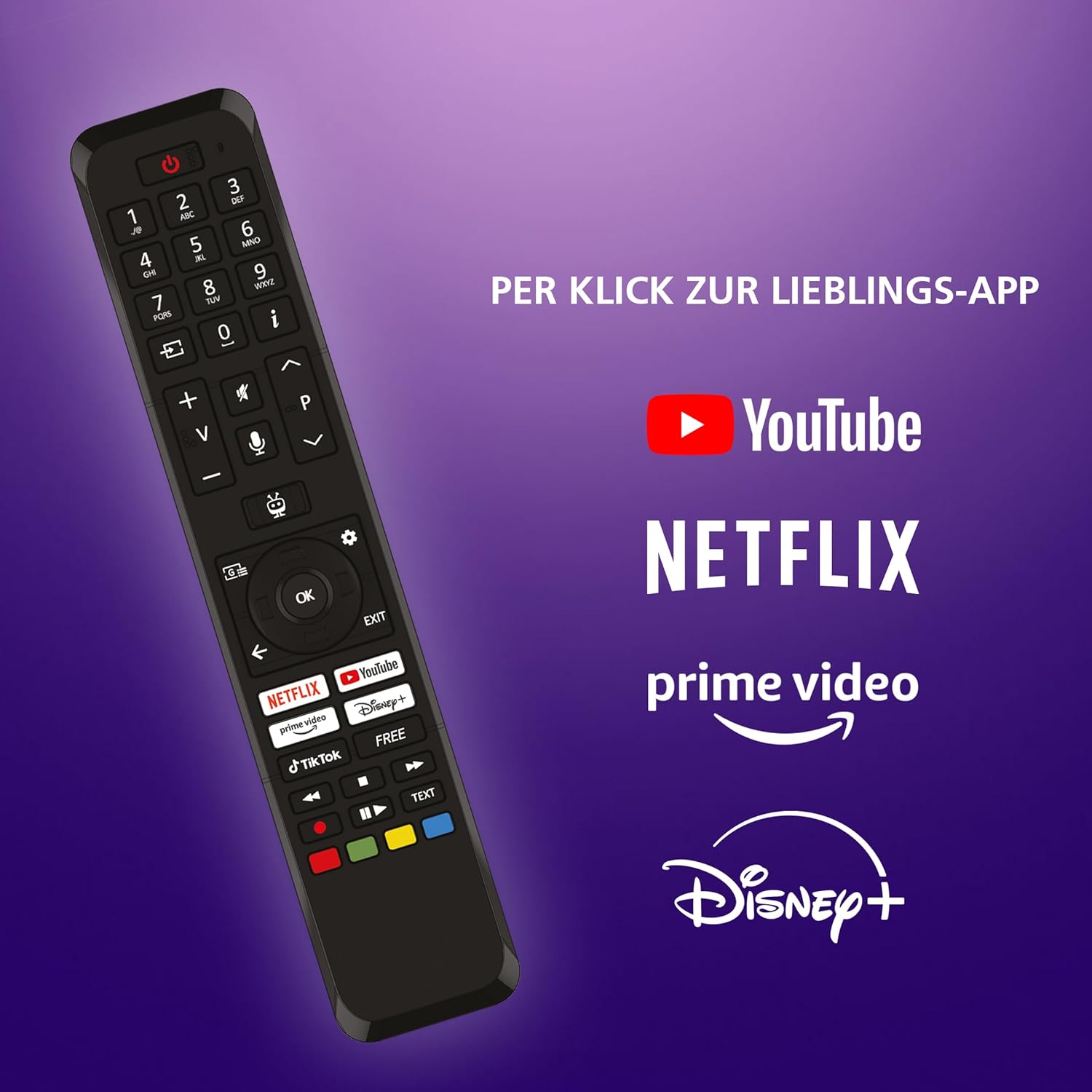
Image: The TV remote control, highlighting dedicated buttons for YouTube, Netflix, Prime Video, and Disney+.
5.2 Caratteristiche della TiVo Smart TV
Your JVC TV is powered by the TiVo Smart TV operating system, offering a personalized and intuitive user experience.
- Navigazione intelligente: Search across streaming apps and live TV to find content.
- Raccomandazioni personalizzate: TiVo learns your viewing habits to suggest content you might enjoy.
- Controllo vocale: Utilizza i comandi vocali per cambiare canale, regolare il volume, aprire app e altro ancora.
- Accesso all'app: Enjoy a wide range of applications including Netflix, Prime Video, Disney+, YouTube, DAZN, and many others.
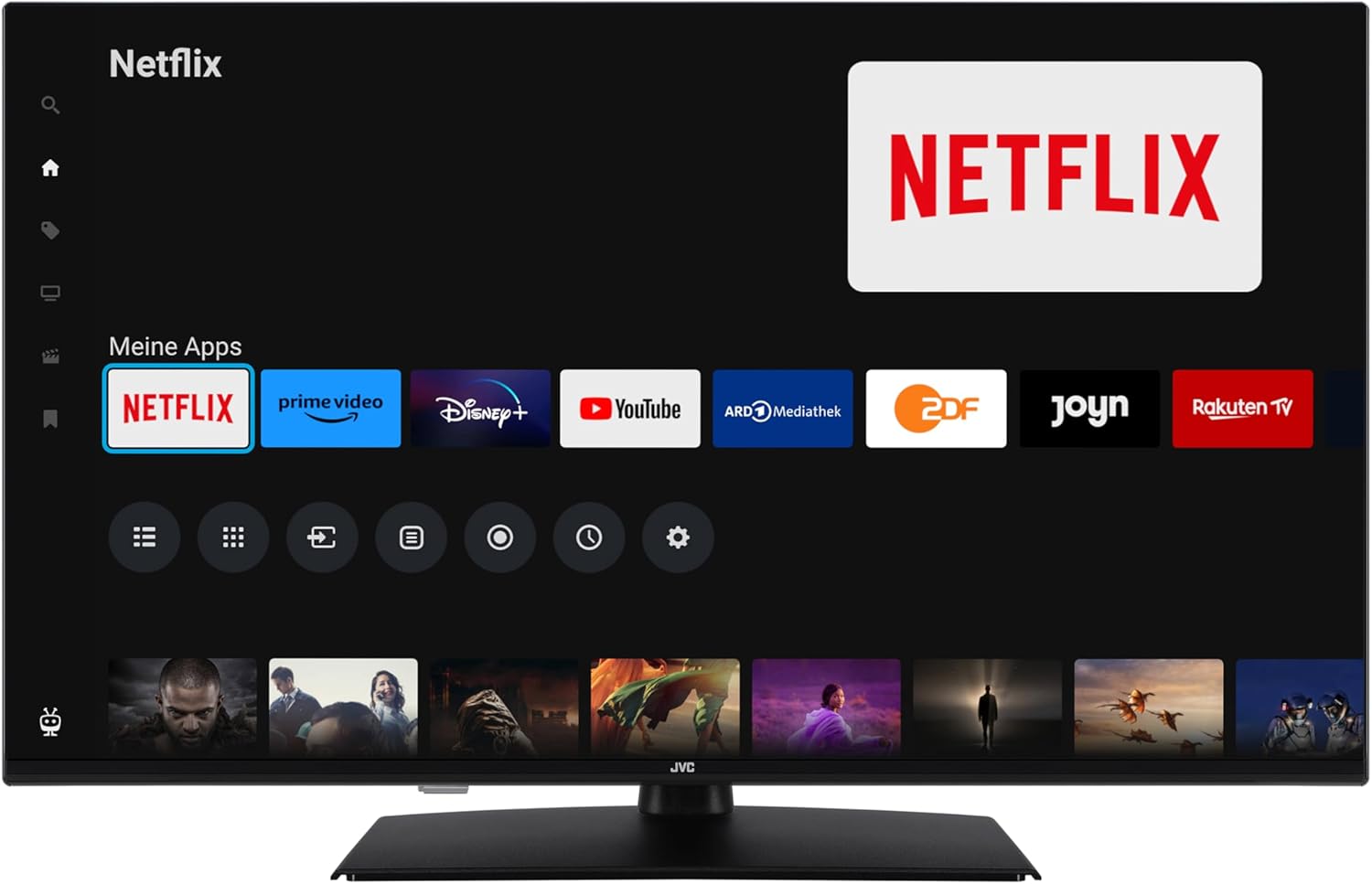
Image: The TiVo Smart TV home screen displaying various applications such as Netflix, Prime Video, Disney+, YouTube, ARD Mediathek, ZDF, Joyn, and Rakuten TV.

Image: Infographic explaining the benefits of TiVo Smart TVs, including intelligent navigation, simple user experience, intelligent recommendations, and continuous improvements.
5.3 Impostazioni immagine e audio
Your TV supports advanced picture technologies for an optimal viewesperienza di ing:
- Tipo di HDR: High Dynamic Range provides greater contrast and a wider range of colors for more realistic images.
- Risoluzione eccellente: Migliora la nitidezza e i dettagli dell'immagine.
- Micro oscuramento: Migliora il contrasto analizzando e regolando la luminosità in diverse aree dello schermo.
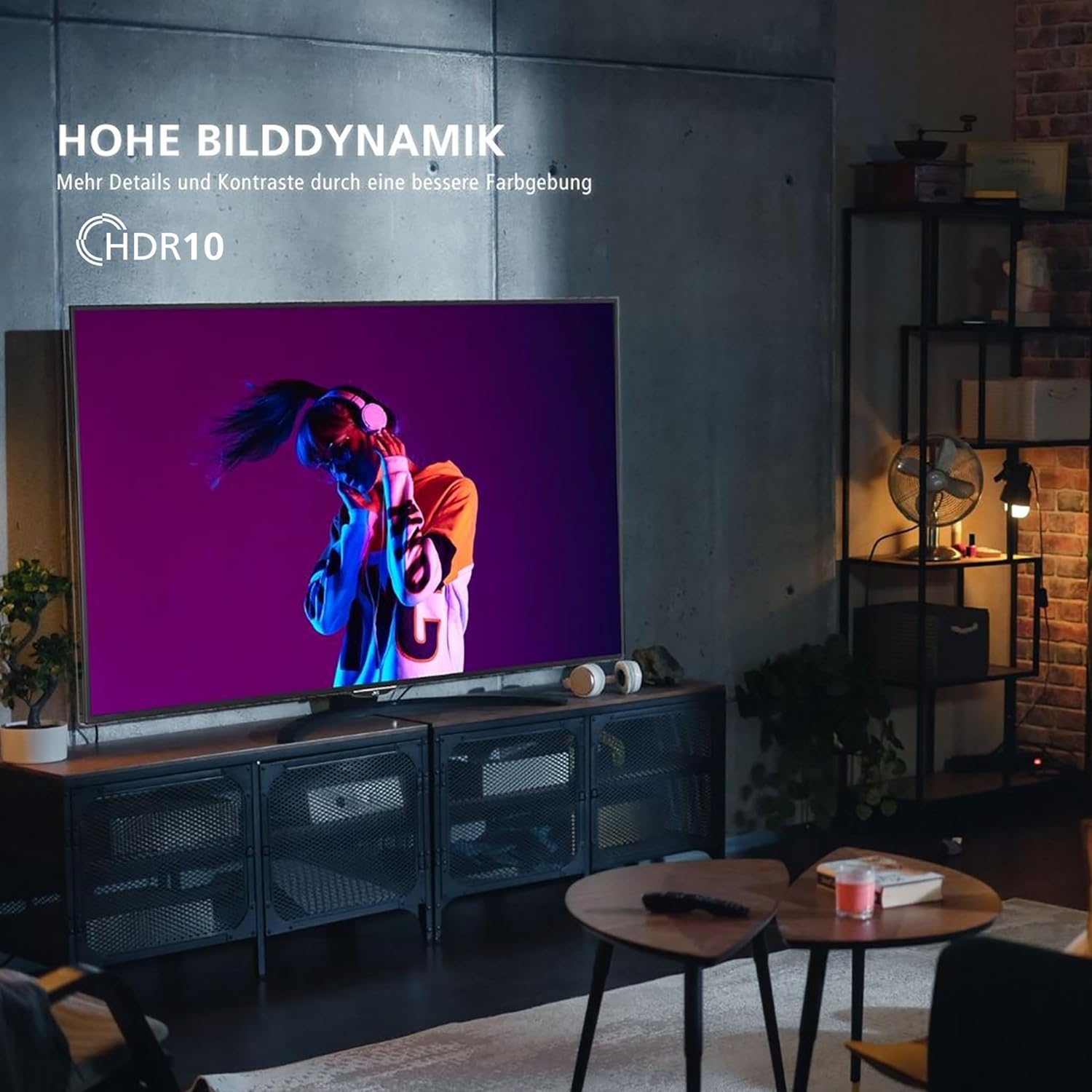
Image: A television screen displaying a vibrant image, illustrating the "High Dynamic Range" (HDR10) feature for more details and contrast.

Image: A television screen displaying a detailed underwater scene, highlighting "Super Resolution" and "Micro Dimming" for breathtaking picture quality.
You can select various picture modes to optimize the display for different content types:
- Cinema: Optimized for movies.
- Sport: Enhanced for fast-paced sports.
- Gioco: Ridotto input lag per il gaming.
- Dinamico: Immagine vivida e luminosa.

Image: A TV screen divided into four sections, each showing a different picture mode: Cinema, Sport, Gaming, and Dynamic.
5.4 Funzionamento del sintonizzatore
The integrated triple tuner allows reception via antenna (DVB-T2), cable (DVB-C), or satellite (DVB-S2) without an additional receiver. Use the TV's menu to perform channel scans and manage your channel list.
The TV also supports the HD+ TV App, which may offer additional HD channels (availability depends on region and subscription).
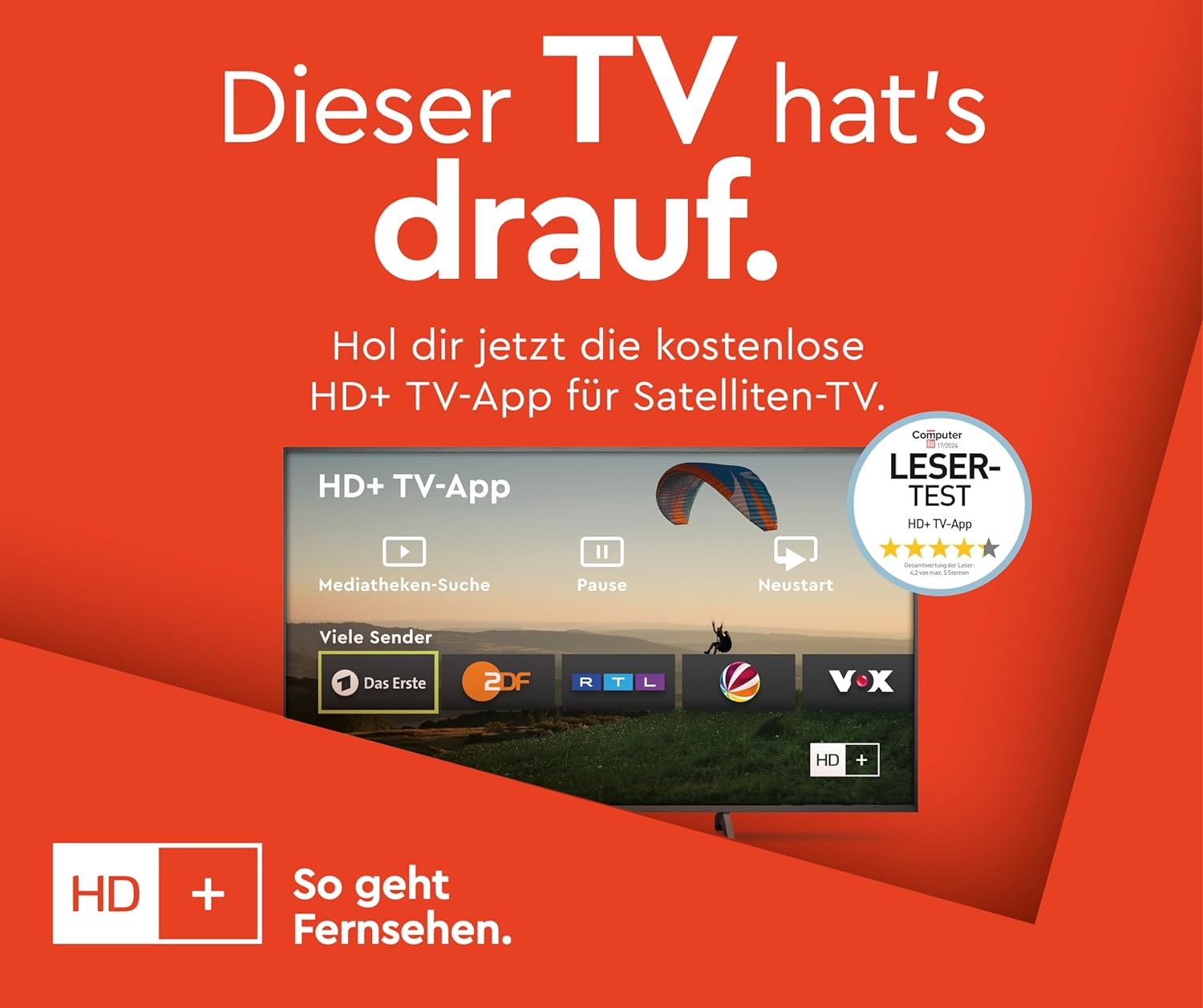
Image: Information about the HD+ TV App, showing features like private HD/UHD channels, restart, media libraries, and a 6-month test period.
5.5 Riproduzione multimediale
Connect a USB storage device to the USB port to play compatible media files (photos, music, videos) directly on your TV using the built-in media player.
6. Manutenzione
6.1 Pulizia
Scollegare sempre la TV dalla presa di corrente prima di pulirla. Utilizzare un panno morbido e asciutto per pulire lo schermo e il telaio. Non utilizzare detergenti liquidi o spray direttamente sulla TV.
6.2 Aggiornamenti software
The TV may receive regular software updates to improve performance and add new features. Ensure your TV is connected to the internet to receive these updates. You can usually check for updates in the TV's settings menu.
7. Risoluzione Dei Problemi
Se riscontri problemi con la tua TV, fai riferimento alle seguenti soluzioni comuni:
- Nessun potere: Ensure the power cable is securely connected and the wall outlet is functioning.
- Nessuna immagine/suono: Controllare tutti i collegamenti dei cavi (HDMI, antenna). Assicurarsi che sia selezionata la sorgente di ingresso corretta.
- Il telecomando non funziona: Sostituisci le batterie. Assicurati che non ci siano ostacoli tra il telecomando e il televisore.
- TV Shuts Down Automatically: Check the power saving settings in the TV menu. Disable any automatic shutdown timers.
- App Issues (e.g., Netflix not loading): Try restarting the TV by unplugging it from the power outlet for a few minutes, then plugging it back in. Ensure your internet connection is stable.
- "Cannot find HD channels" error: This message may appear even after successful channel installation. Ensure your tuner settings are correct and try rescanning channels. If the message persists but channels are available, it might be a minor software notification.
Per problemi persistenti, consultare le risorse di supporto online o contattare il servizio clienti.
8. Specifiche
| Marca | JVC |
| Numero di modello | LT-40VF5355 |
| Dimensioni dello schermo | 40 pollici (102 cm di diagonale) |
| Tecnologia di visualizzazione | LED-LCD |
| Risoluzione | 1080p (Full HD, 1920x1080 pixel) |
| Frequenza di aggiornamento | Frequenza 120 Hz |
| Sistema operativo | TiVo Smart TV |
| Caratteristiche speciali | HDR10, Micro Dimming, Super Resolution, 6 months HD+ included (via SAT in Germany) |
| Connettività | 2x HDMI (CEC + ARC), 1x USB, Wi-Fi, LAN, Digital Audio Output, Headphones, CI Slot |
| Dimensioni (con supporto) | 23.5P x 90.9L x 57.9A cm |
| Classe di efficienza energetica (SDR) | E |
| Classe di efficienza energetica (HDR) | G |
| Consumo energetico (SDR) | 37.0 L |
| Consumo energetico (HDR) | 67.0 L |
| Disponibilità dei pezzi di ricambio | 7 anni |

Image: Table illustrating recommended viewing distances for different TV sizes (24" to 70") and resolutions (4K, Full HD, HD).
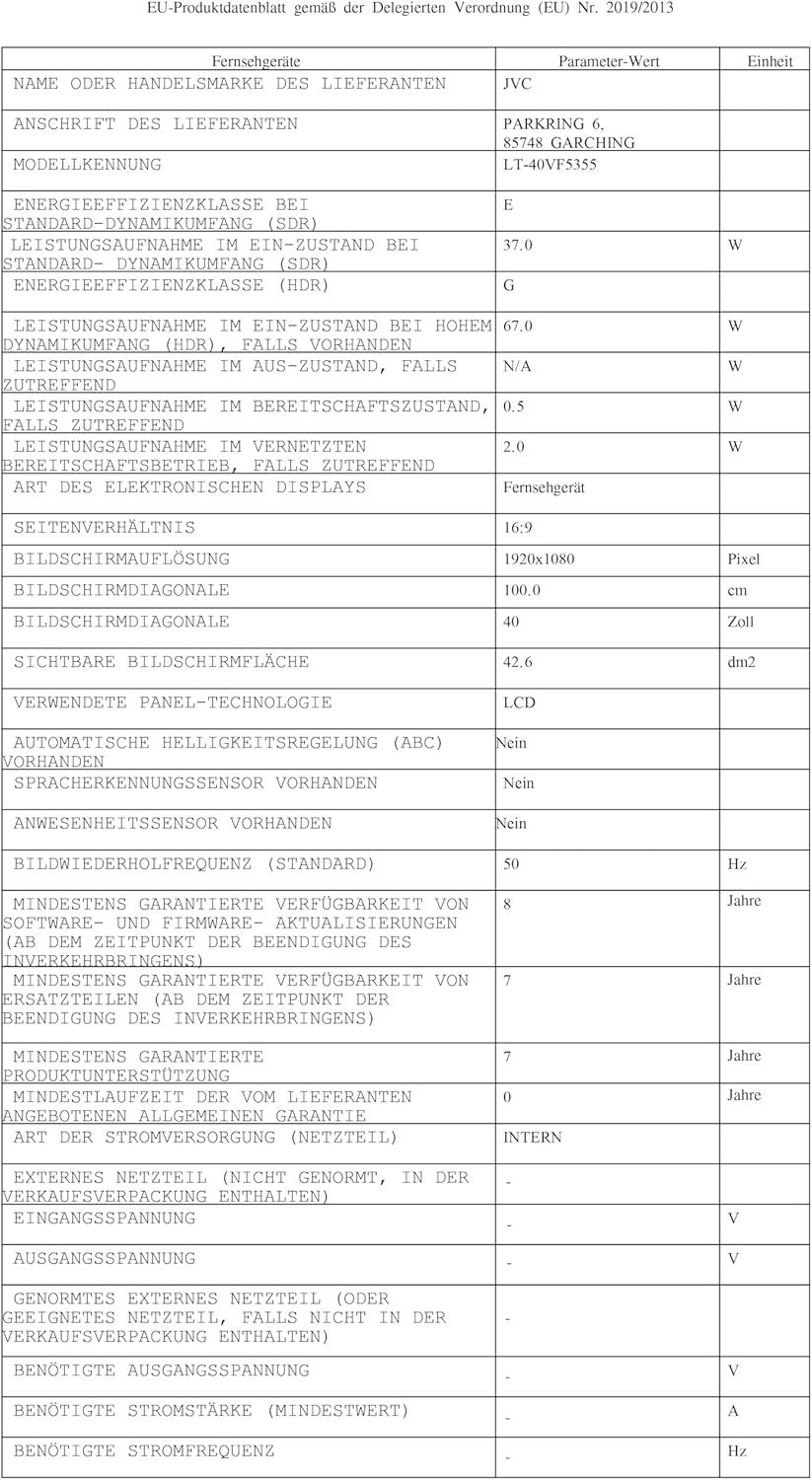
Image: EU Delegated Regulation product data sheet for the JVC LT-40VF5355, detailing technical specifications and energy consumption. For more details, visit eprel.ec.europa.eu/qr/1880376.

Image: EU Energy Label for the JVC LT-40VF5355, showing energy efficiency class E (SDR) and G (HDR), and power consumption values.
9. Garanzia
JVC products are manufactured with high-quality components and are subject to rigorous quality control. For detailed warranty information, please refer to the warranty card included with your product or visit the official JVC website for your region. Spare parts are guaranteed to be available for 7 years from the date of placing the product on the market.
10. Supporto
For further assistance, technical support, or service inquiries, please visit the official JVC support website or contact your local JVC customer service center. Keep your model number (LT-40VF5355) and serial number ready when contacting support.
Online resources may include FAQs, software downloads, and additional troubleshooting guides.


