1. Istruzioni di sicurezza
Please read and understand all safety instructions before operating the OUPES Exodus 600 Plus portable power station. Failure to follow these instructions may result in electric shock, fire, or serious injury.
- Non smontare, riparare o modificare l'unità.
- Do not expose the unit to fire, direct sunlight, or high temperatures.
- Non utilizzare o conservare l'unità in bagno o in aree esposte ad acqua o umidità.
- Tenere l'unità lontano da bambini e animali domestici.
- Assicurare una ventilazione adeguata durante l'uso e la ricarica per evitare il surriscaldamento.
- Utilizzare solo cavi di ricarica e accessori originali o certificati.
- Evitare di far cadere l'unità o di sottoporla a forti urti.
- In case of abnormal operation, smoke, or unusual odors, immediately discontinue use and contact customer support.
2. Prodotto finitoview
The OUPES Exodus 600 Plus is a portable power station designed to provide reliable power for various applications, including outdoor camping, home backup, and emergency situations. It features a 512Wh LiFePO4 battery and delivers up to 600W of AC output.
2.1 Caratteristiche principali
- Capacità: Batteria LiFePO512 da 4 Wh
- Produzione: 600W AC (1200W Peak)
- Peso: Circa 12.35 libbre (5.6 kg)
- Porte: 2x AC outlets, 1x USB-C (PD), 2x USB-A, 1x 12V DC port
- Sistema di gestione della batteria (BMS): Built-in for multi-protection against short-circuit, over-current, over-voltage, basso volumetage, sovraccarico e surriscaldamento.
- Funzione di alimentazione di emergenza (EPS): Rapid response to power outages.
2.2 Componenti e porte del prodotto
Familiarize yourself with the various ports and components of your OUPES Exodus 600 Plus.

Immagine: Frontale view of the OUPES Exodus 600 Plus, highlighting the 2 AC outlets, 2 USB-A ports, 1 USB-C port, and 1 DC 12V port, capable of powering up to 6 devices simultaneously.

Image: Detailed diagram showing the location of the Car Charger Output Port, 600W AC Output Ports, LCD Screen, 18W Max USB-A Output Ports, 18W Max USB-C Output, Overload Protection, AC Charge Input, and PV Input (DC 7909 Input) on the OUPES Exodus 600 Plus.

Image: The OUPES Exodus 600 Plus, a compact powerhouse with 512Wh capacity and 600W output, shown powering a laptop, drone batteries, and a small TV, demonstrating its versatility for various devices.
3. Impostazione
3.1 Carica iniziale
Before first use, fully charge your OUPES Exodus 600 Plus. This ensures optimal battery performance and calibration.
- Connect the provided AC charging cable to the AC Charge Input port on the power station.
- Collegare l'altra estremità del cavo di ricarica CA a una presa a muro standard.
- The LCD screen will indicate charging status. Charge until the battery indicator shows 100%.
3.2 Connecting the Solar Panel (Optional)
The OUPES Exodus 600 Plus can be charged using the included 100W solar panel.
- Aprire il pannello solare da 100 W e posizionarlo alla luce diretta del sole.
- Connect the solar charging cable (7909 & MC4) to the solar panel's output.
- Connect the other end of the solar charging cable to the PV Input (DC 7909 Input) port on the power station.
- The LCD screen will display the solar charging input wattage.

Image: Illustration of the OUPES Exodus 600 Plus charging via AC (300W) in 2 hours to 80%, via PV (240W) in 2 hours to 80%, and combined AC+PV (540W) in 59 minutes to 80%, demonstrating fast charging capabilities.
4. Istruzioni per l'uso
4.1 Accensione/Spegnimento
- To power on the unit, press and hold the 'POWER' button for 3 seconds. The LCD screen will illuminate.
- To power off the unit, press and hold the 'POWER' button for 3 seconds again.
4.2 Utilizzo delle prese CA
- Assicurarsi che la centrale elettrica sia accesa.
- Press the 'AC' button to activate the AC outlets. The AC indicator on the LCD screen will light up.
- Collega i tuoi dispositivi alimentati a corrente alternata alle prese di corrente alternata.
- To turn off AC output, press the 'AC' button again.
4.3 Using DC and USB Ports
- Assicurarsi che la centrale elettrica sia accesa.
- The DC and USB ports are typically active when the unit is on. Refer to the manual for specific model behavior.
- Plug your USB or 12V DC devices into the respective ports.
4.4 Funzione di alimentazione di emergenza (EPS)
The OUPES Exodus 600 Plus features an EPS function, allowing it to switch to battery power within 20 milliseconds during a power outage, providing uninterrupted power to connected devices.
Video: An official OUPES video demonstrating the features and portability of the Exodus 600 power station, including its various ports, charging capabilities, and use in outdoor settings. It highlights the unit's compact size and ability to power multiple devices.
5. Manutenzione
Proper maintenance ensures the longevity and optimal performance of your OUPES Exodus 600 Plus.
- Ricarica regolare: If the power station is not in use, recharge it every 3 months to maintain battery health.
- Condizioni di conservazione: Store the unit in a dry, well-ventilated area with a temperature range of 14°F to 113°F (-10°C to 45°C). Avoid extreme temperatures.
- Pulizia: Utilizzare un panno asciutto e morbido per pulire l'esterno dell'unità. Non utilizzare prodotti chimici aggressivi o materiali abrasivi.
- Stato della batteria: The LiFePO4 battery is designed for 3500+ cycles to 80% capacity.
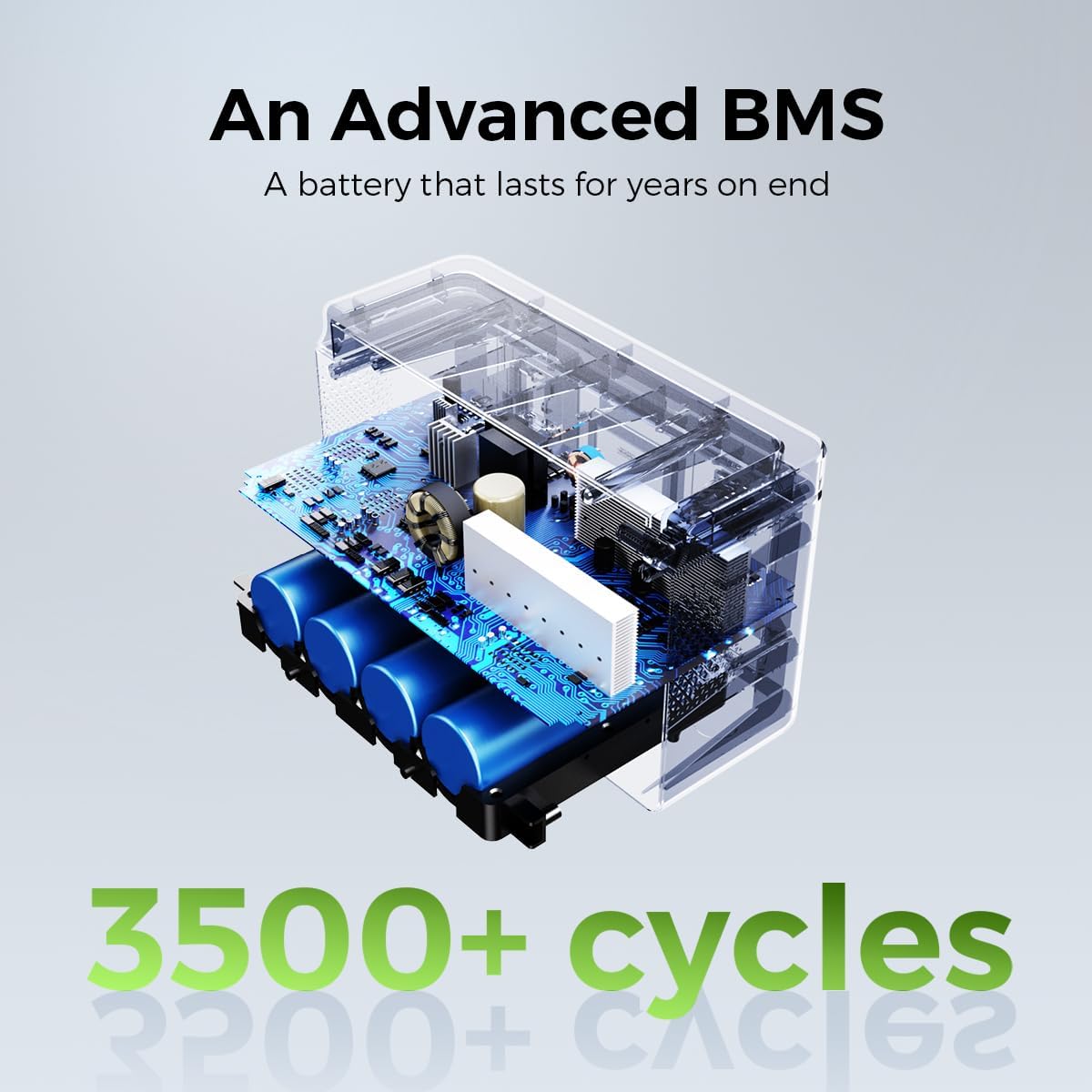
Immagine: Un interno view illustrating the advanced Battery Management System (BMS) and LiFePO4 battery cells of the OUPES Exodus 600 Plus, emphasizing its durability with 3500+ cycles.
6. Risoluzione Dei Problemi
This section addresses common issues you might encounter with your OUPES Exodus 600 Plus.
| Problema | Possibile causa | Soluzione |
|---|---|---|
| L'unità non si accende. | La batteria è scarica. | Charge the unit using the AC adapter or solar panel. |
| L'uscita CA non funziona. | Uscita CA non attivata o sovraccarica. | Press the 'AC' button to activate. Reduce the load if overloaded. Check device wattage. |
| Unit goes into sleep mode / shuts off with low power devices. | Automatic power-saving feature for low power draw. | This model may have an automatic shutdown feature for very low power devices to conserve energy. For continuous power to low-draw devices, ensure the total output exceeds the minimum threshold to keep the unit active. Consider using devices with higher power consumption or contact OUPES support for specific thresholds. |
| La ricarica è lenta o non funziona. | Incorrect charger, poor solar panel placement, or high temperature. | Ensure you are using the correct charger. For solar charging, ensure the panel is in direct sunlight and free from obstructions. Move the unit to a cooler environment if overheating. |
| LCD screen shows an error code. | Internal fault or protection activated. | Note the error code and refer to the full user manual or contact OUPES customer service for assistance. |
7. Specifiche
Detailed technical specifications for the OUPES Exodus 600 Plus portable power station.
| Caratteristica | Specificazione |
|---|---|
| Marca | OUPE |
| Nome del modello | Esodo 600 Plus |
| Tipo di batteria | LiFePO4 |
| Cosatage (Capacity) | 512 Wattora |
| Uscita Wattage (CA) | 600 Watt (1200 W di picco) |
| Voltage (CA) | 110 Volt |
| Peso dell'articolo | 12.35 libbre (5.6 kg) |
| Dimensioni del prodotto | 9.45 cm L x 7.28 cm P x 7.7 cm A |
| Totale prese di corrente | 6 (2x AC, 1x USB-C, 2x USB-A, 1x 12V DC) |
| Caratteristiche speciali | Easy to Install, Electric Brake, LiFePO4 Rechargeable Battery, MPPT, BMS System, EPS Rapid Response |
| Componenti inclusi | Exodus 600w Plus power station, 100W Solar Panel & 7909 & MC4 Charging Cable, AC Charger, 3 Fuse 10A, Warranty Card & User Manual |
| Ciclo di vita | Oltre 3500 cicli all'80% della capacità |
8. Garanzia e supporto
OUPES provides comprehensive support for your Exodus 600 Plus portable power station.
8.1 Informazioni sulla garanzia
The OUPES Exodus 600 Plus comes with a Garanzia di 36 mesi dalla data di acquisto. La presente garanzia copre i difetti di materiali e fabbricazione in condizioni di normale utilizzo. Si prega di conservare la prova d'acquisto per eventuali reclami in garanzia.
8.2 Assistenza clienti
For any questions, technical assistance, or warranty claims, please contact OUPES customer service. Our friendly customer service team is available to help you.
- Refer to the contact information provided in your warranty card or on the official OUPES websito.
- When contacting support, please have your product model (Exodus 600 Plus) and purchase date available.


