1. Introduzione
The Creative Zen Air Pro are lightweight True Wireless in-ear headphones designed for an immersive audio experience. They feature Active Noise Cancellation (ANC) to block out distractions, Ambient Mode to stay aware of your surroundings, and support for next-generation Bluetooth LE Audio for high-quality, uninterrupted streaming. With an IPX5 rating, these earbuds are sweatproof and splashproof, making them suitable for various activities.

Figure 1.1: Creative Zen Air Pro Earbuds and Charging Case. The image shows the black earbuds nestled in their open charging case, ready for use or charging.
2. Impostazione
2.1 Ricarica degli auricolari e della custodia
Before first use, fully charge the Creative Zen Air Pro earbuds and their charging case. The earbuds offer up to 9 hours of playtime on a single charge, and the charging case provides up to 33 hours of total playtime.
- Riporre gli auricolari nella custodia di ricarica.
- Connect the charging case to a USB power source using a compatible USB-C cable.
- Gli indicatori LED sulla custodia mostreranno lo stato di ricarica.

Figure 2.1: Charging the Creative Zen Air Pro. The image illustrates the charging case placed on a wireless charging pad, highlighting its extended battery life.
2.2 Associazione Bluetooth
To pair your Creative Zen Air Pro with a device:
- Assicurati che gli auricolari siano nella custodia di ricarica e che il coperchio sia aperto.
- Sul tuo dispositivo, attiva il Bluetooth e cerca nuovi dispositivi.
- Select "Creative Zen Air Pro" from the list of available devices.
- Una volta collegati, gli auricolari sono pronti per l'uso.
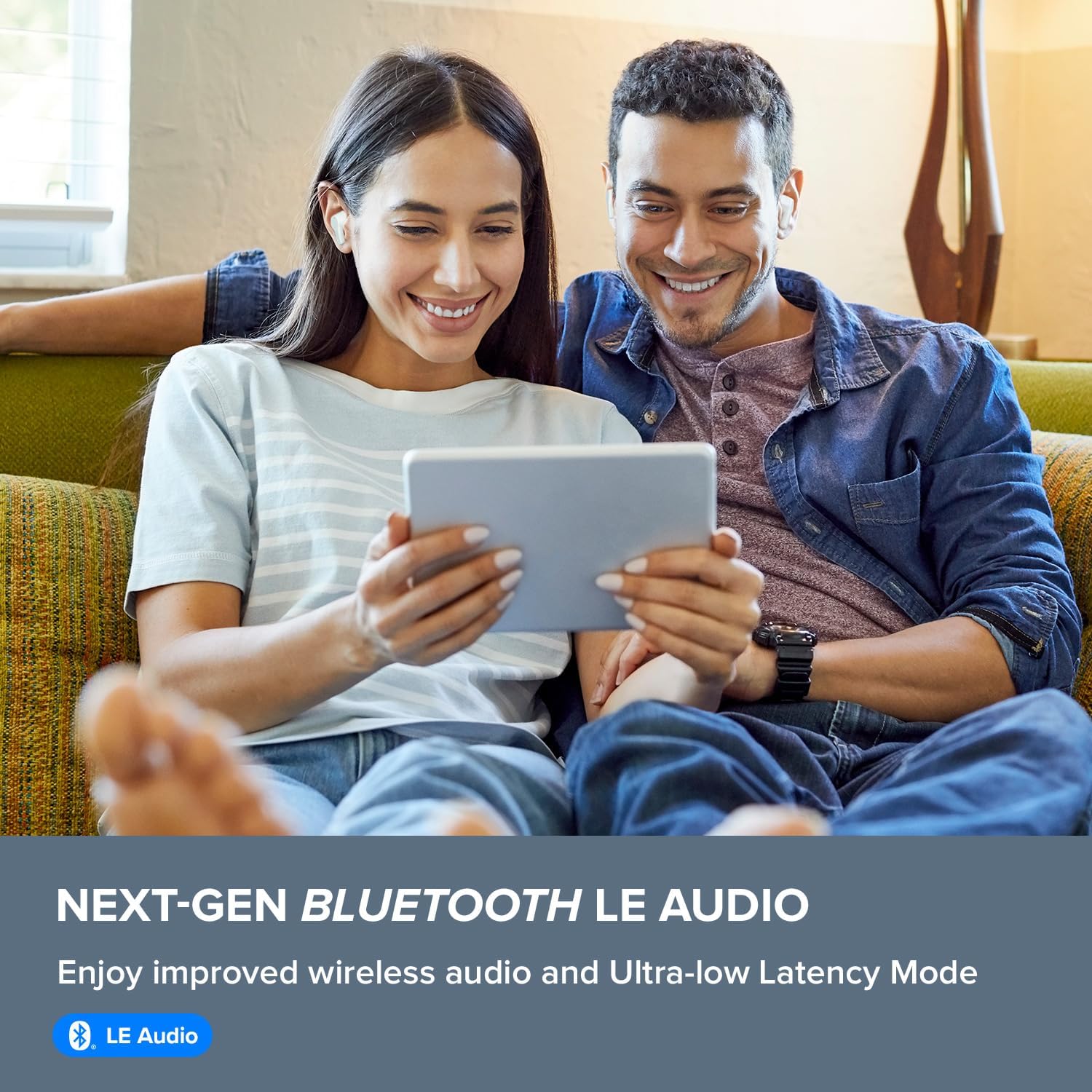
Figure 2.2: Bluetooth LE Audio Connectivity. This image shows a couple enjoying content on a tablet while wearing the earbuds, emphasizing the next-gen Bluetooth LE Audio feature.
2.3 Montaggio degli auricolari
For optimal sound quality and noise cancellation, ensure a proper fit. Gently insert the earbuds into your ear canal and twist slightly to secure them. Experiment with different ear tip sizes if necessary to find the most comfortable and secure fit.
3. Utilizzo degli auricolari
3.1 Comandi touch
The Creative Zen Air Pro earbuds feature intuitive touch controls for managing playback, calls, and noise control modes. Refer to the quick start guide included with your product for specific tap sequences for various functions.
3.2 Cancellazione attiva del rumore (ANC) e modalità ambiente
The earbuds are equipped with Active Noise Cancellation to reduce unwanted ambient sounds, allowing you to focus on your audio. Ambient Mode allows you to hear your surroundings without removing the earbuds, which is useful for awareness in busy environments.

Figure 3.1: Ambient Mode and Active Noise Cancellation. The image shows a man comfortably using the earbuds while reading on a tablet, illustrating the versatility of noise control features.
3.3 Call Experience
The Creative Zen Air Pro features a total of 6 microphones and is enhanced by advanced AI-powered Deep Neural Network (DNN) technology for ultra-clear call quality, minimizing background noise during conversations.

Figure 3.2: Microphone Placement for Clear Calls. This diagram highlights the feedforward and feedback microphones on the earbud, which contribute to superior call clarity.
3.4 Creative App
Download the Creative app on your smartphone to access additional features, customize settings, update firmware, and fine-tune your audio experience with an equalizer.
4. Manutenzione
4.1 Pulizia
Regularly clean your earbuds and charging case to maintain optimal performance and hygiene. Use a soft, dry, lint-free cloth. Do not use abrasive materials or harsh chemicals. Gently remove any earwax or debris from the ear tips and speaker mesh.
4.2 Resistenza all'acqua
The Creative Zen Air Pro earbuds have an IPX5 water-resistance rating, meaning they are protected against low-pressure water jets from any direction. This makes them suitable for workouts and light rain. However, they are not designed for submersion in water.

Figure 4.1: IPX5 Water Resistance. The image shows a man engaged in outdoor activity while wearing the earbuds, highlighting their splashproof design.
5. Risoluzione Dei Problemi
If you encounter issues with your Creative Zen Air Pro earbuds, try the following steps:
- Nessun suono/suono intermittente: Ensure earbuds are charged and properly paired. Check the volume level on both the earbuds and your connected device. Try re-pairing the earbuds.
- Gli auricolari non si caricano: Ensure the charging cable is securely connected to both the case and the power source. Check for any debris in the charging port. Make sure the earbuds are correctly seated in the case.
- Problemi di accoppiamento: Turn off Bluetooth on your device and turn it back on. Forget the earbuds from your device's Bluetooth list and attempt to pair again. Ensure no other devices are trying to connect simultaneously.
- Aggiornamenti del firmware: Regularly check for and install firmware updates via the Creative app. Updates can resolve performance issues and introduce new features.
- Ripristino degli auricolari: If issues persist, consult the Creative support website or the Creative app for instructions on how to perform a factory reset.
6. Specifiche
| Caratteristica | Specificazione |
|---|---|
| Nome del modello | Creative Zen Air Pro (Black) |
| Numero di modello | EF1090 |
| Tecnologia di connettività | Wireless (Bluetooth) |
| Versione Bluetooth | 5.3 |
| Controllo del rumore | Cancellazione attiva del rumore |
| Durata della batteria (auricolari) | Fino a 9 ore |
| Tempo di riproduzione totale (con custodia) | Fino a 33 ore |
| Tipo di driver audio | Driver dinamico da 10 mm |
| Livello di resistenza all'acqua | IPX5 (resistente al sudore e agli schizzi) |
| Gamma di frequenza | 20 Hz - 20,000 Hz |
| Tipo di controllo | Controllo multimediale, remoto |
| Dimensioni del prodotto | 4.33 x 3.46 x 1.53 pollici |
| Peso dell'articolo | 5.5 once |
7. Garanzia e supporto
Your Creative Zen Air Pro earbuds come with a standard manufacturer's warranty. For detailed warranty information, technical support, or to access additional resources, please visit the official Creative website or contact Creative customer service. The product package includes a user manual for initial setup and guidance.


